Missed rig checks go unnoticed
Scheduled checks create a dated obligation, missed ones are flagged to the alert roles, and on-duty members can be warned before a check goes overdue.
Truck, SCBA, and PPE checks the whole crew works together, with a readiness board, missed-check tracking, and failed items that become repair alerts.
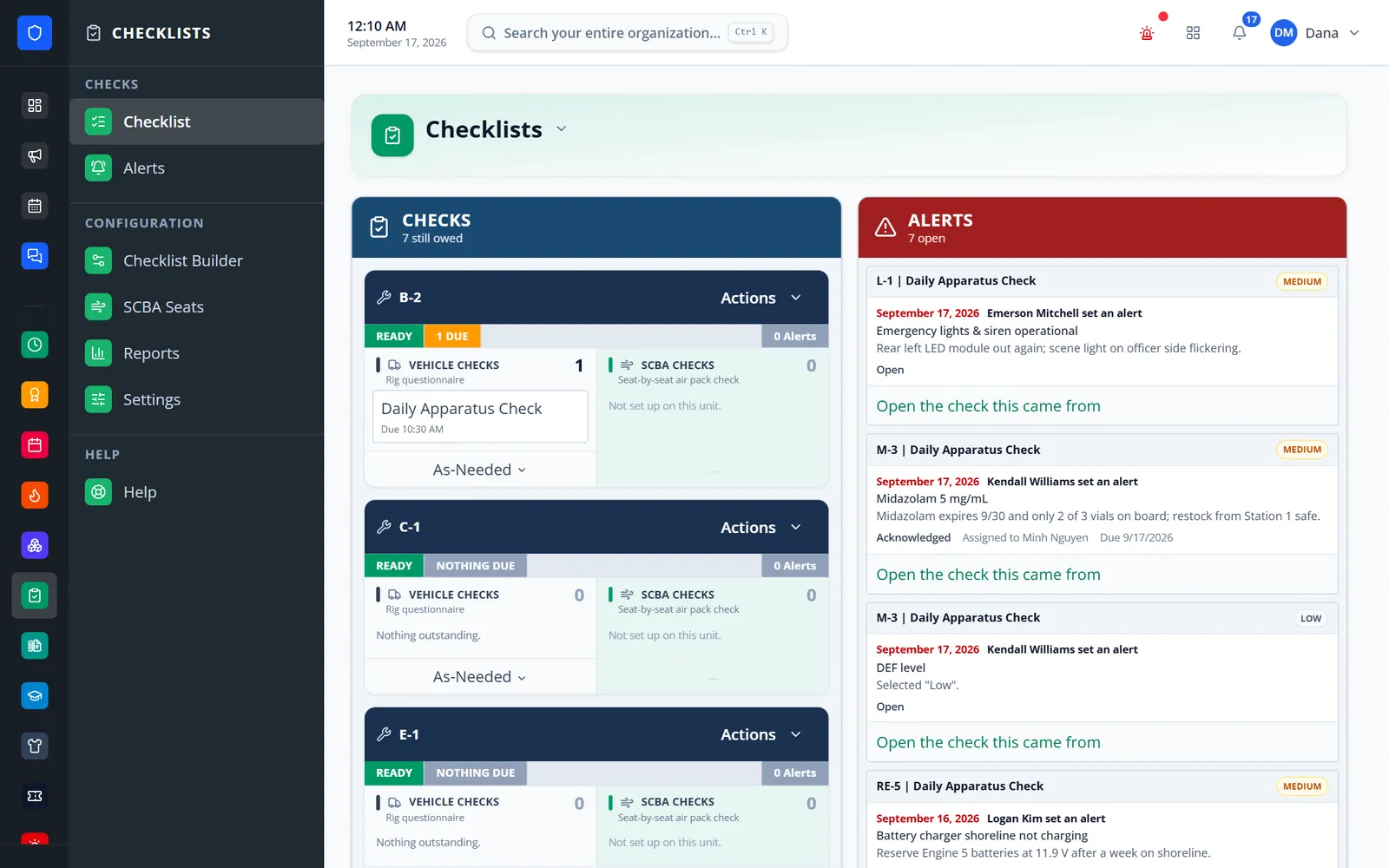
Build your department’s checks once — sections, pass/fail items, readings with limits, quantities, and required notes — and schedule them daily, every N days, weekly, monthly, quarterly, twice a year, or yearly. Each check is shared work the crew logs in batches, the board shows which units are ready, behind, deficient, or out of service, and failed items become alerts that move through repair until the unit is back on the line.
Scheduled checks create a dated obligation, missed ones are flagged to the alert roles, and on-duty members can be warned before a check goes overdue.
A failed item becomes an alert with severity, photos, an out-of-service flag, an owner, and a due date.
The whole crew logs into the same check in batches, and the board shows who still owes what.
Checklist versions are immutable, completed checks keep their snapshot, and reports export to CSV and PDF.
Real screens from Station Clipboard, shown with a sample department.
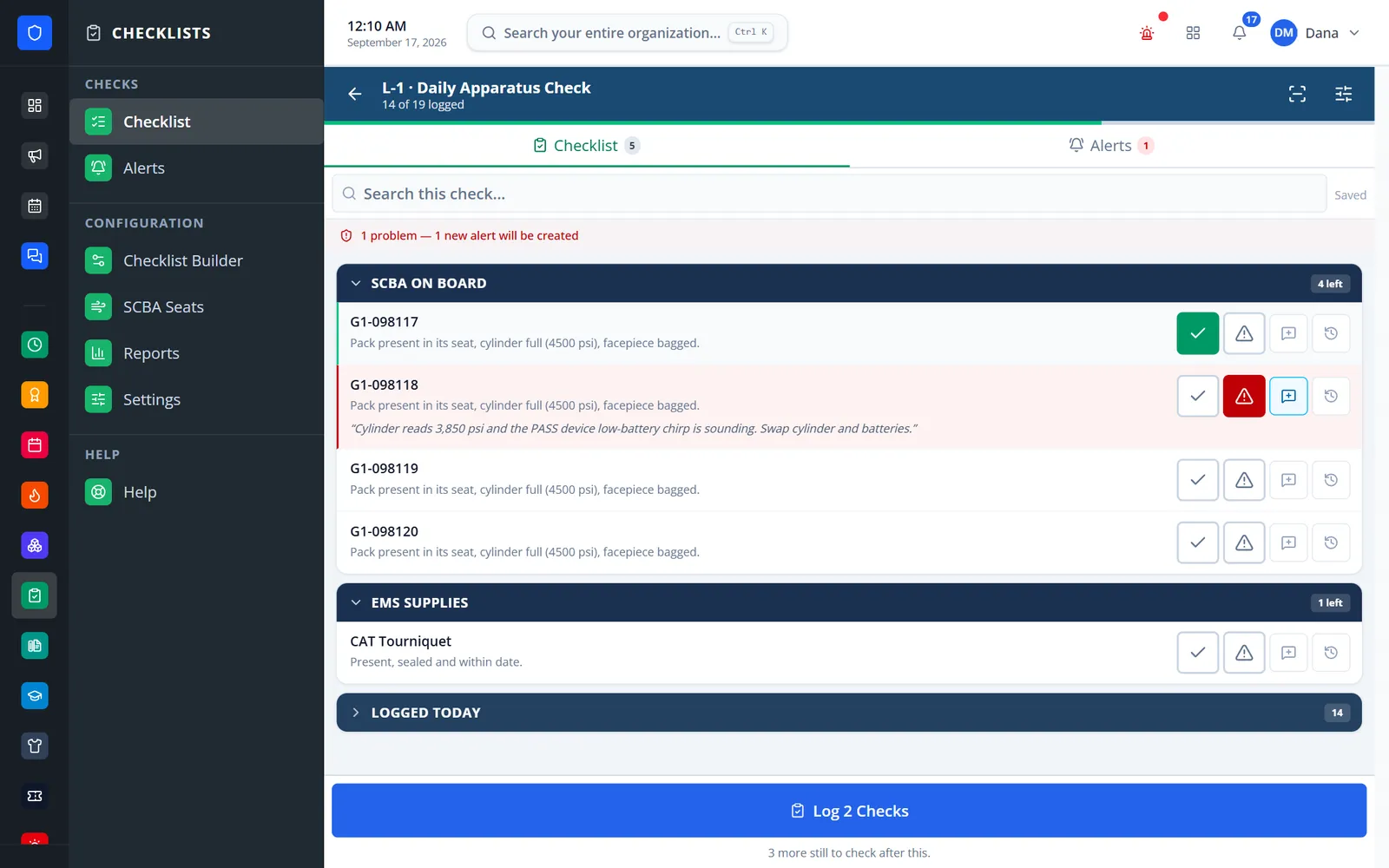
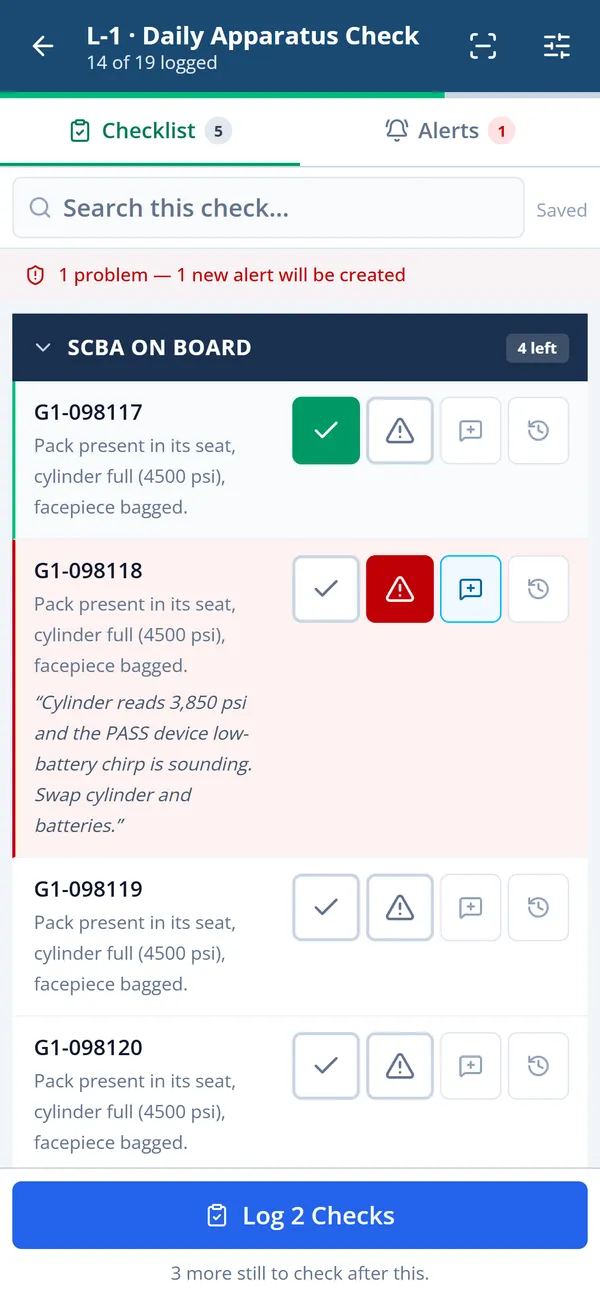
Readings carry their range, and a failed item with a note becomes an alert when it is logged.
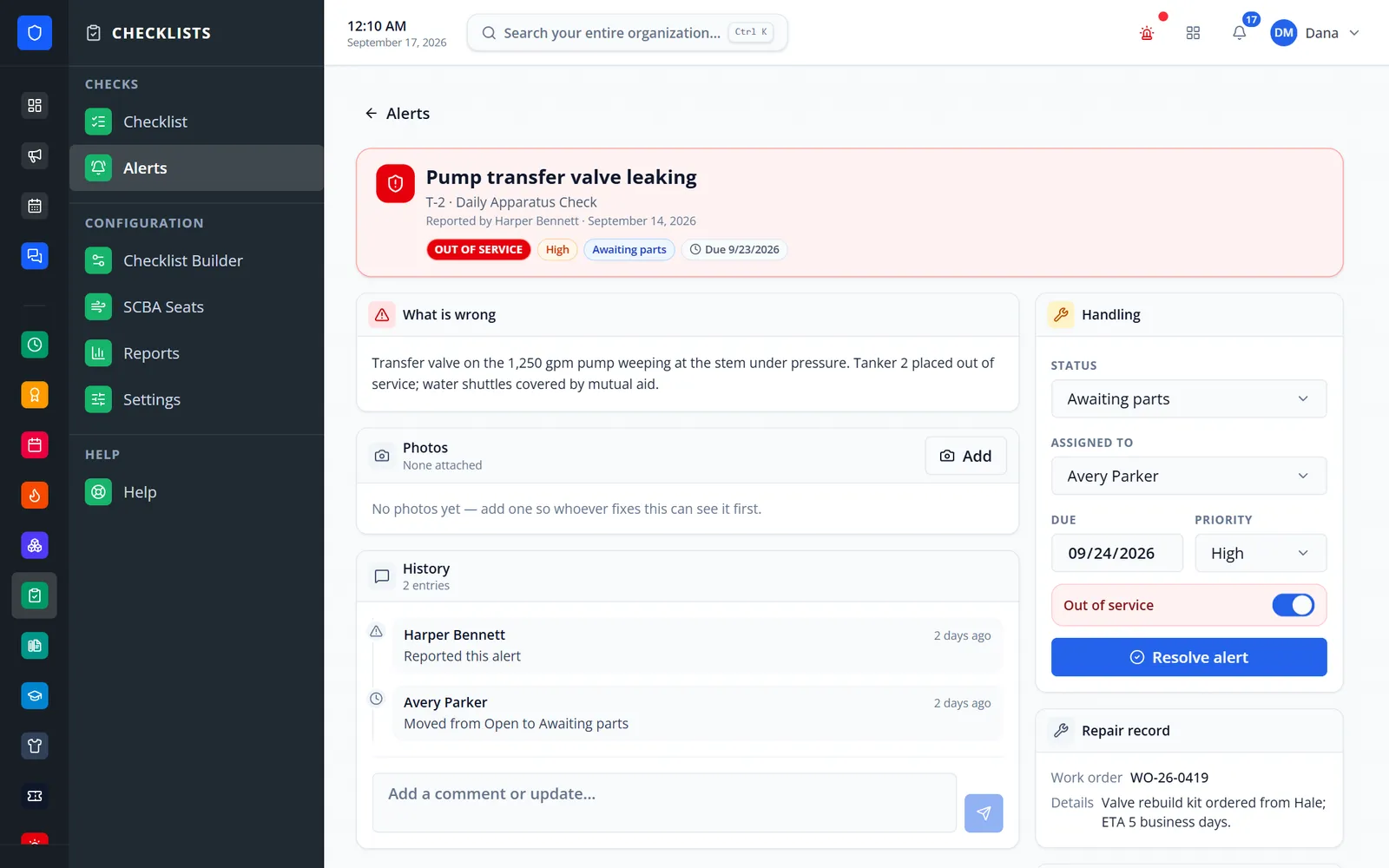
Out-of-service status, owner, due date, work-order reference, and a running history.
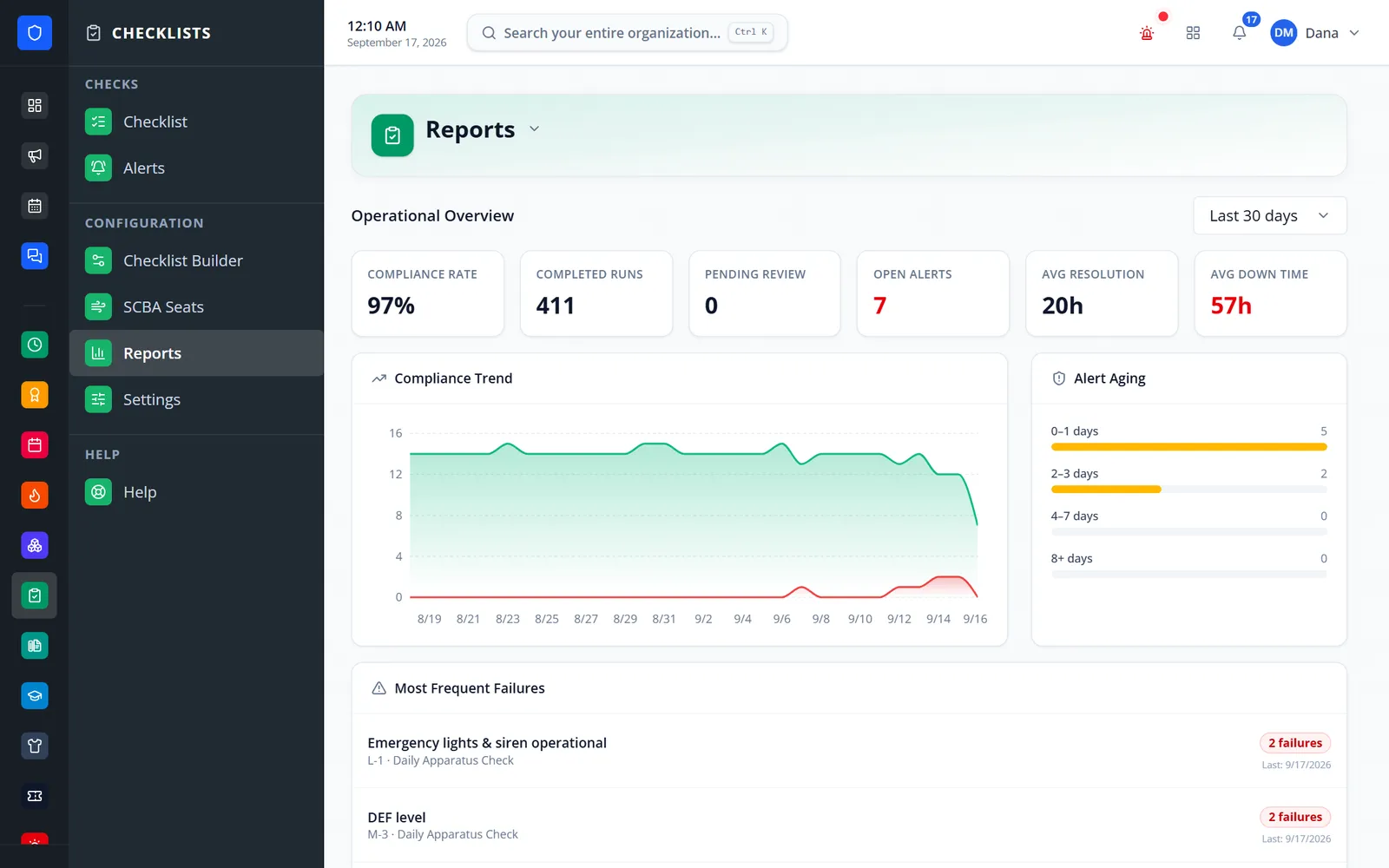
Compliance rate, completed and missed checks by day, alert aging, and most frequent failures.
Run checks from the apparatus bay with big pass and fail buttons.
Sections, answer types, schedule, target, and which roles receive alerts.
Each unit’s card shows what is due today and what can be run as needed.
Mark items, scan a barcode to jump to one, and add notes and photos to failures.
Alerts move from acknowledged to in progress, awaiting parts, and ready for service, with cost and work-order references.
Daily, every N days, weekly, monthly, quarterly, twice a year, or yearly — with open and due-by times, plus as-needed runs.
One check for the department, one per apparatus, or one per member for PPE.
Check, quantity, readings with automatic pass/fail, date, text, and choice.
Seat-by-seat pack, cylinder, and facepiece checks with PSI readings and air-fill logging.
Severity, up to 10 photos, out-of-service flags, comments, and re-notification while open.
Camera photos, barcode scanning, and answers queued if the signal drops.
Claimed checks, supervisor review, a typed-name attestation, and recent results for each item.
Compliance rate and trend, alert aging, most frequent failures, and CSV/PDF exports.
Members keep one secure sign-in and one set of role permissions across every module you turn on.
No. Manual-question checklists work on their own. With Assets on, checks can target workspace records, write results into their history, and mark units out of service.
Answers are queued on the device and sent when the connection returns. Photos need a connection.
Yes. With Quartermaster on, an item can be linked to a gear size so shortages and use are sent to Quartermaster’s Event Reviews for approval.
Checklists export and import as JSON, and any checklist can be cloned.
Tell us how you handle this work today. We’ll walk you through it in the full Station Clipboard portal.
Need something we don’t have yet? We build custom modules.