Whiteboards nobody updates
Live widgets refresh every 30 seconds from the modules behind them.
Design 1920×1080 station TV boards with 20 live widgets, rotating slides, and private links you can lock to your network.
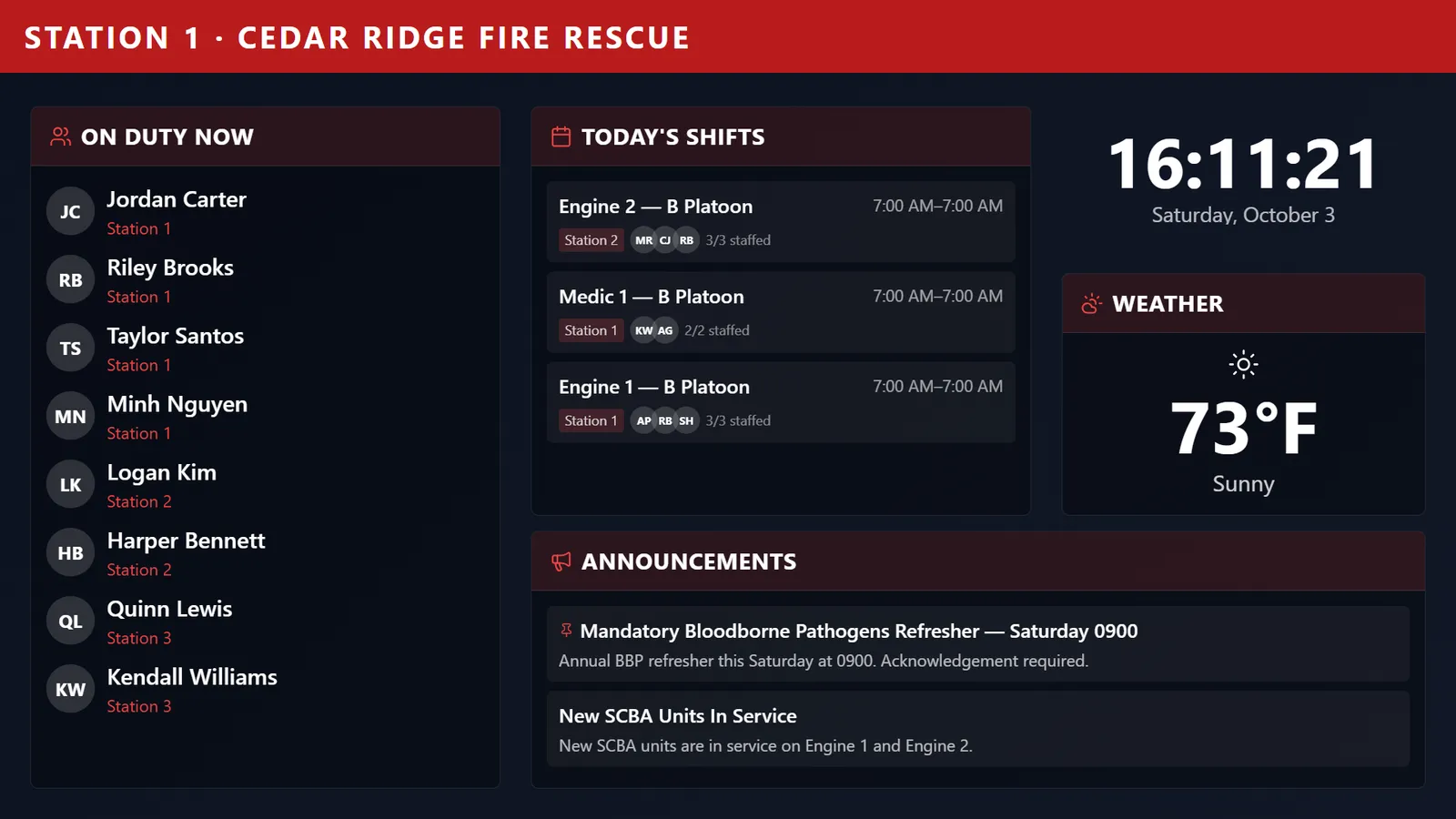
Design station TV boards on a 1920×1080 canvas with 20 widgets — who’s on duty, unit status, today’s shifts, recent calls, weather and radar, PSTrax readiness, the credits leaderboard, and announcements — rotate up to three slides, and publish through a private link that can be restricted to your station’s network.
Live widgets refresh every 30 seconds from the modules behind them.
Department announcements stay on the bay TV between portal visits.
On Duty Now and Unit Status Board widgets show it at a glance.
Launch links are unguessable, can be rotated, and can be locked to IP addresses or CIDR ranges.
Real screens from Station Clipboard, shown with a sample department.
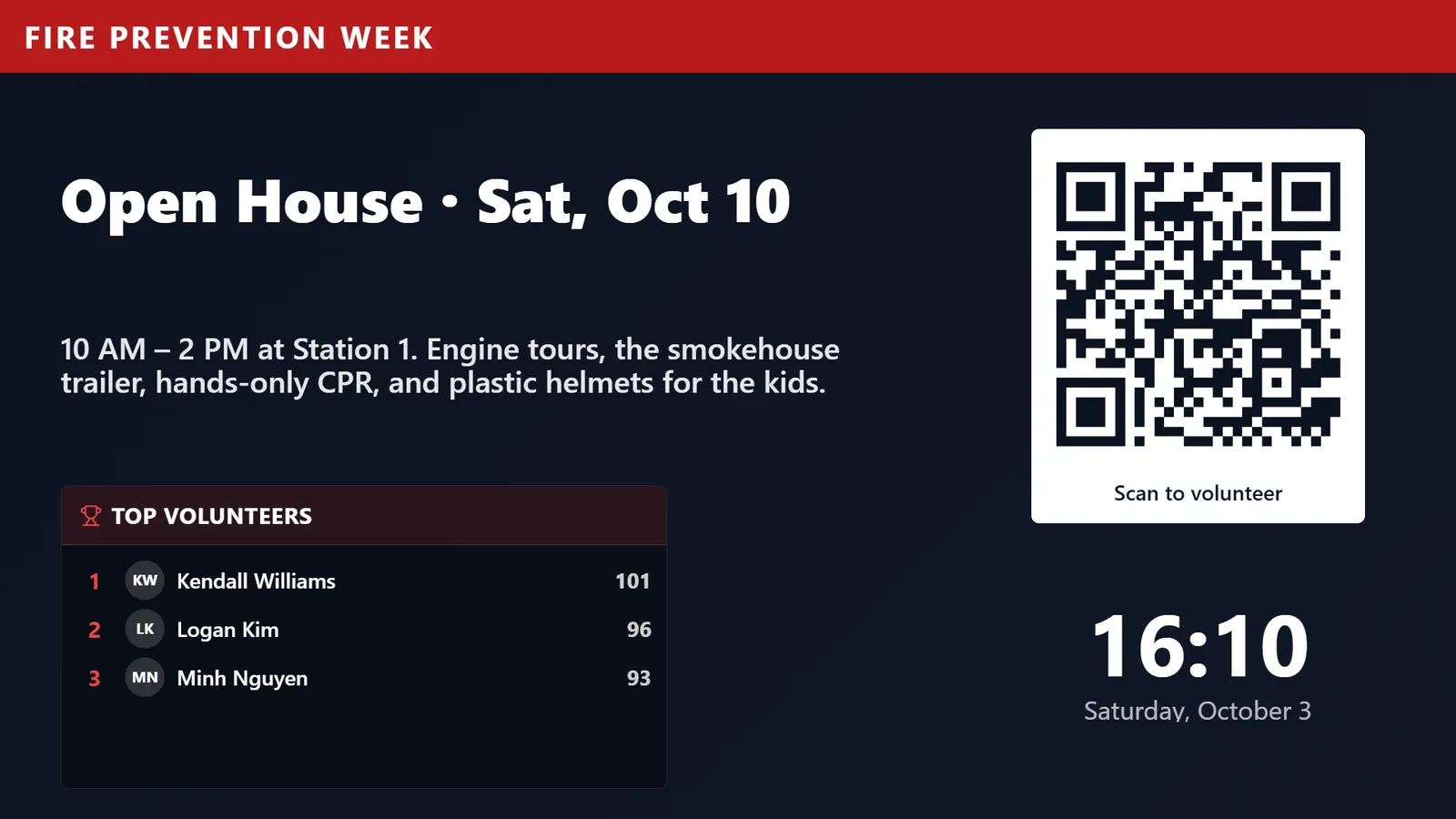
An open house promotion with a QR code between operational slides.
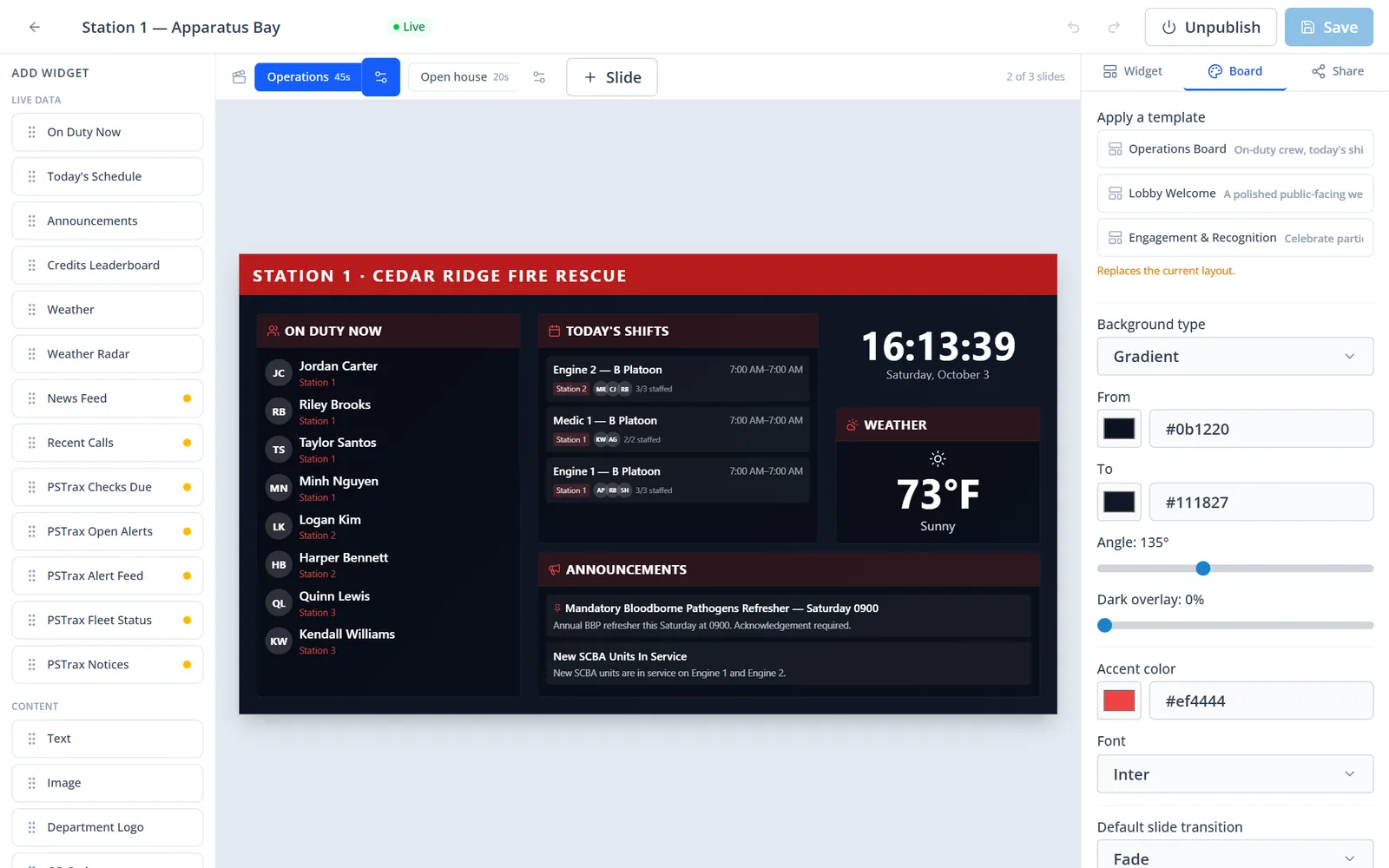
Widget palette, slides, live preview, and theme settings.
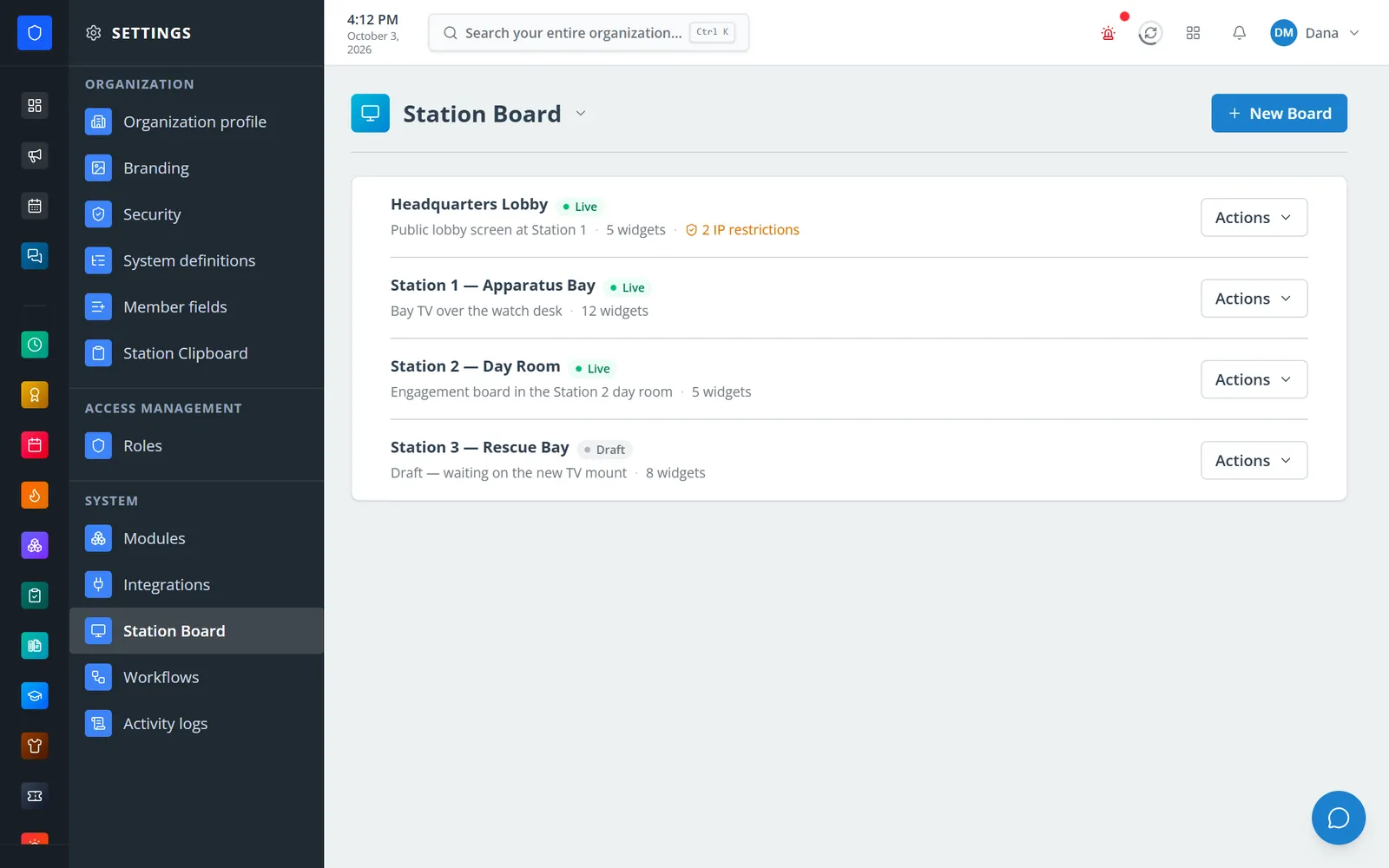
Live and draft boards, widget counts, and IP restrictions at a glance.
Start from the Operations, Lobby Welcome, or Engagement template — or a blank board.
Place widgets, set a color, gradient, image, or slideshow background, and add up to three slides.
Publish the board and copy its launch link.
Open the link full-screen on the station TV — no login required on the display.
On Duty Now, Unit Status Board, and Today’s Schedule widgets.
Active911 dispatches with an optional full-screen popup when a new call arrives.
Current conditions and forecast from any connected provider, plus an animated radar map.
Checks due, open alerts, an alert feed, fleet status, and notices.
Announcements, credits leaderboard, news, text, images, logo, QR codes, and banners.
One to three slides, 3–600 seconds each, with 12 transition styles.
Rotate launch links and restrict them to IPv4/IPv6 addresses or CIDR ranges.
Accent color, font, and solid, gradient, image, or slideshow backgrounds with an overlay.
Members keep one secure sign-in and one set of role permissions across every module you turn on.
Core, Integrations, and Time Clock must be enabled. Weather, news, Active911, and PSTrax widgets use their integrations.
No. The TV opens the board’s private launch link, which you can rotate or restrict by network.
Yes. A board can rotate through up to three slides — say, operations, then an event promotion with a QR code.
Tell us how you handle this work today. We’ll walk you through it in the full Station Clipboard portal.
Need something we don’t have yet? We build custom modules.