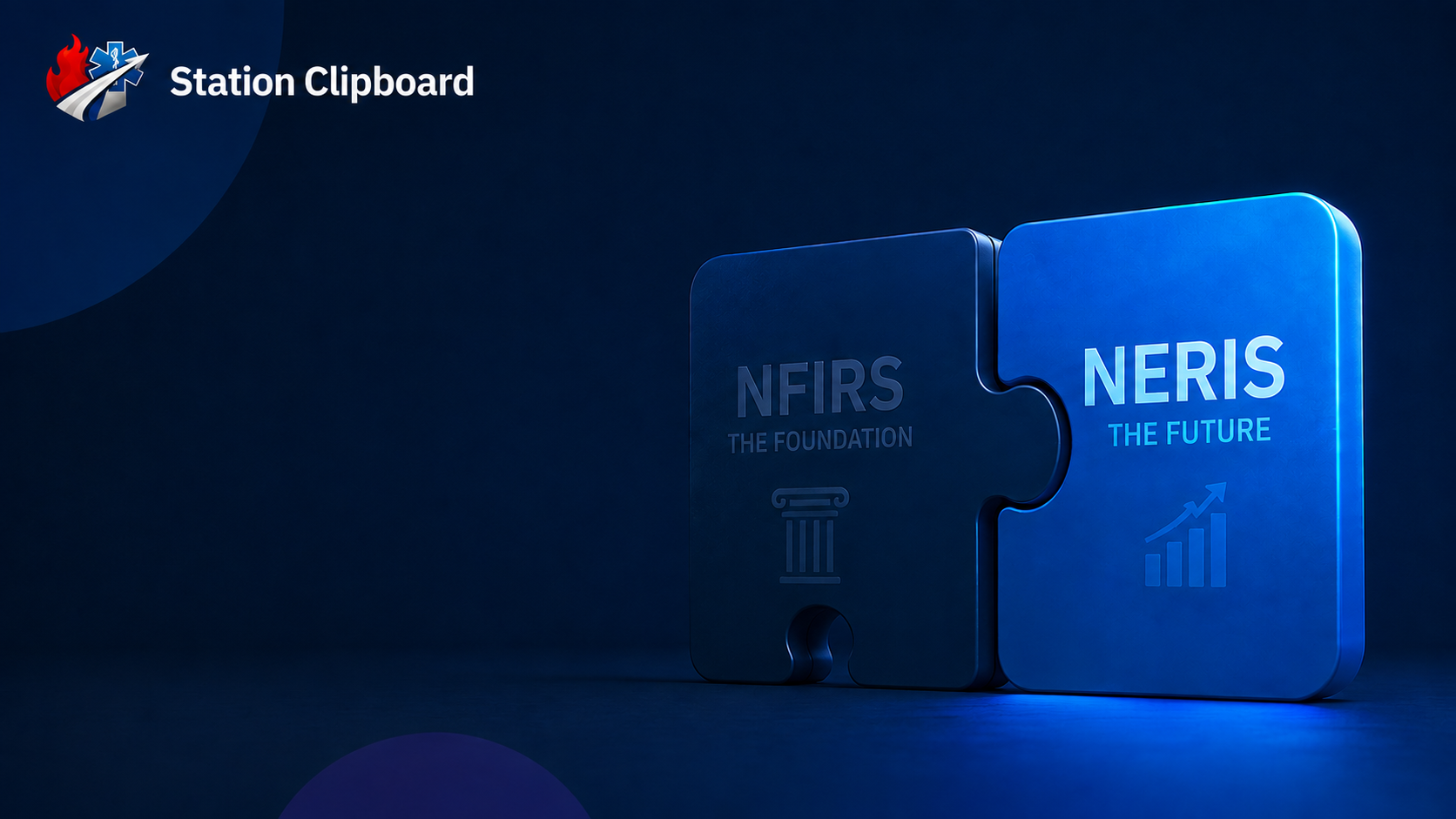
The NERIS transition
The official NERIS value sets and rules are built in, and Training Mode lets crews practice on real incidents.
Guided NERIS reports started from CAD calls or the command board, checked against NERIS rules, auditor-reviewed, and sent to NERIS through a server-side integration.
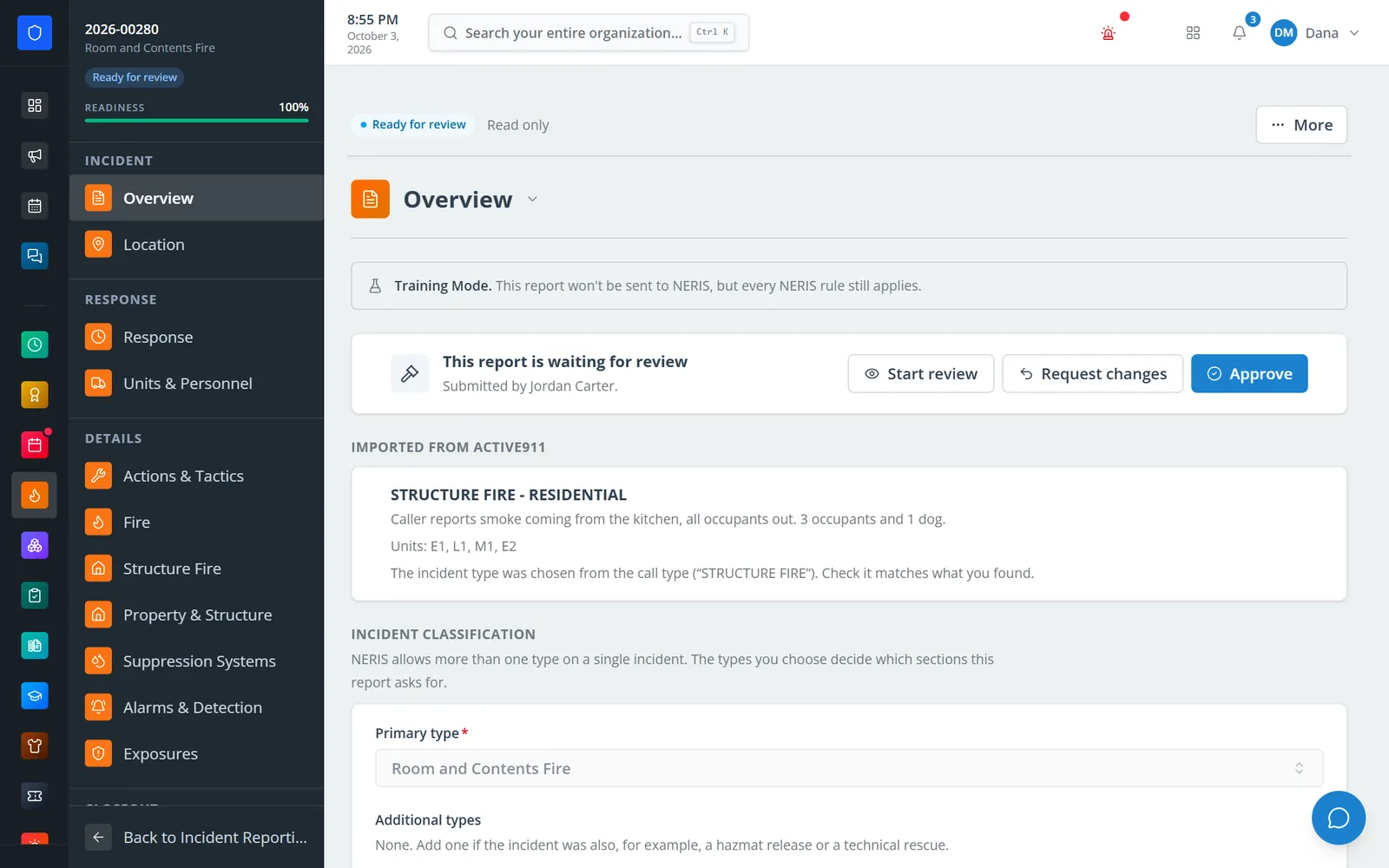
A report starts itself. An Active911 call becomes a draft with the type, time, address, and units filled in, and a closed Incident Command board hands over its units and narrative. Reporters finish a guided report that only asks for the sections their incident types need, an auditor approves it or asks for specific changes, and an authorized admin sends it to NERIS. Training, Sandbox, and Production modes keep practice out of the federal record.
The official NERIS value sets and rules are built in, and Training Mode lets crews practice on real incidents.
CAD calls and closed command boards become drafts, so nobody retypes the call.
Local checks, an optional check with NERIS, and auditor approval all come before anything is sent.
Imported calls wait on the Reports page until a member takes them.
Real screens from Station Clipboard, shown with a sample department.
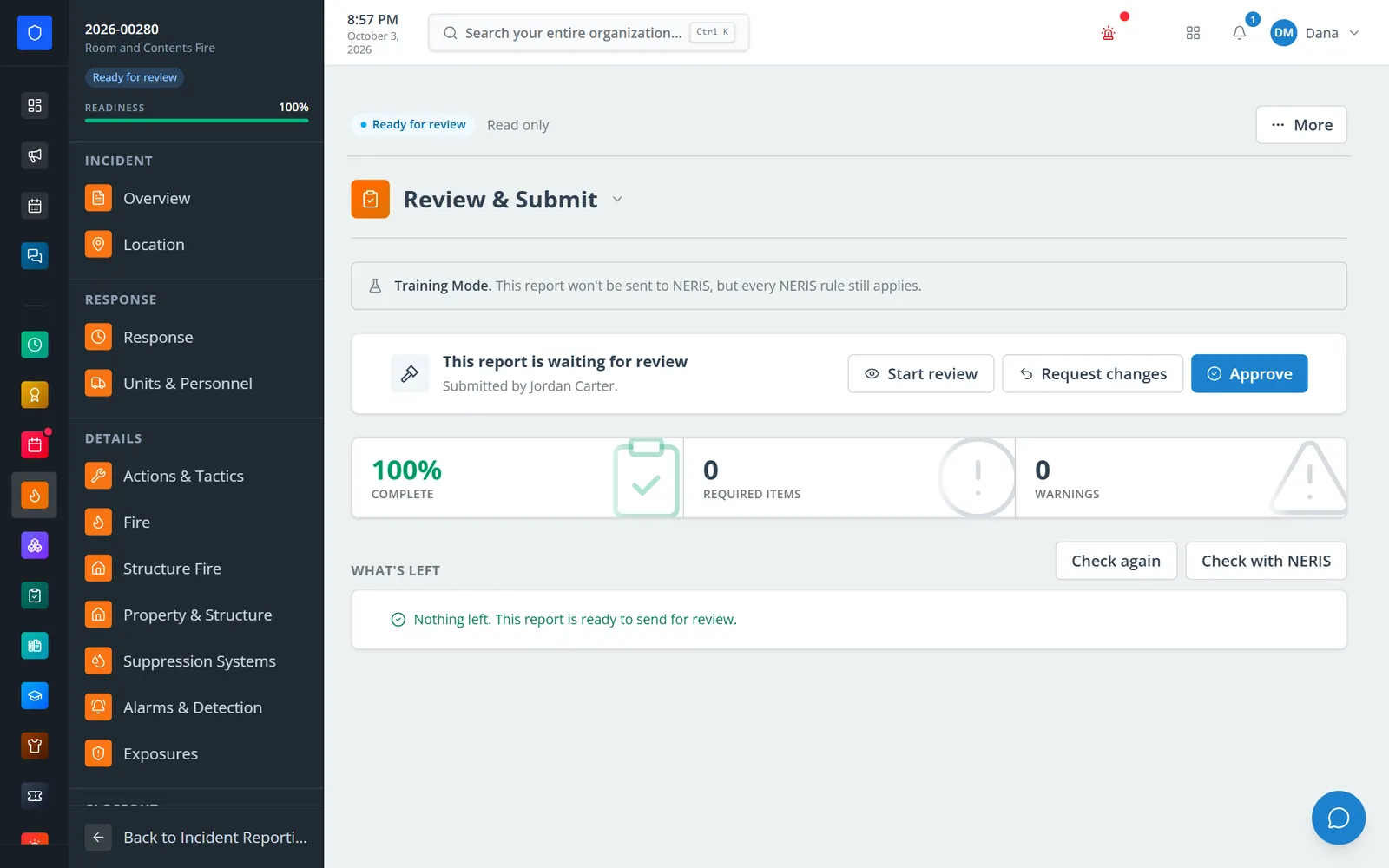
Local NERIS rules run on demand, with an optional check against NERIS itself.
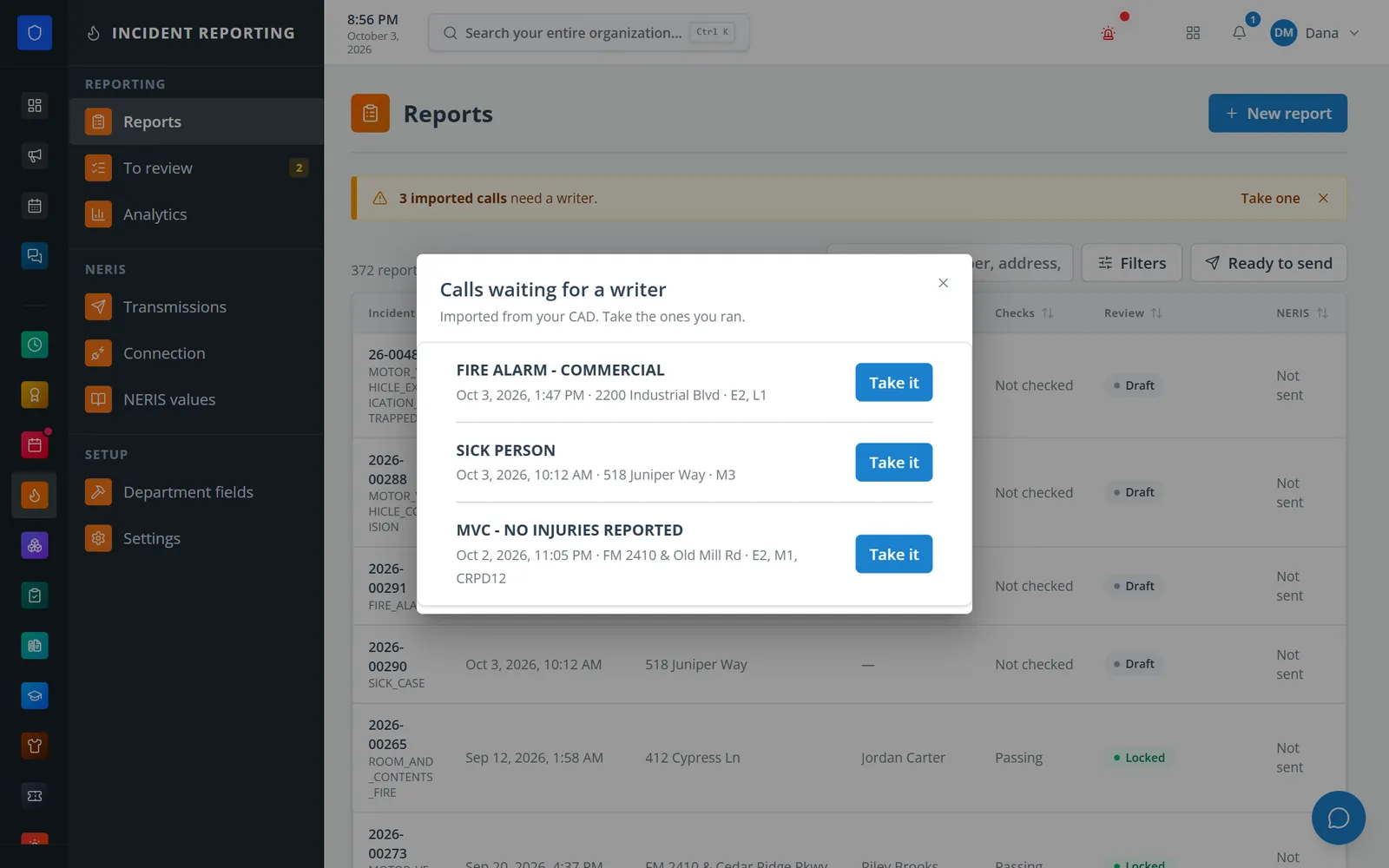
Imported CAD calls wait on the Reports page until a member takes one.
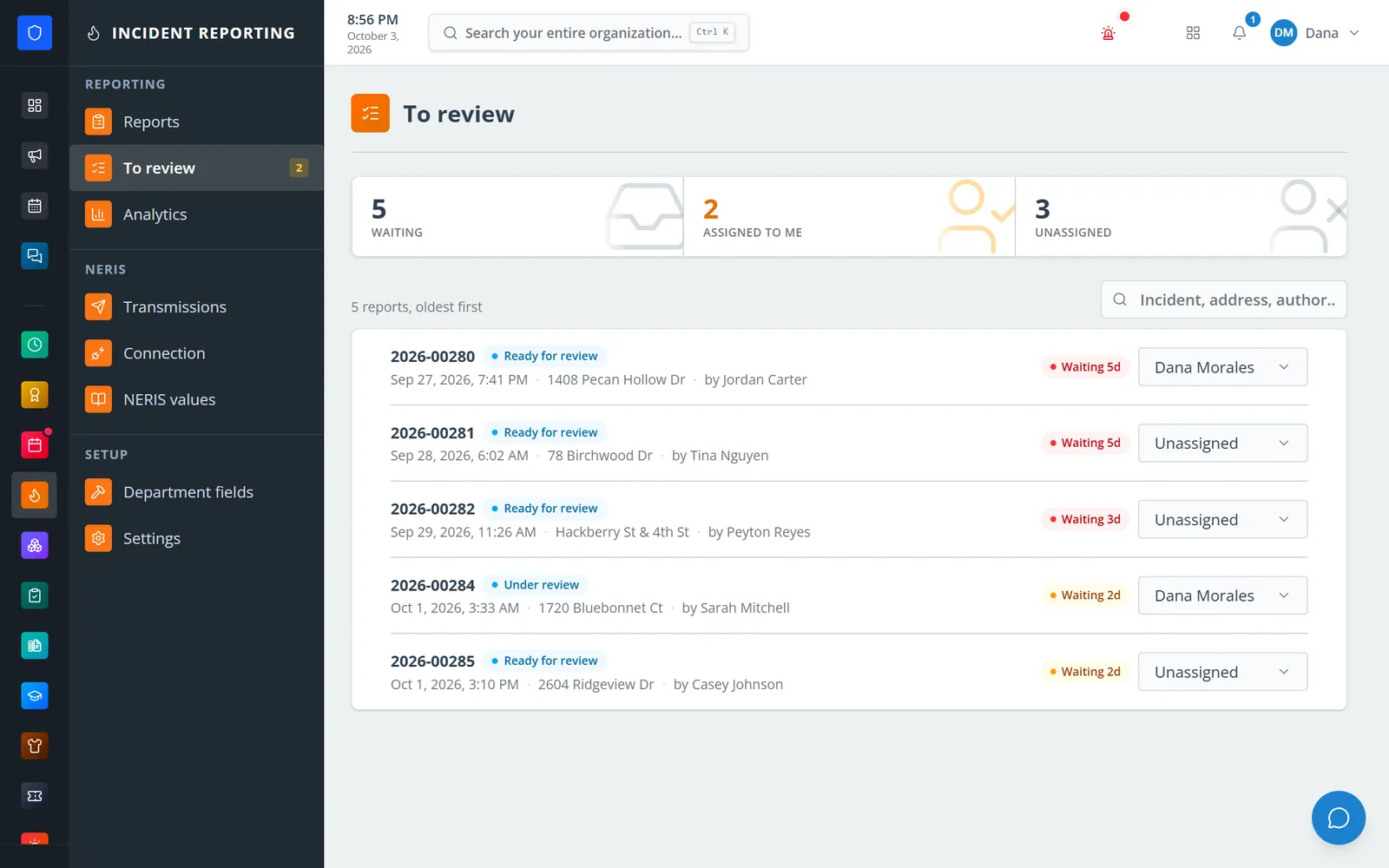
Reports waiting for review, oldest first, with waiting time and assignment.
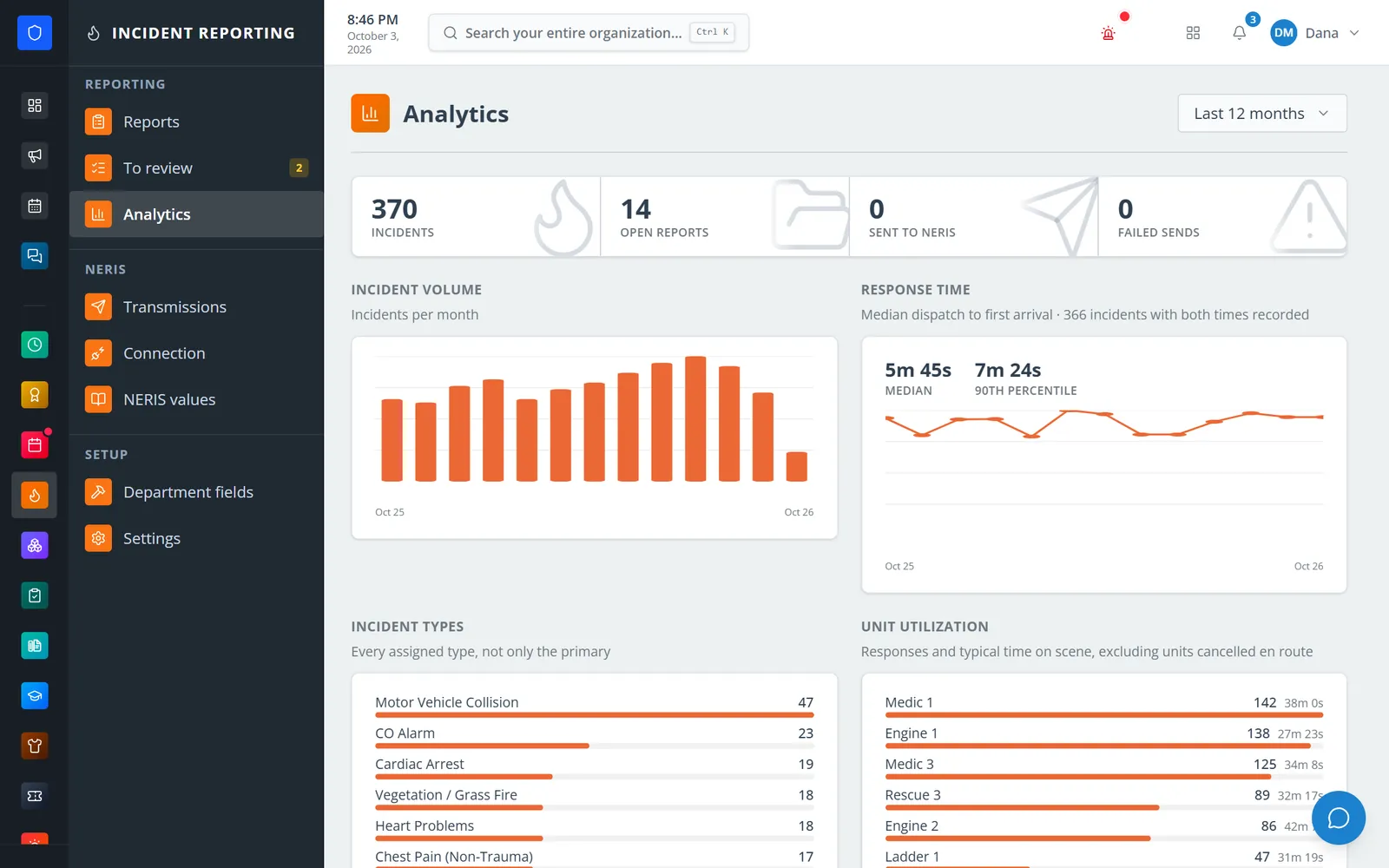
Twelve months of incident volume, response times, types, and unit utilization.
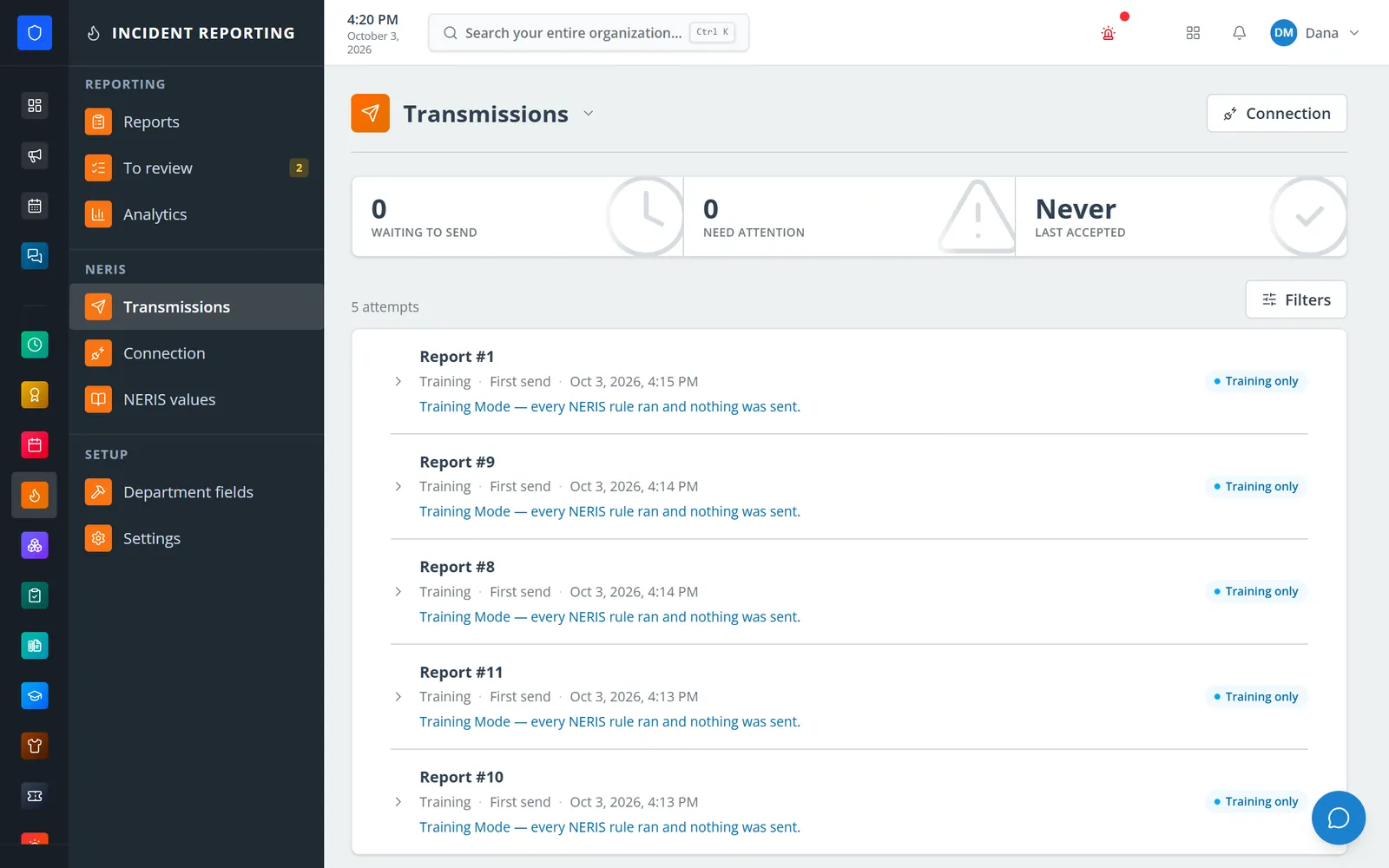
Every send to NERIS is logged; Training Mode runs every rule and sends nothing.
Claim an imported call, start from the command board, or begin a new report.
Work through the guided sections until the report reads 100% complete.
The auditor approves the report or requests changes, field by field.
An authorized admin sends it to NERIS, then locks, prints, or exports it.
Sections follow the incident types: fire, structure, alarms, medical, hazmat, rescue, aid, and casualties.
Active911 calls become drafts. Your own call type rules run before the built-in ones.
A closed command board starts the report, or links to the one CAD already started.
A live completion score, local NERIS rules, and an on-demand check with NERIS itself.
Assignments, waiting times, itemized correction requests, and full review history.
Queued sends with automatic retries and a Transmissions log.
Origin-and-cause records, sent to NERIS after the incident is accepted.
Full and public-records PDFs, NERIS JSON, and response-time and workload analytics.
Members keep one secure sign-in and one set of role permissions across every module you turn on.
Not by itself. An authorized admin sends approved reports, and the transmission worker delivers them and retries failures.
Yes. New departments start in Training Mode, which runs every NERIS rule and builds the report without sending it. Turning on Production is its own permission.
Active911 today. Calls with a type your rules don’t recognize can still become drafts for a reporter to classify.
The public-records PDF leaves out casualty detail, investigation material, and any attachment marked to keep out of public copies.
Tell us how you handle this work today. We’ll walk you through it in the full Station Clipboard portal.
Need something we don’t have yet? We build custom modules.