Paper sign-in sheets
Digital, timestamped entries that admins correct with a note on the record.
Clock in from the portal, the dashboard, or a station kiosk with a PIN or face match — with jobs, availability statuses, an attention queue, and reports.
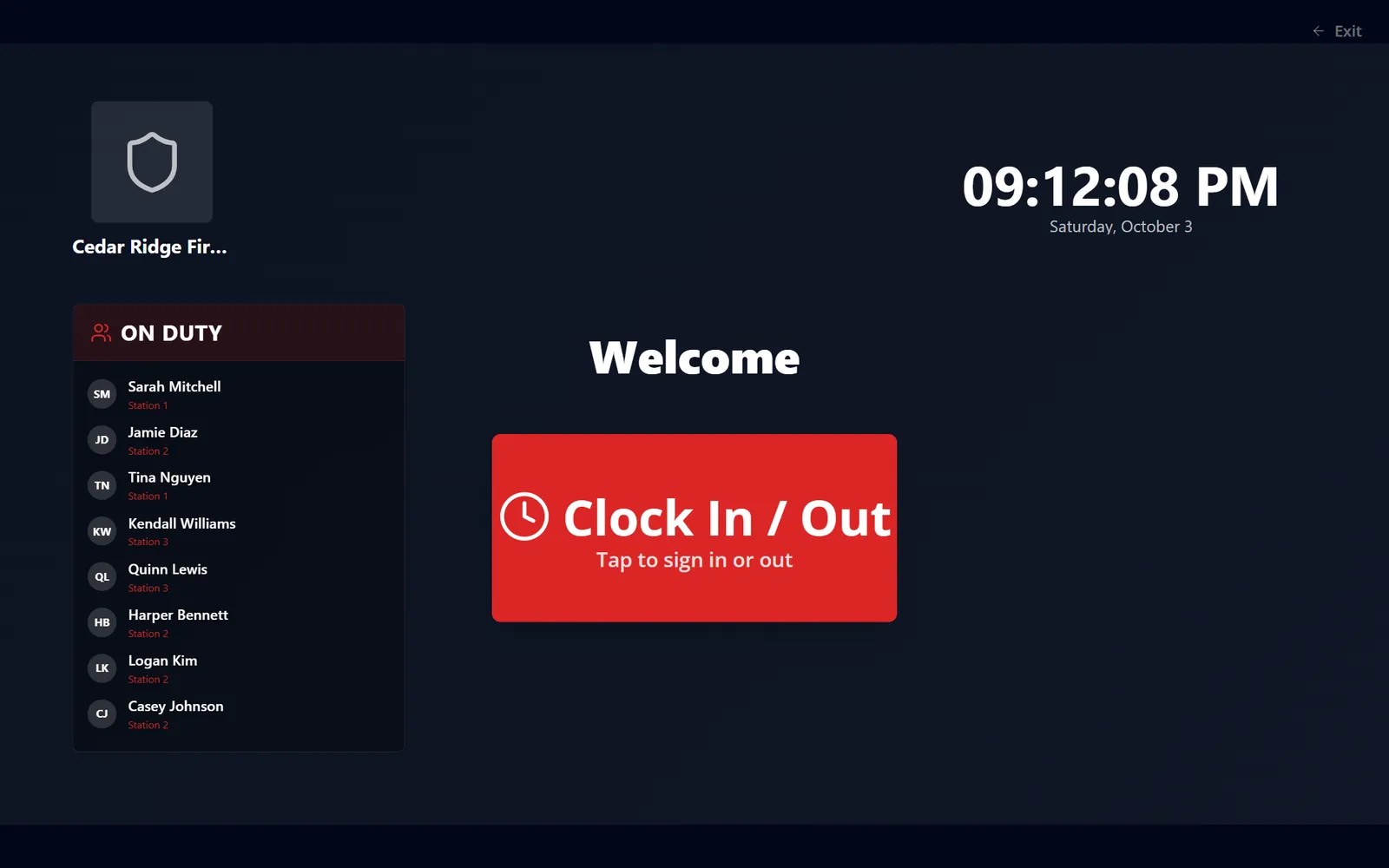
Members clock in from the portal, a dashboard widget, their phone, or a station kiosk with a PIN or face recognition. Every entry is auditable. Admins work an attention queue of missing clock-outs, flagged, unusually long, and overlapping entries, correct time with notes, and control which jobs people clock in as, who may use each method, and which required reads must be cleared before a shift starts.
Digital, timestamped entries that admins correct with a note on the record.
Open entries past your threshold are flagged as missing clock-outs, and admins can close them out.
Missing clock-outs, flags, unusually long shifts, and overlapping entries are counted at the top of Time records, one click to filter.
Clock-in can be held until pending announcement or resource acknowledgements are cleared.
Real screens from Station Clipboard, shown with a sample department.
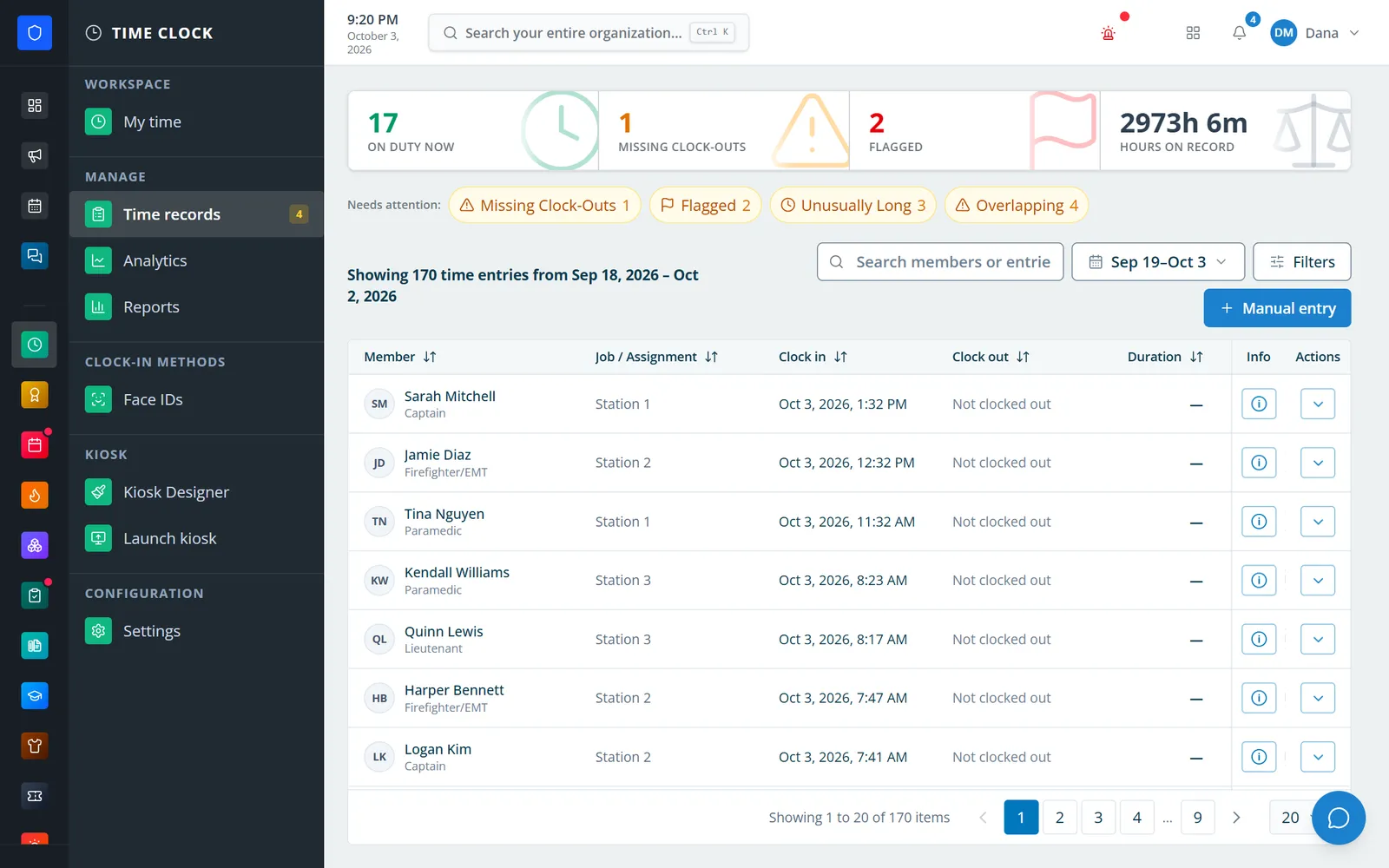
Who is on duty now, with missing clock-outs, flags, long shifts, and overlaps counted up top.
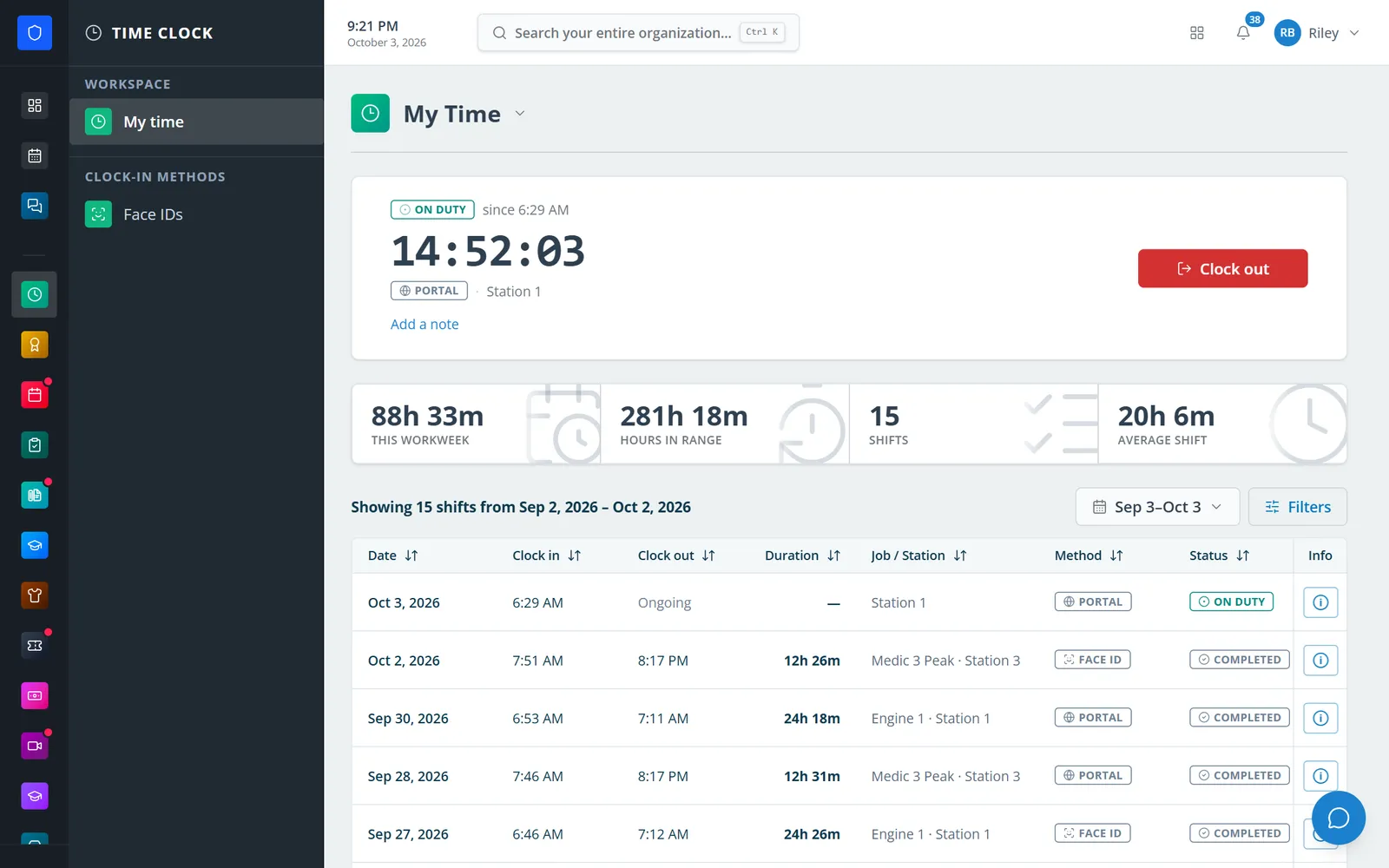
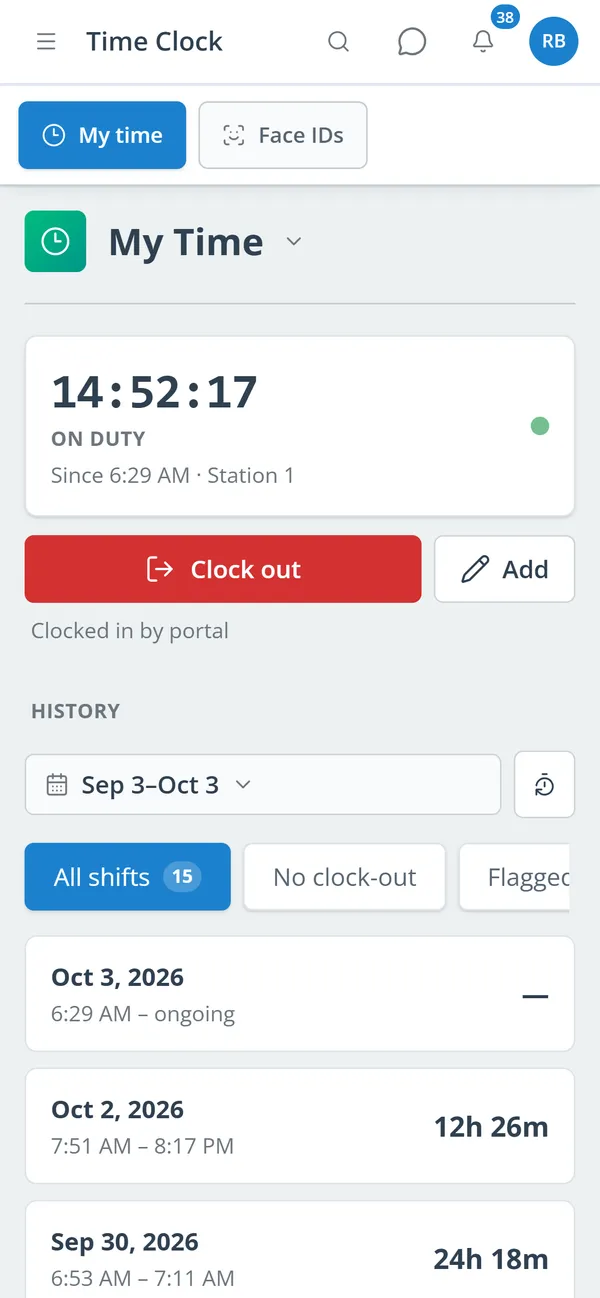
A live on-duty timer, hours this workweek, and every shift with its job and method.
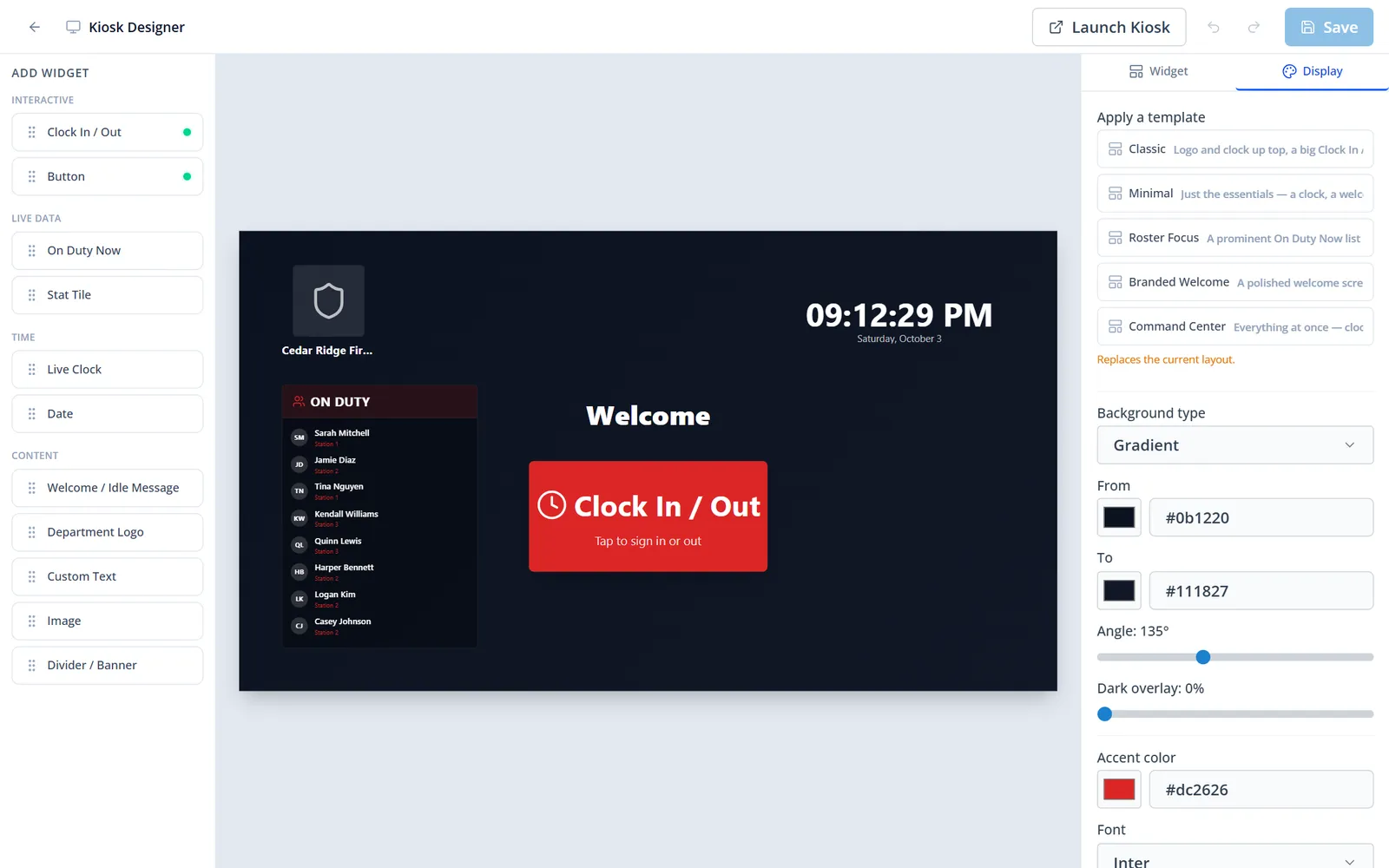
Drag widgets onto a 1920×1080 canvas or start from a template, then brand it for your station.
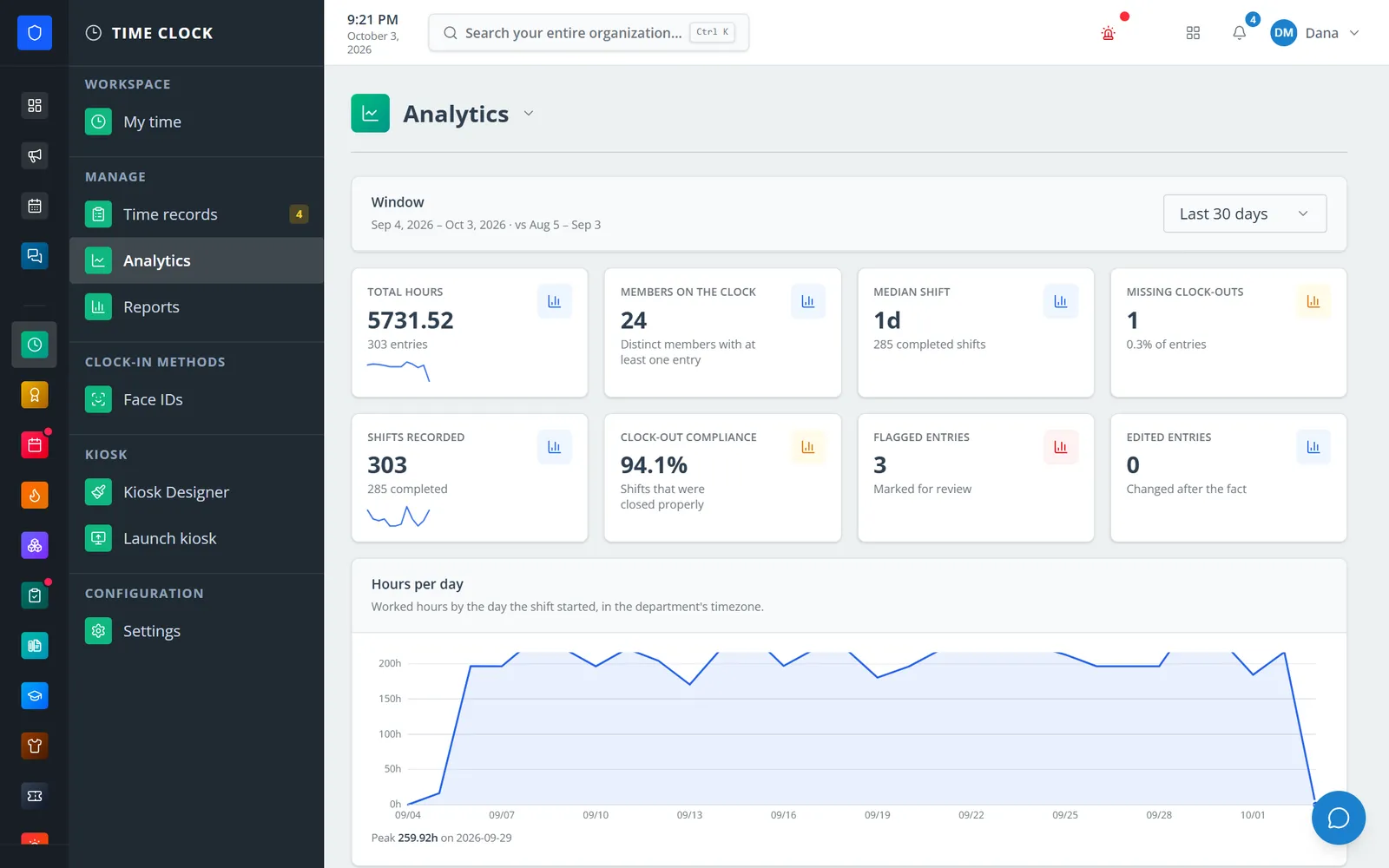
Hours, members on the clock, median shift, and clock-out compliance for any window.
Members clock out, add a note, and check their history from a phone.
Choose clock-in methods, jobs, availability statuses, and your kiosk layout.
Members clock in on the portal, dashboard, phone, or kiosk, picking a job or station when required.
Work the attention queue, see who is on duty, and flag or correct entries.
Read the analytics and run saved reports with CSV or PDF export.
A live on-duty timer, this workweek’s hours, and a history members can filter to flagged or missing clock-outs.
A 1920×1080 canvas with clock, punch, on-duty, stat, message, logo, and image widgets, plus five starting templates.
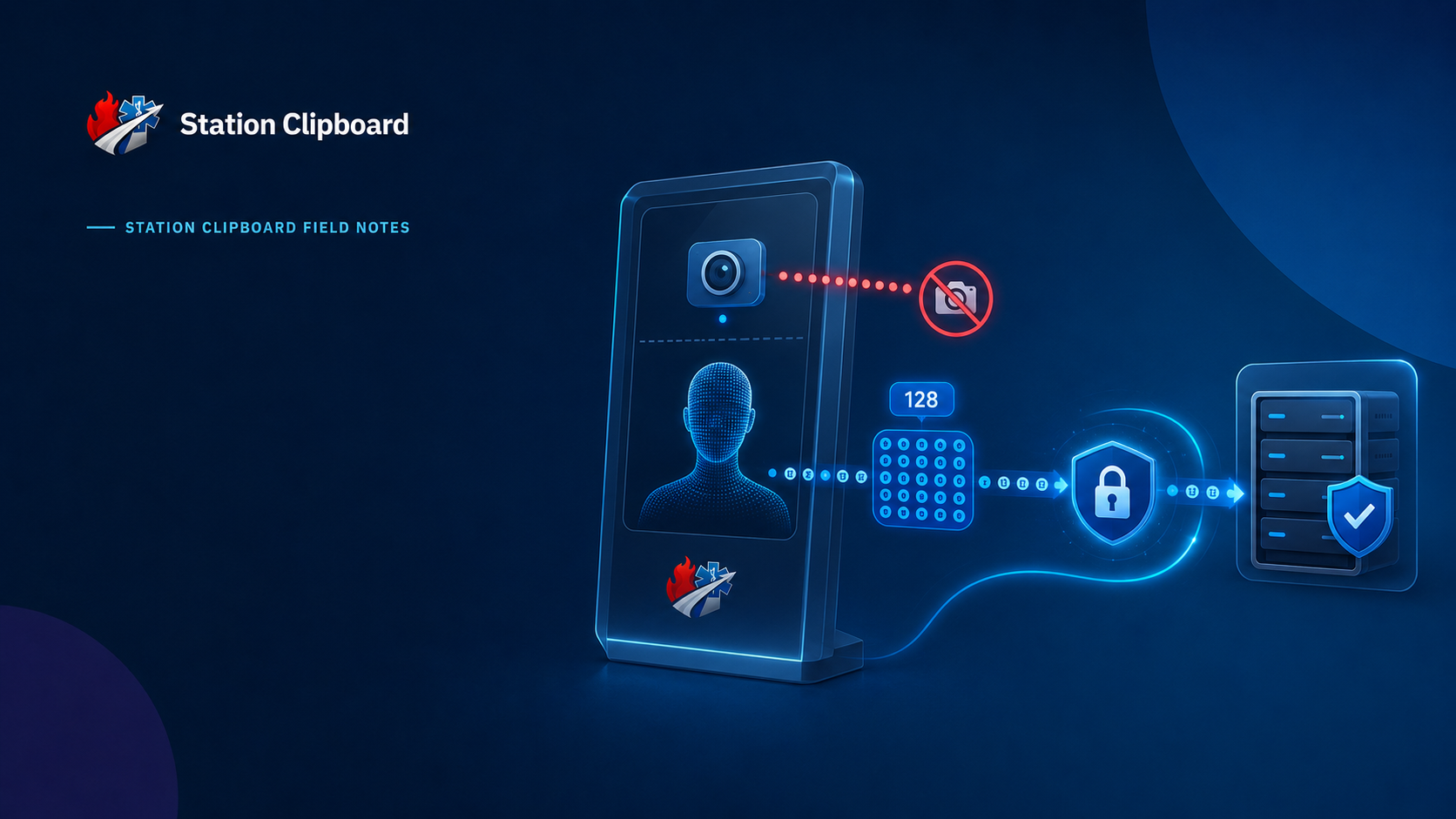
Admin or self-enrollment with optional approval; only encrypted templates are stored, never photos.
4–8 digit PINs, unique per department, managed without revealing stored values.
Color-coded jobs limited by role, day of week, station, and how many people can hold them at once.
Department-defined statuses like In Service or On a Call — separate from hours worked.
Missing clock-outs, flagged, unusually long, and overlapping entries counted and filterable.
Hours per day, clock-out compliance, and saved reports that re-run against current data.
Members keep one secure sign-in and one set of role permissions across every module you turn on.
The entry shows up as a missing clock-out. An authorized admin closes it and documents the correction.
No. Only an encrypted numeric face template is stored.
No. Statuses like In Service or Out of Service never open or close a time entry.
Yes. Payroll can bring completed Time Clock entries into a pay period for approval.
Tell us how you handle this work today. We’ll walk you through it in the full Station Clipboard portal.
Need something we don’t have yet? We build custom modules.