Information is fragmented
Personnel, schedules, hours, records, messages, and documents live in separate places.
Replace disconnected spreadsheets, paper, group texts, and point solutions with one secure system for your people, time, readiness, apparatus checks, the fireground, communication, compliance, payroll, and daily station work.
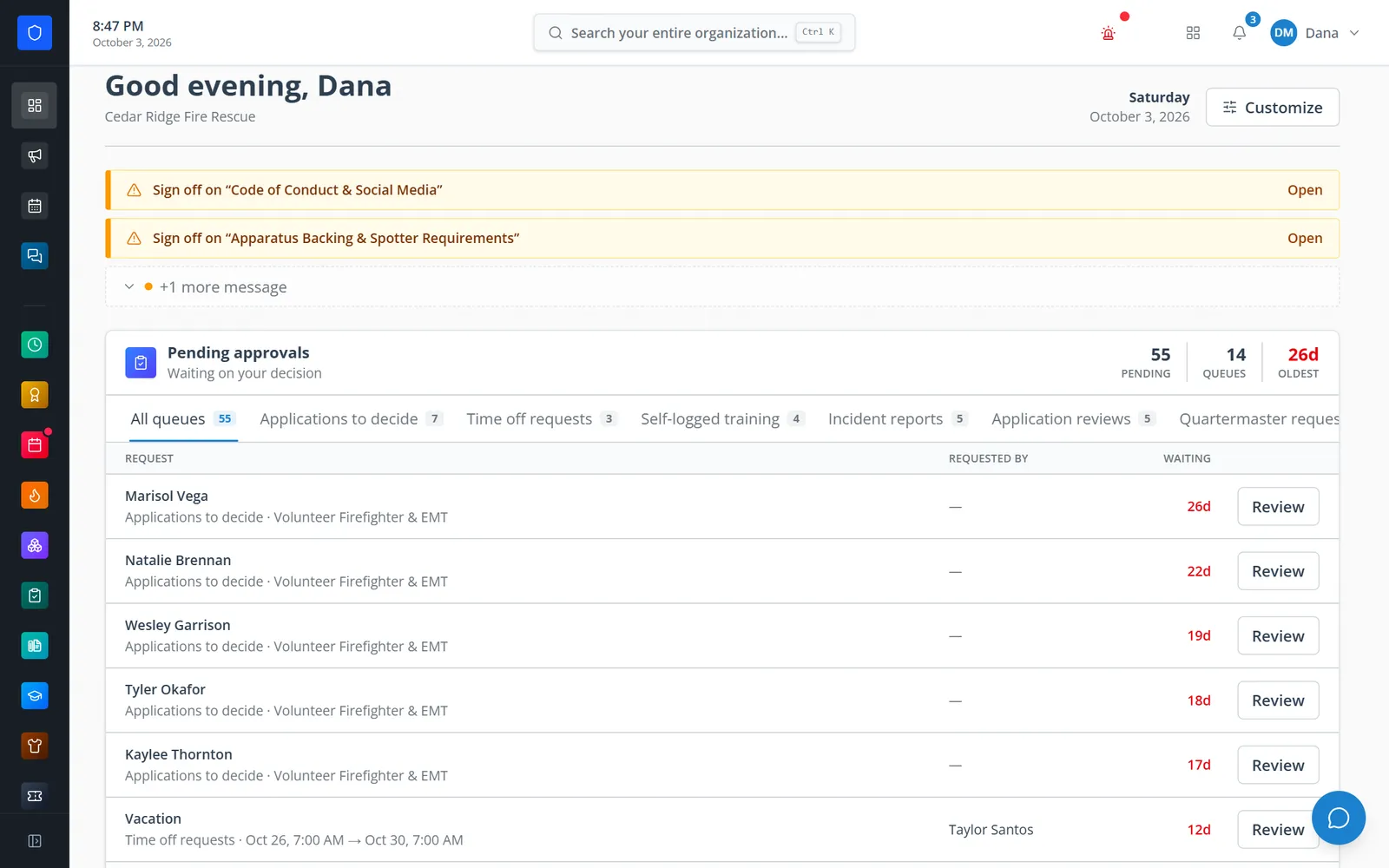
When each workflow lives in a different tool, members repeat information, officers lose visibility, and accountability depends on someone remembering where the record lives.
Personnel, schedules, hours, records, messages, and documents live in separate places.
The same person, shift, activity, or qualification gets entered again for every process.
Coverage, compliance, applications, equipment, and engagement are difficult to see together.
Approvals, acknowledgements, changes, and handoffs disappear into texts, paper, or inboxes.
Accounts, roles, certifications, schedules, credits, training, gear, and activity stay connected to the person.
Approved applicants become personnel, onboarding opens the right work, and completed shifts can award credits.
Members see what needs attention while officers see approvals, exceptions, gaps, and progress.
Statuses, decisions, acknowledgements, assignments, and changes keep an accountable history.
The portal connects the lifecycle of people and department operations while keeping each module independently controllable.
Core is always included. The other 27 modules are turned on as they become part of your plan, and your own administrators decide when to enable them. Need a workflow that isn’t listed? We build custom modules too.
Identity, permissions, communication, automation, and the connections everything else builds on.
People, roles, permissions, a dashboard of everything waiting on you, department communications, the shared calendar, Workflows automation, and the audit trail every module relies on.
Explore moduleWeather, news, Active911, PSTrax, and WhenToWork connectors — plus in-house data sources — that power boards, the calendar, CAD importing, and call-triggered Workflows.
Explore moduleDesign 1920×1080 station TV boards with 20 live widgets, rotating slides, and private links you can lock to your network.
Explore moduleEvery file a member can already see across the portal, in one place, plus folders of their own they can share with people or whole roles.
Explore moduleTime, staffing, engagement, training, documents, recruiting, onboarding, and HR records.
Clock in from the portal, the dashboard, or a station kiosk with a PIN or face match — with jobs, availability statuses, an attention queue, and reports.
Explore moduleAvailability from any phone, rotations, a seat-by-seat Schedule Admin grid, staffing checks, trades, time off, and a callout board that widens the search for cover.
Explore moduleActivities, stacked goals, periods, requests, a leaderboard, a prize catalog, and automatic credit from Time Clock shifts.
Explore moduleTraining events, rosters, hours and CE, self-logged drills, certificates, requirements by role, a readiness matrix, analytics, and audit-ready exports.
Explore moduleOne library for SOGs, policies, protocols, decks, spreadsheets, and images, with versioning, targeting, and acknowledgement or signature tracking.
Explore moduleVersioned onboarding programs with stages, dependencies, approvals, gear, certifications, and issued accounts, tracked from assignment to completion.
Explore modulePublic Application Hubs, reviewer votes, panel interviews with scorecards, references, Smart Scan review assistance, applicant email, and conversion to personnel.
Explore modulePerformance plans, progressive discipline, leave of absence, and coaching notes — prepared, approved, issued, and acknowledged.
Explore moduleYour department’s own video courses, readings, and tests, taken in the portal, with a player that will not credit a skip.
Explore moduleApparatus checks, equipment, gear, the fireground, and the report that follows the call.
Truck, SCBA, and PPE checks the whole crew works together, with a readiness board, missed-check tracking, and failed items that become repair alerts.
Explore moduleCustom equipment workspaces with 19 field types, barcode scanning, expiration reminders, recurring maintenance, and full record history.
Explore moduleUniform and gear inventory by size, role eligibility, member requests and approvals, scan-to-issue, issued-gear tracking, and low-stock alerts.
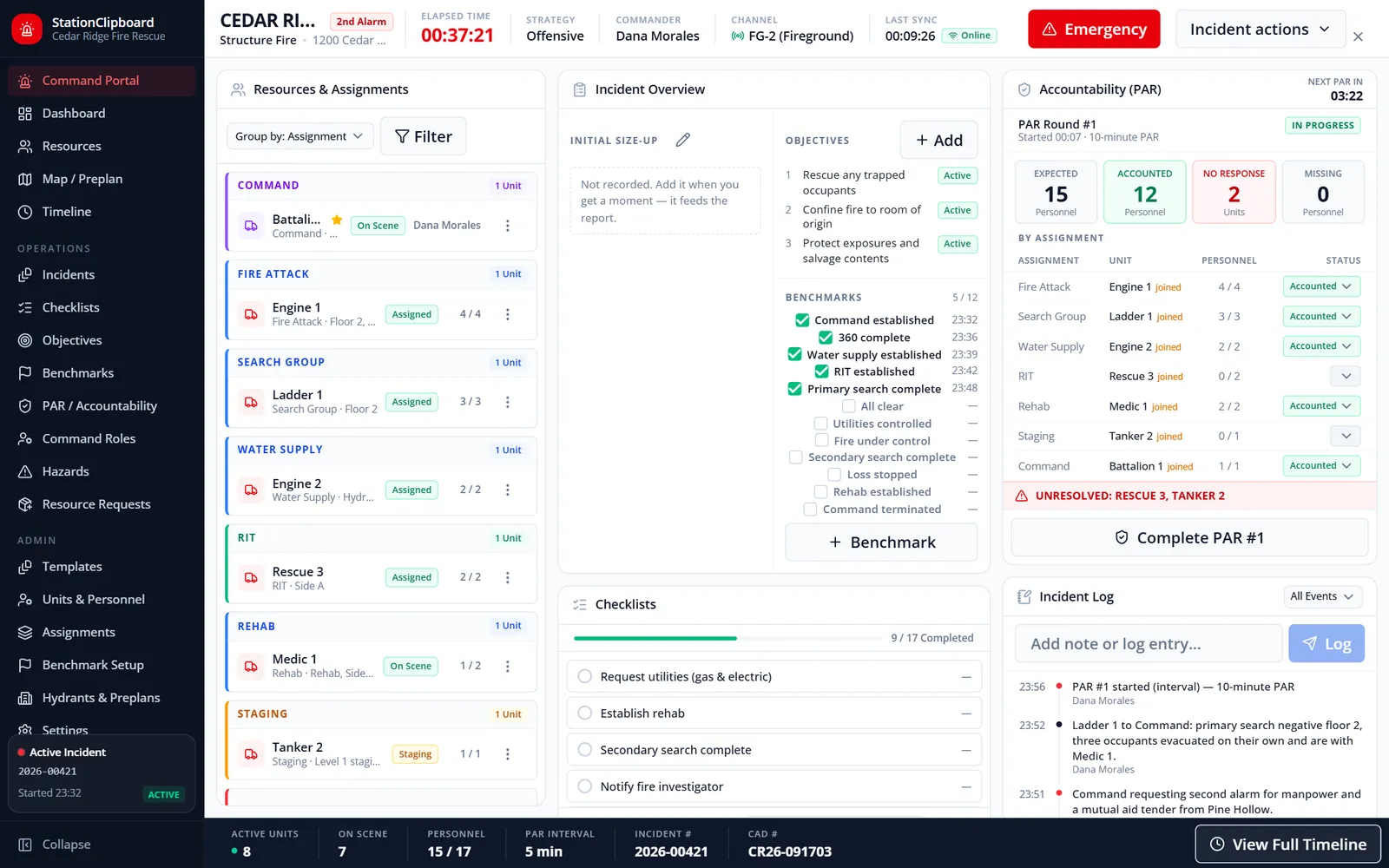
Explore moduleA full-screen Command Portal with tactical checklists, a PAR accountability clock, unit tracking, a map with hydrants and preplans, and a closeout record that can start the NERIS report.
Explore moduleGuided NERIS reports started from CAD calls or the command board, checked against NERIS rules, auditor-reviewed, and sent to NERIS through a server-side integration.
Explore moduleRun Texas Intrastate Fire Mutual Aid System deployments from the road: daily ICS 214s, crew and equipment hours, travel and purchases, and a TDEM reimbursement packet built from what was recorded.
Explore moduleChat, meetings, surveys, requests, corrections, and officer elections.
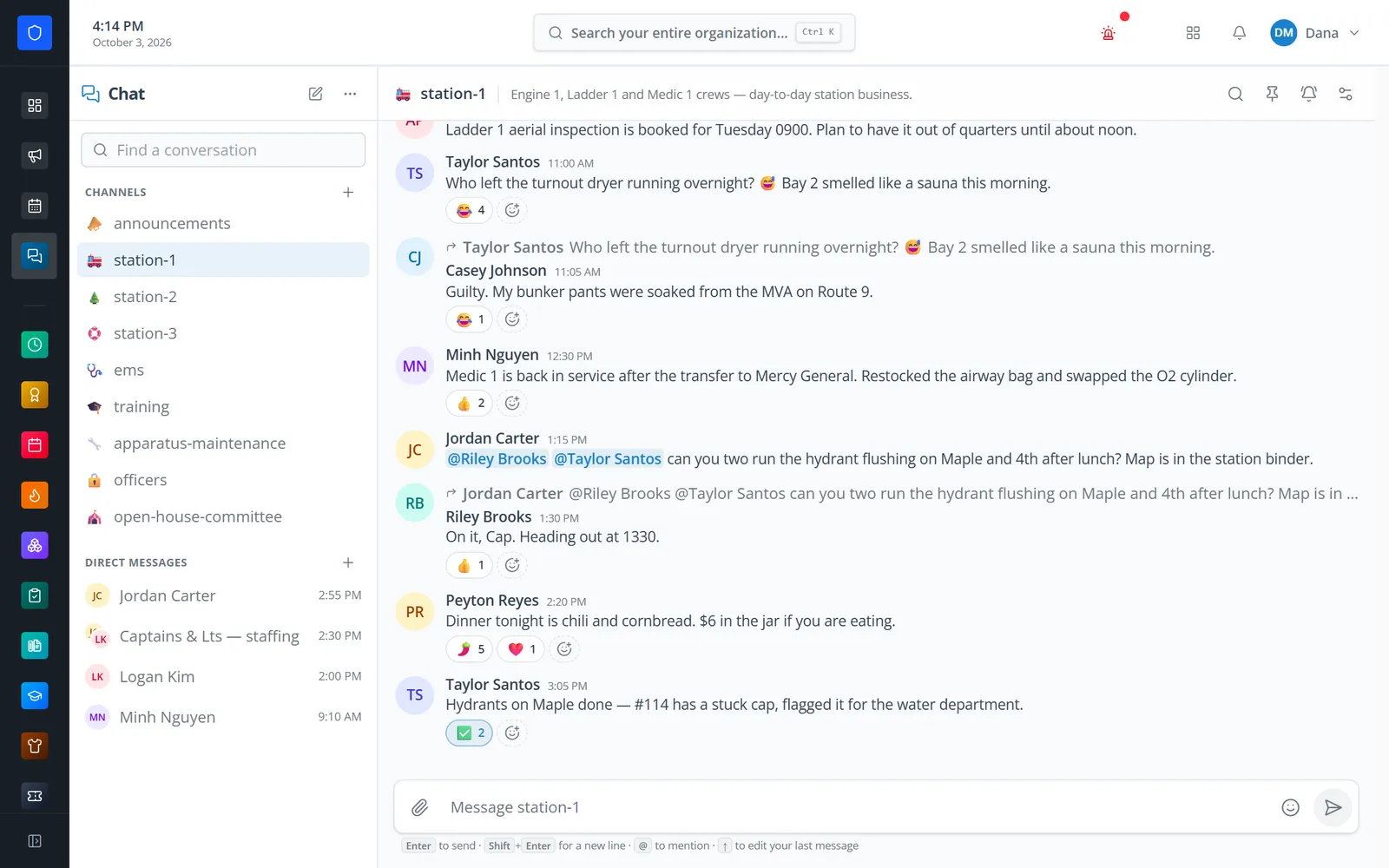
Role-controlled channels, direct messages, and small groups — with replies, reactions, mentions, files, GIFs, link previews, unread counts, and push to members’ phones.
Explore moduleIn-portal video meetings with role invites, recurring schedules, host controls, a lobby, guest links, and attendance taken for you.
Explore moduleNamed, anonymous, or public surveys with nine question types, section headings, conditional questions, QR sharing, live summaries, and CSV export.
Explore moduleRequests routed by category, with custom intake forms, SLA due dates and warnings, internal notes, outside sharing with vendors, and analytics.
Explore moduleReturn a report, send a shift notice, or set up your own kinds of items, like a policy acknowledgment. Members answer from an email link with no login, and the portal chases whoever has not.
Explore moduleOfficer elections with sealed secret ballots, plurality, approval, or ranked-choice counting, voter receipts, and a tamper-evident audit trail.
Explore moduleYour department’s own resident notification service: a public signup page, topics and areas, email, text, and browser alerts, approvals, and delivery analytics.
Explore modulePayroll records and the department budget.
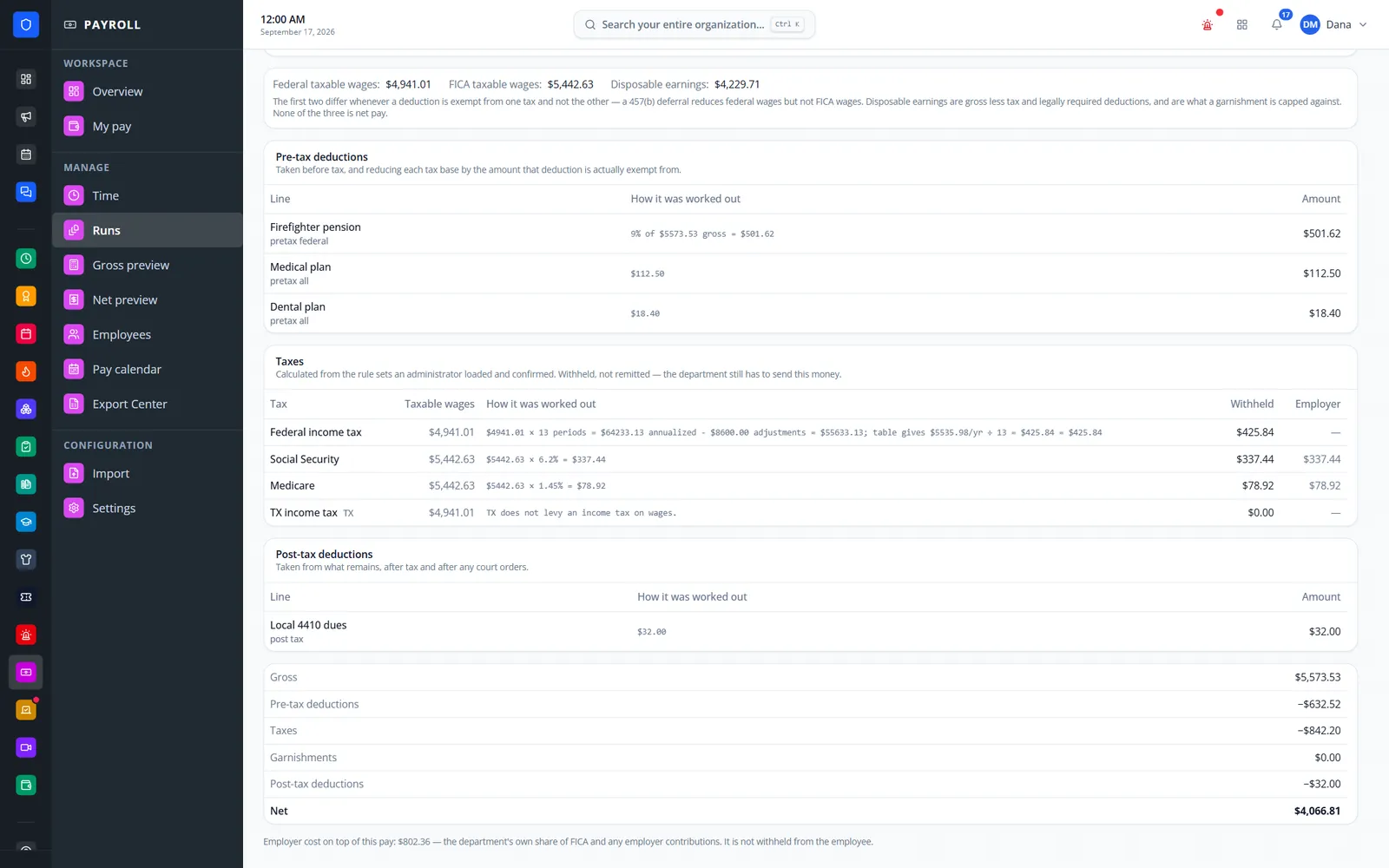
FLSA §7(k) work periods, pay rules, explained gross-to-net, two-person run approval, pay statements, and export files for your payroll provider.
Explore moduleYour budget as an editable sheet: any fiscal year, your own GL codes, spending pace against the calendar, prior-year comparison, and exports.
Explore moduleWe build custom modules. Tell us what you track today, who touches it, and what a good outcome looks like — we’ll scope a module that lives inside the same portal, permissions, and member accounts.
See how the same visual language carries from the dashboard into communication, time, engagement, and member security.
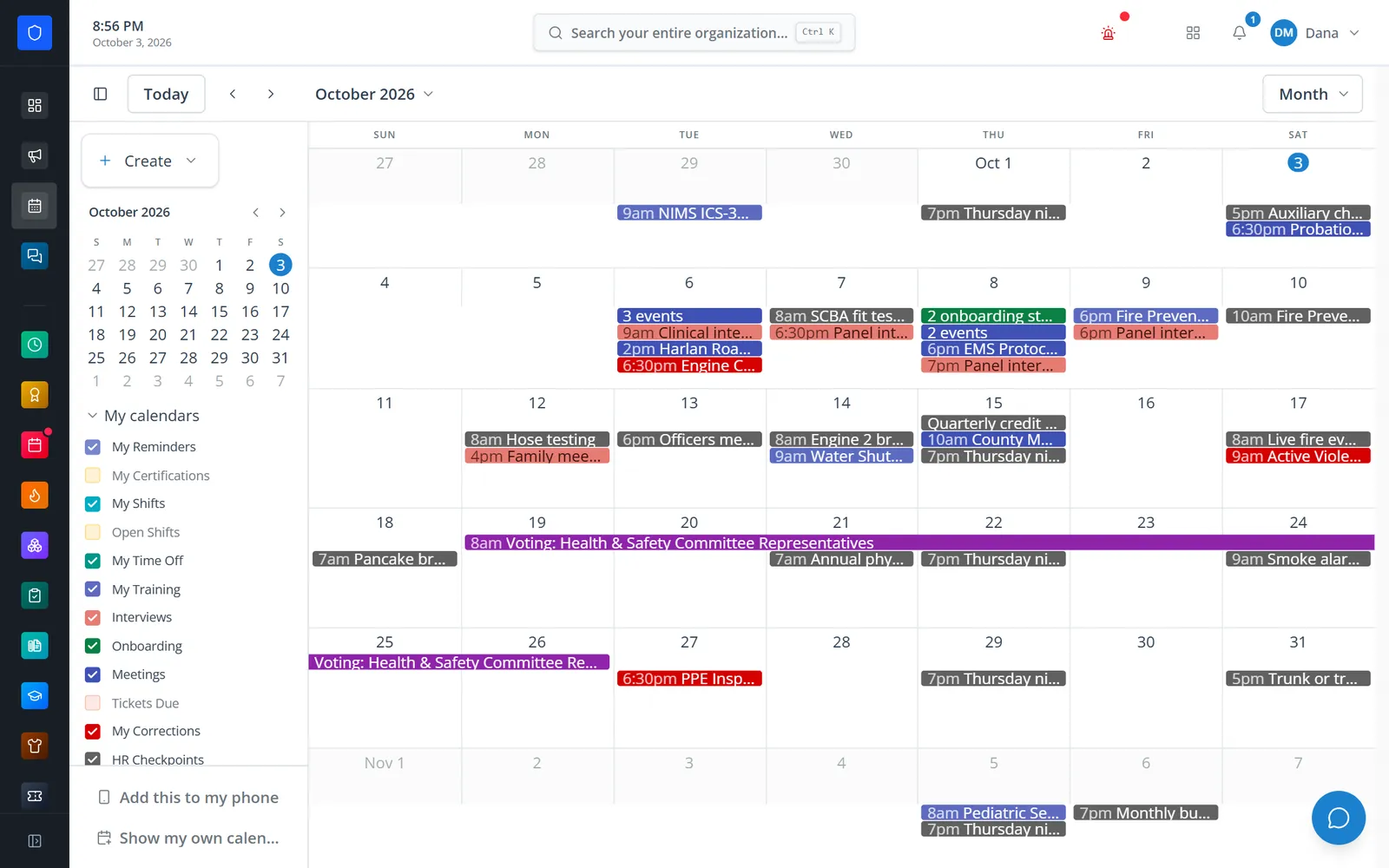
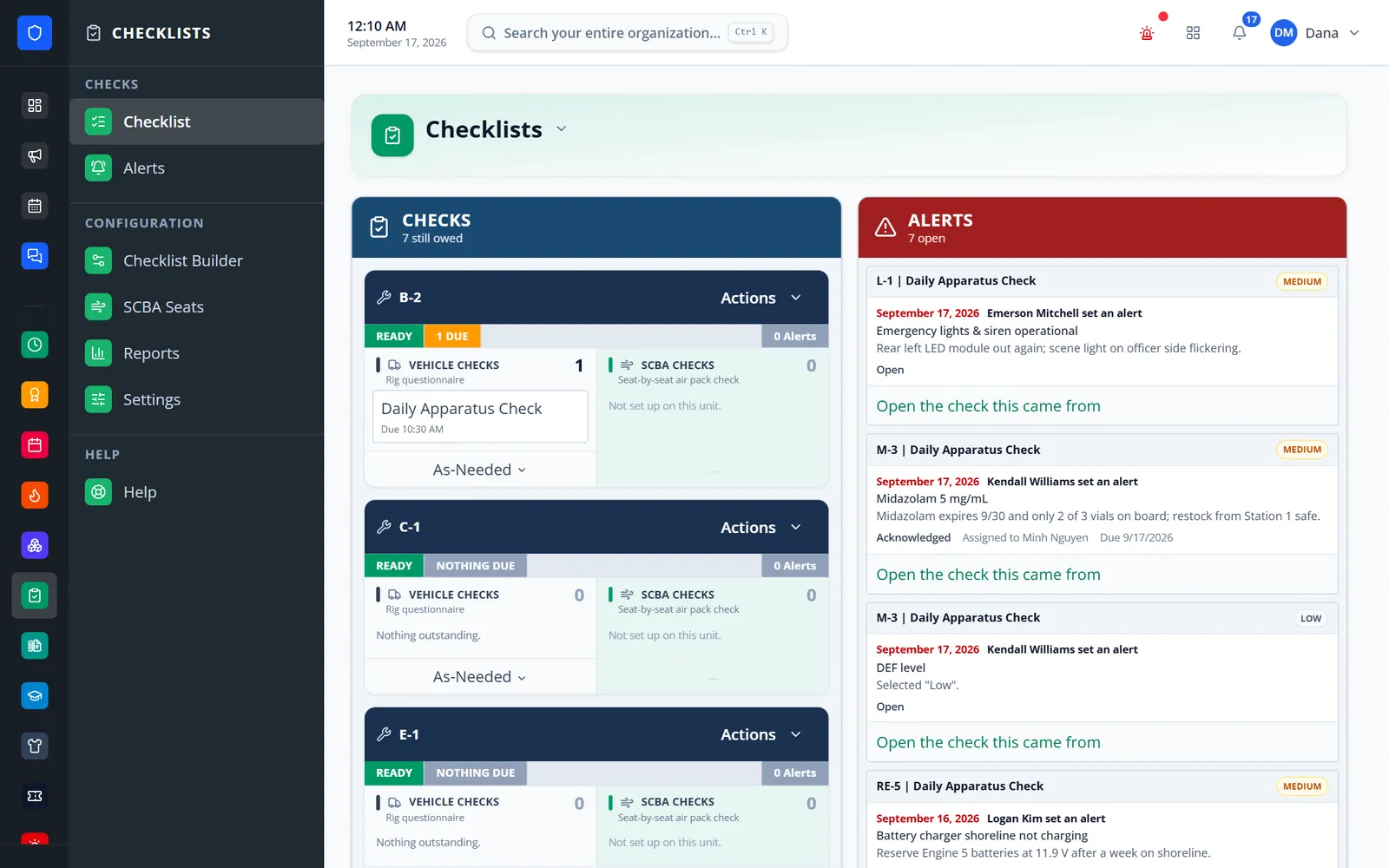
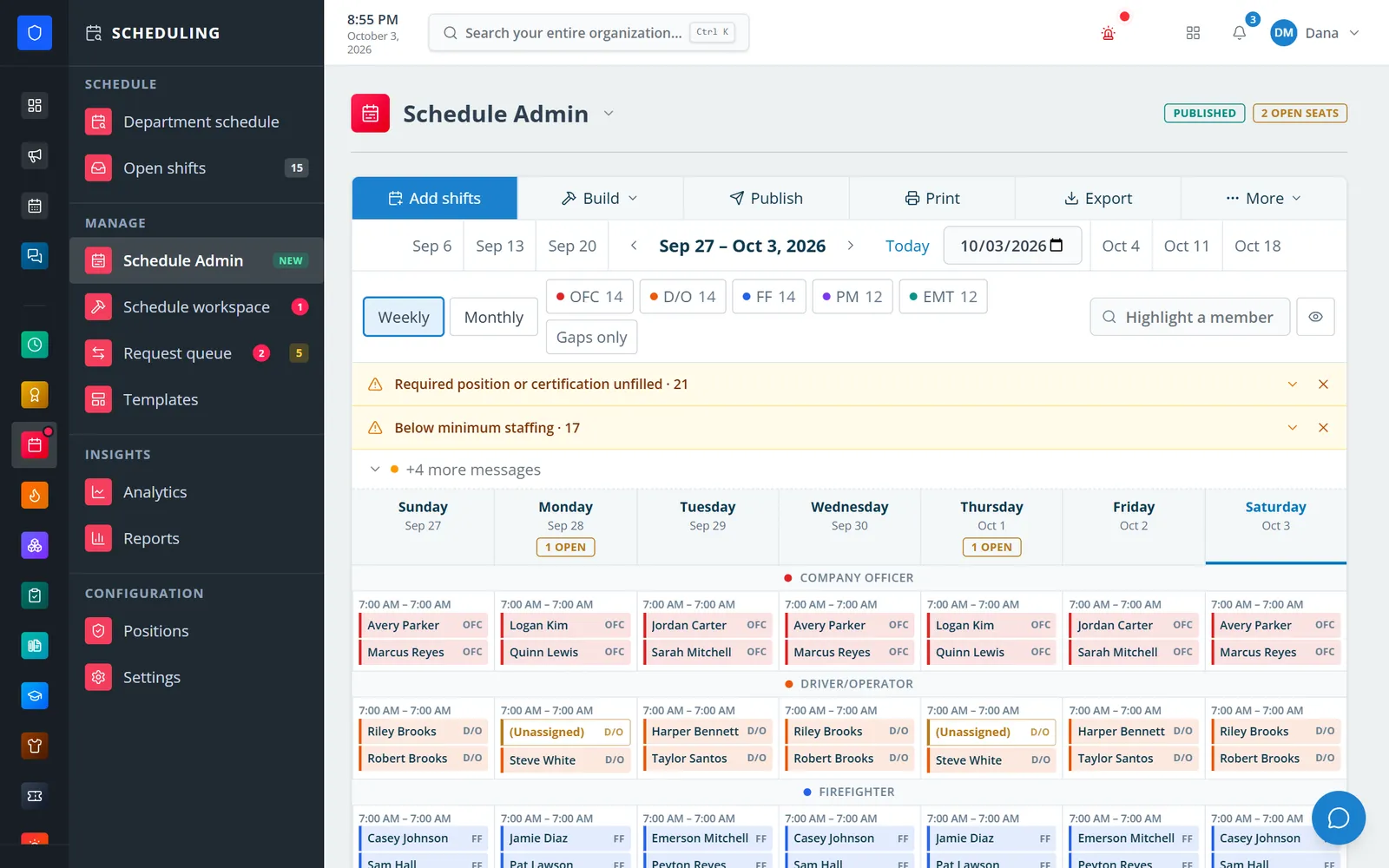
Station Clipboard combines individual accounts, department-defined roles, optional two-factor authentication, organization isolation, and activity history.
Stop sharing credentials between members or administrators.
Control module access and actions by department-defined role.
Support authenticator-app or email verification for member sign-in.
Keep important administrative and operational changes visible.
Show us the tools and processes your team uses today. We’ll map them into a connected Station Clipboard workflow.
Request a Department Demo