Members use old copies
The current published version is the one members see, read, and sign.
Formerly Policies
One library for SOGs, policies, protocols, decks, spreadsheets, and images, with versioning, targeting, and acknowledgement or signature tracking.
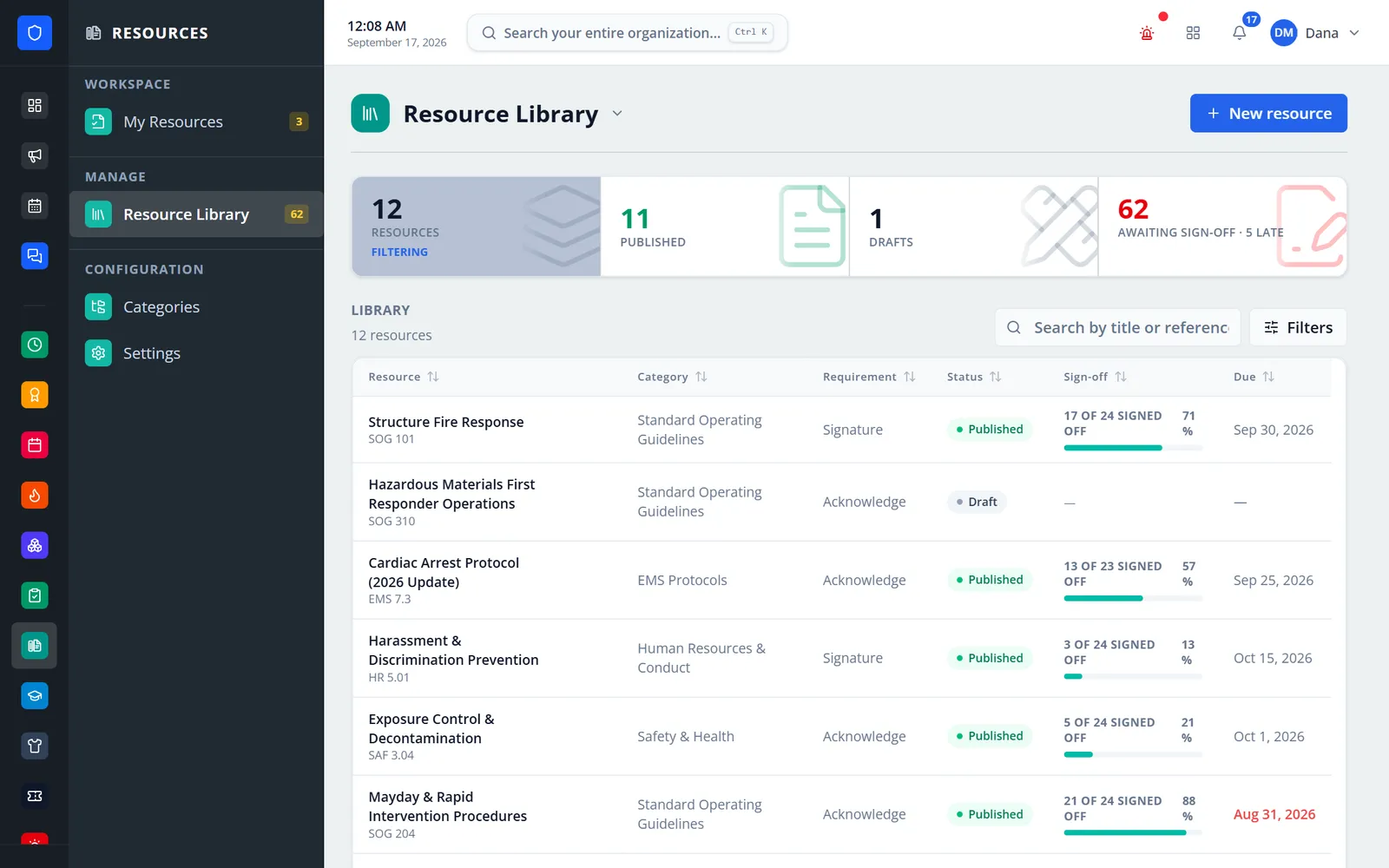
One library for SOGs, policies, EMS protocols, HR documents, PDFs, PowerPoint decks, Word files, spreadsheets, images, and video. Members read PDFs right on the page, and each document can be reference-only or require an acknowledgement or a signature, including fields placed on the PDF and stamped into a signed copy. Completion is tracked against the exact version each member read.
The current published version is the one members see, read, and sign.
Require an acknowledgement or a signature, with a due date and a review date.
Every completion is tied to a specific version, with time, method, IP address, and device.
Every document shows who is done and who is waiting, with one-click reminders and exports.
Real screens from Station Clipboard, shown with a sample department.
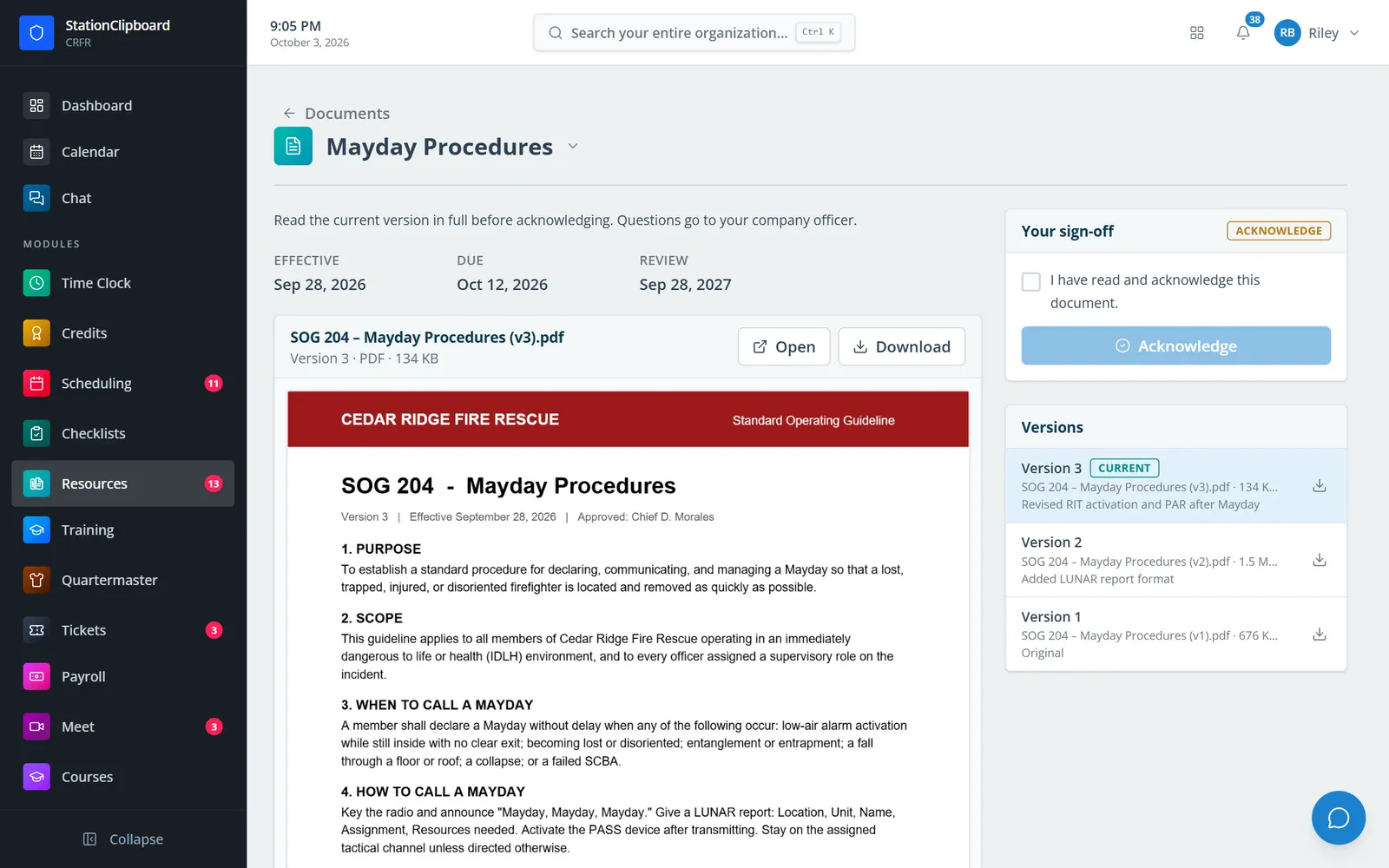
The current version on the page, with the member’s acknowledgement beside it.
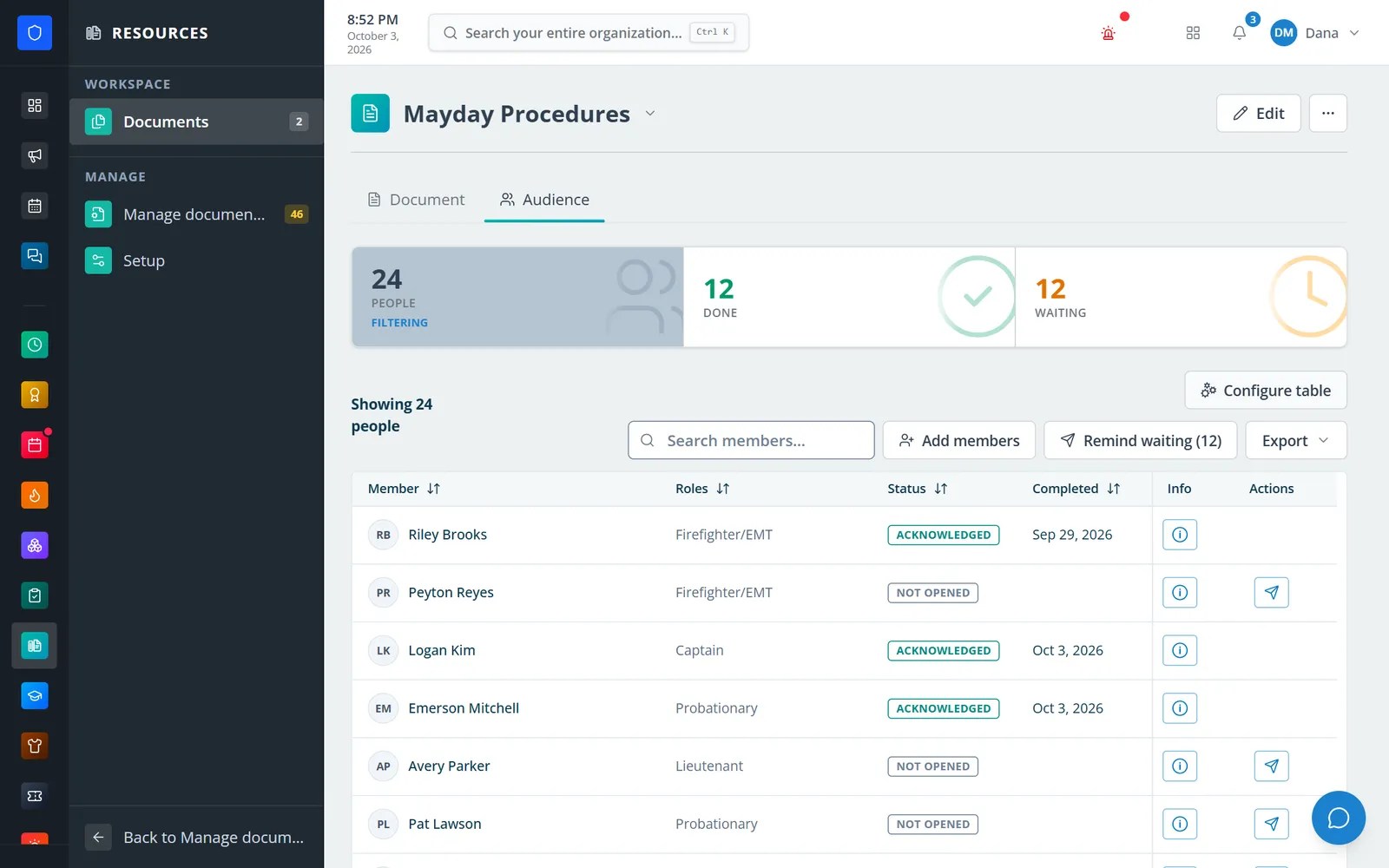
Who has acknowledged the latest version and who is still waiting.
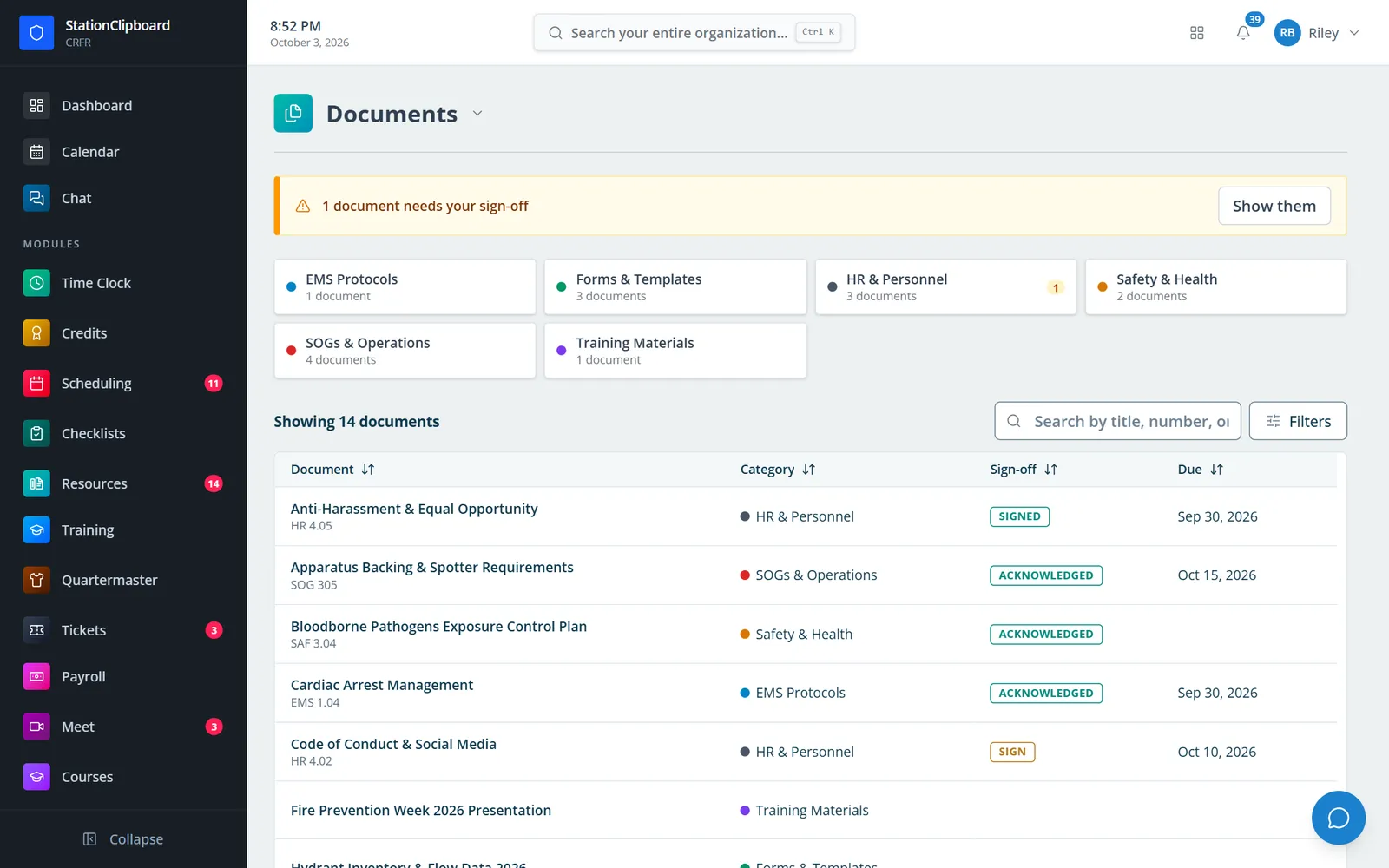
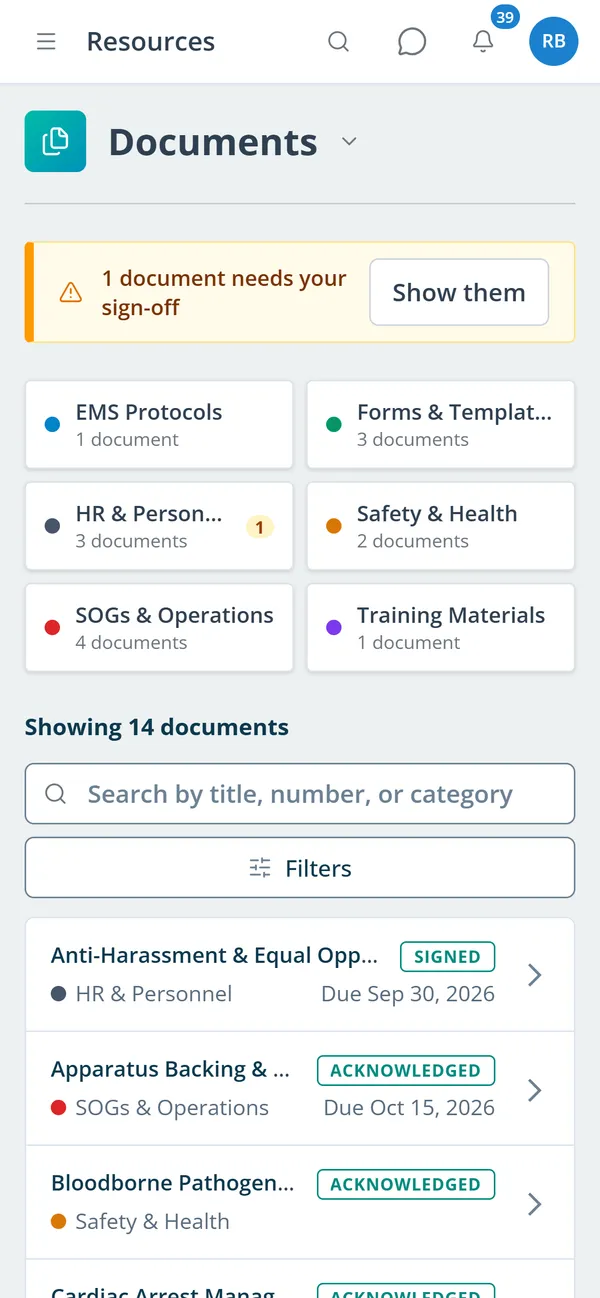
A member’s documents by category, with what still needs their sign-off.
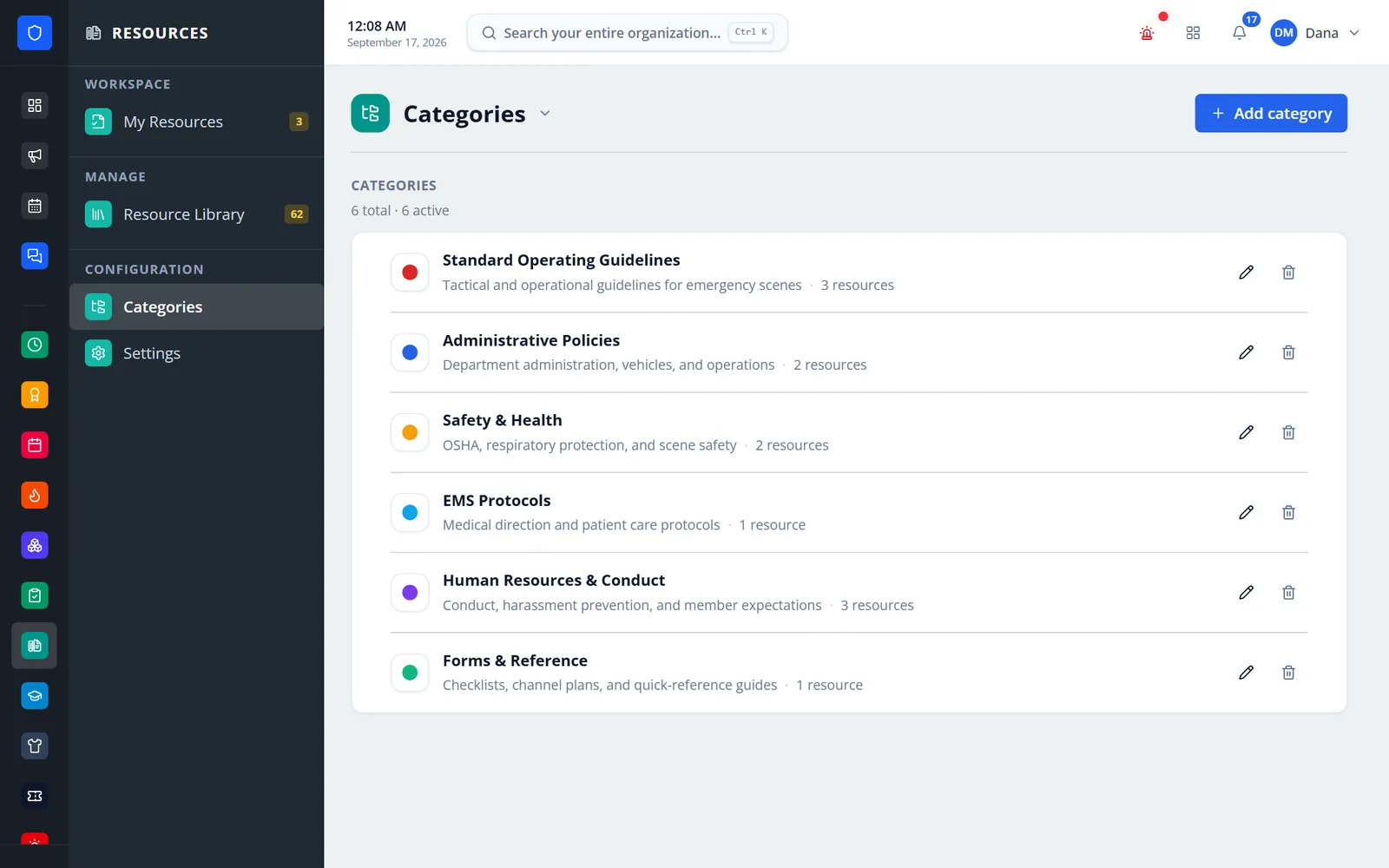
Color-coded categories for SOGs, EMS protocols, safety, HR, forms, and training.
Members find a document and sign off from their phone.
Add the file, a reference number, a category, and the roles or members it is for.
Choose reference-only, acknowledgement, or signature, plus effective, due, and review dates.
Members read it on the page and acknowledge or sign by checkbox, typed name, drawn signature, or PDF fields.
Watch completion, remind the people waiting, waive with a reason, and export evidence.
PDF, PowerPoint, Word, Excel, CSV, images, video, and ZIP files in colored categories, searchable by title or reference number.
PDFs render page by page inside the document, on desktop and phone, next to the sign-off panel.
Every upload is a new version with a change summary; by default the audience is asked to sign again and told why.
Assign documents to everyone, to roles, or to named members, and add people later.
Checkbox, typed, or drawn signatures, recorded with time, IP address, and device.
Place signature, initials, date, and text fields on a PDF and keep a stamped signed copy.
Done, waiting, and overdue for every document, reminders to everyone waiting, waivers with a reason, and CSV/PDF export.
Optionally hold Time Clock clock-in until a member’s pending documents are completed.
Members keep one secure sign-in and one set of role permissions across every module you turn on.
Yes. Policies is now Resources, and it holds more than policies: presentations, spreadsheets, forms, and images too.
Upload a new version. By default members are notified and complete it again, and their earlier signed records are kept.
Yes. Members open the document, read the PDF on the page, and acknowledge or sign. Documents that use placed PDF fields can be set to require a desktop.
Yes, when Drive is on. A member’s assigned documents appear in Drive, and one that only needs acknowledging can be acknowledged there.
Tell us how you handle this work today. We’ll walk you through it in the full Station Clipboard portal.
Need something we don’t have yet? We build custom modules.