Shared logins and access sprawl
Every member has an individual account, and roles grant exact actions — seeing a page never implies changing it.
People, roles, permissions, a dashboard of everything waiting on you, department communications, the shared calendar, Workflows automation, and the audit trail every module relies on.
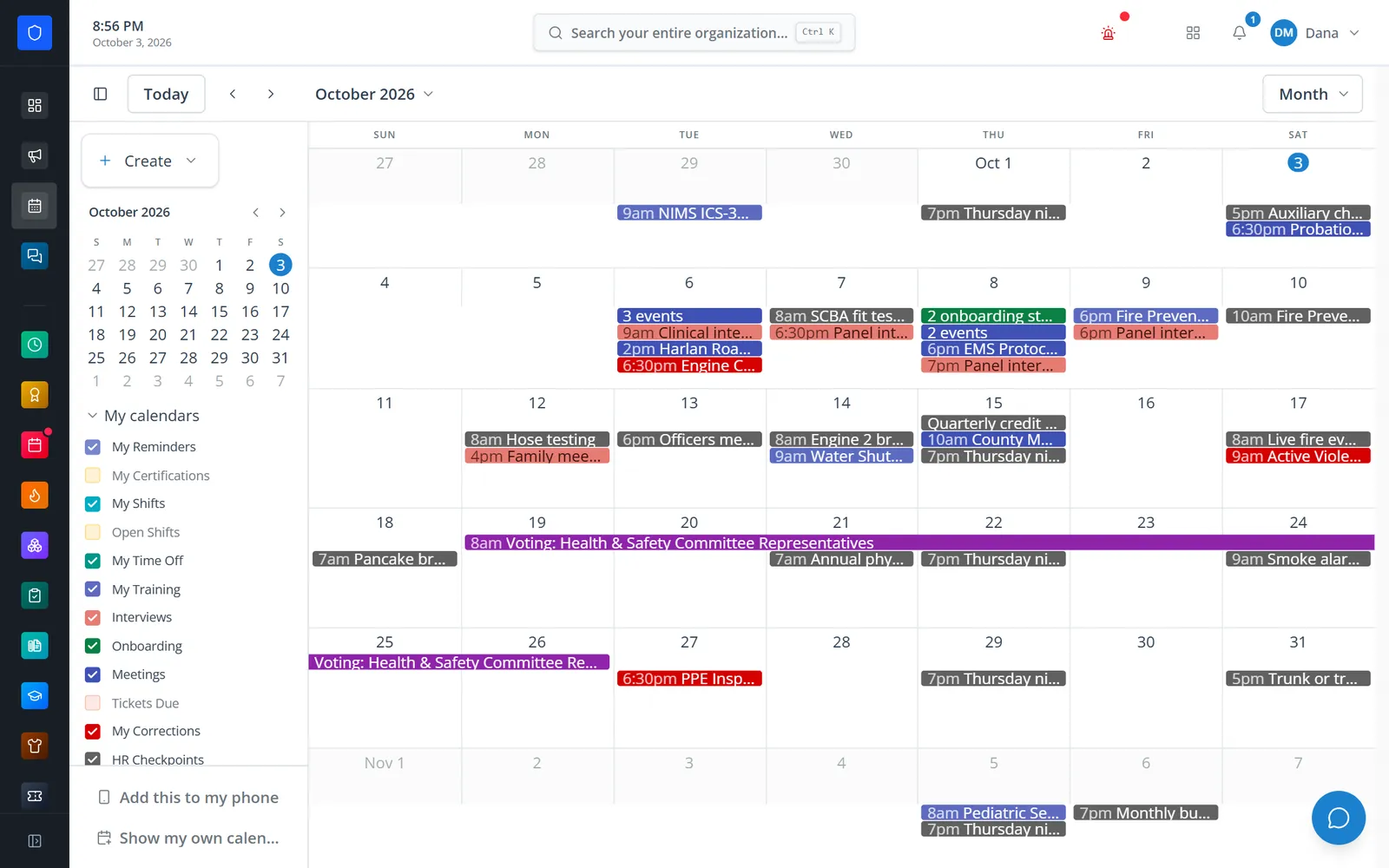
Every Station Clipboard department starts with Core: personnel records, roles you grant action by action, a dashboard that gathers approvals and to-dos from every module, announcements that track acknowledgement, email to members or whole roles, a department calendar that pulls in every module, search across the whole organization, and Workflows — an automation builder with approvals, test runs, and starter templates.
Every member has an individual account, and roles grant exact actions — seeing a page never implies changing it.
The dashboard puts pending approvals from every module in one queue, with how long each has been waiting.
One calendar layers shifts, training, interviews, meetings, and department events — each filtered to what the viewer may see.
Workflows run department processes on their own, with approval steps, simulated test runs, and a run history.
Real screens from Station Clipboard, shown with a sample department.
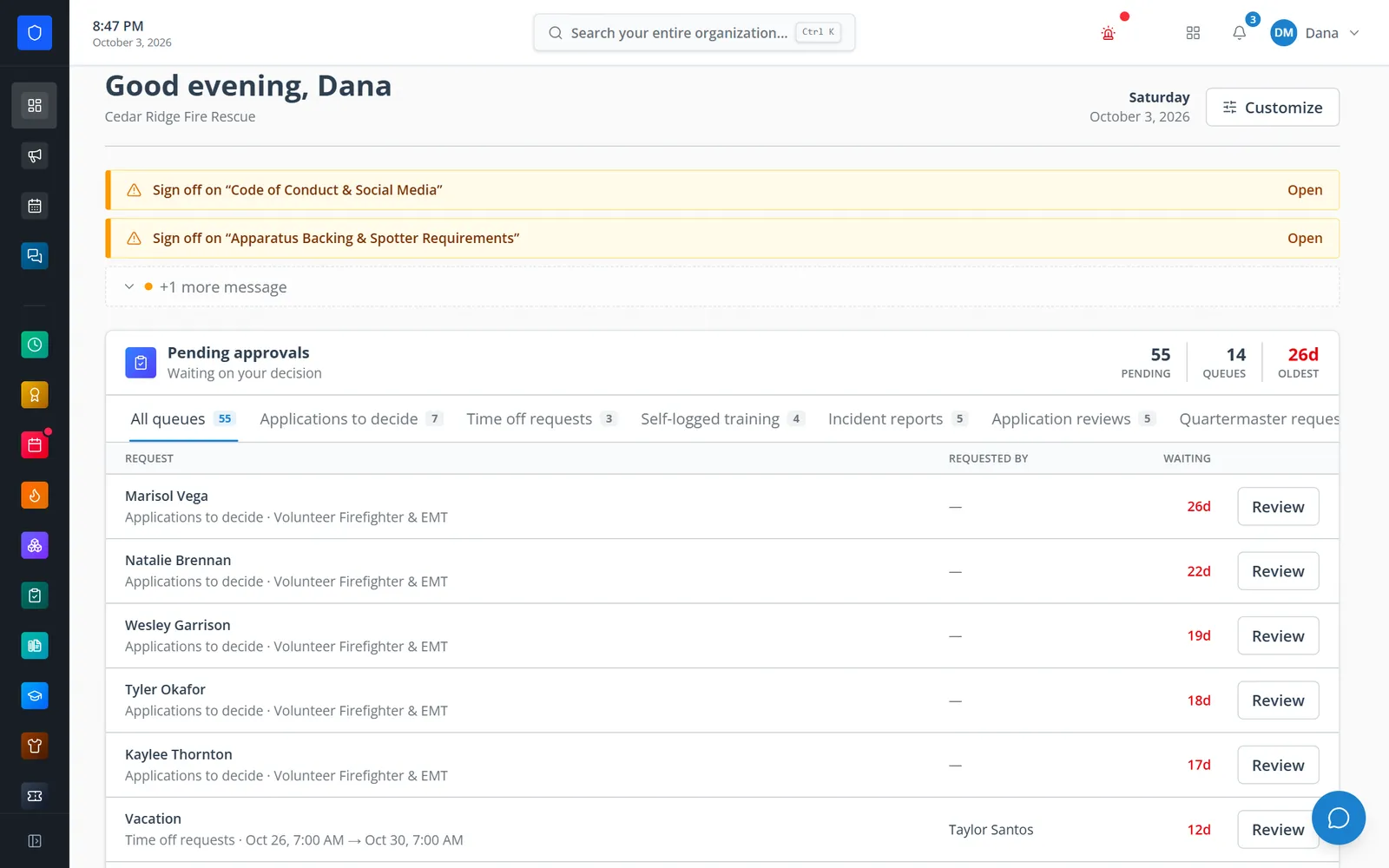
Required reading and pending approvals from every module, oldest first.
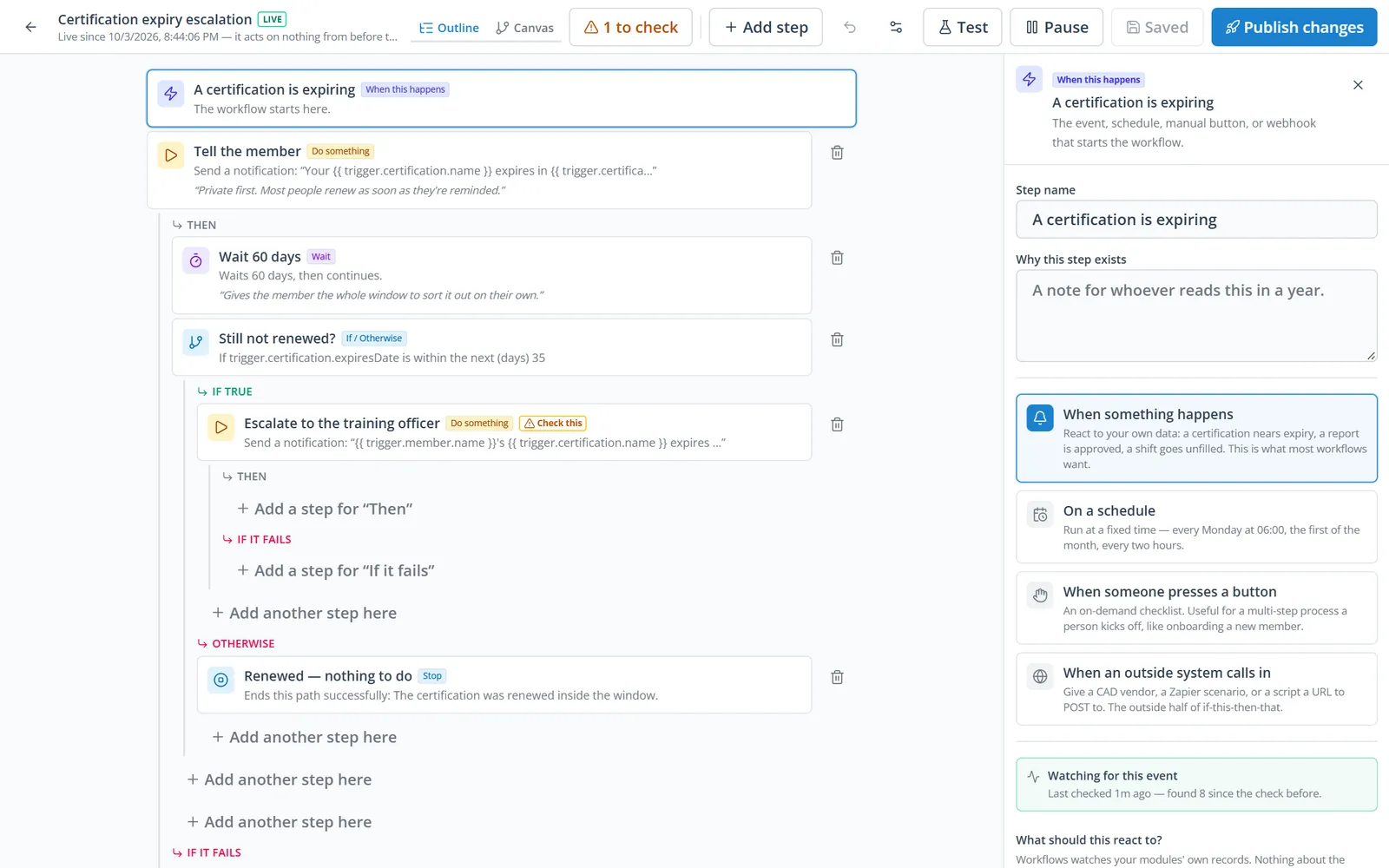
Triggers, waits, conditions, and actions in a readable outline.
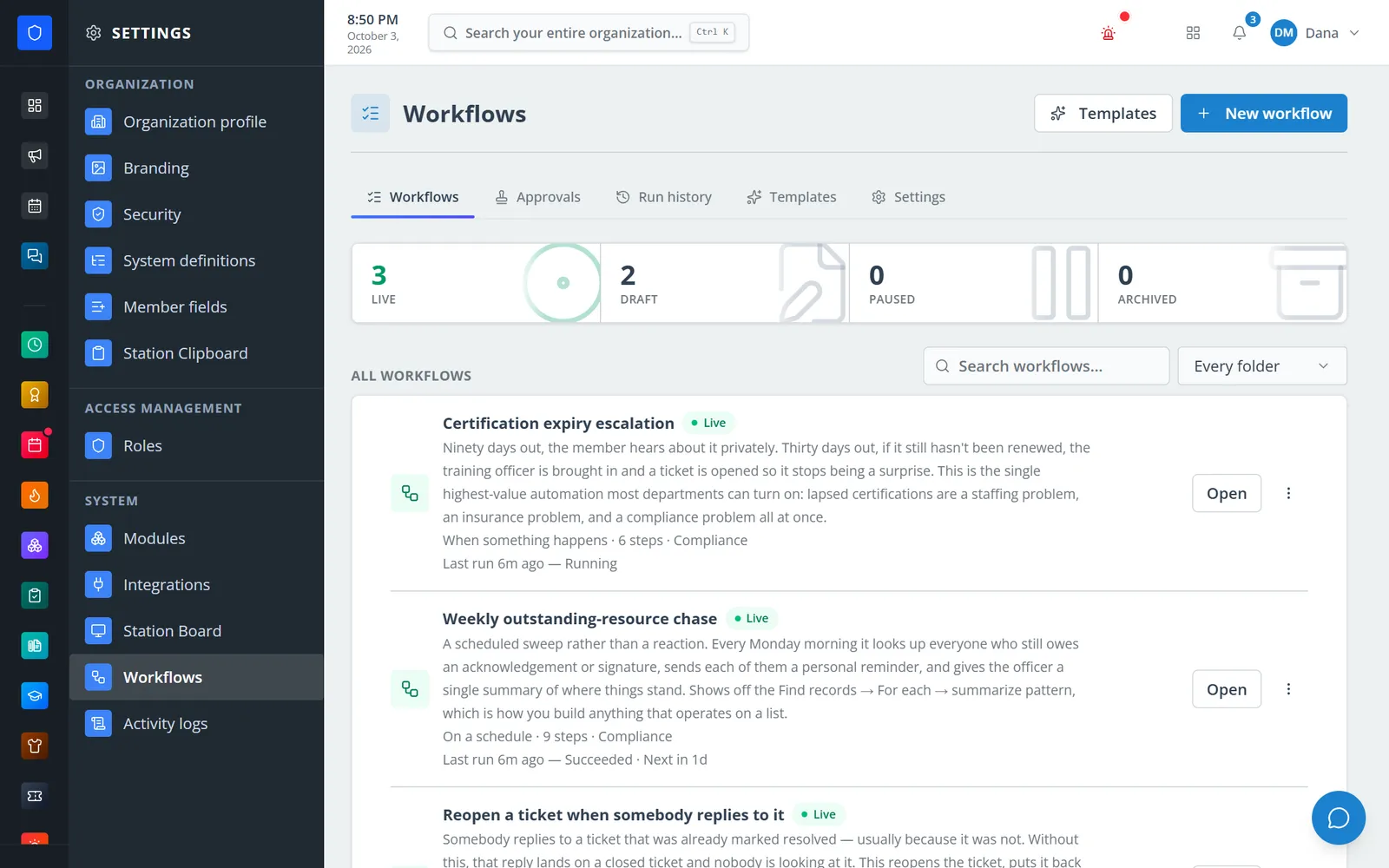
Installed templates with their last run and next scheduled run.
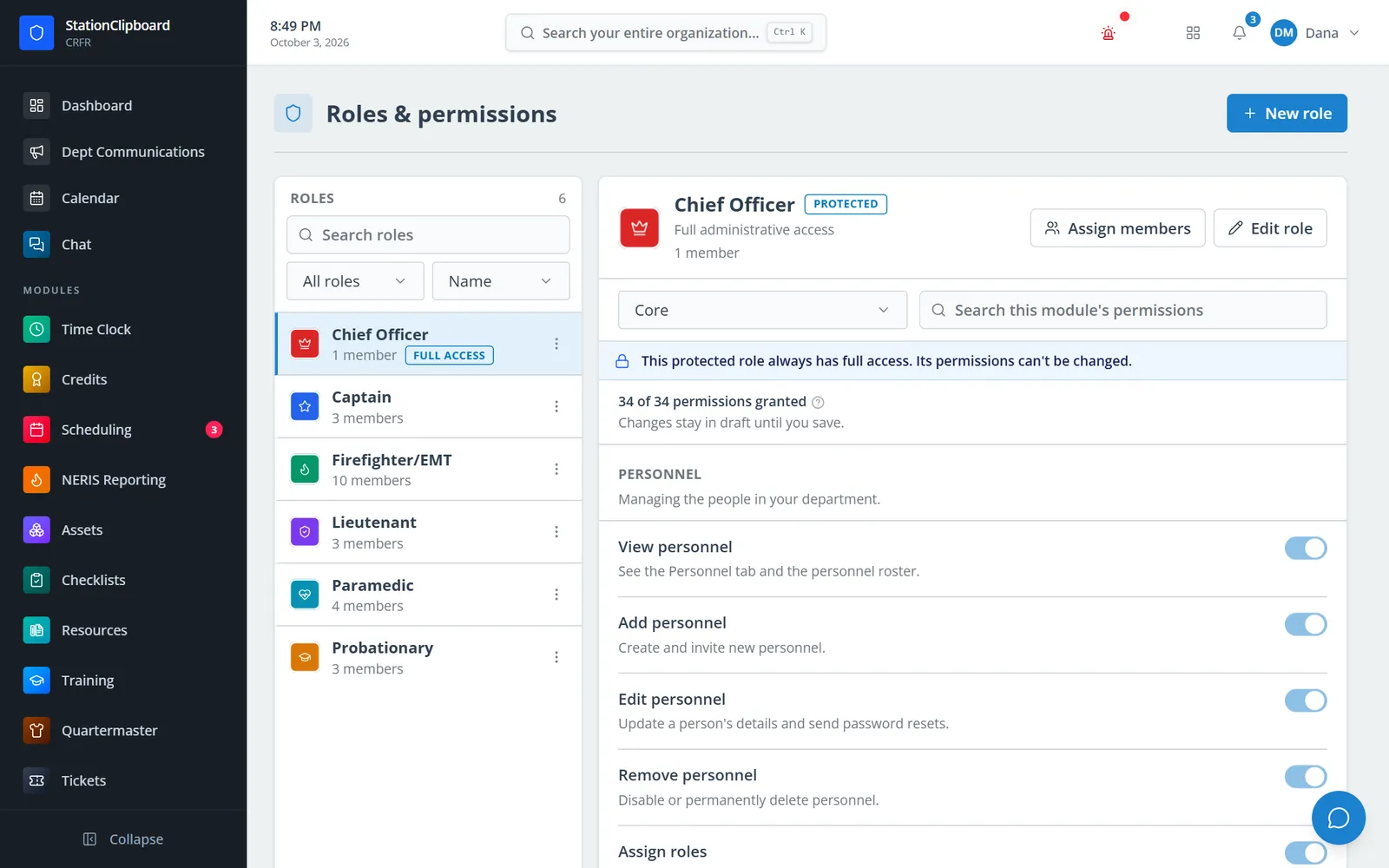
Roles with their own color and icon, and a permission editor grouped by module.
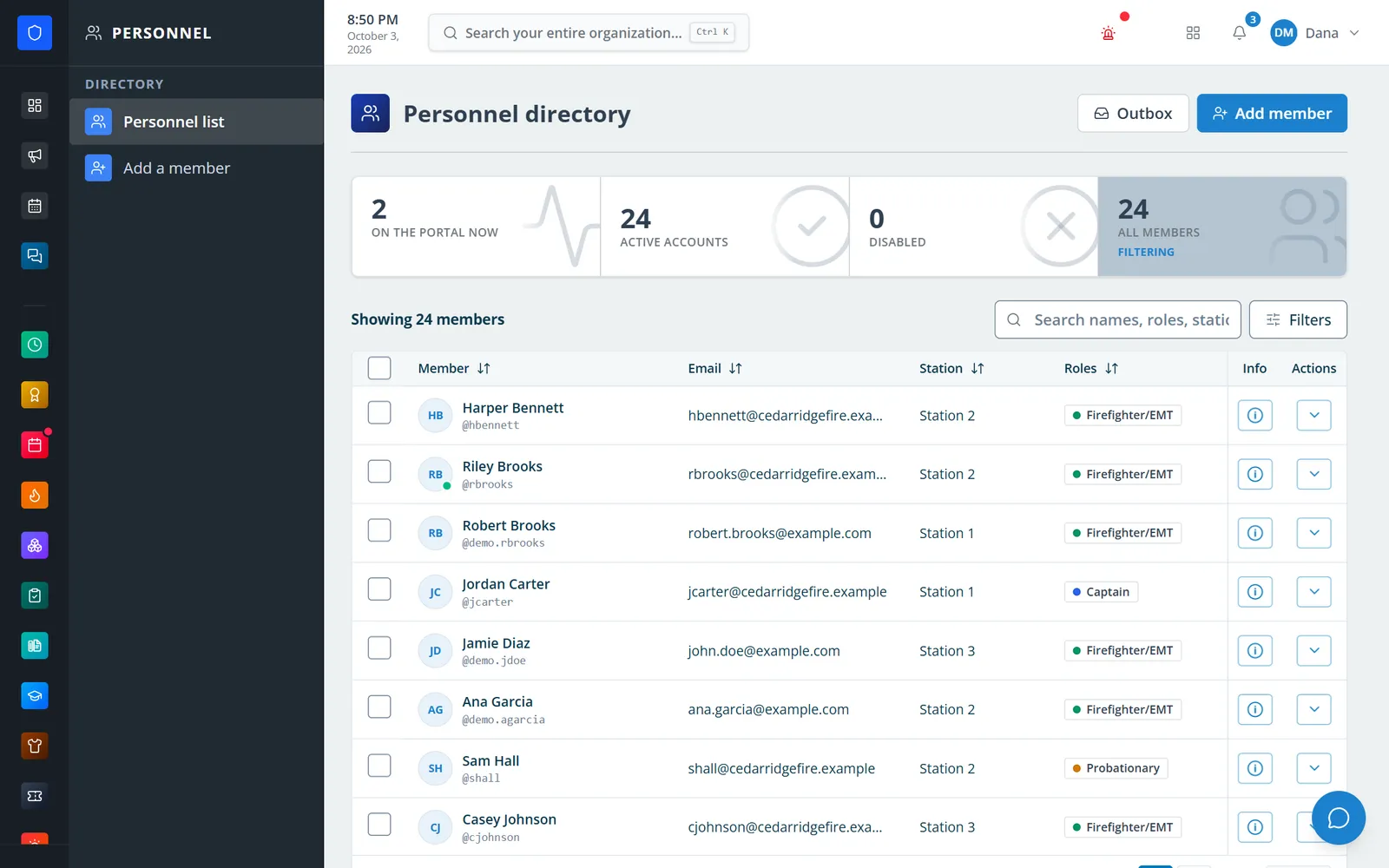
Every member with station, roles, and who is on the portal right now.
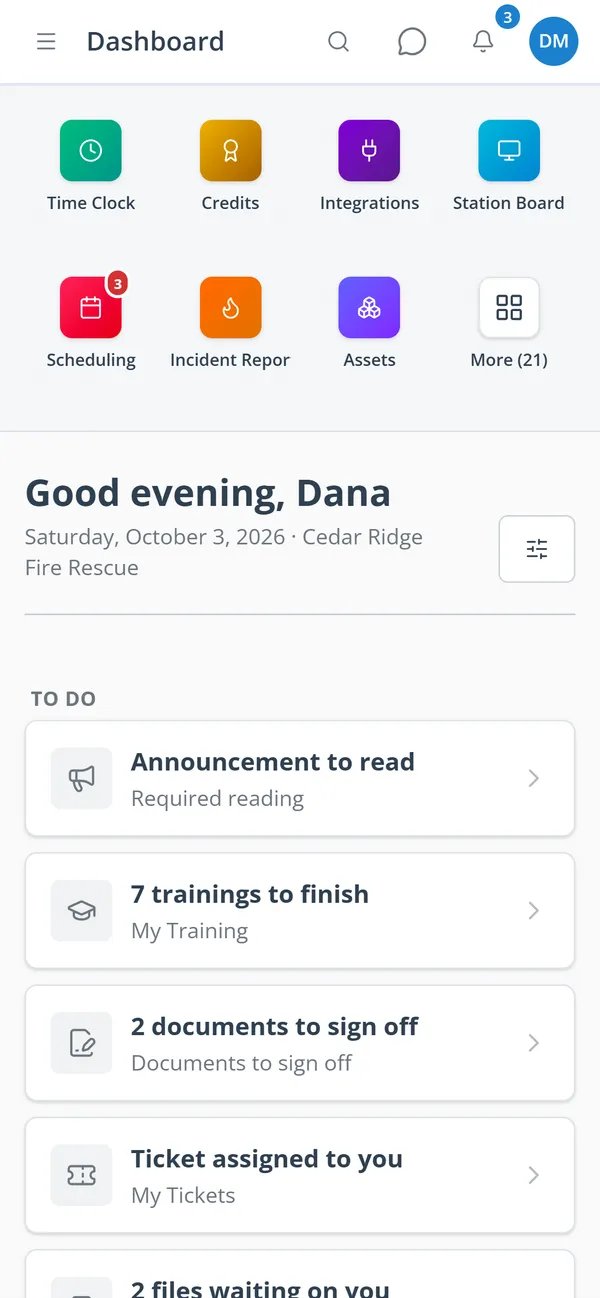
Module shortcuts and a to-do list of what needs the member.
Add your logo and branding, module colors, timezone, 24-hour time, station and apparatus lists, and an optional 2FA requirement.
Invite members, assign roles from templates with their own color and icon, and track certifications with expiry reminders.
Publish announcements and email named members or whole roles — now, later, or on a repeating schedule.
Install a starter template or build a workflow, test it with every effect simulated, publish it, and watch its runs and approvals.
Role templates, cloning, colors and icons, and a grouped editor. Effective access is the union of a member’s roles.
Profiles, custom fields, bulk edit, who is on the portal now, and a Certification Hub with expiry reminders.
Pending approvals from every module, required reading, and a to-do list, with widgets each member can arrange.
Announcements with priority, audiences, scheduling, pinning, and acknowledgement tracking, plus scheduled and recurring email with logs.
Month, week, and phone views; recurring events, categories, RSVP, reminders, a personal feed for phone calendars, and private import of a member’s own calendar.
Press Ctrl K to find people, records, and pages across every module the member can see.
Triggers from across the modules, approvals, schedules, signed incoming webhooks, starter templates, and test runs where nothing is sent, written, or called.
Authenticator-app or email 2FA, a logged “view as member” mode, and an activity log with actor, target, and severity.
Members keep one secure sign-in and one set of role permissions across every module you turn on.
Yes. Core is always on — every other module relies on it for sign-in, personnel, roles, and department isolation.
Only if a role grants it. “Own” and “all” access are always separate permissions.
No. Steps that change records check, when the workflow is saved, that its author holds the permission for that action.
No. A calendar a member connects is shown only to them, and nothing from it is published anywhere.
Tell us how you handle this work today. We’ll walk you through it in the full Station Clipboard portal.
Need something we don’t have yet? We build custom modules.