7(k) overtime is hard
Pay groups support 7–28 day work periods, shift-change start times, and thresholds like 212 hours in 28 days.
FLSA §7(k) work periods, pay rules, explained gross-to-net, two-person run approval, pay statements, and export files for your payroll provider.
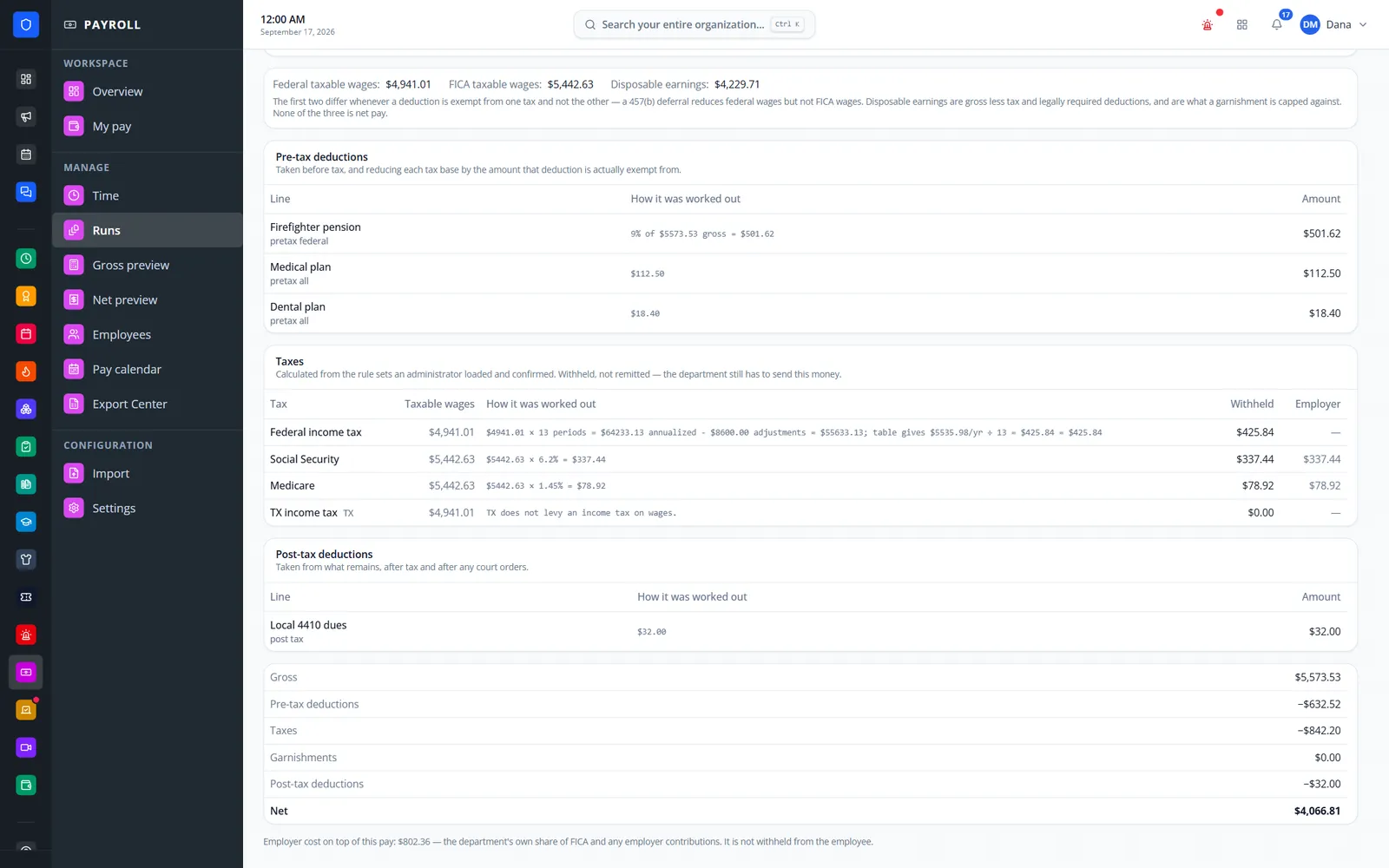
Payroll collects Fire/EMS time, applies your pay rules, and calculates gross and net pay using FLSA §7(k) work periods and the correct regular rate — with the arithmetic behind every figure. Runs are reviewed, approved, and finalized, members read statements under My Pay, and you export a file for the provider that already pays your people.
Pay groups support 7–28 day work periods, shift-change start times, and thresholds like 212 hours in 28 days.
Premiums such as paramedic, driver, or longevity pay are blended into the regular rate before overtime.
Every earnings, tax, deduction, and garnishment line carries a readable formula — including a callback paid to its minimum.
Import employees, rates, and year-to-date balances with a review step before anything is saved.
Real screens from Station Clipboard, shown with a sample department.
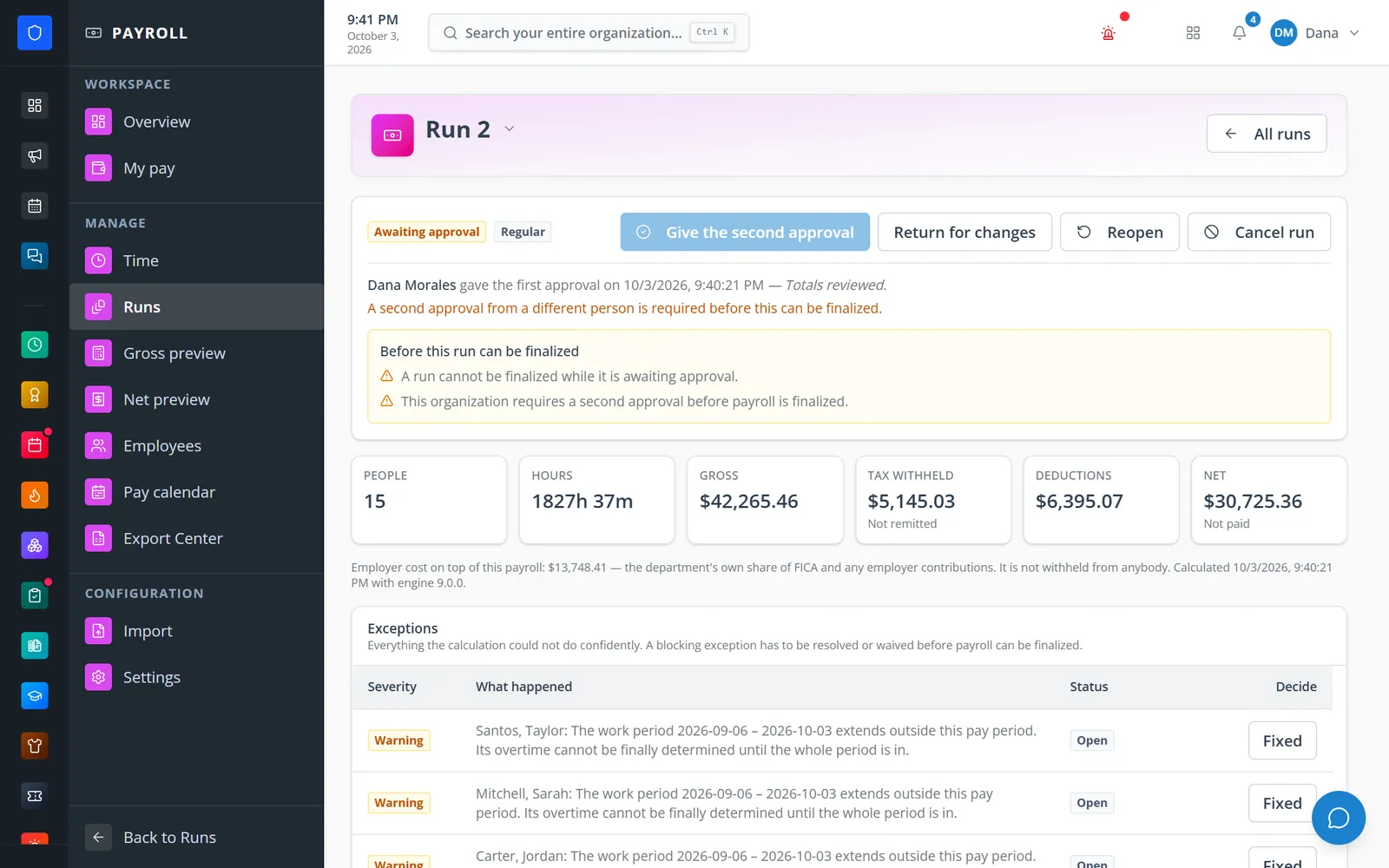
Totals, the finalize checklist, second-approval status, and exceptions for the run.
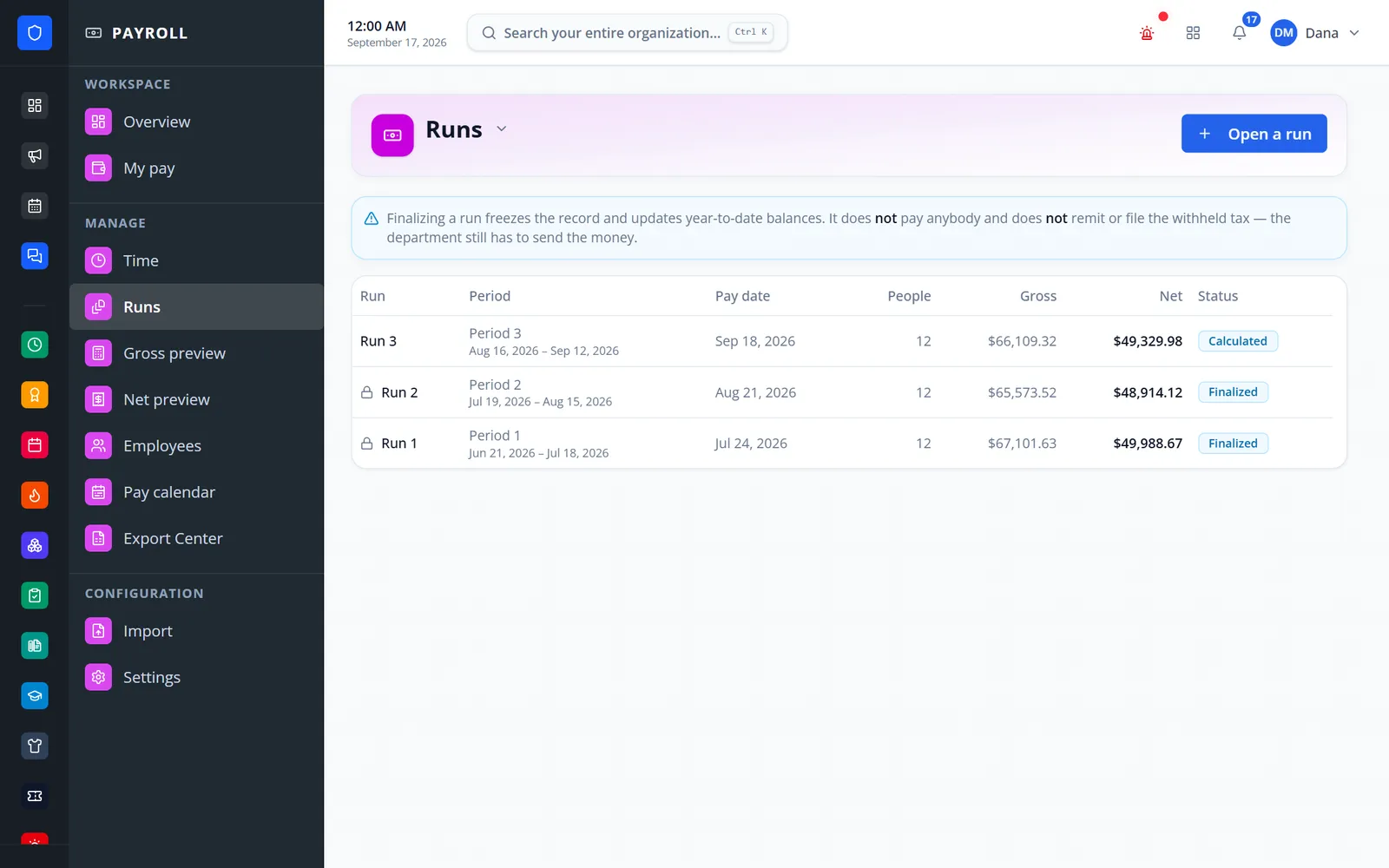
Periods, pay dates, totals, and status for every run.
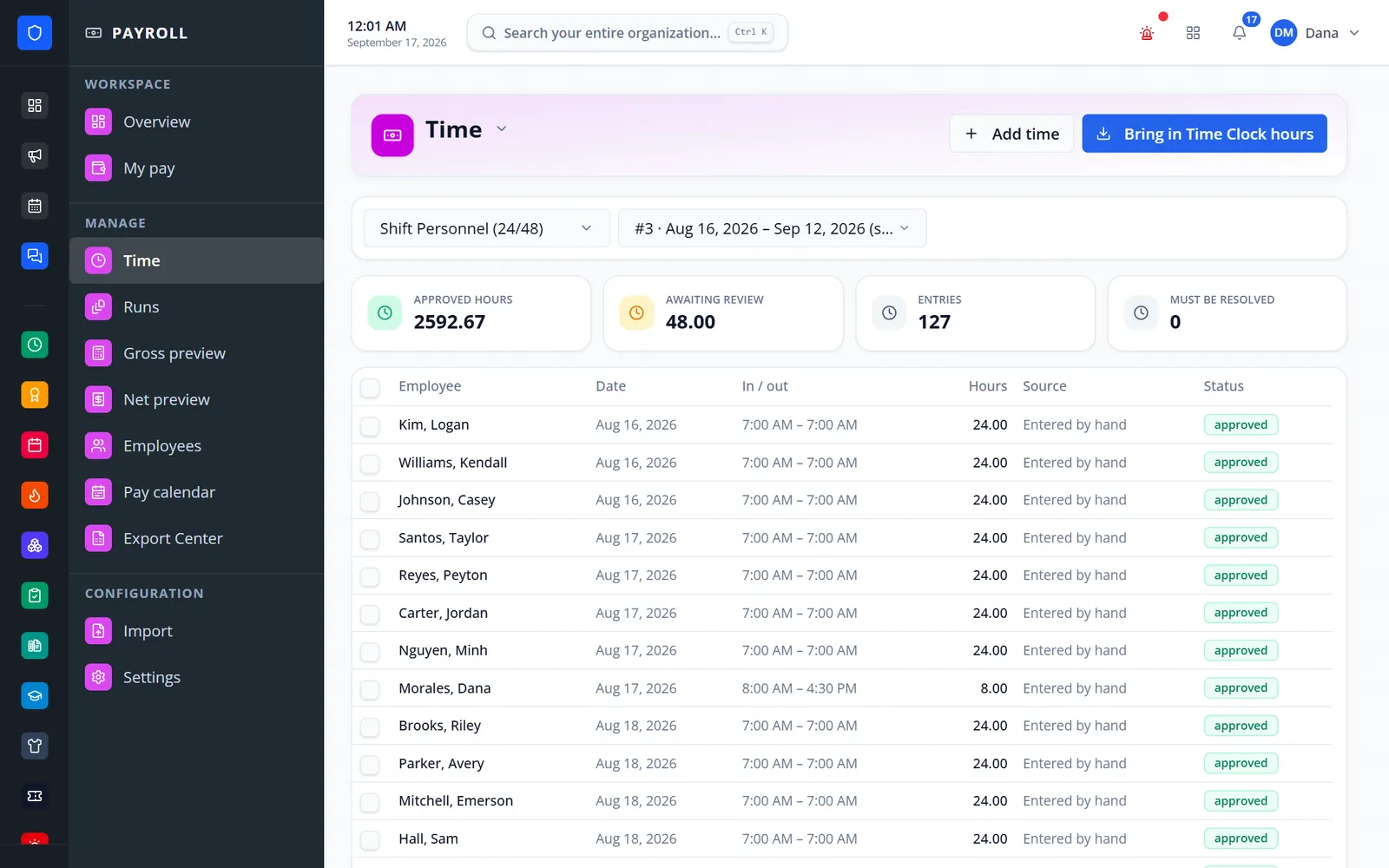
Time Clock hours for the pay period, with approval status and what still needs review.
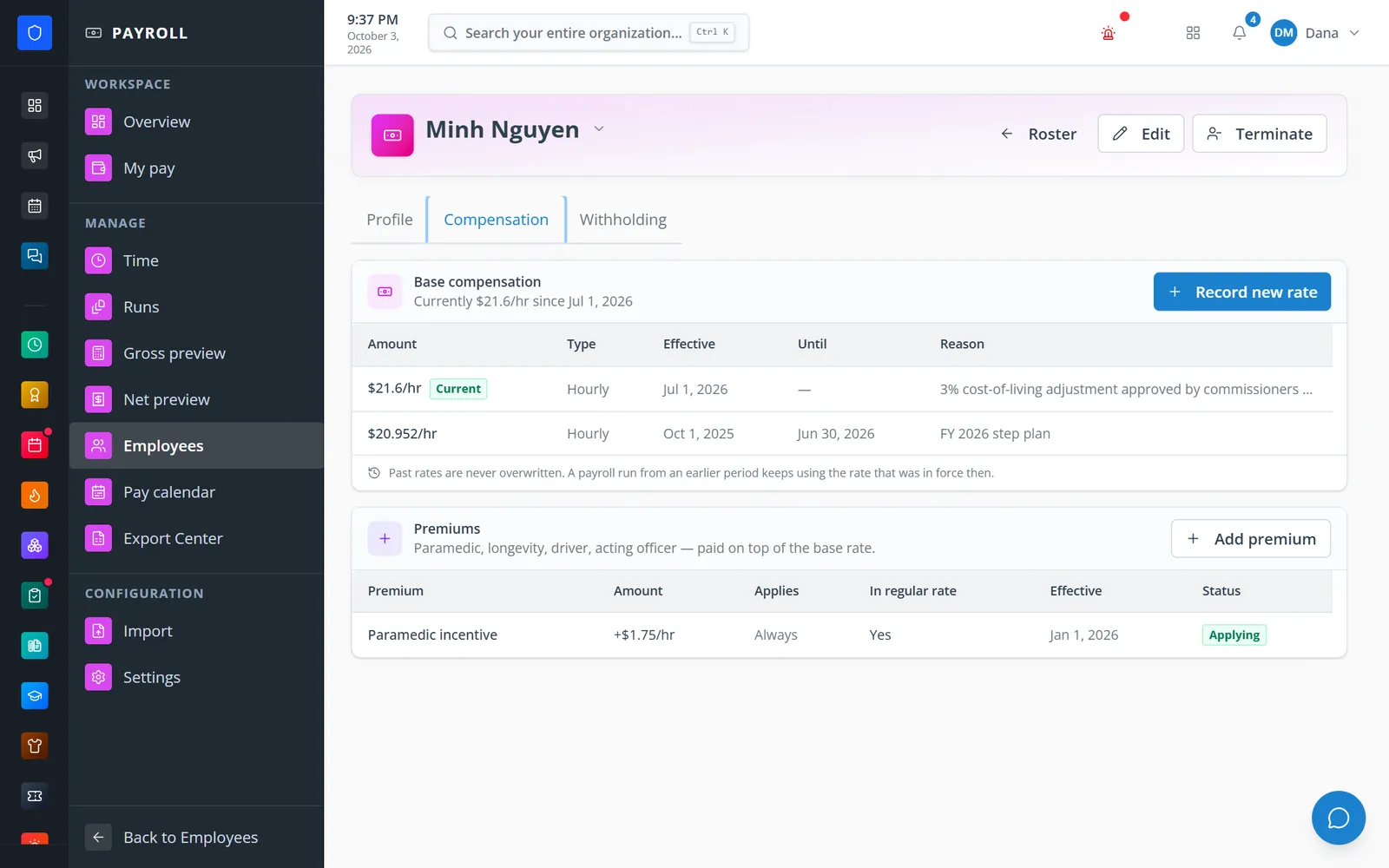
Every rate change keeps its dates and reason, with premiums listed below.
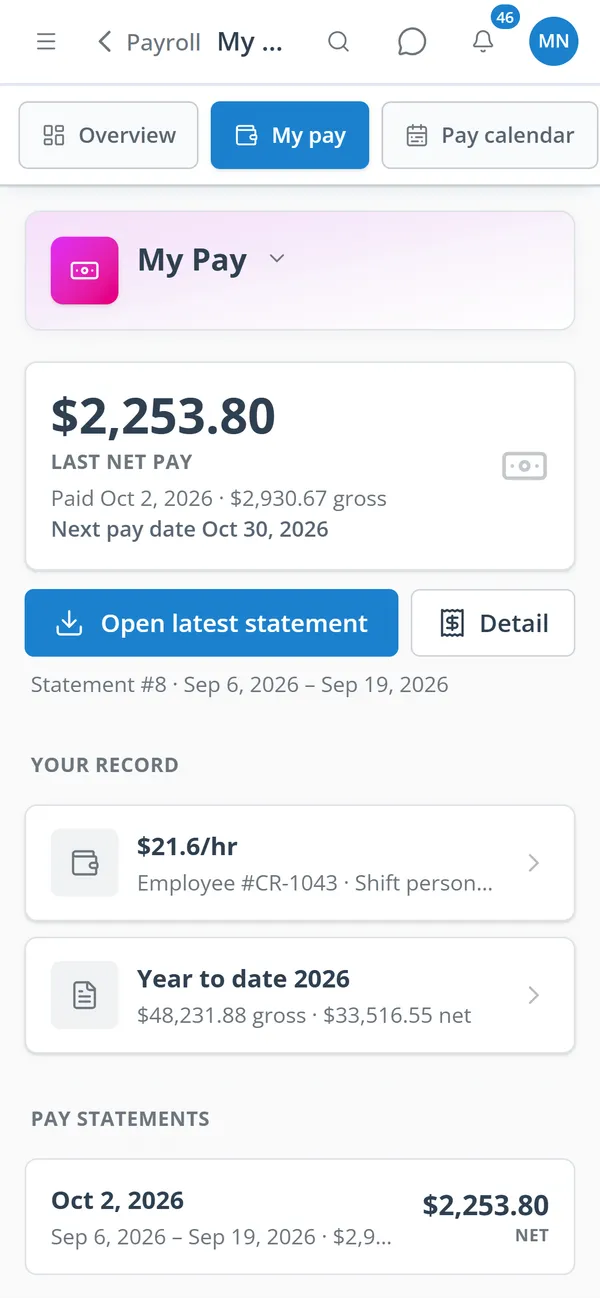
Members open their latest statement and year-to-date totals from a phone.
Bring in completed Time Clock hours or add time by hand.
Only approved time is paid; issues surface as warnings or blocking exceptions.
Apply pay rules, calculate gross and net, and approve — with a second approver when you require one.
Freeze the run, publish PDF statements, and export CSV or TSV for your provider.
Rate changes never overwrite history, each carries a reason, and every change is audited.
Weekly, biweekly, semimonthly, or monthly, on a workweek or §7(k) period.
Generated from pay-day and holiday rules, with time, supervisor, payroll, and funding deadlines.
Regular, overtime, holiday, callback, standby, shift differential, acting, and more — each with tax and overtime treatment.
Holiday, callback minimum, shift differential, reclassify, and flag rules you can simulate first.
Pre-tax deductions, federal, FICA, and state withholding, garnishments, and post-tax deductions.
Published PDF statements with year-to-date totals under My Pay, on desktop or phone.
Custom CSV/TSV profiles with stored, checksummed files and a download log.
Members keep one secure sign-in and one set of role permissions across every module you turn on.
No. Payroll records and explains pay; your existing provider still moves the money. You export a file for them.
No. Your administrator enters and confirms each year’s tax figures before they are used.
No. Payroll works with Time Clock, with time entered by hand, or alongside another time system.
Only if you allow it. Turn on second approval and a different person must approve before the run can be finalized.
Tell us how you handle this work today. We’ll walk you through it in the full Station Clipboard portal.
Need something we don’t have yet? We build custom modules.