Building rotations by hand
Generate shifts from 24/48, 48/96, 24/72, Kelly, 12-hour, and custom cycles, then copy a day or apply a saved week.
Availability from any phone, rotations, a seat-by-seat Schedule Admin grid, staffing checks, trades, time off, and a callout board that widens the search for cover.
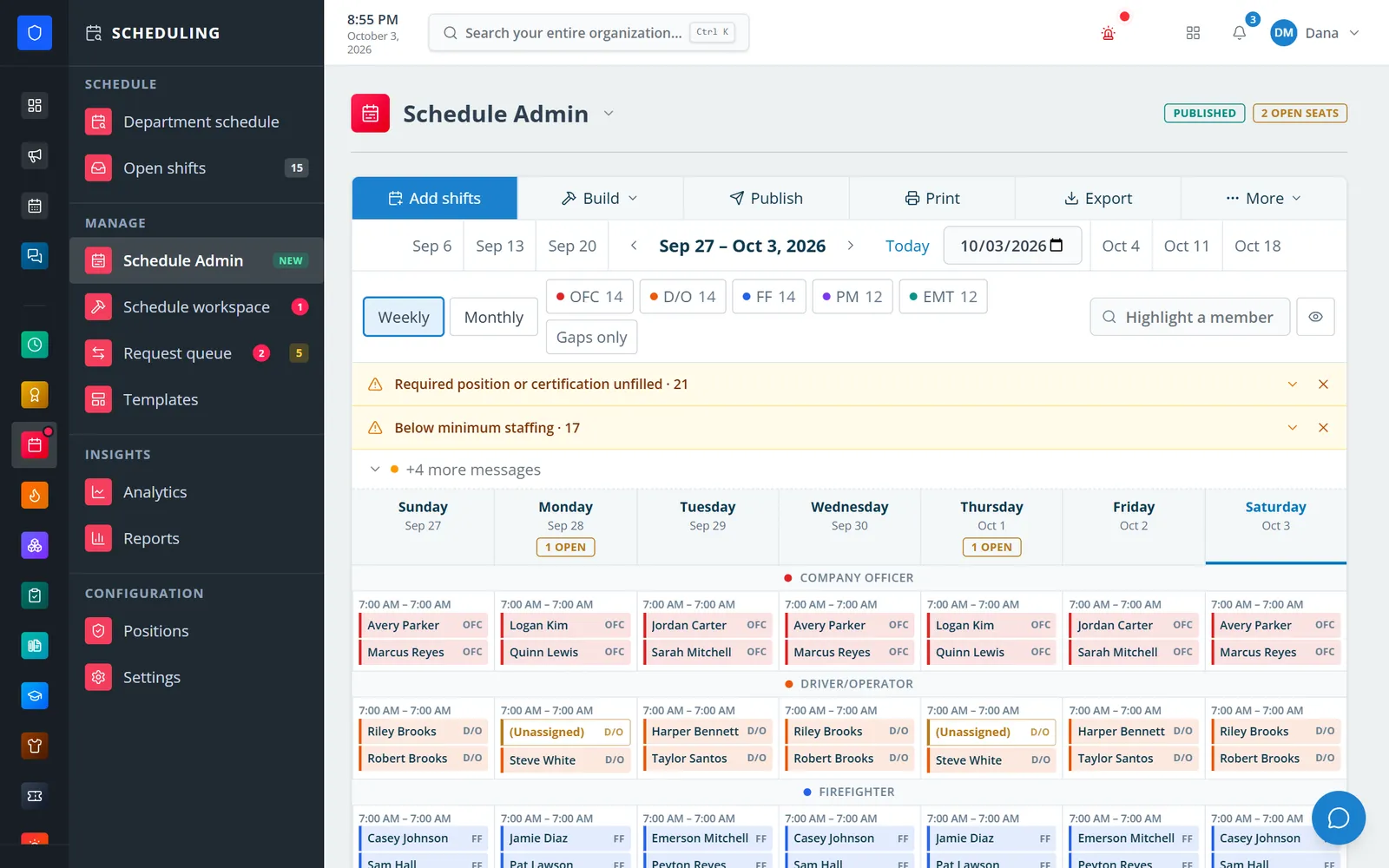
Scheduling runs the whole period. Members mark availability shift by shift from their phone, managers generate 24/48, 48/96, Kelly, and custom rotations, then fill every position seat in Schedule Admin — a weekly or monthly grid grouped by position, with open seats, unmet requirements, and staffing alerts called out before anything is published. Afterwards members trade, pick up, request time off, and report callouts that managers cover from one request queue.
Generate shifts from 24/48, 48/96, 24/72, Kelly, 12-hour, and custom cycles, then copy a day or apply a saved week.
The callout board records who was asked and widens the pool tier by tier — the first qualified yes gets the shift.
Each shift has position seats. Unfilled positions and below-minimum staffing show as alerts and can warn or block at publish.
Weekly and monthly hour caps plus fairness and coverage analytics.
Real screens from Station Clipboard, shown with a sample department.
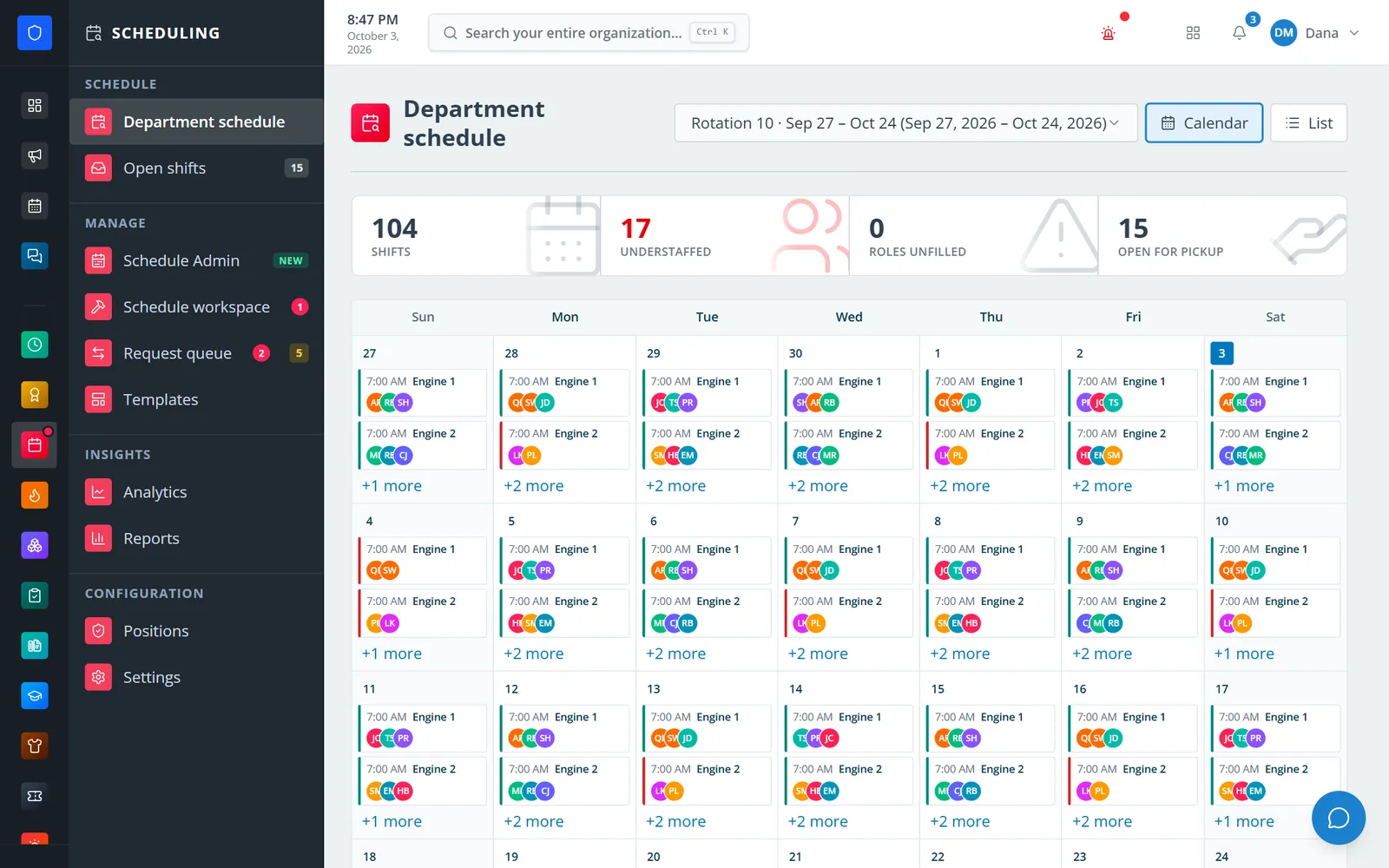
A 28-day rotation of engine and medic shifts with understaffed and open-for-pickup counts.
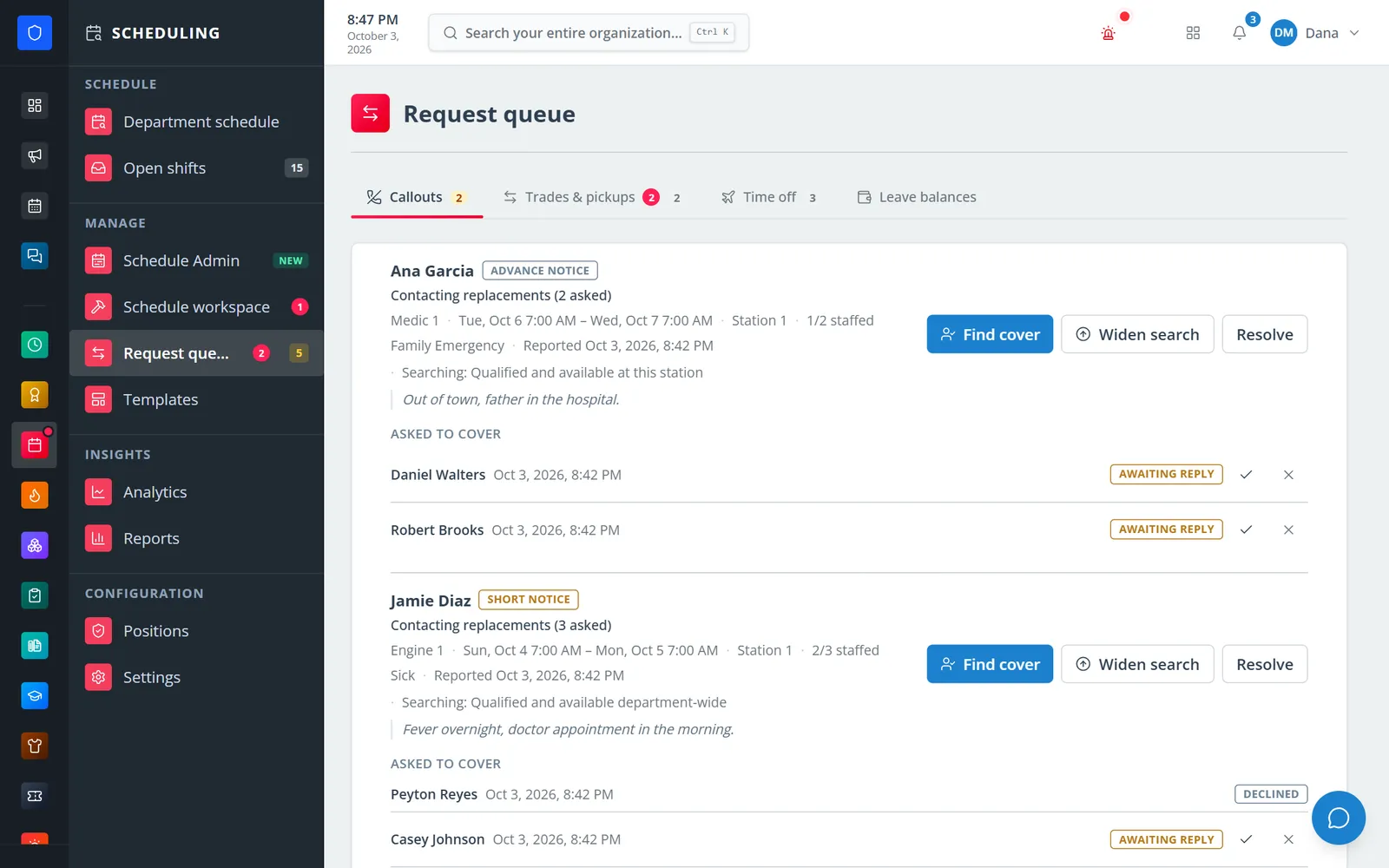
Each callout shows its notice band, staffing gap, who was asked, and who declined.
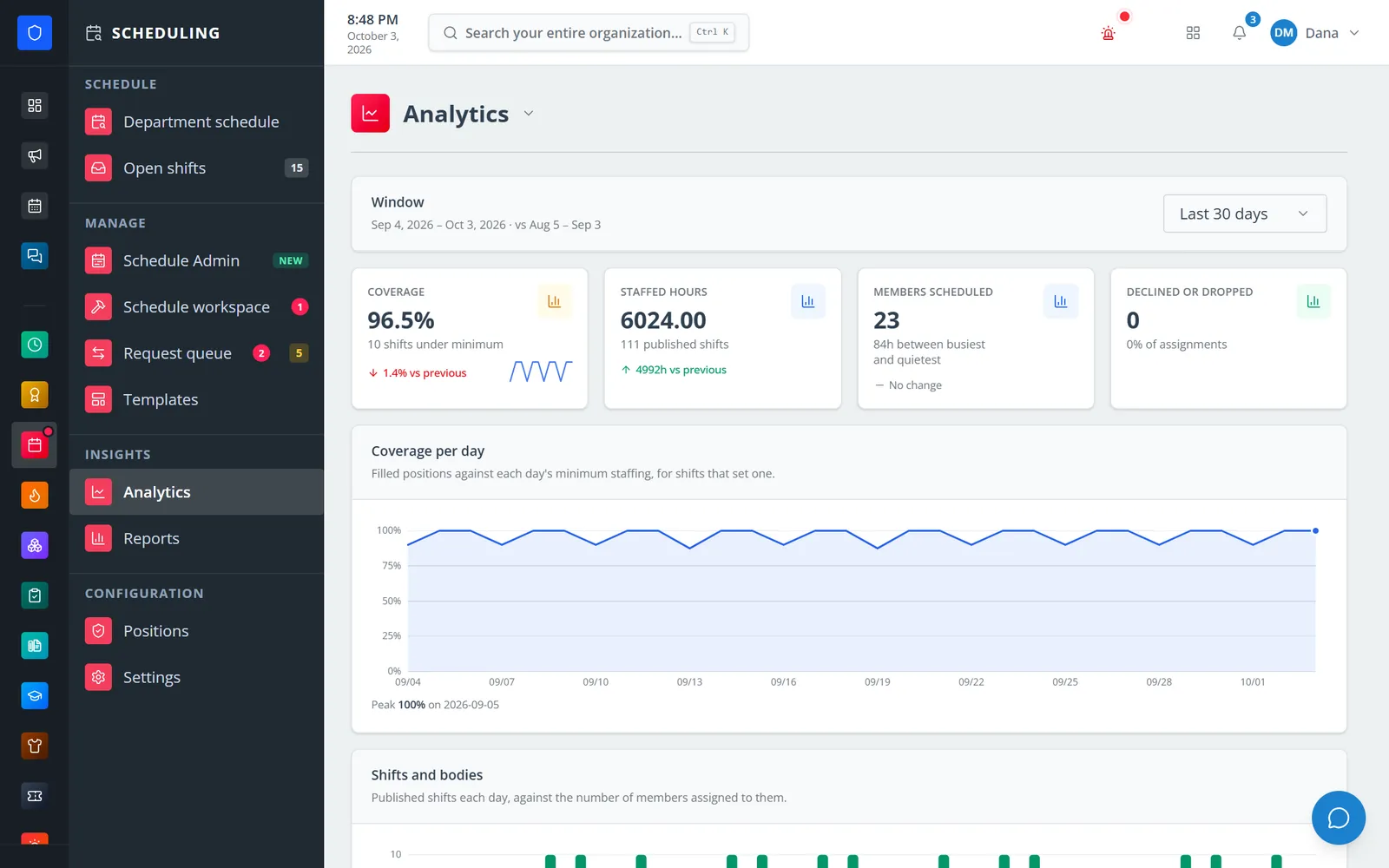
Coverage, staffed hours, and members scheduled for any window, compared with the last one.
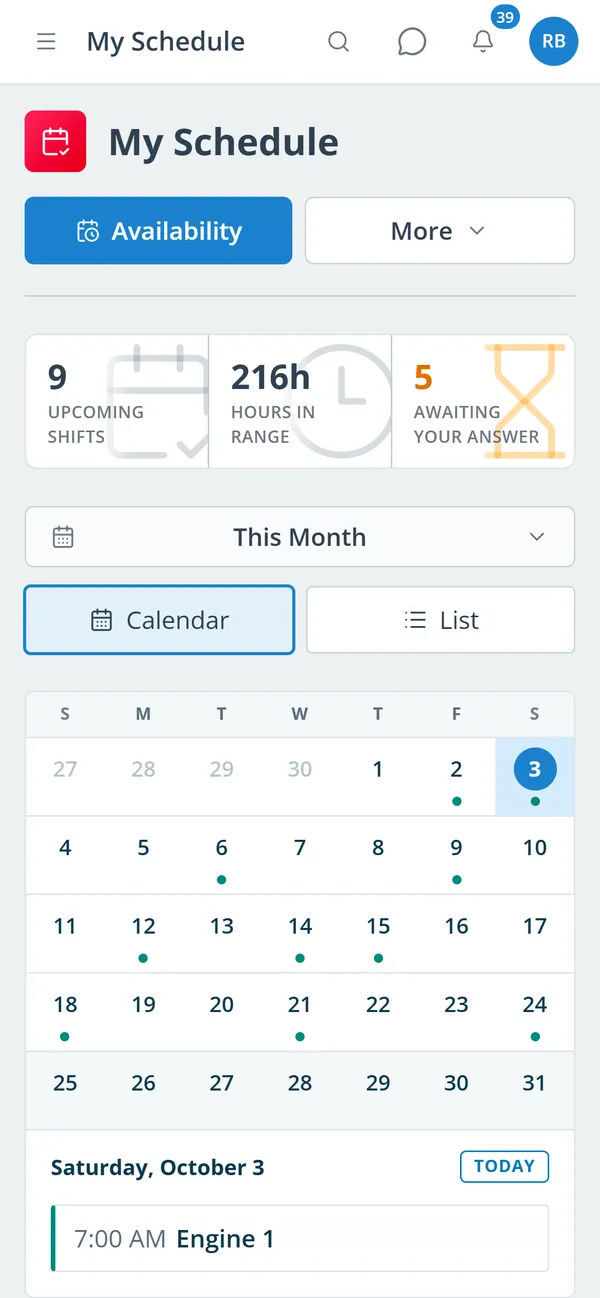
Members see upcoming shifts, hours, and anything waiting on their answer.
Tap each shift as available, preferred, or unavailable, add a note, and submit before the deadline.
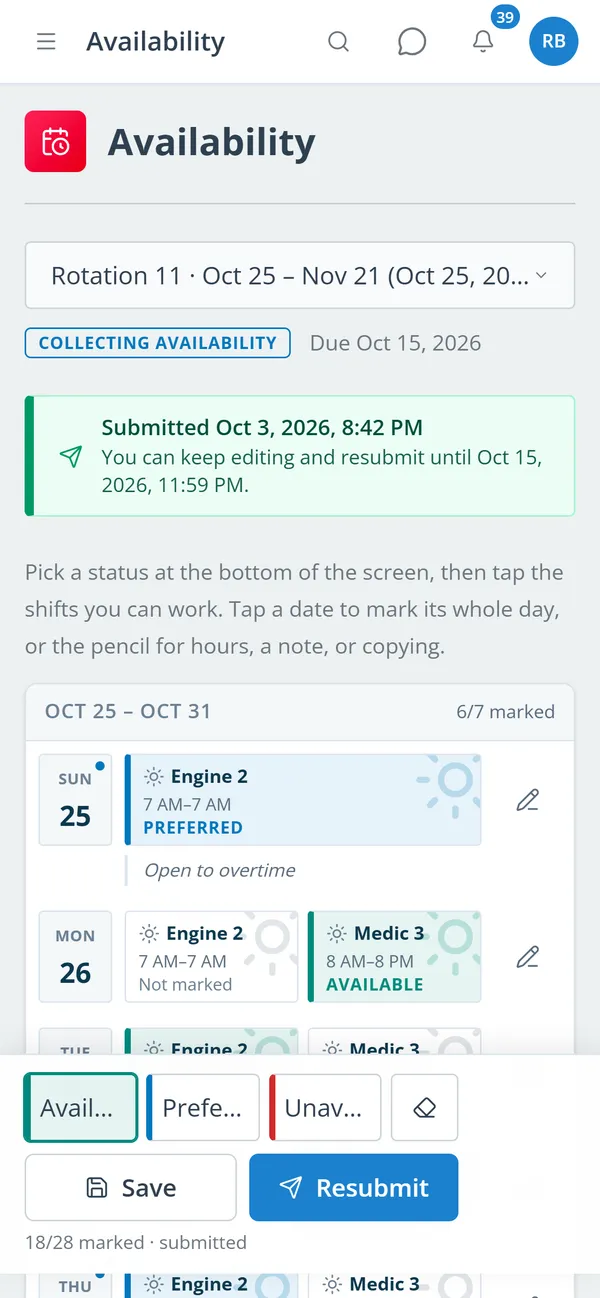
Open a period with a due date; members mark available, preferred, or unavailable for each shift.
Generate rotations, then fill seats in Schedule Admin with best-fit suggestions or the auto-builder.
Clear the alerts, publish, and track who has acknowledged the new schedule.
Handle callouts, trades, pickups, and time off from one request queue.
Weekly or monthly grid grouped by position, with gaps-only view, member highlight, print, and export.
Per-shift available, preferred, or unavailable marks with notes, deadlines, and late-edit approvals.
24/48, 48/96, 24/72, Kelly, 12-hour, and custom cycles; save a week and apply it to the next period.
Officer, driver, paramedic, and other seats checked against each member’s qualifications.
Notice band, staffing gap, cover requests, and tiered search from the station to the whole department.
Colleague-accepted trades and open-shift pickups, with overlap and hour-cap checks before approval.
Leave types and balances, with scheduling blocked during approved time off.
Coverage per day, staffed hours, fairness, Time Clock comparison, and PDF/CSV exports.
Members keep one secure sign-in and one set of role permissions across every module you turn on.
A manager sends cover requests to qualified, available members and widens the search tier by tier. The first qualified member to accept is assigned.
Members request trades with a specific colleague, who must accept. Your settings decide whether a manager also approves.
Yes. Each open period lists its shifts day by day, and members tap to mark them, add a note, and submit.
Tell us how you handle this work today. We’ll walk you through it in the full Station Clipboard portal.
Need something we don’t have yet? We build custom modules.