“I never got that”
Delivery, link-opened time, and response time are recorded per recipient.
Return a report, send a shift notice, or set up your own kinds of items, like a policy acknowledgment. Members answer from an email link with no login, and the portal chases whoever has not.
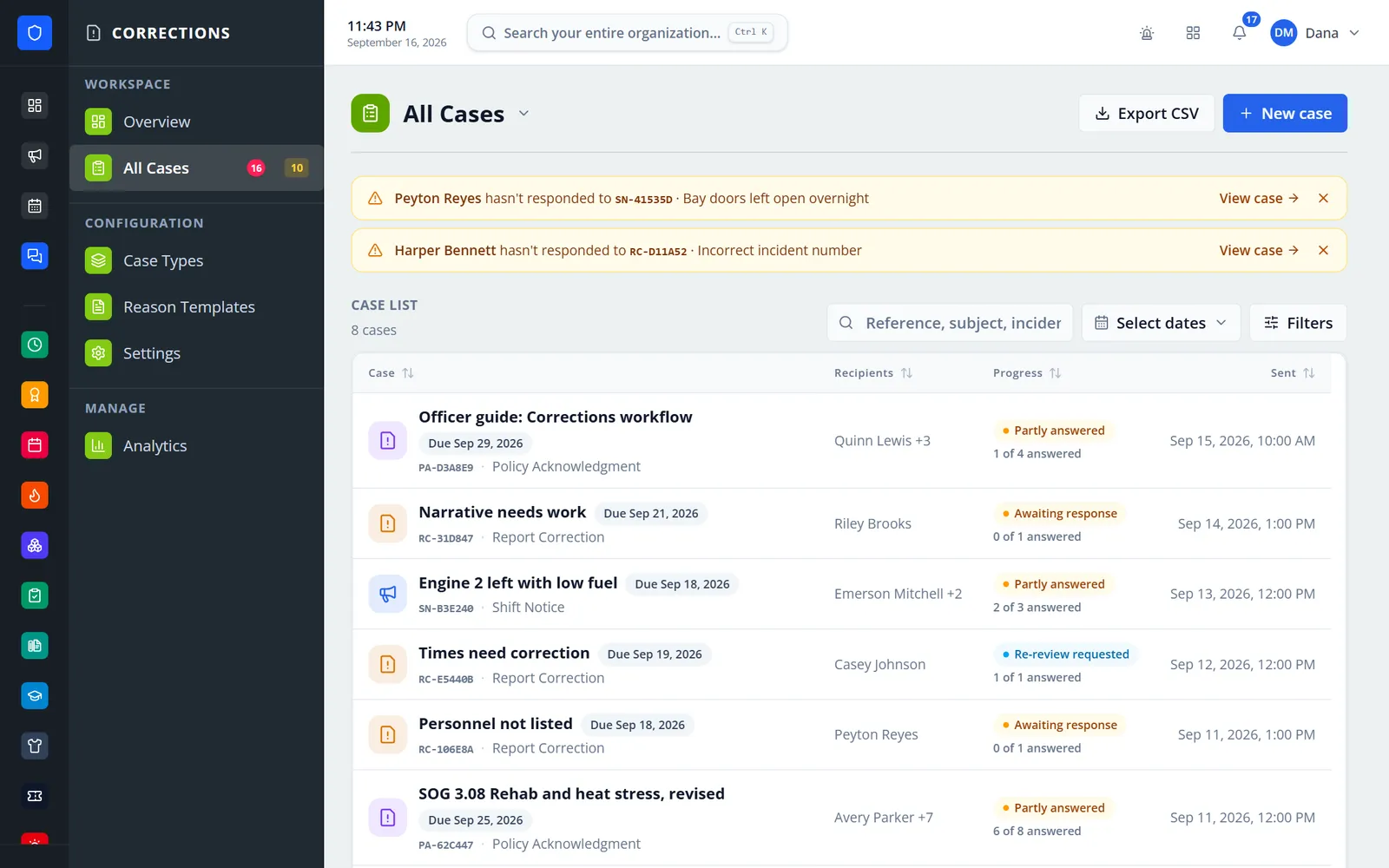
Officers send a report correction, a shift notice, or any item type the department defines — a policy acknowledgment, for example — to one member or a whole crew. Each member answers through a personal link in their email — no login needed — or from My Corrections in the portal. Reminders go out on their own, the sender is alerted when someone still has not answered, and the case list shows who was told, who answered, and what is outstanding.
Delivery, link-opened time, and response time are recorded per recipient.
Reminders every 24 hours by default, with a cap and a manual Remind button.
They answer from a personal emailed link.
Members request a re-review, and officers can return it again with a note.
Real screens from Station Clipboard, shown with a sample department.
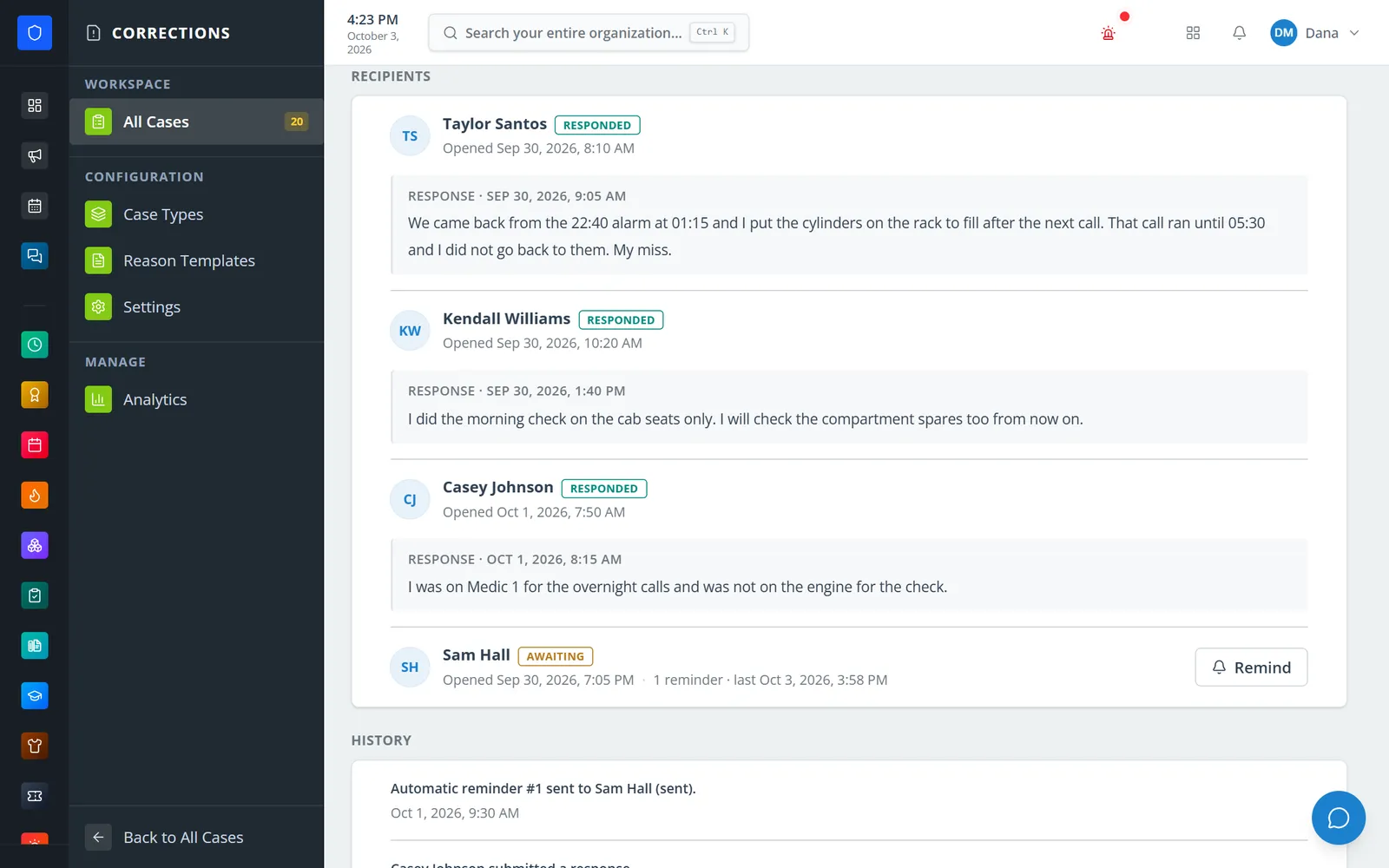
Each member’s response, when they opened the link, and reminders sent.
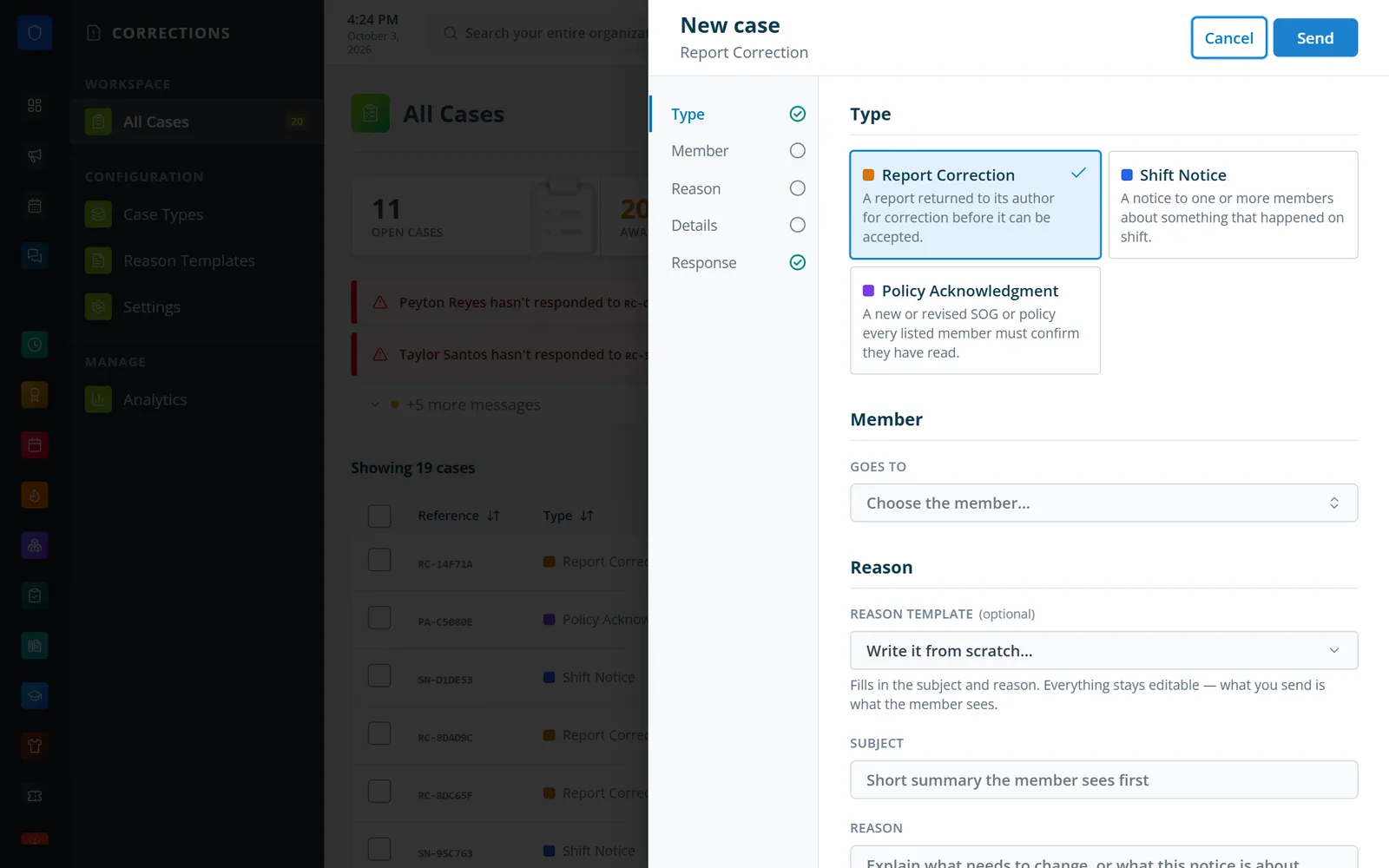
Pick a type, choose the member, and start from a reason template.
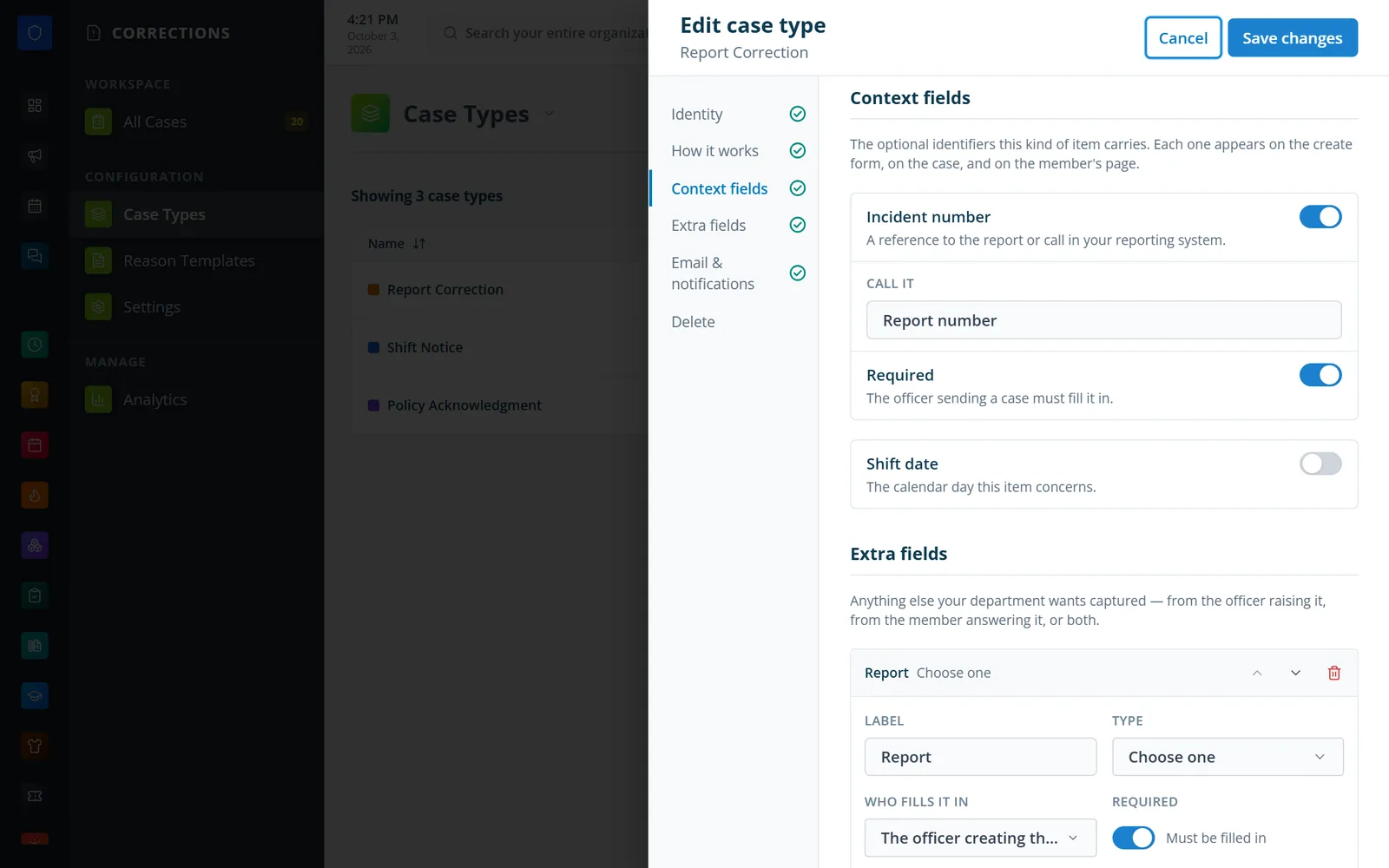
Rename the report number, require it, and add your own fields.
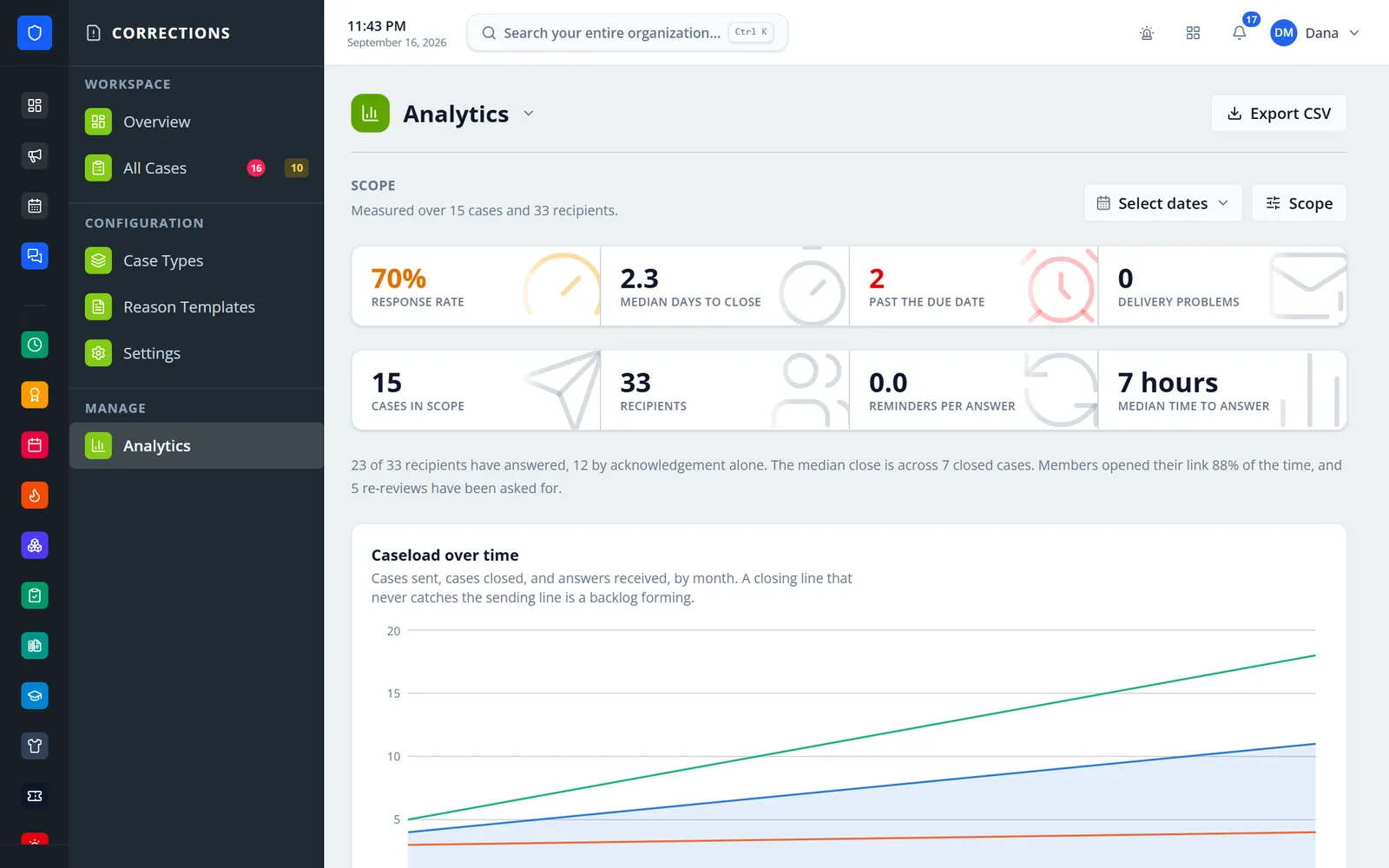
How much has been answered and how long answers take.
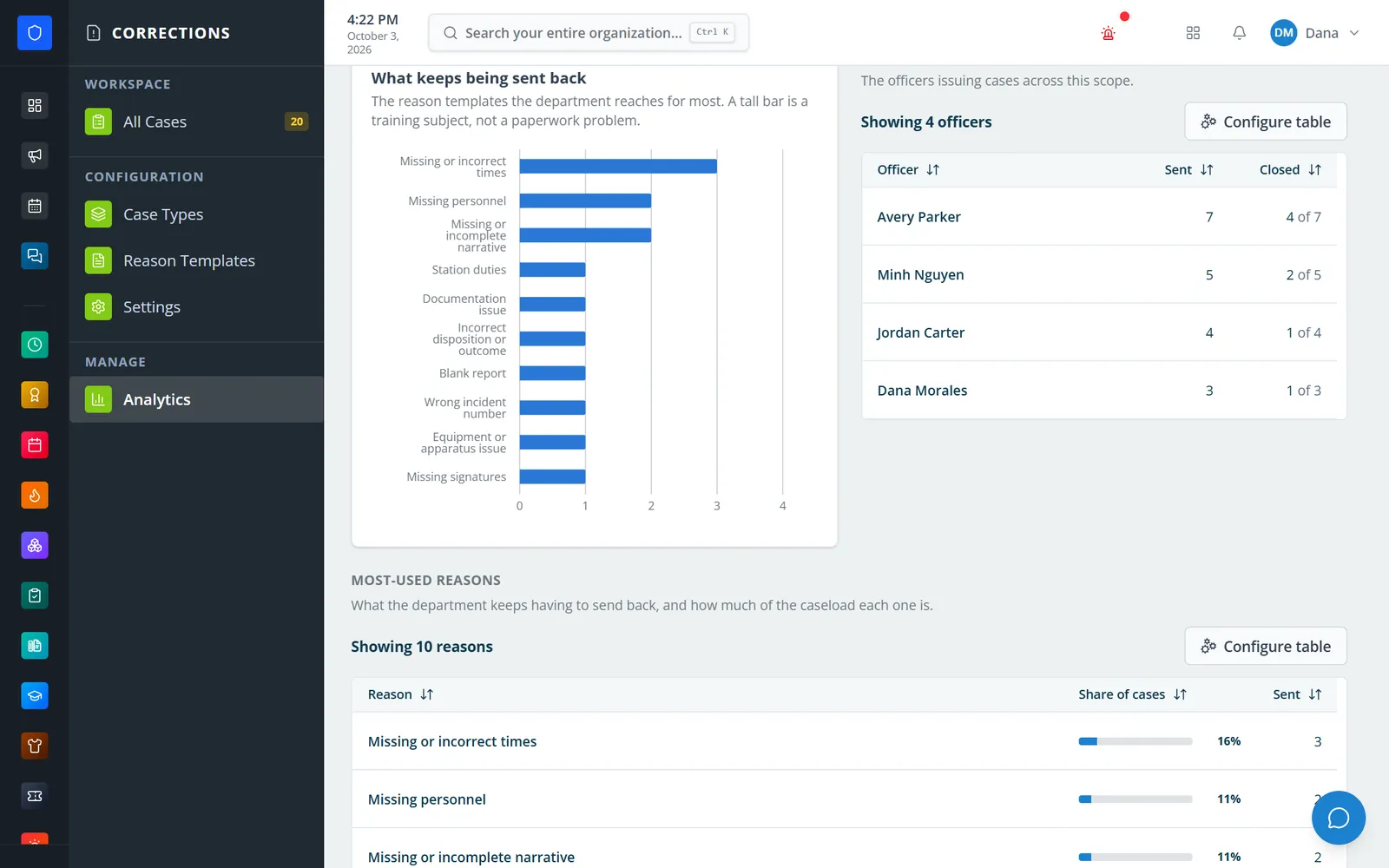
The reasons reports come back most, and who sends them.
Members answer from a personal emailed link on any phone.
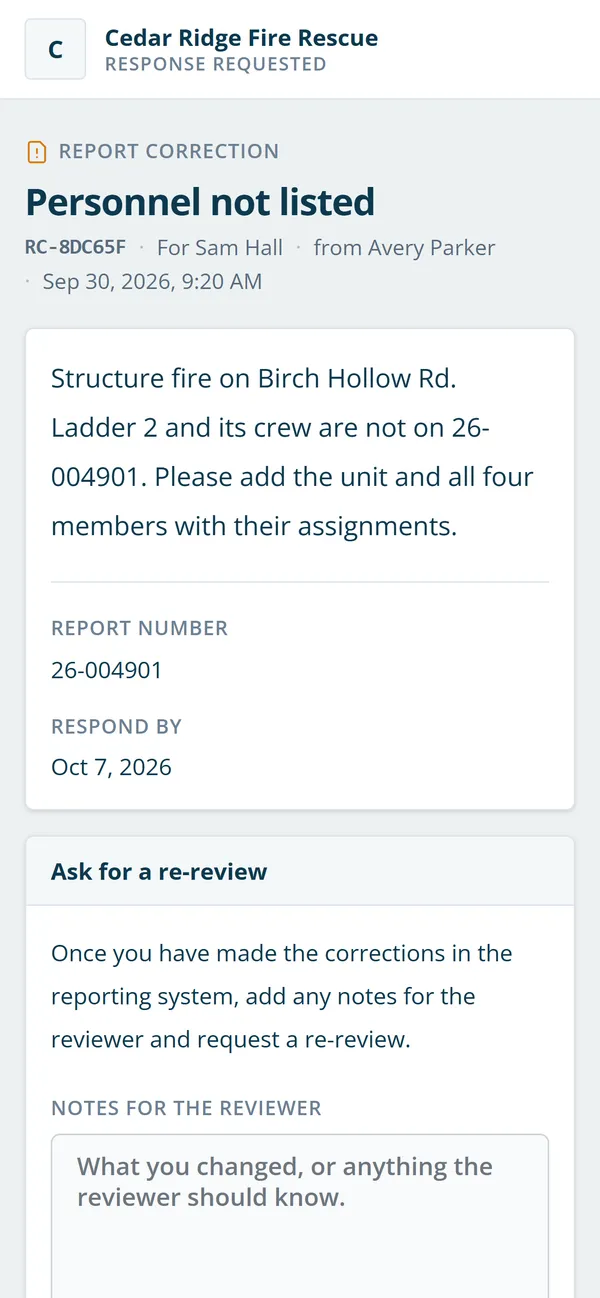
Pick a type and reason, add the report number or shift date, and choose recipients.
The member opens the link and acknowledges, responds, or requests a re-review.
Automatic reminders go out, and the sender is alerted after the third.
Close the case and review response rates, delays, and common reasons.
Prefixes, colors, response rules, extra fields, and email wording per type.
Starts with Report Correction and Shift Notice types and ready-made reasons.
Acknowledge, respond, or request a re-review without logging in.
Return a corrected report again with a note, as many rounds as it takes.
Grace period, interval, and cap, then an alert to the officer who sent it.
Undeliverable, ignored, unopened, and overdue recipients at the top of the list.
Fix the subject, reason, or due date. Recipients are told it changed.
Response rate, time to answer and close, delivery problems, and CSV export.
Members keep one secure sign-in and one set of role permissions across every module you turn on.
No. Each member gets a personal link in their email. Members with a portal account can also answer from My Corrections.
No. Corrections tracks returned reports and notices. Disciplinary records belong in HR Info.
It records the report number as text, so it works with reports filed in Station Clipboard or any other system. It does not open or change the report itself.
Yes. Create a type with its own prefix, recipient rule, response rule, extra fields, and email wording — a policy acknowledgment, for example.
Tell us how you handle this work today. We’ll walk you through it in the full Station Clipboard portal.
Need something we don’t have yet? We build custom modules.