Files scattered across modules
Documents, certificates, attachments, and course material in one list, badged by source.
Every file a member can already see across the portal, in one place, plus folders of their own they can share with people or whole roles.
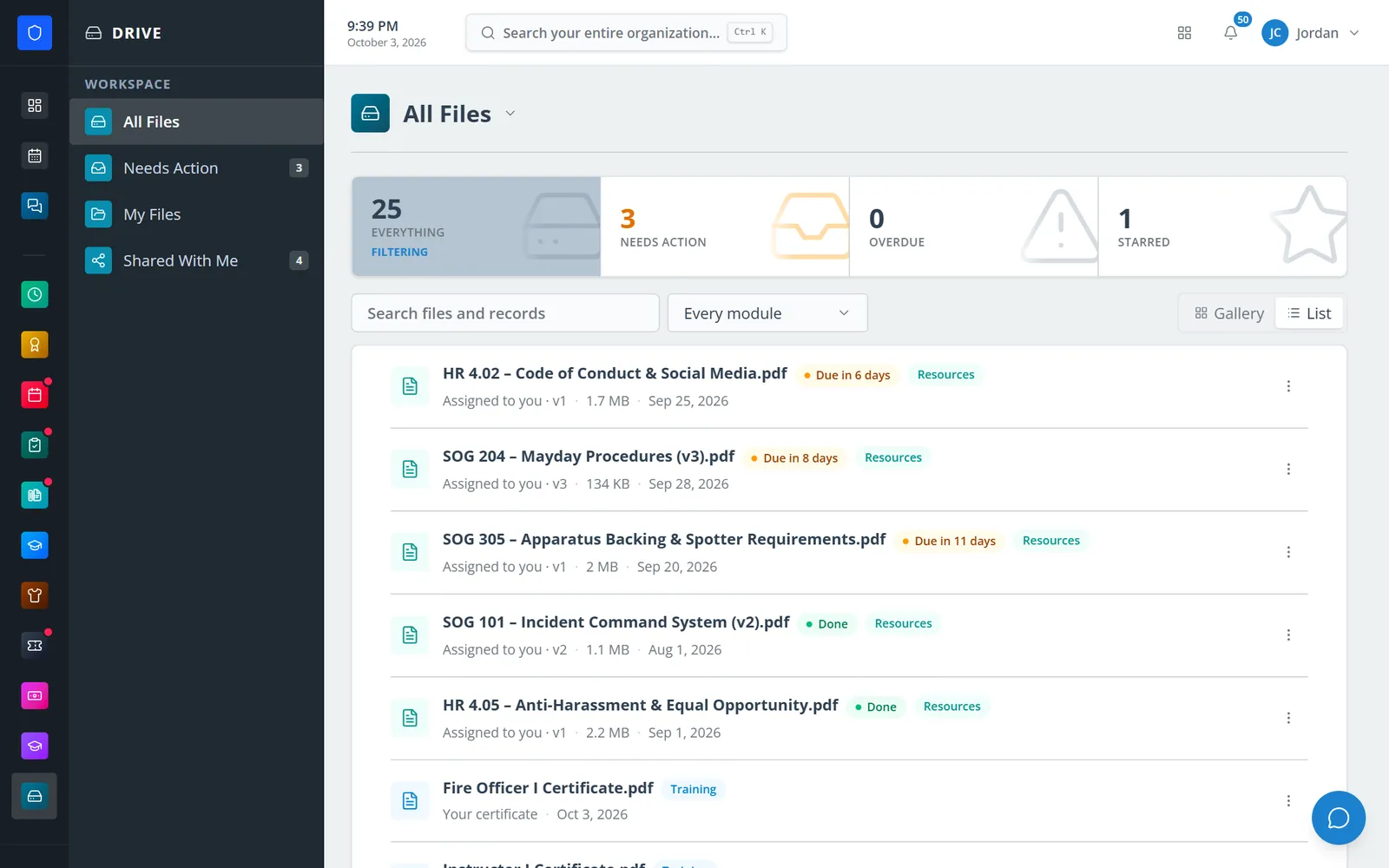
Drive gathers the files the portal already shows a member — assigned documents, their training certificates, HR documents issued to them, announcement attachments, course material, ticket files — each badged with where it came from and opening back into that module. Anything still waiting on them sits in one Needs Action list. Alongside it, members keep their own folders and files, with versions, and share them with named people or with a whole role.
Documents, certificates, attachments, and course material in one list, badged by source.
Needs Action gathers every document still to read or sign, with due dates.
Members keep folders in the portal, with versions, under department limits.
Share with “every Lieutenant” and access follows whoever holds the role.
Real screens from Station Clipboard, shown with a sample department.
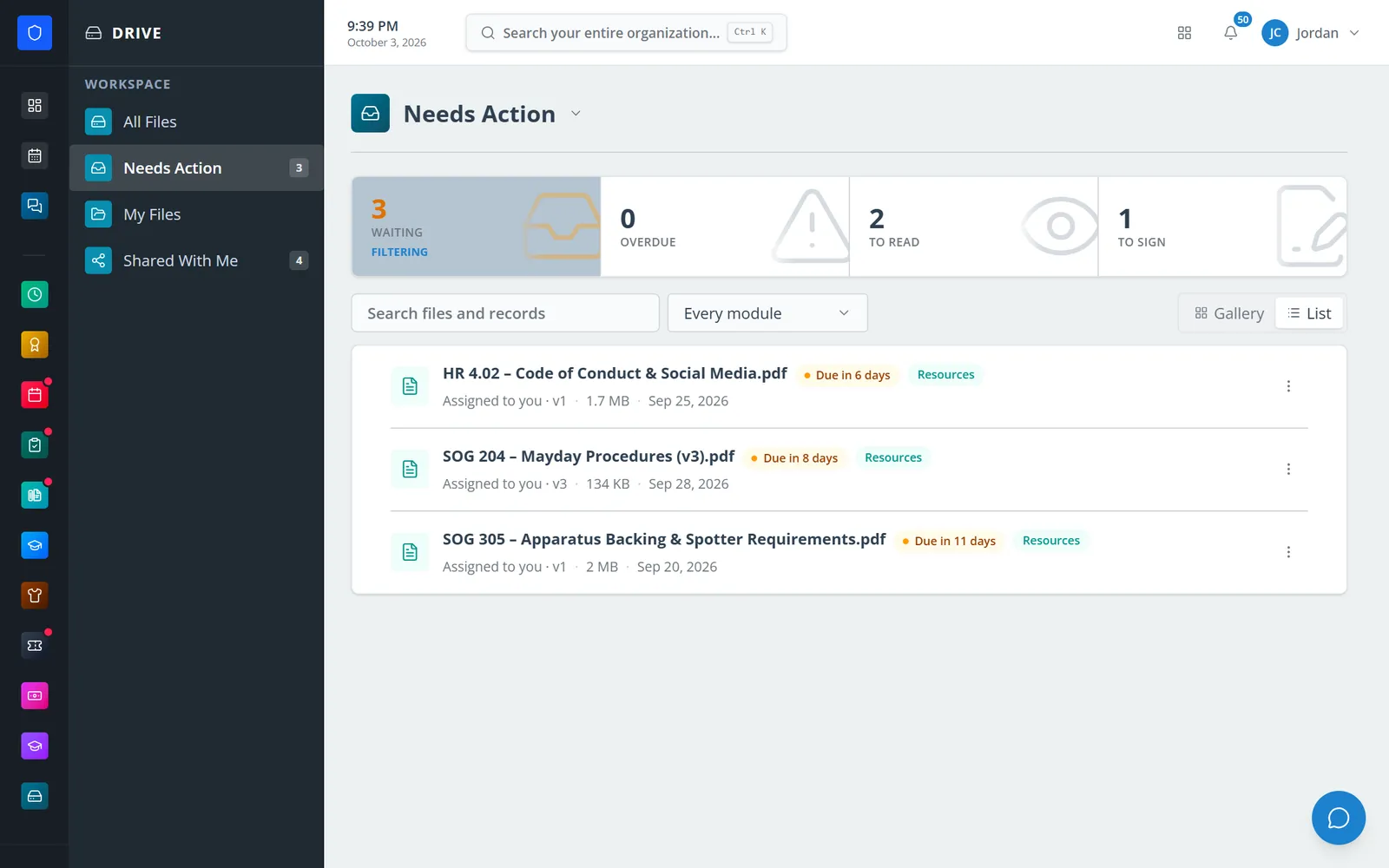
Everything still waiting on this member, to read or to sign.
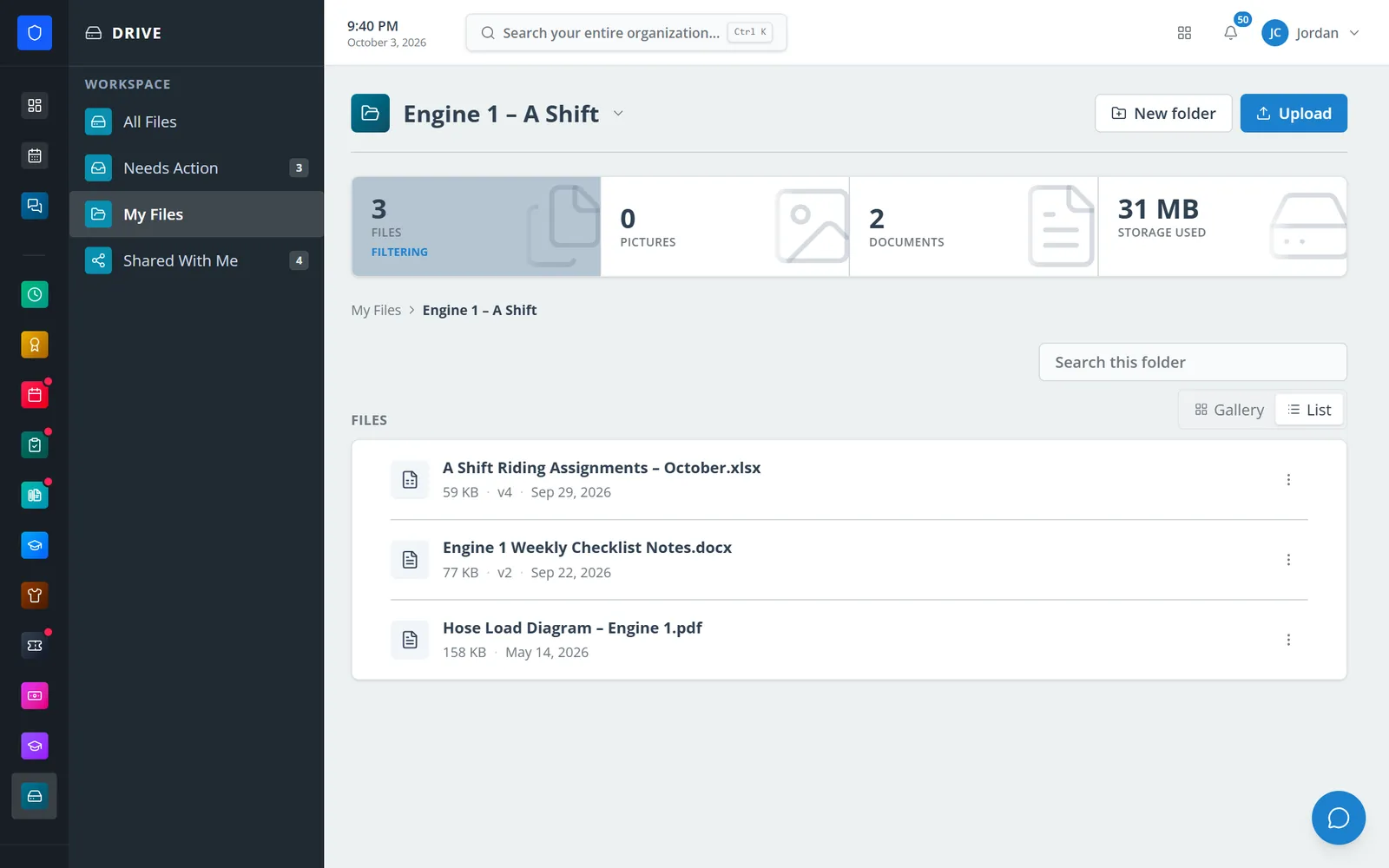
A captain’s crew folder with versioned files.
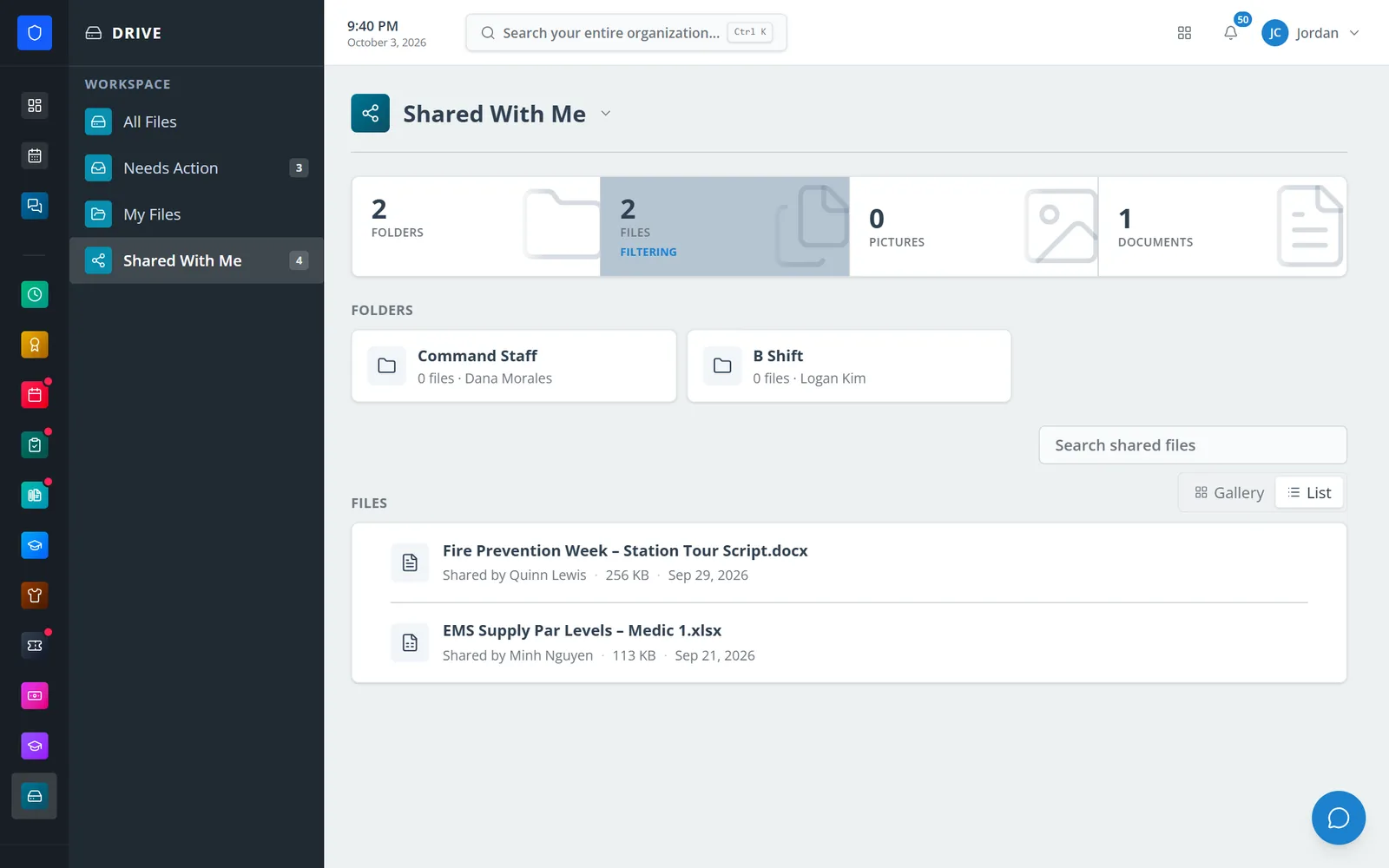
Folders and files colleagues have shared, with who shared them.
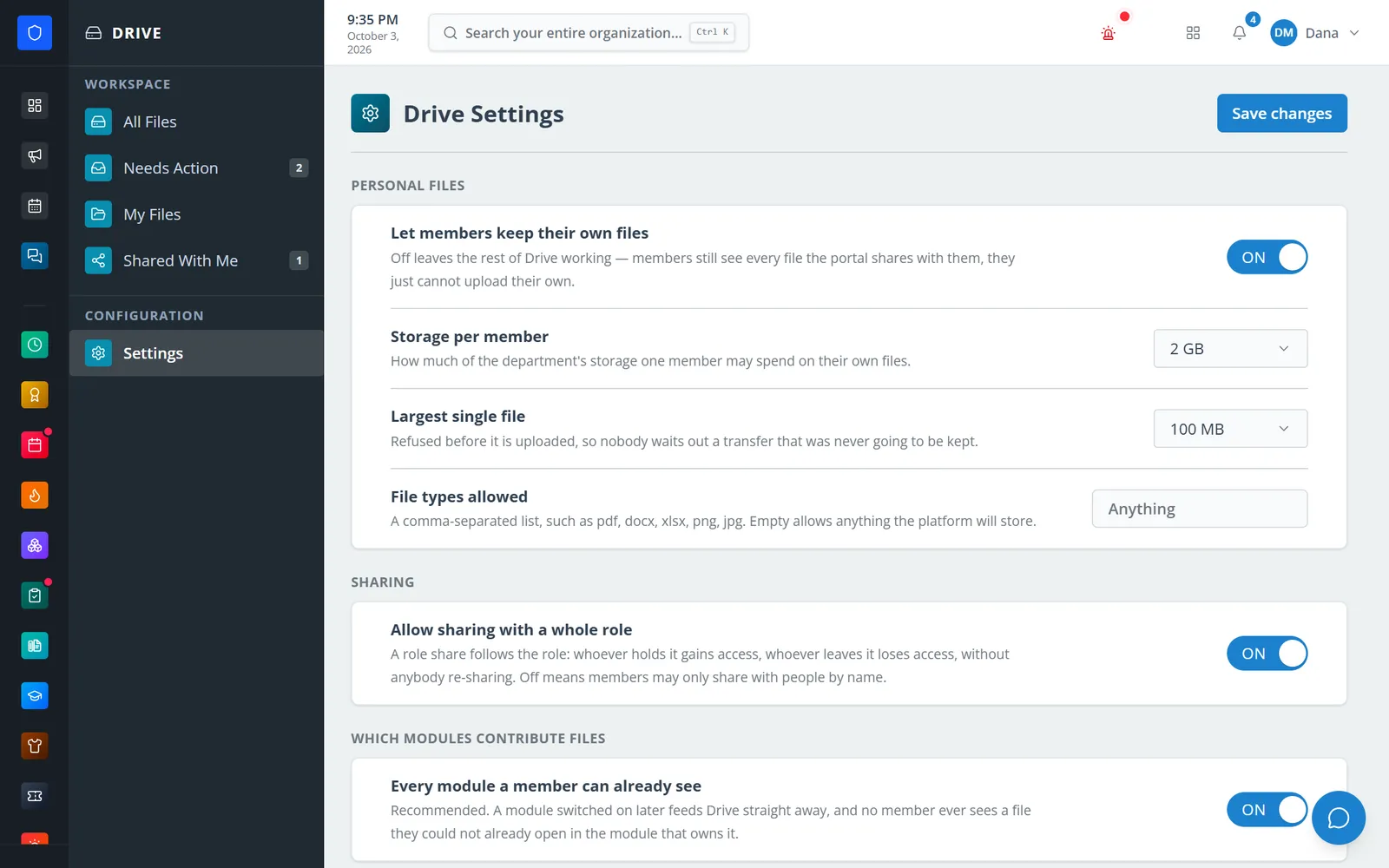
Department limits on storage, file size, types, and sharing.
A member’s files and what needs them, on a phone.
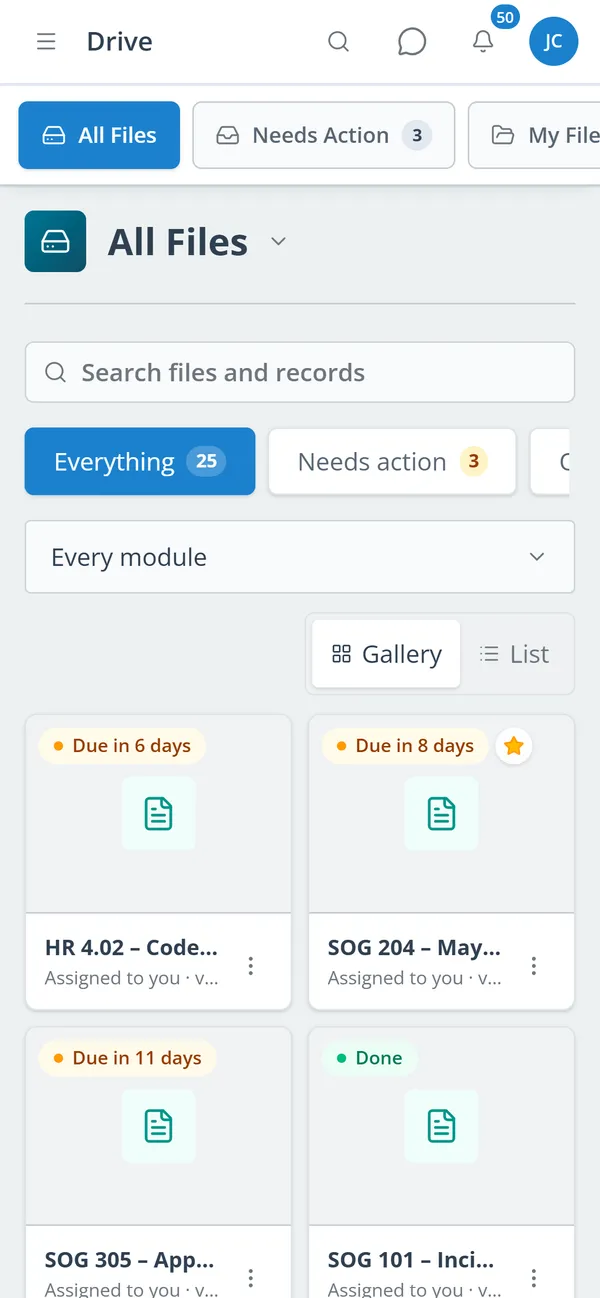
Search every file you can see, or filter by the module it came from.
Read and acknowledge what is waiting on you from Needs Action.
Upload into your own folders, replace files with new versions, and star what you use.
Give named members or a whole role view, edit, or manage access to a file or folder.
Resources, training certificates, HR documents, announcements, courses, onboarding, tickets, chat, and assets, each badged with its source.
Documents still to read or sign, with due and overdue counts; an acknowledgement is recorded by Resources against the version read.
Colored folders, uploads, renames, and moves, with gallery and list views and in-folder search.
Replace a file and earlier versions are kept with a change note.
Share files or folders with named members or whole roles, as view, edit, or manage.
Star anything, and file linked documents into your own folders as shortcuts.
Per-member storage quota, largest file size, allowed file types, and which modules contribute files.
Open a departed member’s drive to recover files, with every access written to the activity log.
Members keep one secure sign-in and one set of role permissions across every module you turn on.
No. A linked file appears only because the module that owns it already lets that member see it. Drive never widens access.
No. Drive needs only Core. Each linked module contributes files when it is on and nothing when it is off.
Role shares are resolved live. A member who leaves the role loses access, and whoever takes it gains access, without anybody re-sharing.
Tell us how you handle this work today. We’ll walk you through it in the full Station Clipboard portal.
Need something we don’t have yet? We build custom modules.