Requests lost in texts
One queue per category, and staff can file on a member’s behalf.
Requests routed by category, with custom intake forms, SLA due dates and warnings, internal notes, outside sharing with vendors, and analytics.
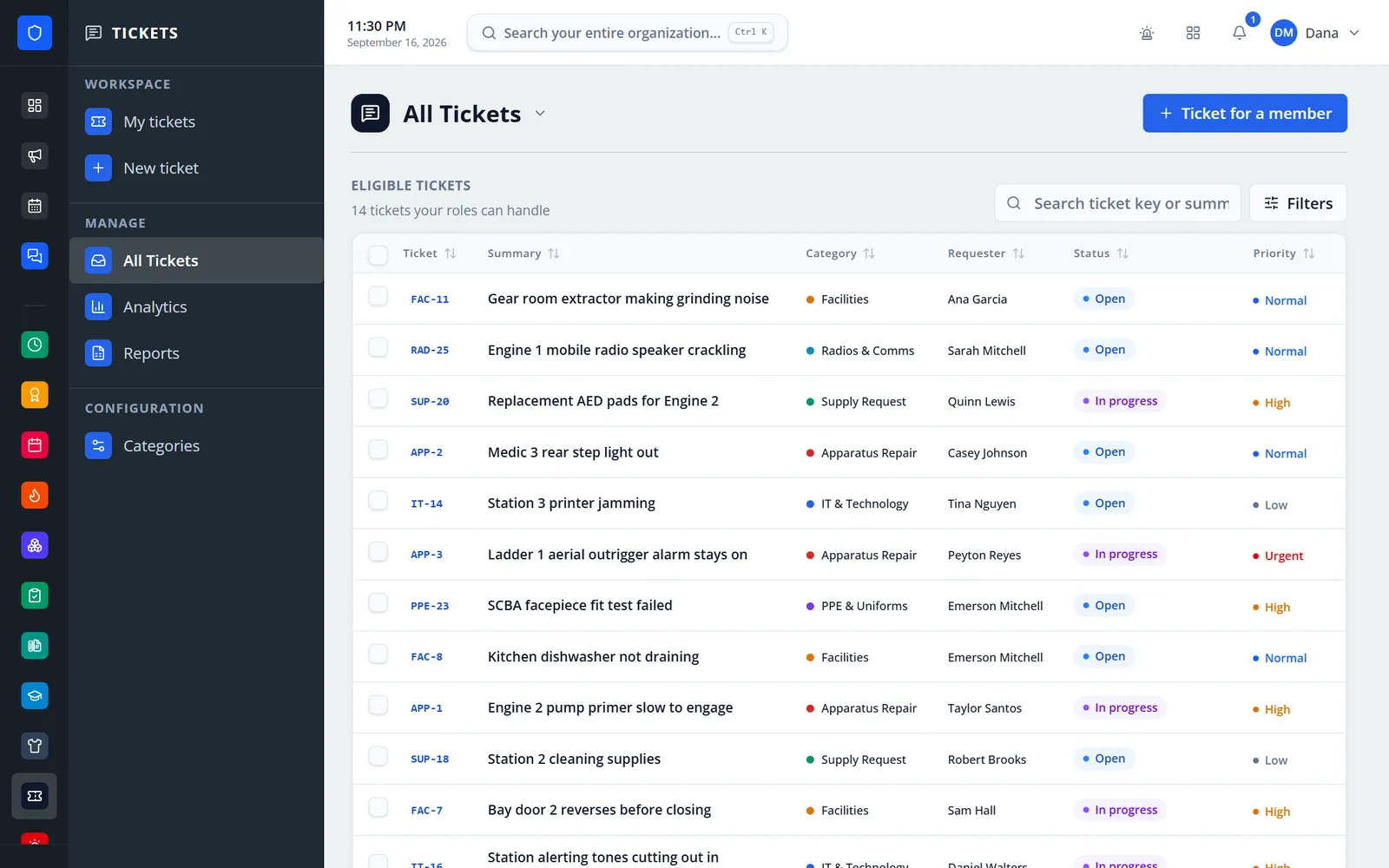
Members file requests through intake forms you design for each category. Every ticket goes to the default assignee you choose and gets a due date from the category’s SLA. Staff are warned before the deadline and alerted when it’s missed. When a vendor or the county shop needs to see it, share the ticket by email — they can read and reply without an account, and internal notes stay inside.
One queue per category, and staff can file on a member’s behalf.
Each category sets who can file, view, respond, and manage, plus a default assignee.
“Due soon” two hours before the deadline and “overdue” once it passes.
Share the ticket with their address. Their replies land on the ticket.
Real screens from Station Clipboard, shown with a sample department.
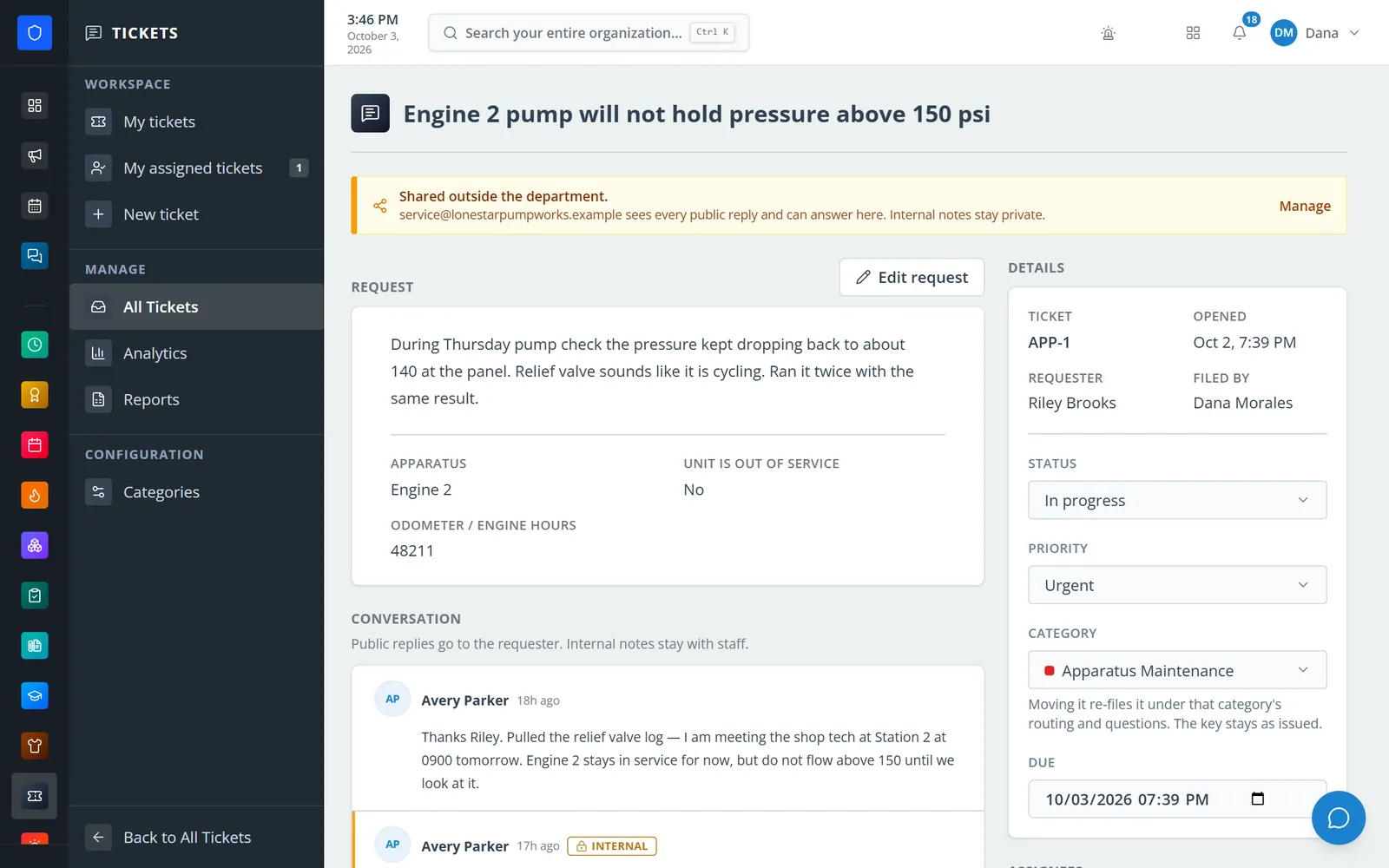
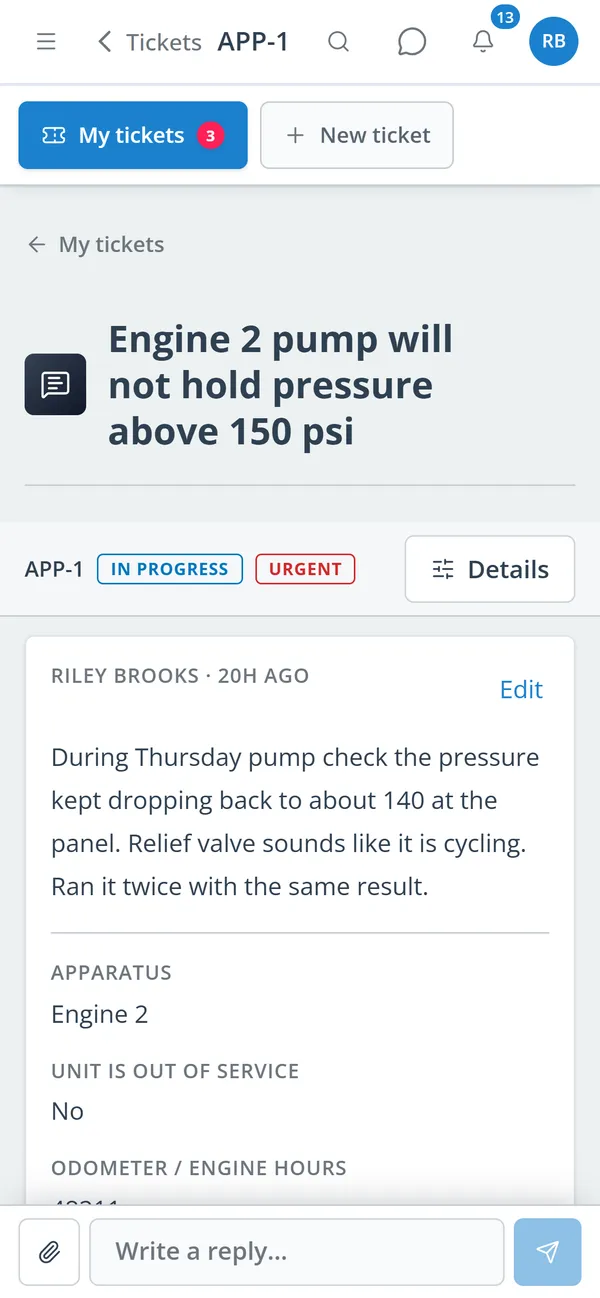
The request, its custom answers, the conversation, and the controls staff need.
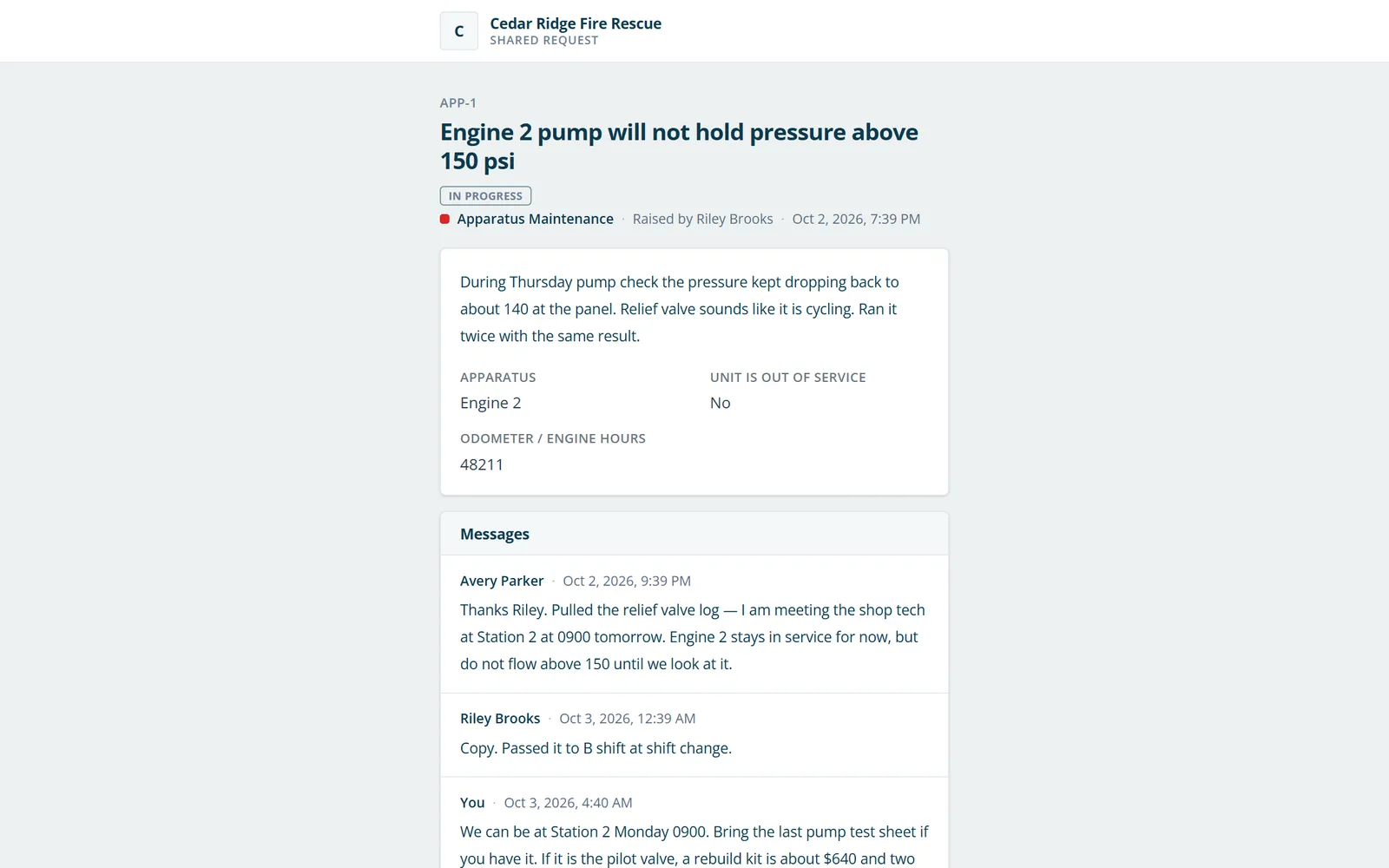
The pump shop reads and replies to the ticket from an emailed link.
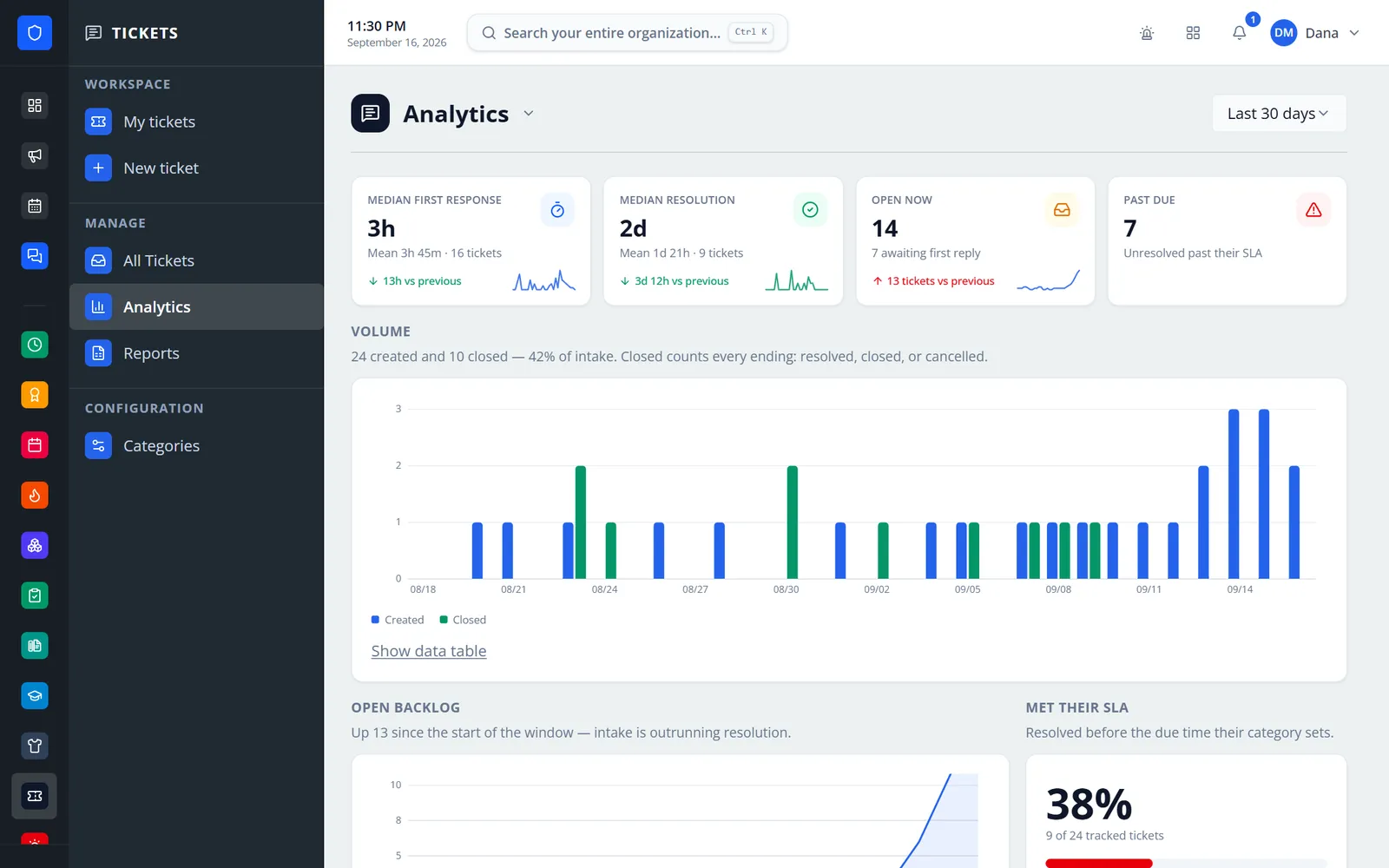
Response and resolution times, open backlog, past-due count, and daily volume.
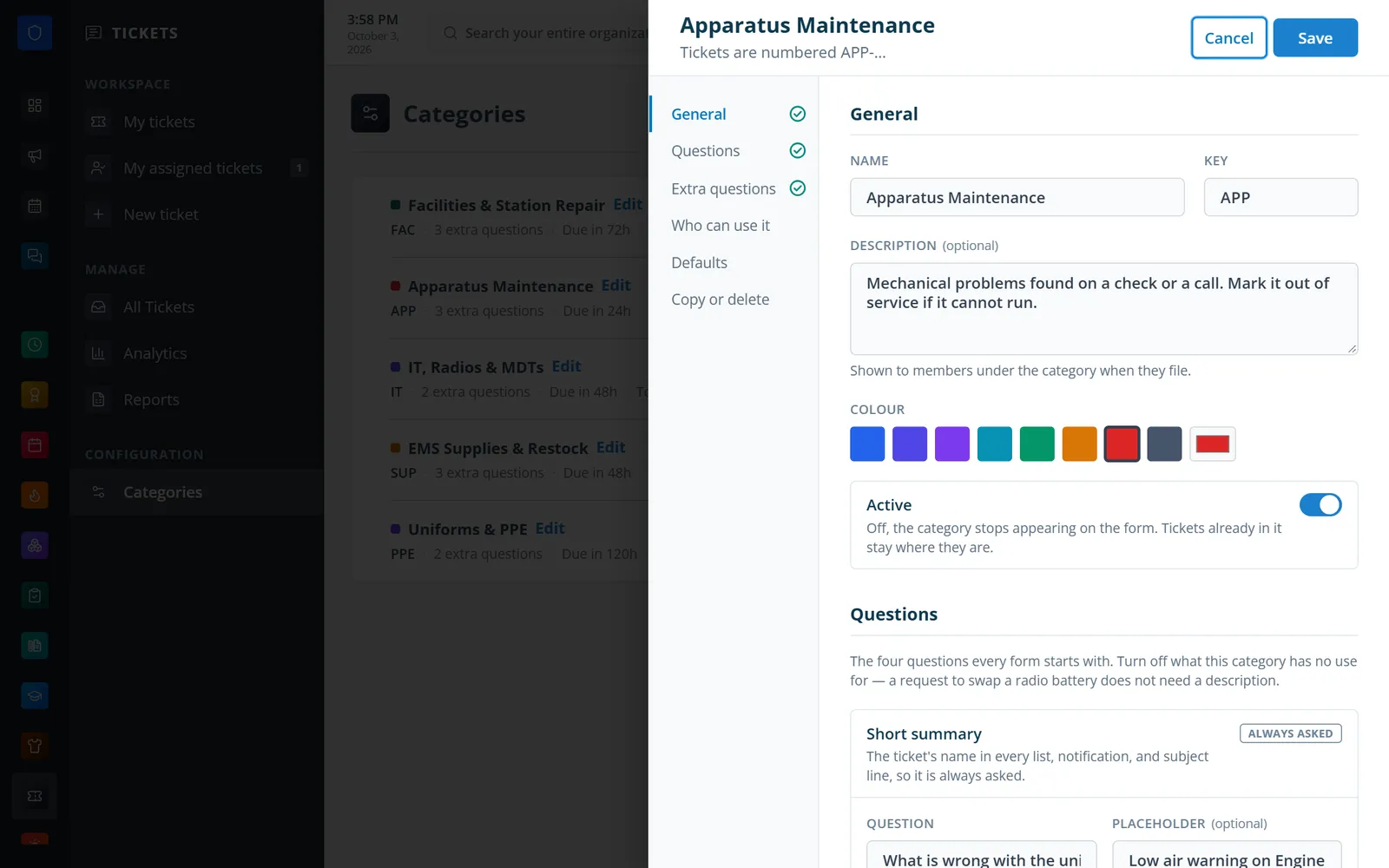
Name, key, color, the built-in questions, extra questions, access, and defaults.
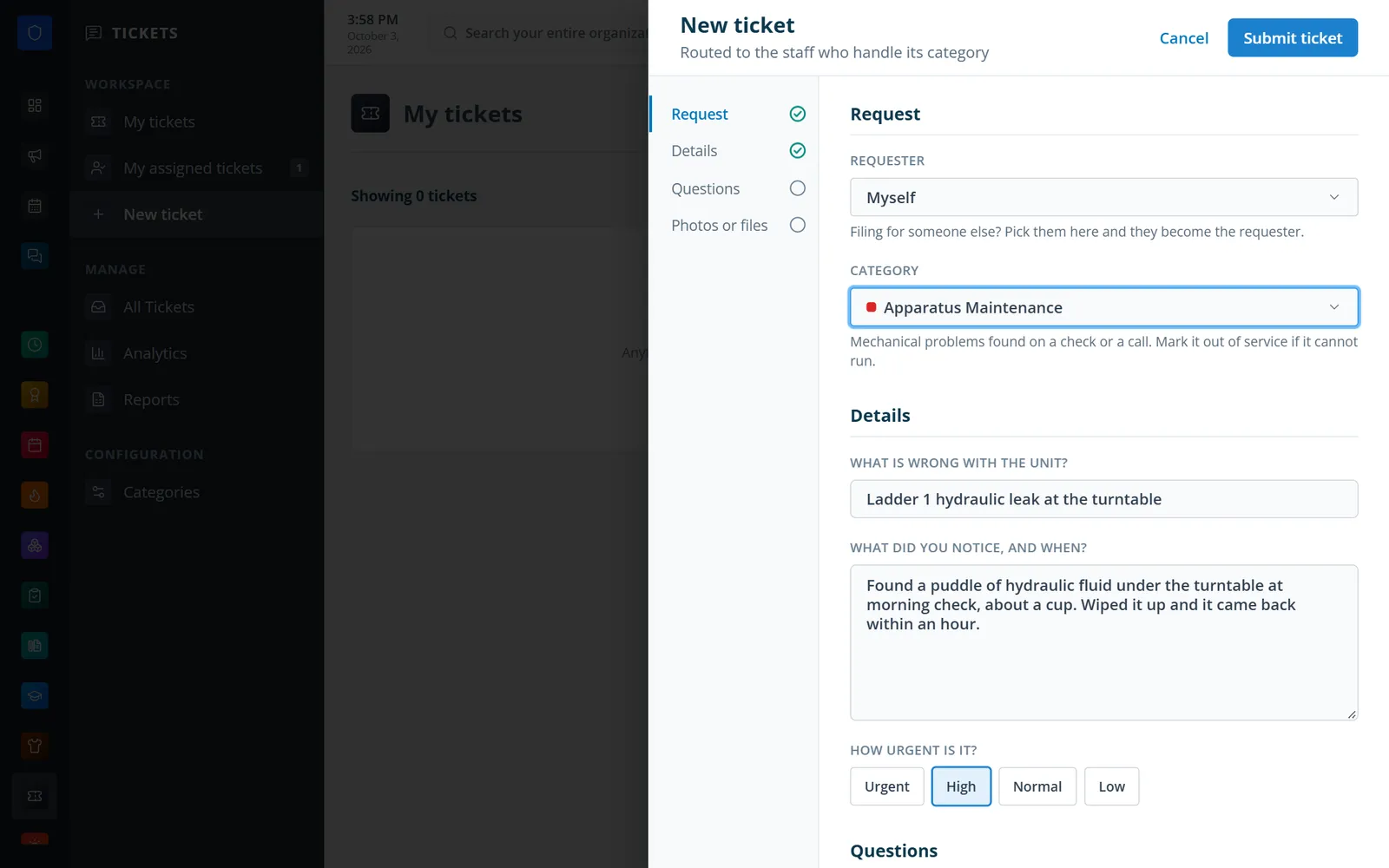
The form changes to ask what this category needs.
A member follows their own request and replies from anywhere.
Pick a category, answer its questions, and attach photos or files.
The default assignee is set and the SLA due date starts counting.
Reply, add internal notes, reassign, share outside, and update status and priority.
Review response and resolution times, SLA hit rate, and saved reports.
Seven custom field types, with built-in questions you can reword or turn off.
Separate roles for filing, viewing, responding, and managing each category.
Per-category SLA hours with due-soon and overdue alerts.
Staff-only notes alongside public replies. Requesters never see them.
Email a ticket to up to 20 outside addresses, with or without reply rights. Links expire after 90 days.
Download a ticket as a PDF to file or forward.
My tickets, My assigned tickets, and an all-tickets queue with search, filters, and bulk changes.
Volume, backlog, SLA hit rate, response and resolution times, and saved reports as PDF or CSV.
Members keep one secure sign-in and one set of role permissions across every module you turn on.
No. Tickets are filed by department members, and staff can file on a member’s behalf. Staff can share an existing ticket with an outside email address so a vendor can read it and, if allowed, reply.
No. Internal notes are never included in a share, a shared link, or a PDF export.
Yes. The requester can edit their open ticket, and managers can edit any ticket they handle. Every change is kept in the history with the old value.
Tell us how you handle this work today. We’ll walk you through it in the full Station Clipboard portal.
Need something we don’t have yet? We build custom modules.