Losing track of crews
PAR rounds cover every unit, mutual aid included. Excluding one or closing with units unaccounted for requires a reason.
A full-screen Command Portal with tactical checklists, a PAR accountability clock, unit tracking, a map with hydrants and preplans, and a closeout record that can start the NERIS report.
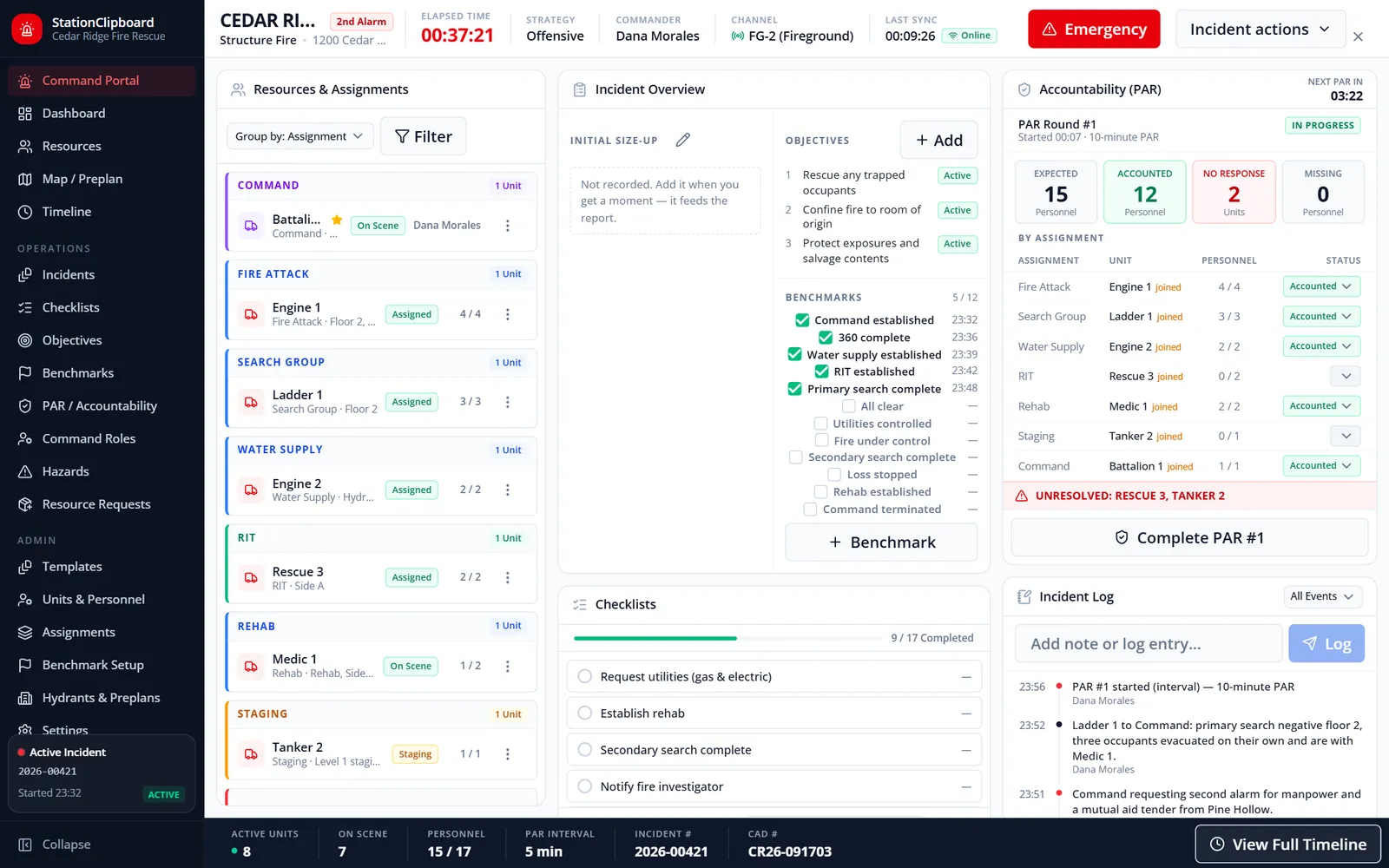
Open the Command Portal from the header and start a blank incident or pick a recent Active911 dispatch. Track units and crews by assignment, run PAR roll calls against a countdown clock, log benchmarks, hazards, and resource requests, and work from a map with hydrants and preplans. When command ends, the call becomes a record that is reviewed, finalized, exported to PDF, and handed to Incident Reporting as a NERIS draft.
PAR rounds cover every unit, mutual aid included. Excluding one or closing with units unaccounted for requires a reason.
Checklists attach by incident type, with phases, critical items, and due times.
Other command screens pick up every change within about four seconds.
The closeout record carries units, crews, times, and the officer’s summary into the NERIS draft.
Real screens from Station Clipboard, shown with a sample department.
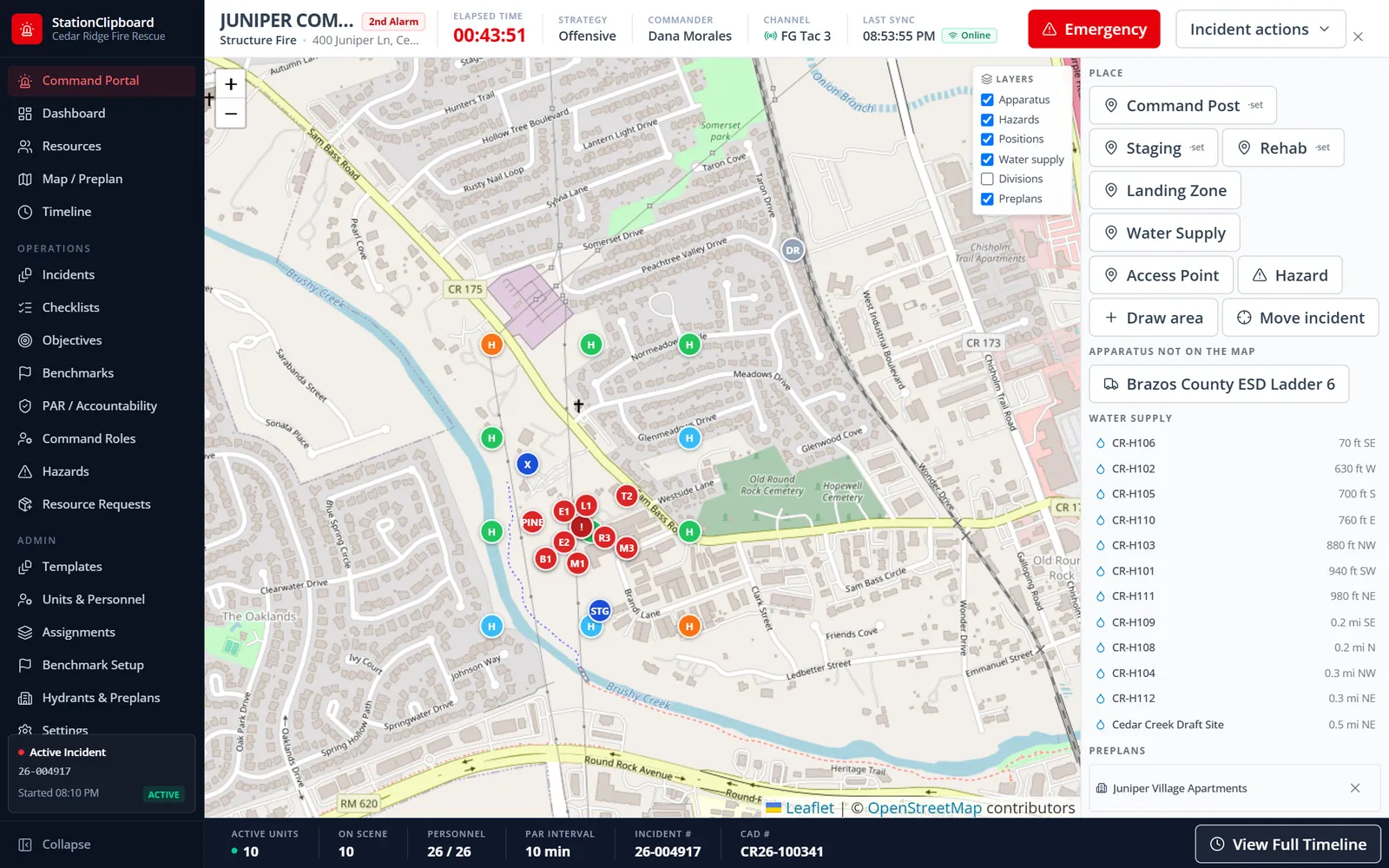
Apparatus positions, command post, staging, and a hazard radius, with the nearest hydrants and the matching preplan beside the map.
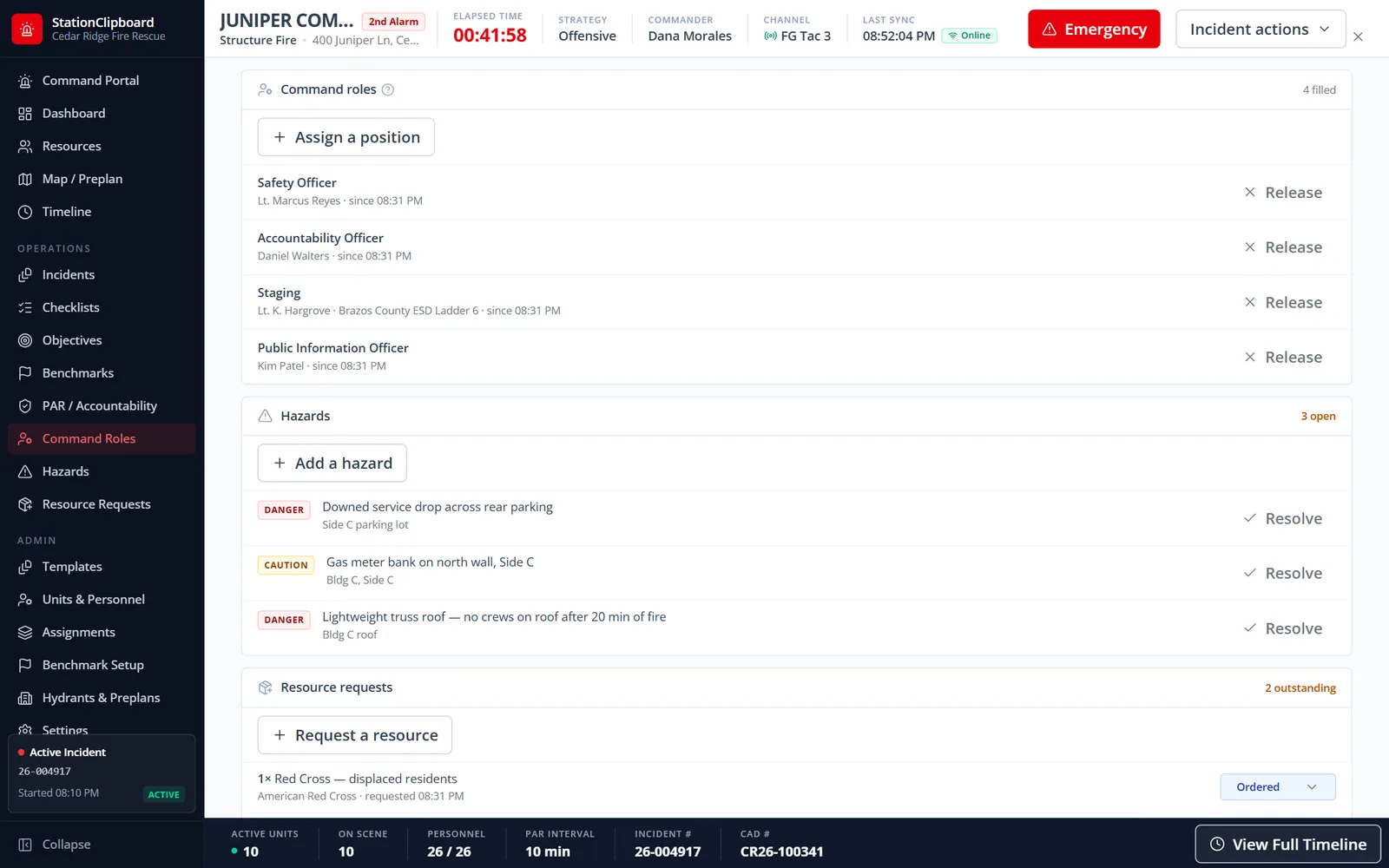
Fill ICS positions, log hazards by severity, and track resource requests from ordered to on scene.
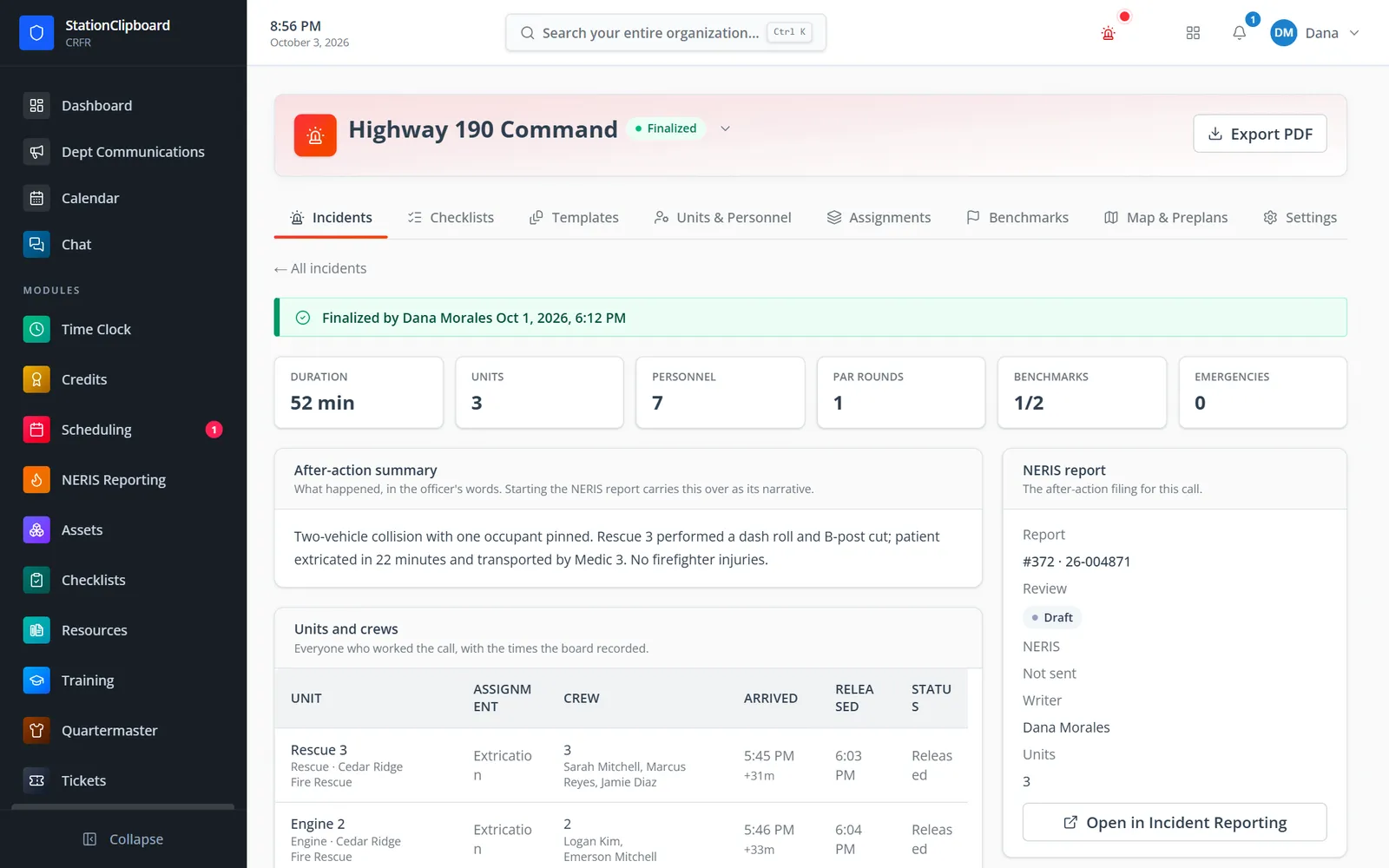
A finalized call with its after-action summary, units and crews, and the NERIS report it started.
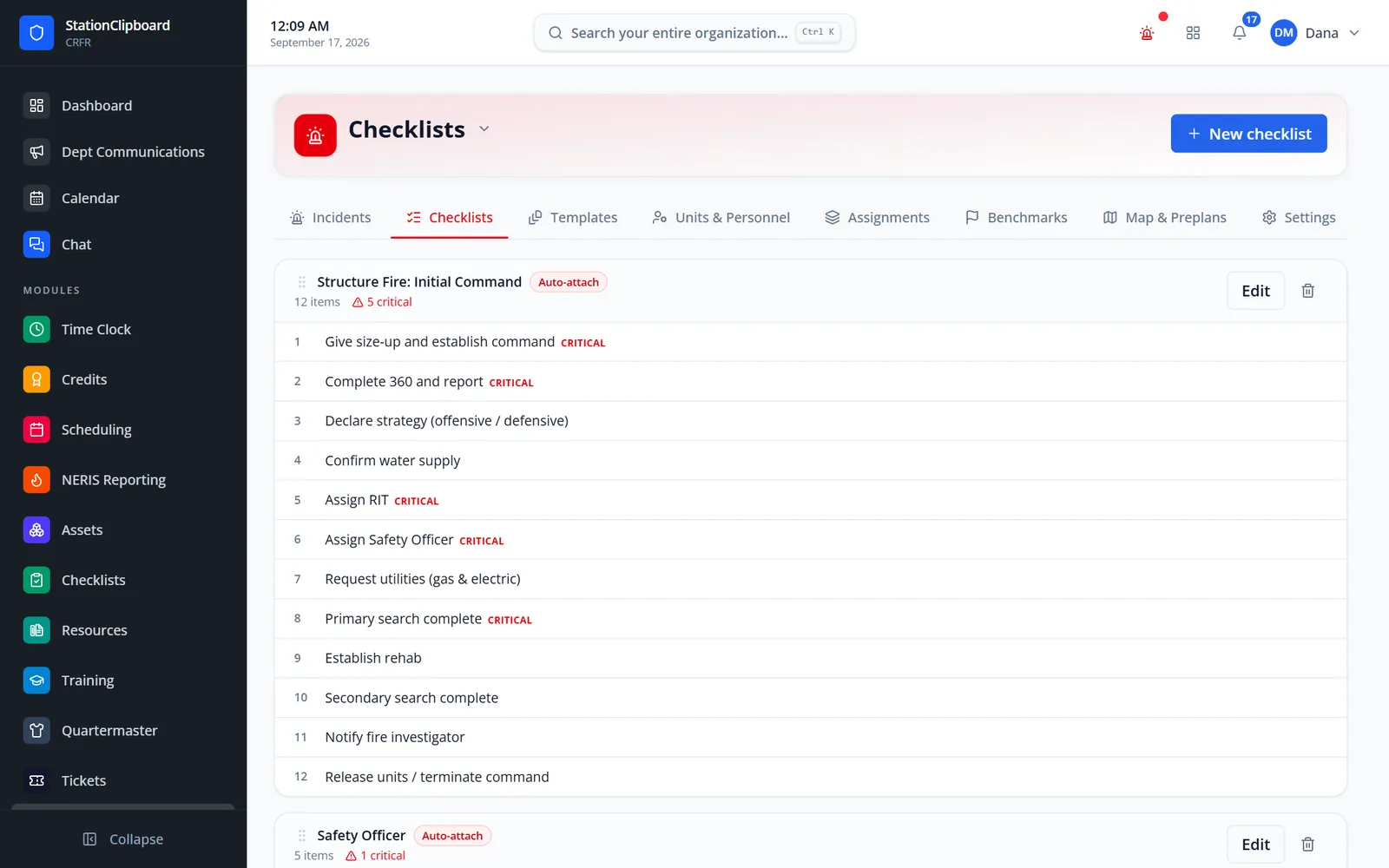
Tactical checklists your department writes, attached automatically by incident type.
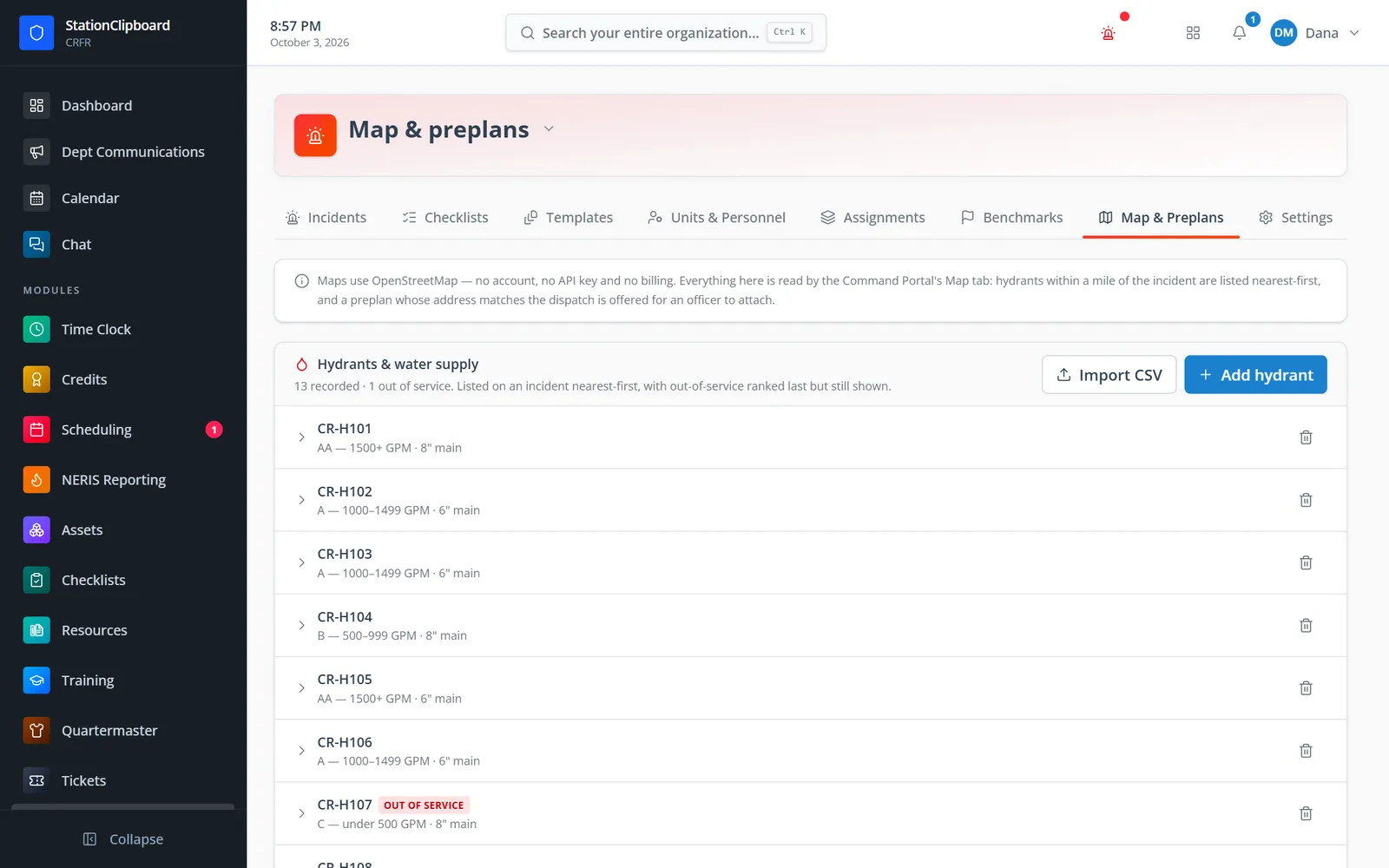
Hydrants with flow class, main size, and service status, added by hand or imported from a CSV.
Open the Command Portal and pick a recent Active911 call or start a blank incident.
A template sets checklists, benchmarks, and size-up fields for the incident type.
Assign units, run PAR, and log benchmarks, hazards, requests, and ICS roles.
Terminate command, write the after-action summary, start the NERIS report, and finalize the record.
Resources, objectives, benchmarks, checklists, PAR, and the log on one screen.
Per-unit rounds on a set interval. MAYDAY and evacuation start a round automatically.
MAYDAY with LUNAR fields, evacuation, emergency traffic, and collapse.
Standing units with riding positions, a built-in assignment catalog, and drag-and-drop on desktop.
Command post, staging, hazards with a radius, nearest hydrants, and matching preplans.
Load hydrants from a GIS or utility CSV, with a preview before anything is saved.
14 ICS positions, hazards, and resource requests from requested to on scene.
After-action summary, every PAR round and log entry, PDF export, and review before it is finalized.
Members keep one secure sign-in and one set of role permissions across every module you turn on.
No. Incident Command runs the call. When command ends it can start the NERIS report in Incident Reporting, or link to one already started from the same CAD call.
Incident type, number, address, units and crews, first arrival, last release, and the officer’s summary. Dispatch and en-route times do not, because the board never saw them.
No. You can always start a blank incident. Active911 adds the recent-call picker.
The Command Portal is designed for laptops and landscape tablets in the command vehicle. It opens on screens 1024 pixels wide and larger.
Tell us how you handle this work today. We’ll walk you through it in the full Station Clipboard portal.
Need something we don’t have yet? We build custom modules.