Paper sign-up sheets get lost
A link or printed QR code collects answers in one place.
Named, anonymous, or public surveys with nine question types, section headings, conditional questions, QR sharing, live summaries, and CSV export.
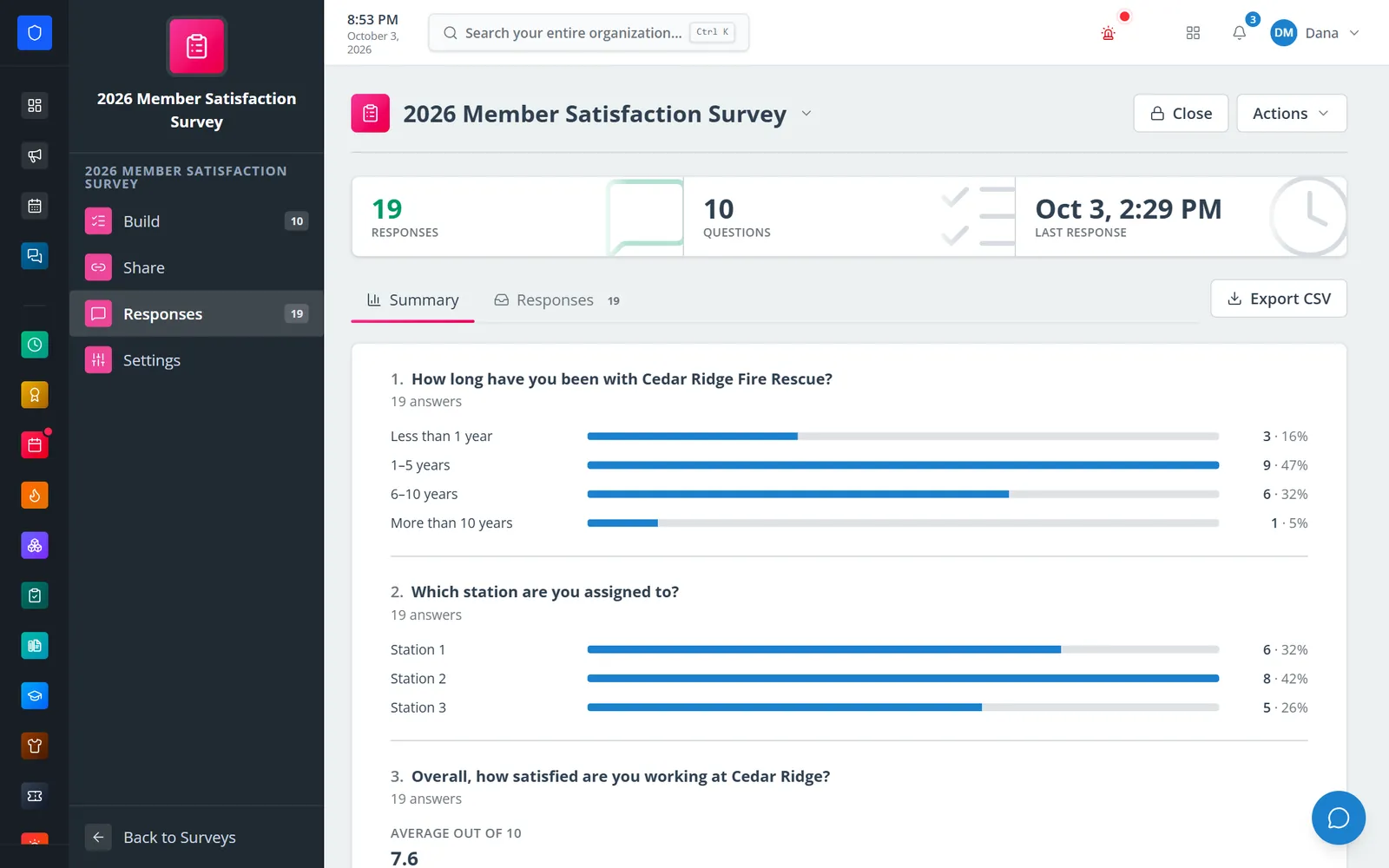
Build a survey question by question and decide who answers: members with their names attached, members anonymously, or anyone with the link — no account needed. Share it by link, QR code, or a notification to the members it is for, then read the results as summaries or one response at a time.
A link or printed QR code collects answers in one place.
Anonymous responses are stored with no member attached, and nobody can see who answered.
Public surveys need no login.
Members surveys can allow one response per member — even when anonymous.
Real screens from Station Clipboard, shown with a sample department.
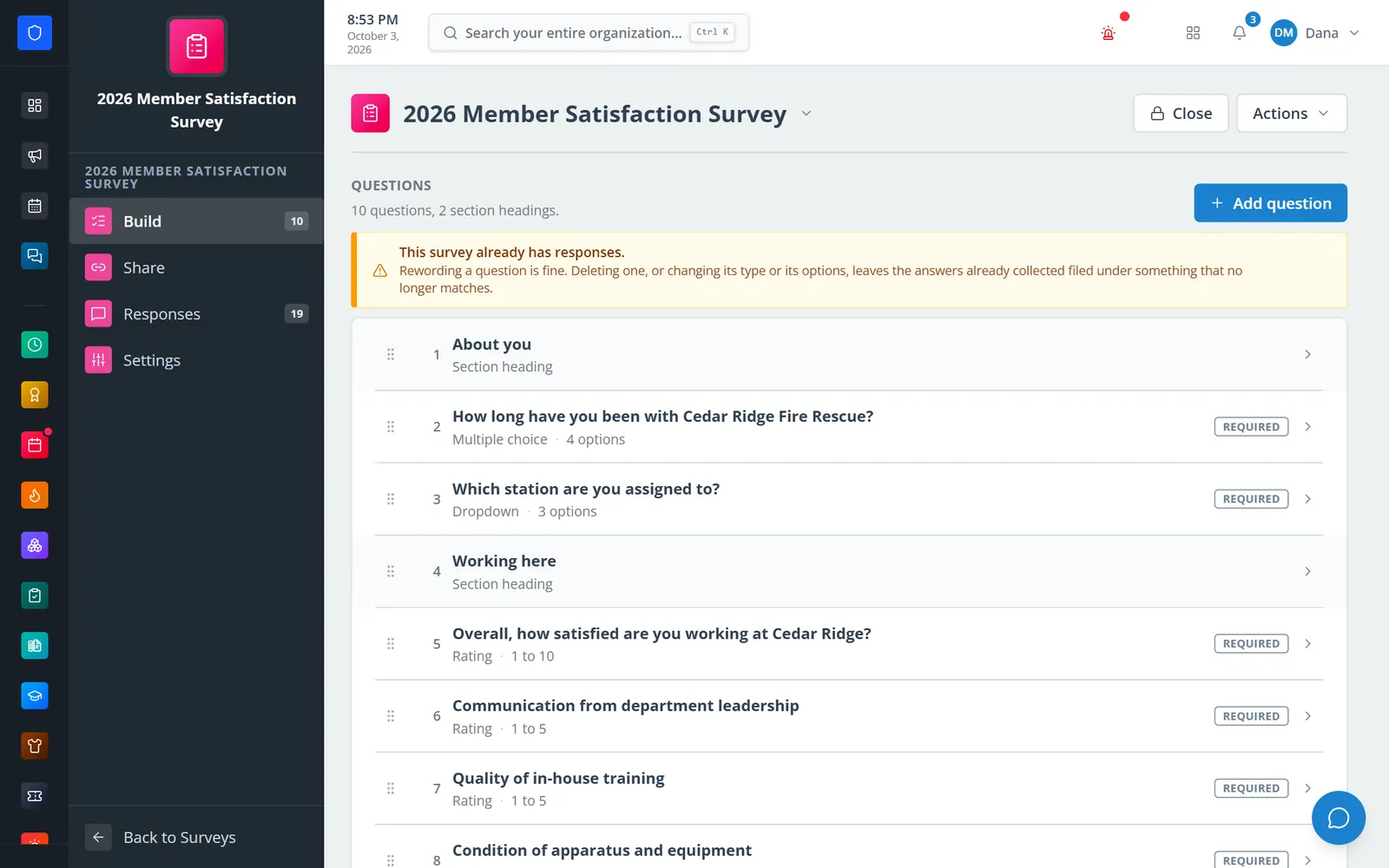
Section headings, choice questions, dropdowns, and ratings in one ordered list.
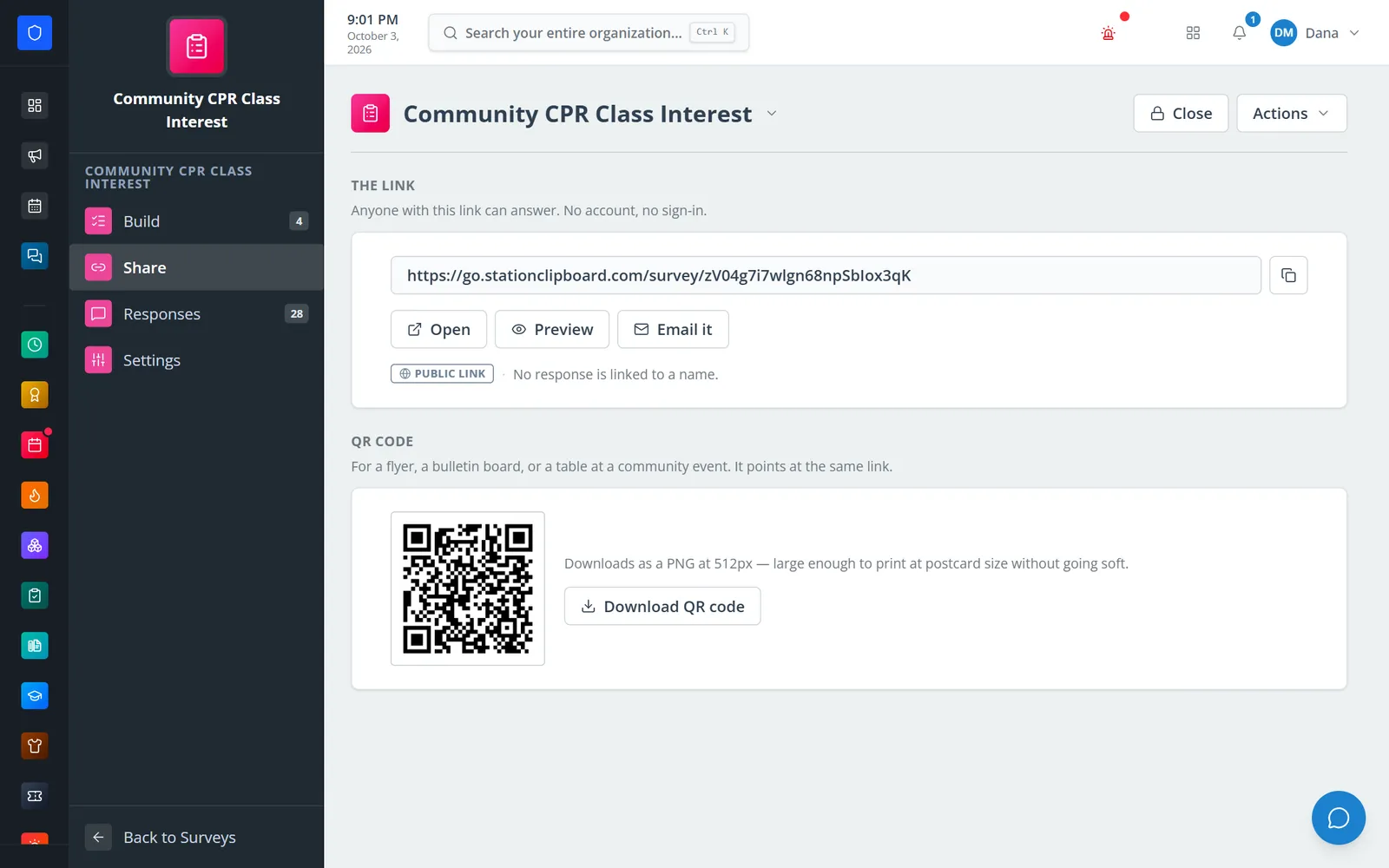
A public survey shared by link, email, or a printable QR code.
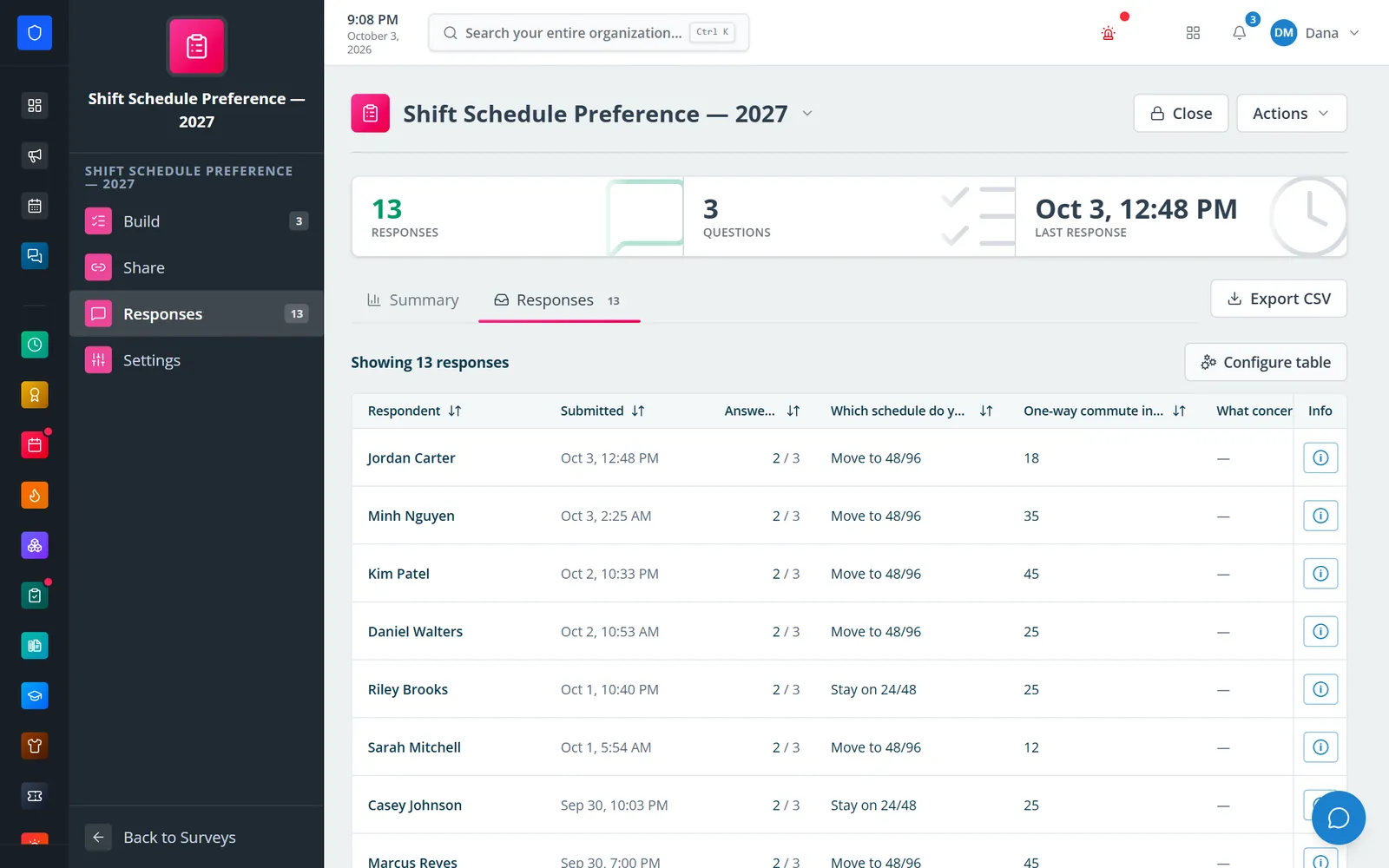
A named members survey shows who answered and what they said.
A public survey answered on a phone.
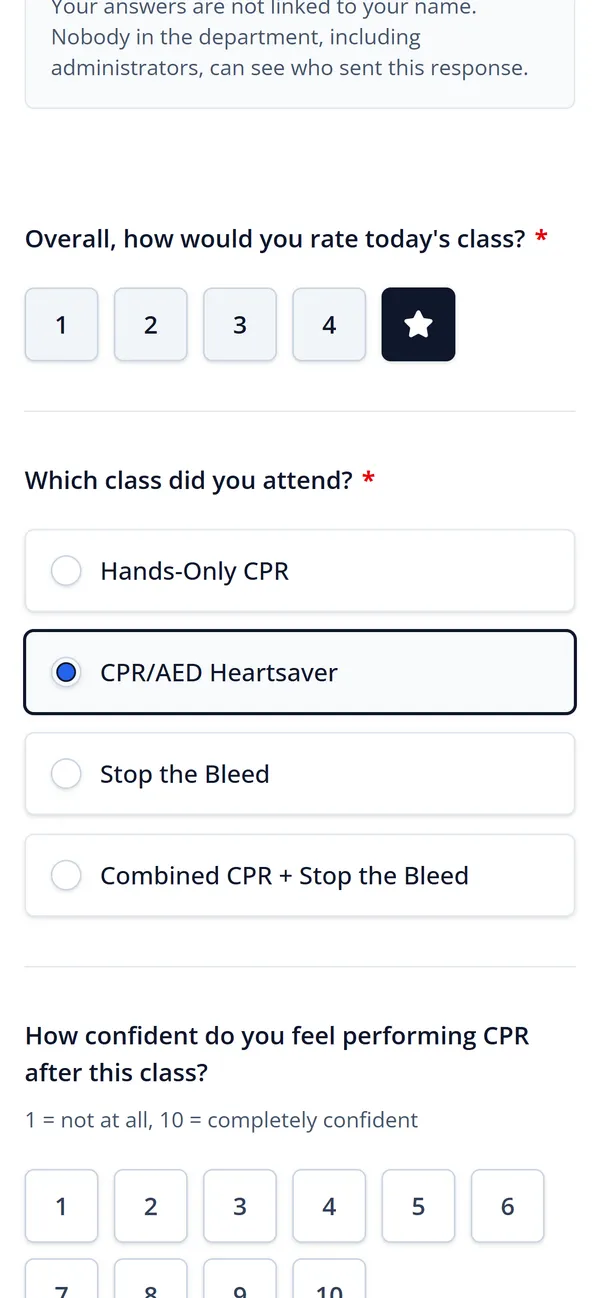
Add questions, section headings, and “show only if” conditions.
Members or public, named or anonymous, which roles, and open and close dates.
Copy the link, download the QR code, or notify the members it is for.
Summary charts, individual responses, and CSV export.
Short and long text, single and multiple choice, dropdown, rating, number, date, and email, plus section headings.
An “Other” box on choice questions, and ratings out of 5 or 10.
Show a question only when an earlier choice answer matches.
Named members, anonymous members, or public.
A random link and a QR code that downloads as a print-ready PNG.
Limit a members survey to certain roles and schedule when it opens and closes.
Per-question counts, rating averages, and a table of every response.
Export responses, or remove a single test or abusive response.
Members keep one secure sign-in and one set of role permissions across every module you turn on.
Yes. Public surveys work for anyone with the link or QR code, with no account.
No. An anonymous survey stores the answers without the member, so nobody — including administrators — can see who sent a response.
You can reword questions. The audience and anonymity lock once anyone responds; duplicate the survey to change them.
Tell us how you handle this work today. We’ll walk you through it in the full Station Clipboard portal.
Need something we don’t have yet? We build custom modules.