Retyping the incident on every form
The incident name, county, unit, and crew carry onto every daily 214 automatically.
Run Texas Intrastate Fire Mutual Aid System deployments from the road: daily ICS 214s, crew and equipment hours, travel and purchases, and a TDEM reimbursement packet built from what was recorded.
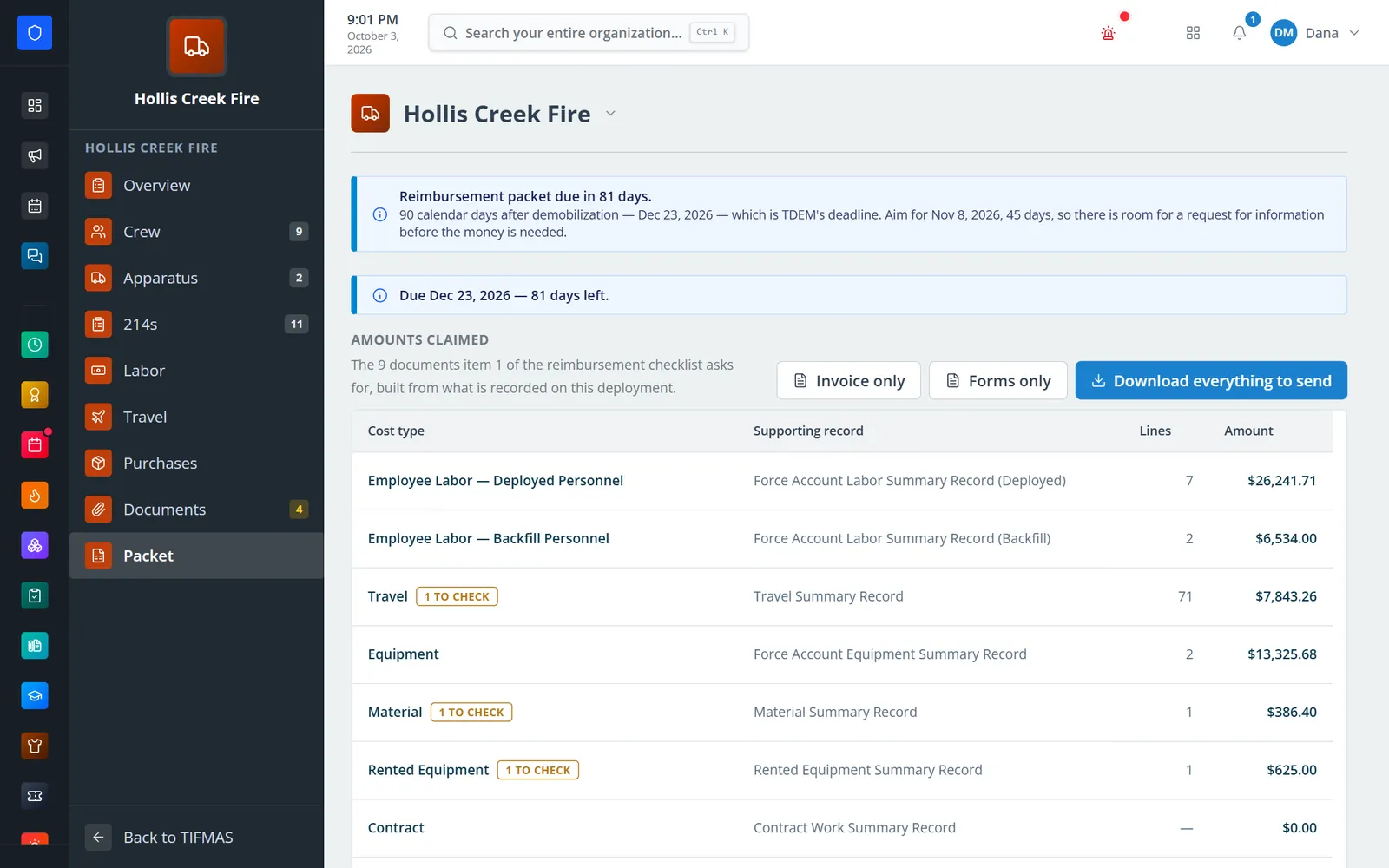
Enter a deployment once — the incident, county, resource order or STAR, the resource as ordered, and when the crew left and came home. Each day’s ICS 214 is seeded from it, equipment hours on signed 214s become the equipment log, and labor, per diem, lodging, and purchases are priced against the state’s rules. When the crew is home, the packet shows what is claimed, what still needs checking, and the days left before TDEM’s deadline, then downloads the files to send.
The incident name, county, unit, and crew carry onto every daily 214 automatically.
Missing days and unsigned drafts are listed across every open deployment, because equipment hours are claimed only from signed logs.
Equipment carries FEMA cost codes and rates, labor uses each person’s rate and fringe, and per diem fills itself at 75% on the first and last day.
Every deployment shows the 45 days TIFMAS aims for and the 90-day TDEM deadline, and the packet lists what still needs checking.
Real screens from Station Clipboard, shown with a sample department.
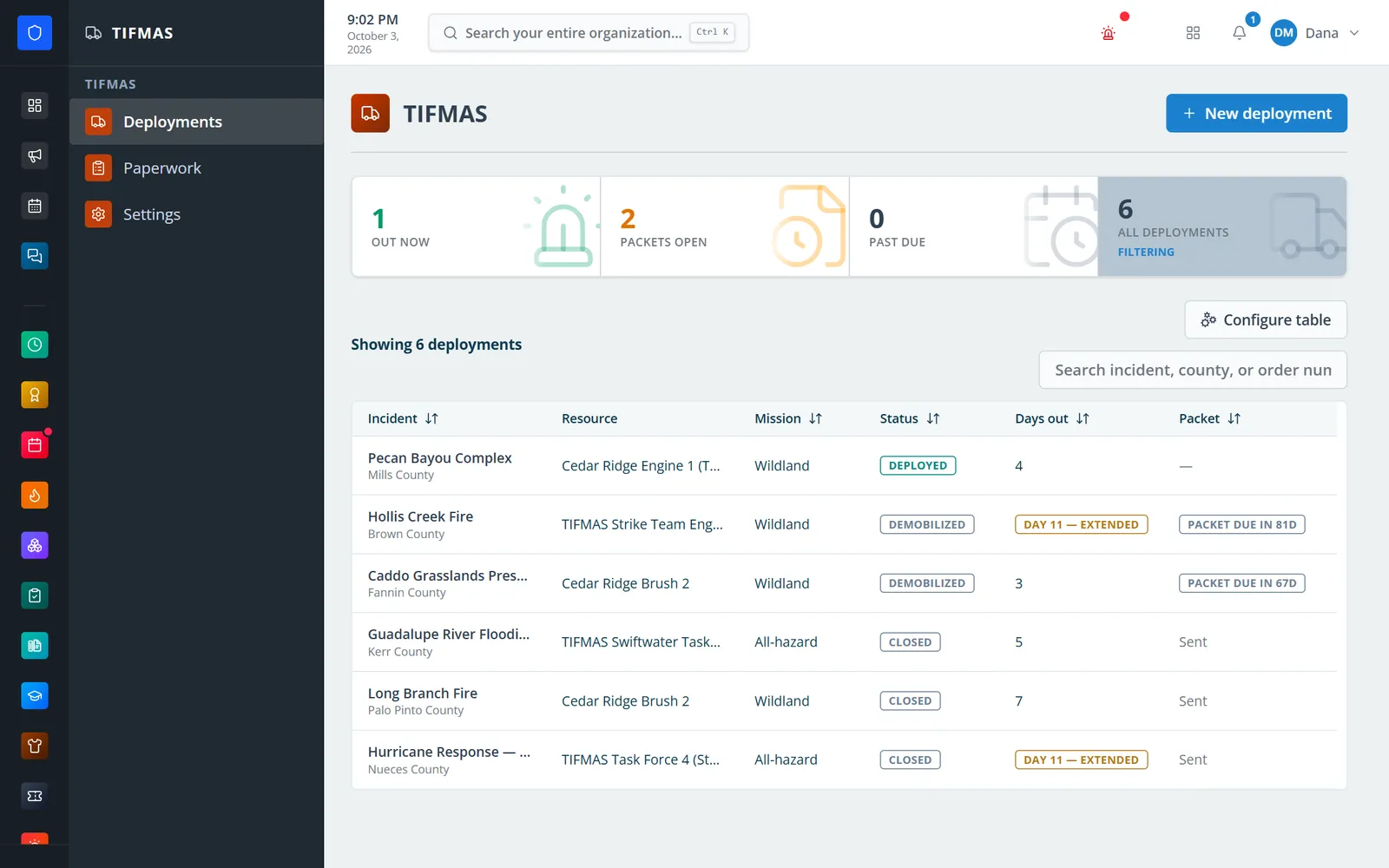
Crews out now, packets still open, and closed deployments in one register.
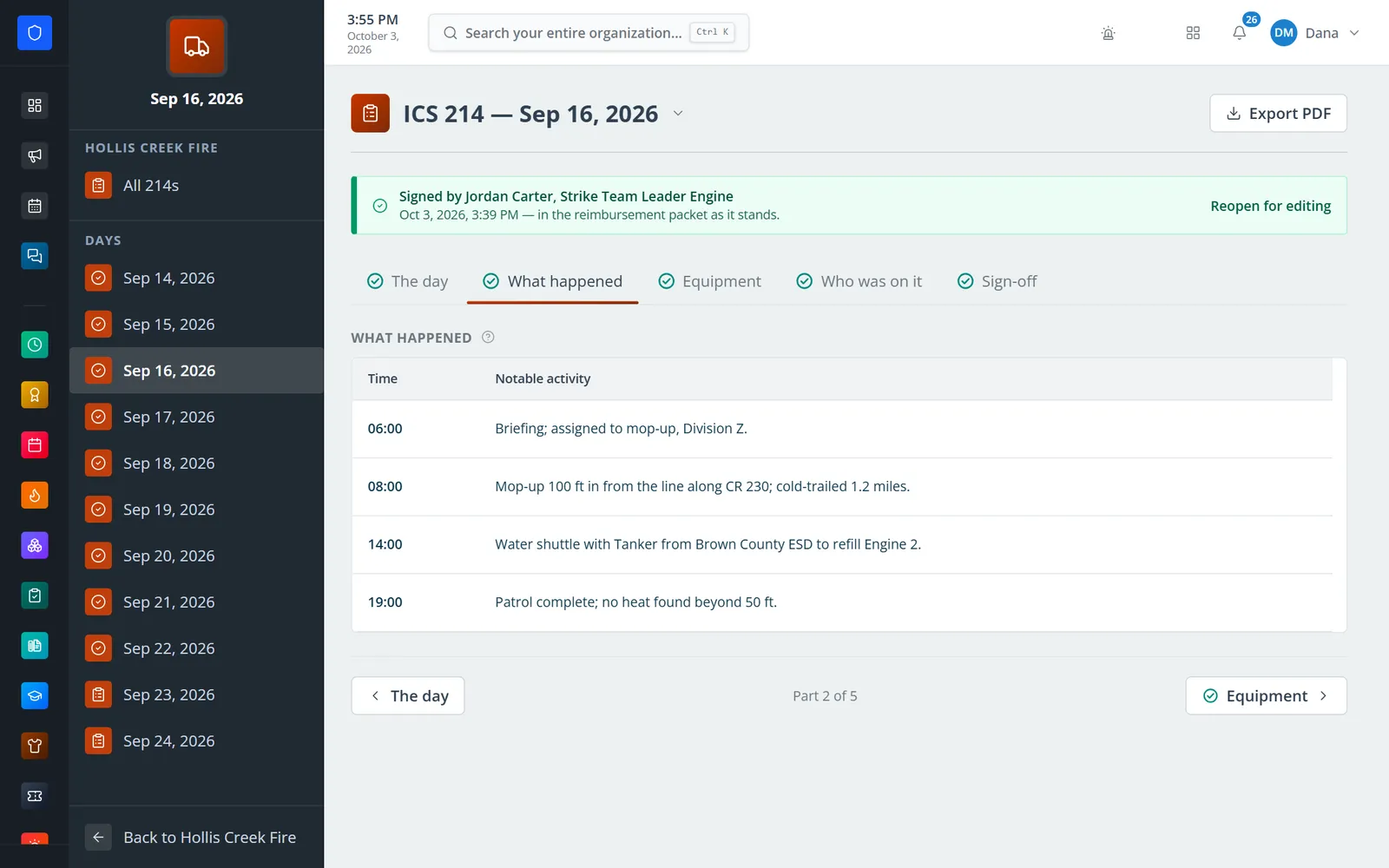
One activity log per day, seeded from the deployment and locked once signed.
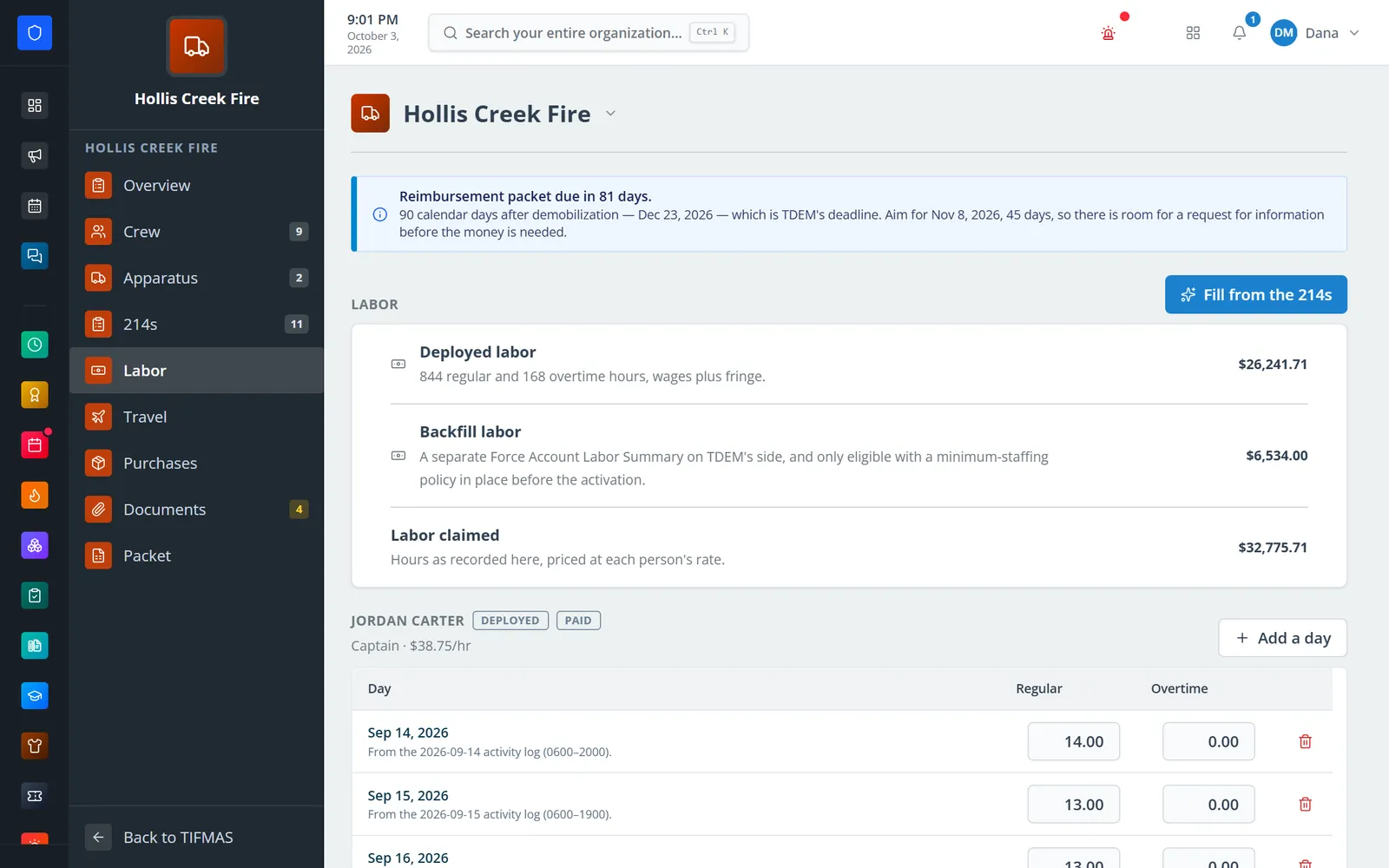
Deployed and backfill hours filled from the activity logs and priced at each person’s rate.
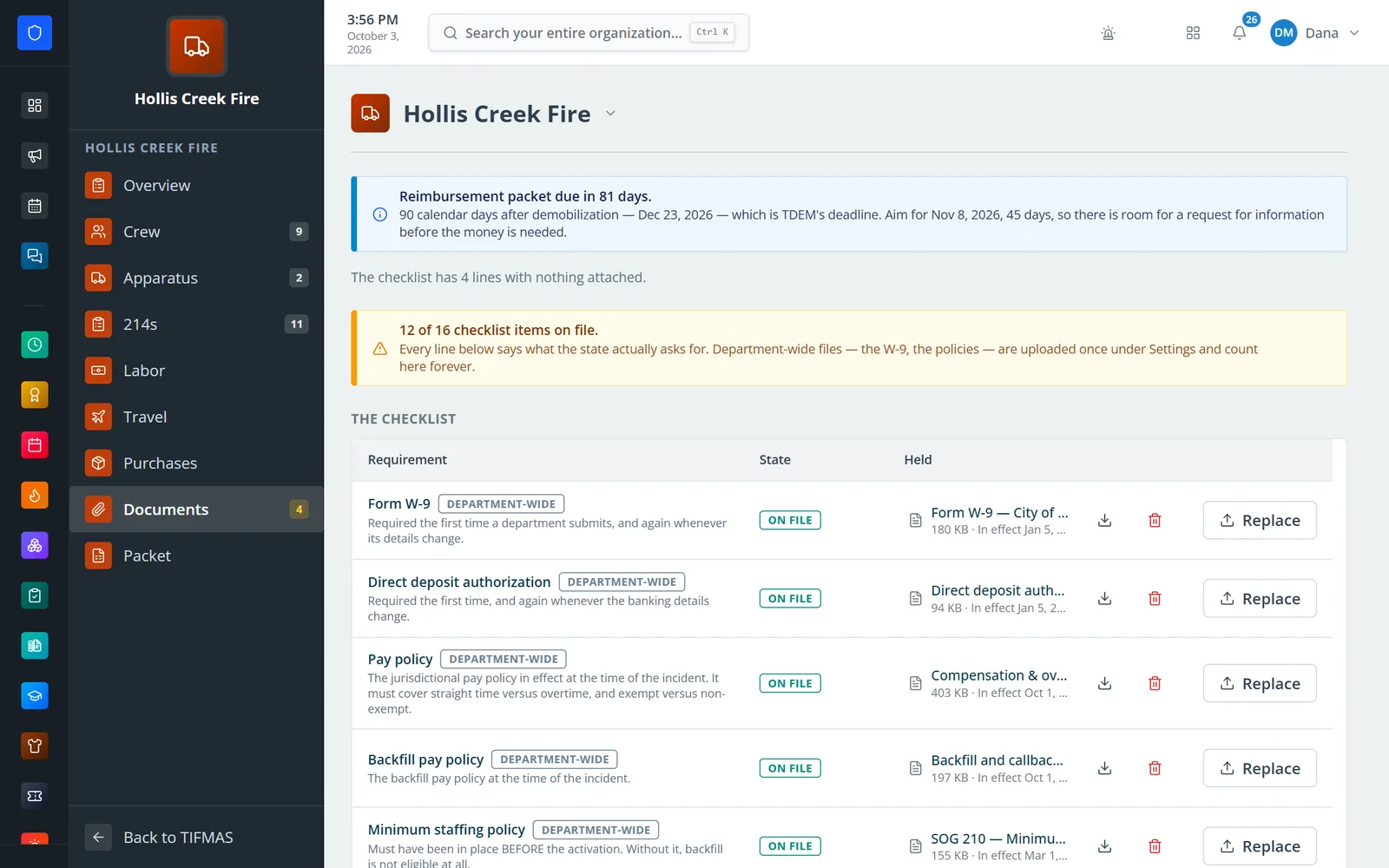
Everything TDEM asks for, with policies and the W-9 uploaded once for the whole department.
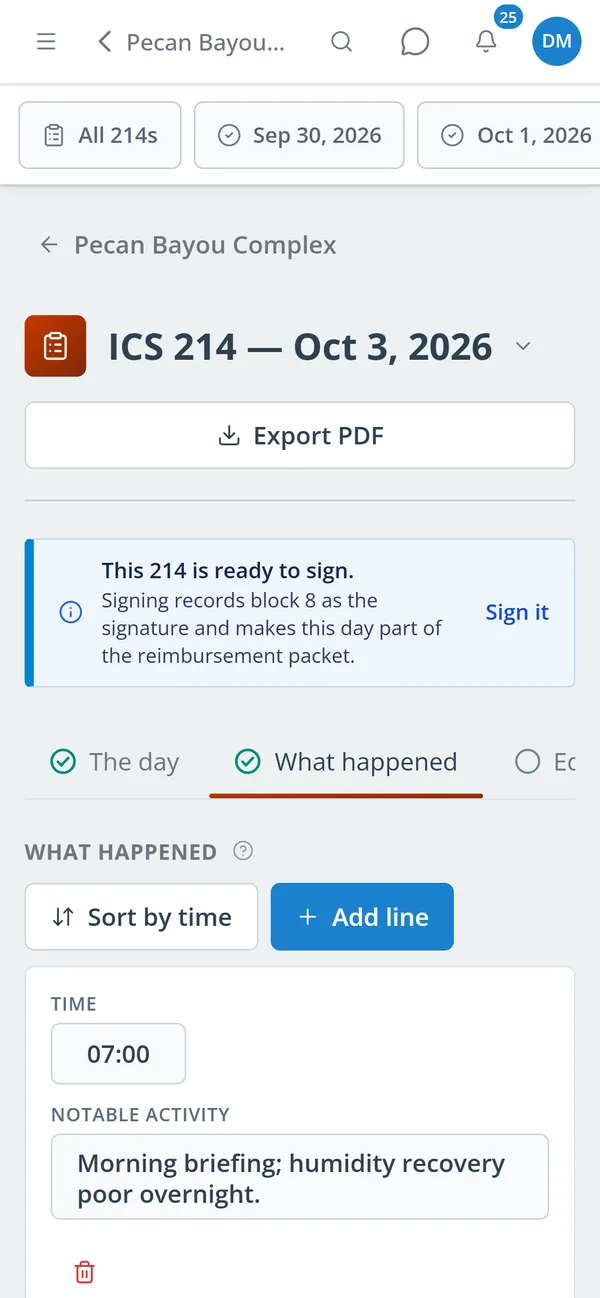
Write and sign the day’s log on a phone while the crew is still deployed.
Enter the incident, county, resource order, crew, and apparatus — from the station or from the road.
Write the 214 for each operational period, record equipment hours and operators, and sign it.
Fill labor from the 214s, fill per diem, and add lodging, meals, mileage, purchases, and rentals.
Check the documents list, review the amounts claimed, and download the workbook, signed forms, and supporting files.
Seeded from the deployment, with activities, crew, equipment hours, and operators. Signed logs are locked and export to PDF.
Equipment typed to the current FEMA schedule, with cost codes, hourly rates, and the reduced rate for TIFMAS grant engines.
Built from signed 214s and signed by the operator and the supervisor.
Deployed and backfill hours filled from the 214s and priced at each person’s rate plus fringe.
GSA rates, lodging, group meals, mileage, and receipts, with lines that no longer add up flagged.
Materials, rentals, contracts, and apparatus damage, each with the documentation the state asks for.
Every item TDEM asks for, with department-wide files uploaded once and counted on every deployment.
Amounts claimed by cost type, the Invoice and forms PDF, the filled TDEM workbook, and a foldered zip of supporting files.
Members keep one secure sign-in and one set of role permissions across every module you turn on.
No. A deployment keeps its own crew and apparatus roster, so TIFMAS runs on Core alone. You don’t need Scheduling, Assets, or Payroll.
Only people with the TIFMAS costs permission. Others can run a deployment, keep the rosters, and write 214s without seeing what anyone is paid. Signing 214s is a separate permission.
Mark the deployment as a training assignment. Salaries and backfill are priced at zero, as TIFMAS requires, and lodging, meals, and fuel can still be claimed.
No. It builds the files: the Invoice and signed forms PDF, TDEM’s workbook (uploaded once) filled from the deployment, and the supporting documentation. Your department sends them.
Tell us how you handle this work today. We’ll walk you through it in the full Station Clipboard portal.
Need something we don’t have yet? We build custom modules.