Weather on a separate screen
Six weather providers — two needing no API key — feed station displays.
Weather, news, Active911, PSTrax, and WhenToWork connectors — plus in-house data sources — that power boards, the calendar, CAD importing, and call-triggered Workflows.
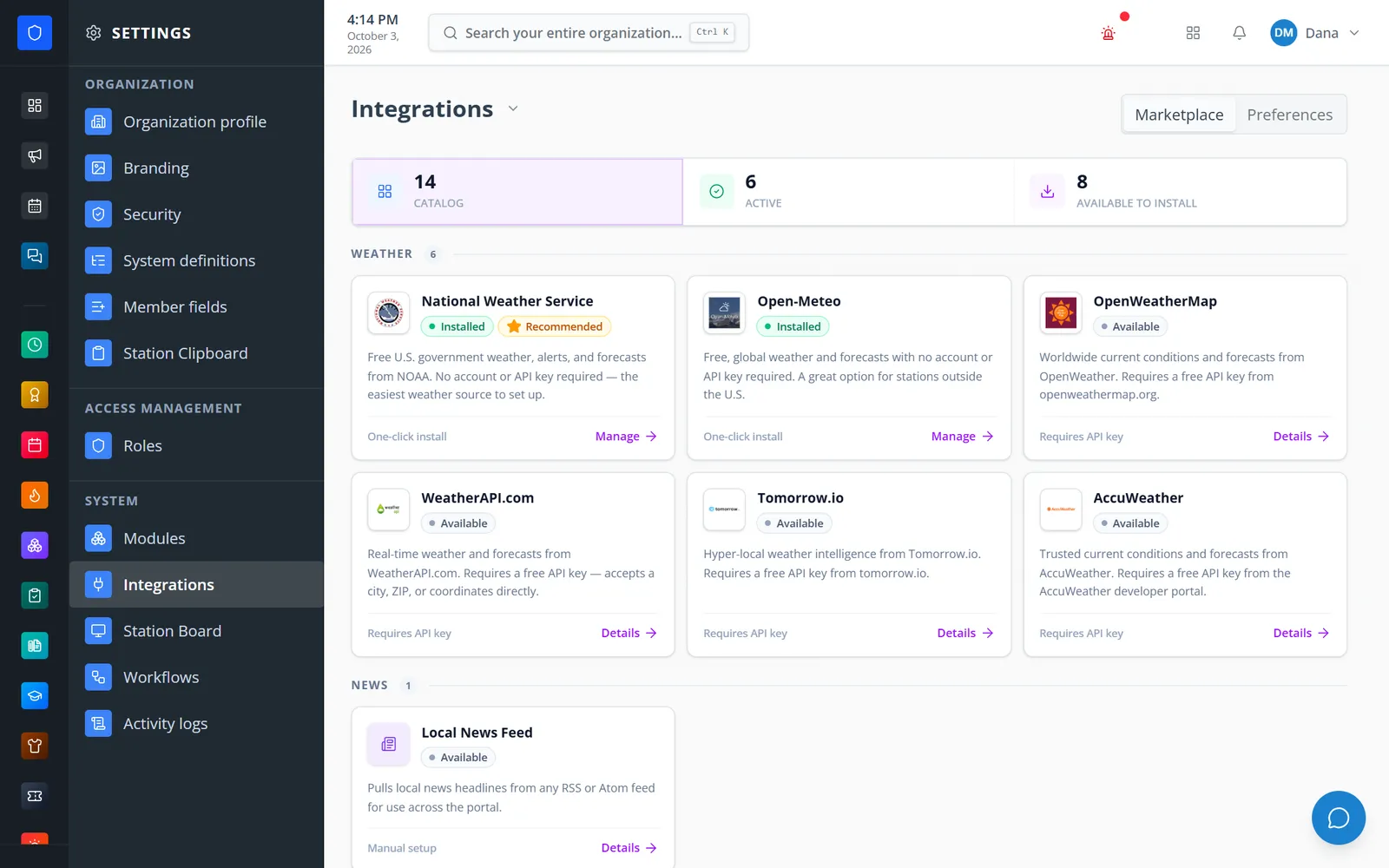
A catalog of 14 connectors — weather, news, public-safety, and scheduling services plus your own modules — each with a guided setup screen and a connection test. Installed integrations feed Station Board widgets, the department calendar, the Incident Command call picker, CAD importing in Incident Reporting, and Workflows that start the moment Active911 dispatches a call.
Six weather providers — two needing no API key — feed station displays.
Active911 calls appear on Station Boards, can start draft incident reports, and can trigger a Workflow that alerts every member.
PSTrax checks due, open alerts, fleet status, and notices come onto station TVs.
WhenToWork shifts appear on the department calendar.
Real screens from Station Clipboard, shown with a sample department.
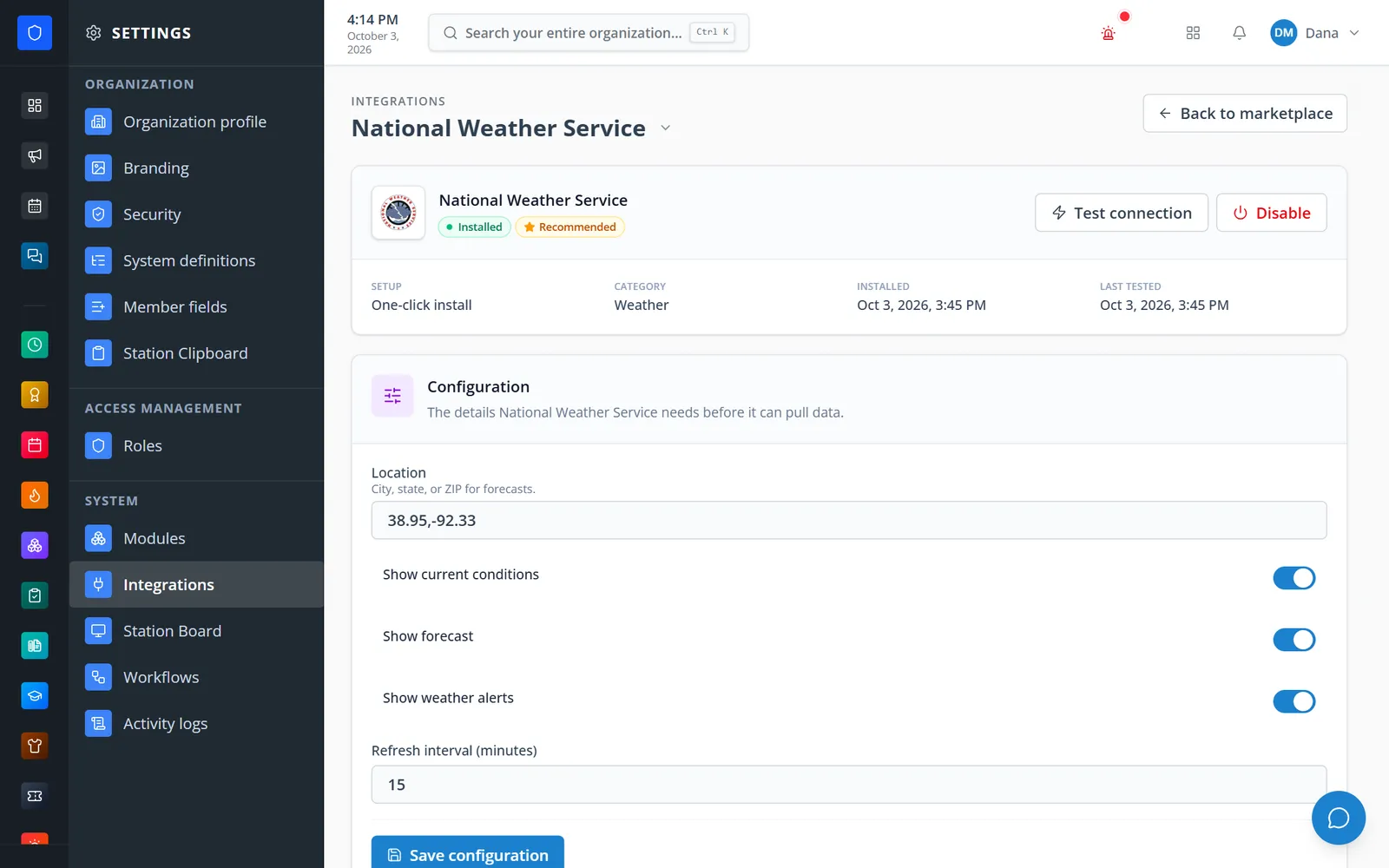
National Weather Service setup with location, options, and a connection test.
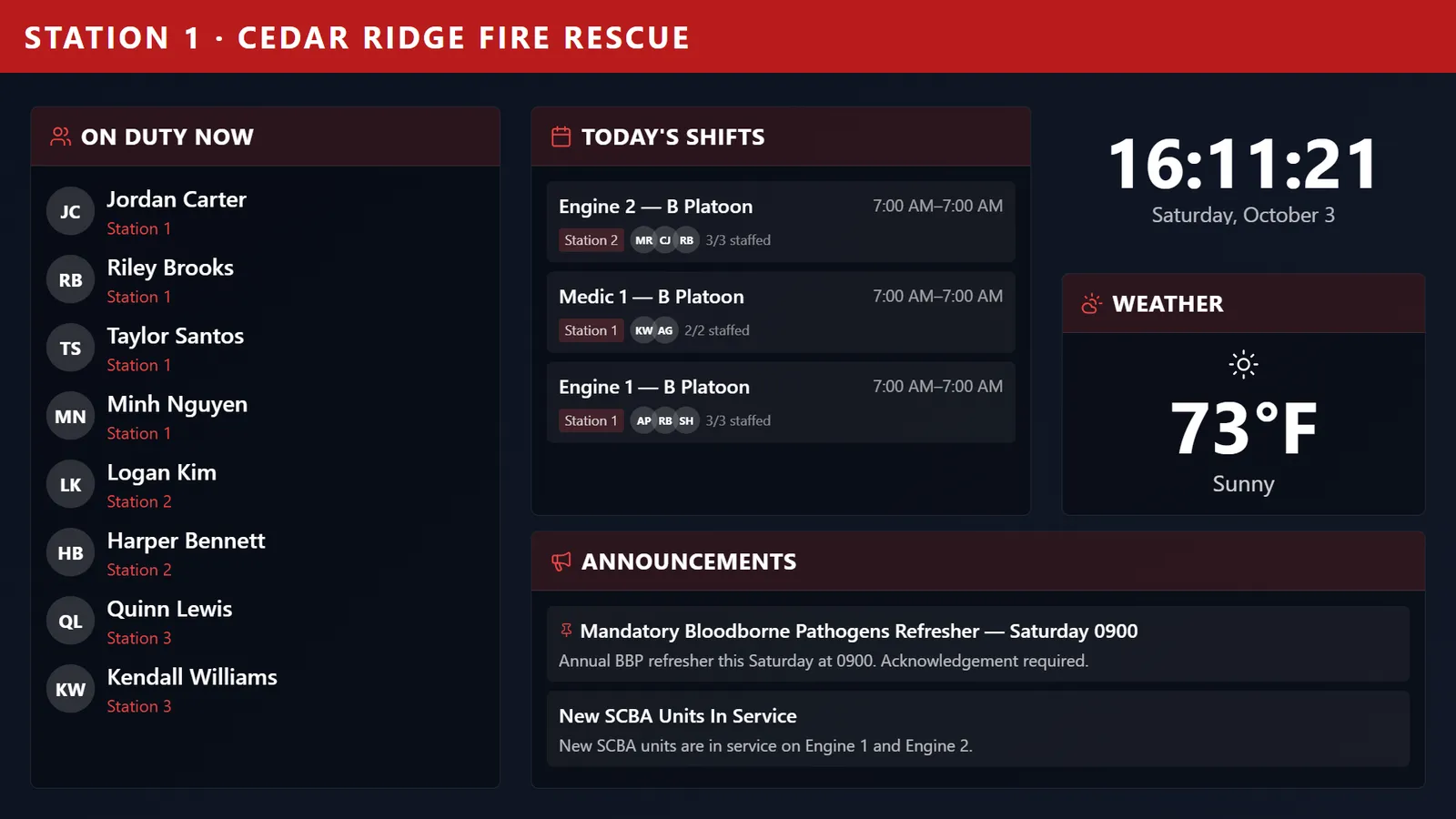
The connected weather source feeding a Station Board.
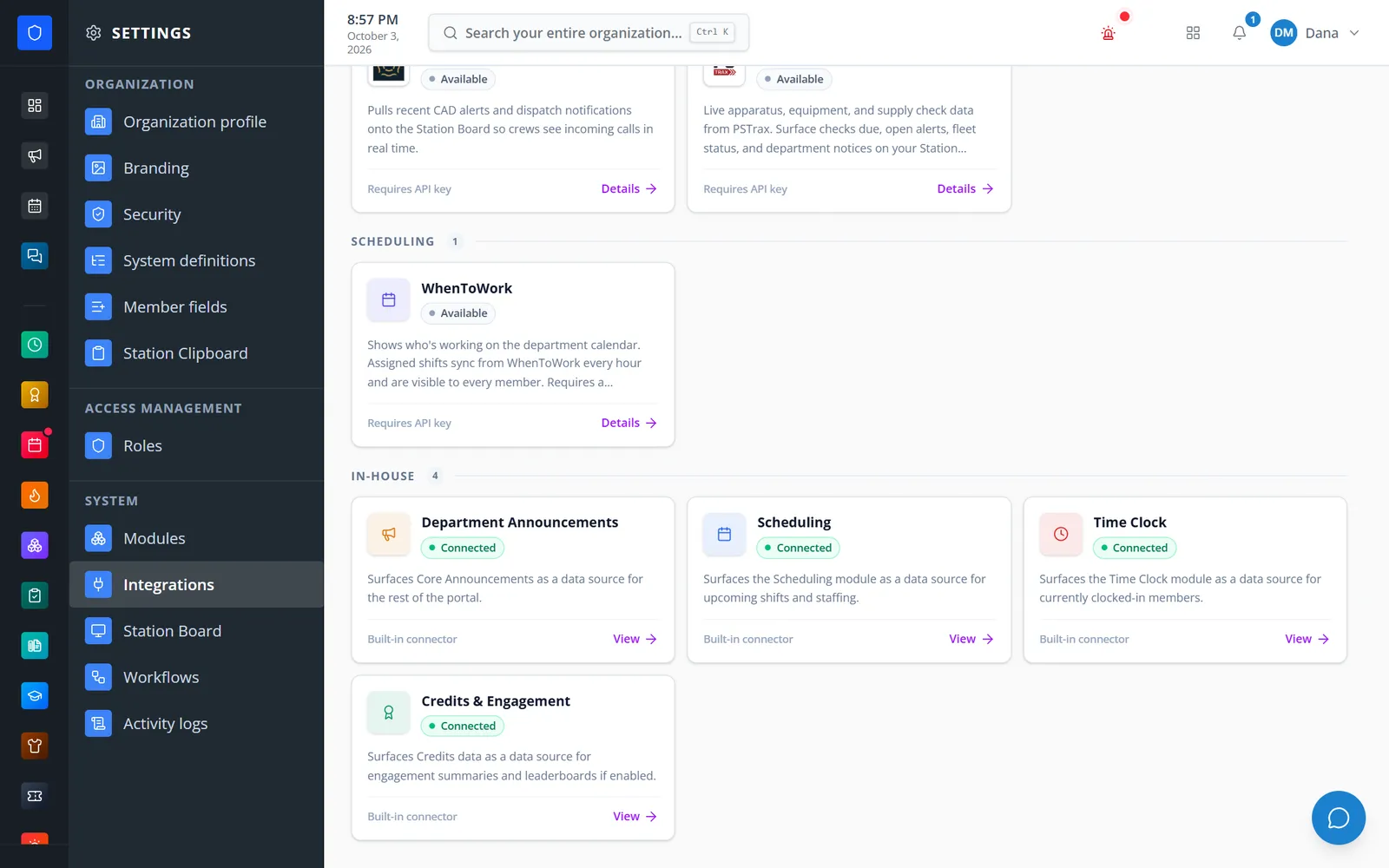
Announcements, Scheduling, Time Clock, and Credits as connected sources.
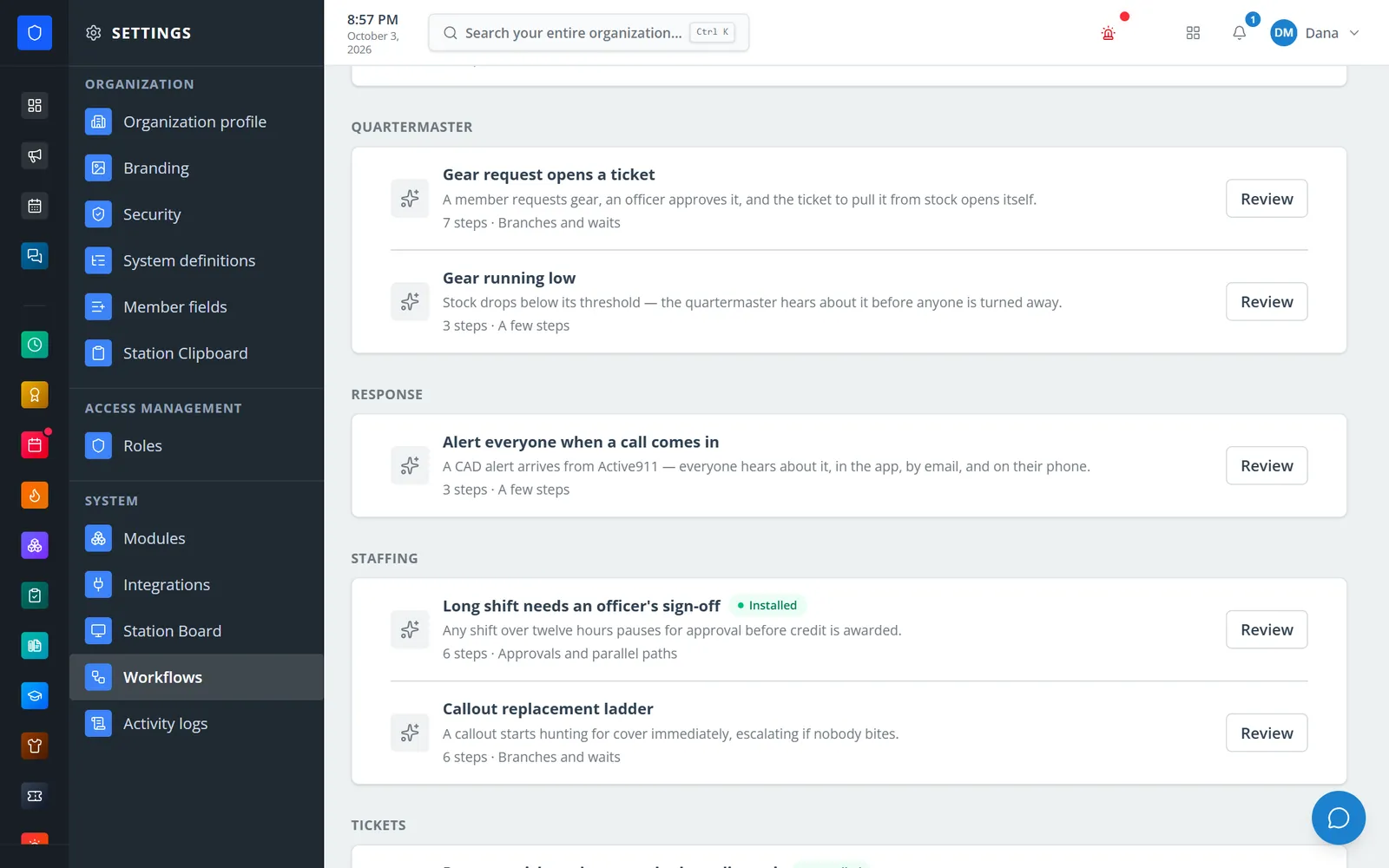
A starter workflow alerts every member when Active911 dispatches a call.
Open the catalog and filter by weather, news, public safety, scheduling, or in-house.
One click for no-key services, or enter the key, token, or feed URL the provider requires.
Run the connection test; status shows installed, needs setup, or the last error.
Add board widgets, see shifts on the calendar, turn on CAD importing, or start a Workflow from a call.
National Weather Service and Open-Meteo need no key; OpenWeatherMap, WeatherAPI.com, Tomorrow.io, and AccuWeather use yours.
Recent CAD alerts for Station Board, the Incident Command picker, Incident Reporting CAD import, and Workflows triggers.
Checks due, open alerts, fleet status, and notices for station displays.
An hourly, read-only sync of shifts onto the department calendar.
Any RSS or Atom feed, with URLs checked so they cannot point at internal addresses.
Announcements, Scheduling, Time Clock, and Credits appear as connected data sources when those modules are on.
Keys and tokens are stored server-side; the screen only shows whether one is saved.
Installed and last-tested times and the last error for every connector, plus a catalog you can curate.
Members keep one secure sign-in and one set of role permissions across every module you turn on.
Active911 today. It powers Station Board calls, the Incident Command picker, CAD importing in Incident Reporting, and Workflows that run when a call arrives.
No. Integrations bring outside information into Station Clipboard; they do not write back to those services.
No. The National Weather Service and Open-Meteo install in one click with just a location.
Tell us how you handle this work today. We’ll walk you through it in the full Station Clipboard portal.
Need something we don’t have yet? We build custom modules.