HR files in a locked drawer
One numbered record per matter, with statements, documents, and history together.
Performance plans, progressive discipline, leave of absence, and coaching notes — prepared, approved, issued, and acknowledged.
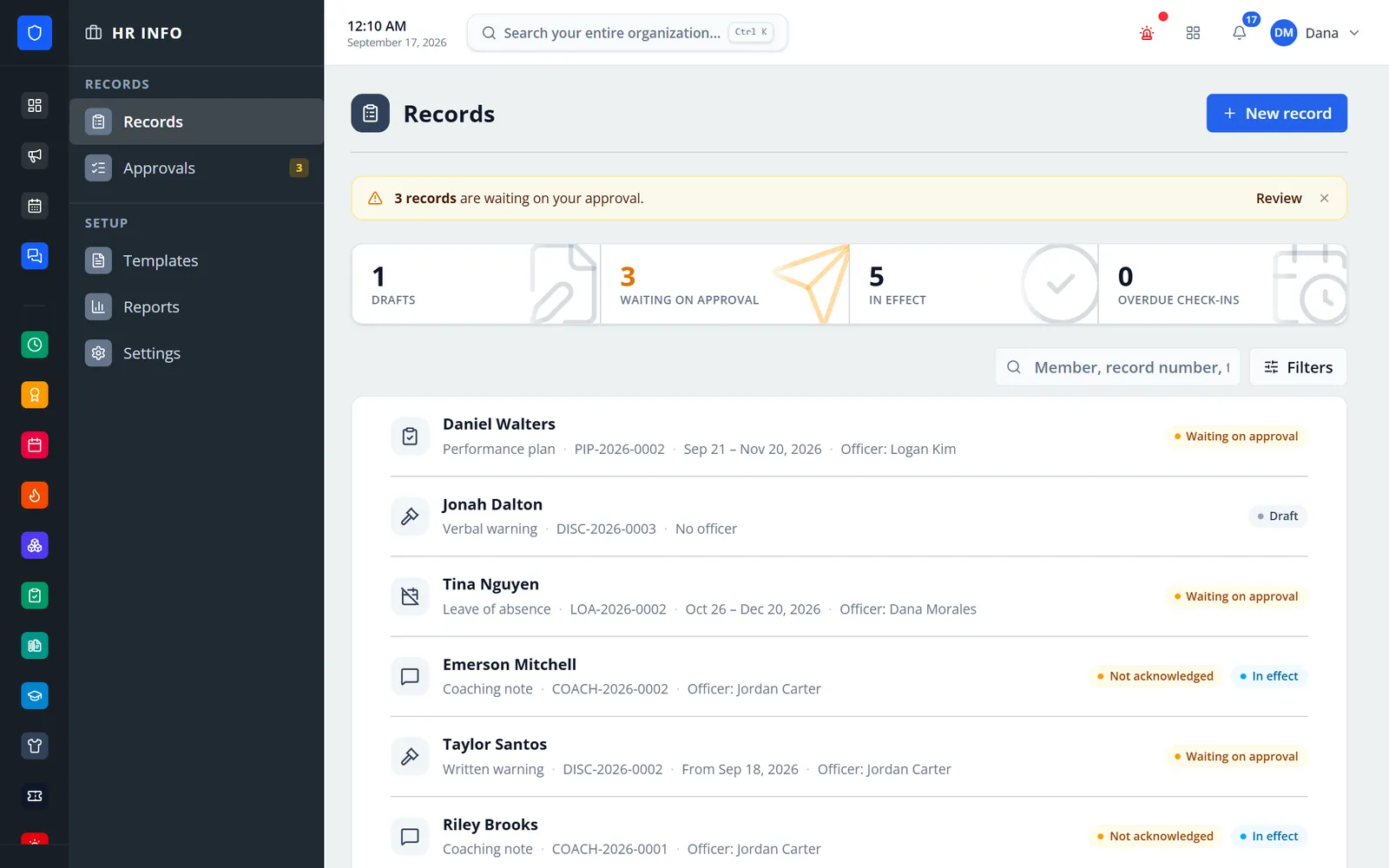
Performance plans, progressive discipline, leave of absence, and coaching notes in one confidential record system. An officer prepares the record, an approver reads exactly what the member will receive and approves it or sends it back, and only then does it reach the member, who confirms receipt under My HR Records. Every change, print, and opening of a restricted record is on the audit trail.
One numbered record per matter, with statements, documents, and history together.
Approval can be required for plans, discipline, and leave — on by default. Approvers can correct a record or send it back with a note.
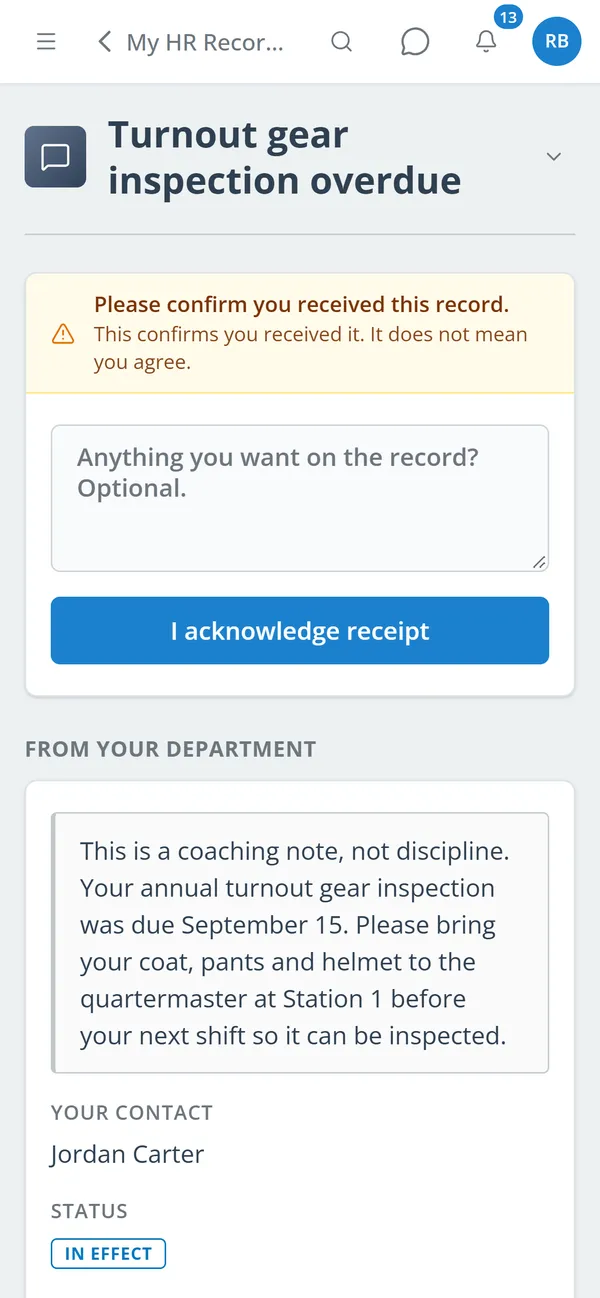
Members acknowledge receipt in the portal, with an optional comment. Officers can record a refusal.
Check-ins are scheduled from the plan, officers are reminded before each one, and overdue ones are flagged.
Real screens from Station Clipboard, shown with a sample department.
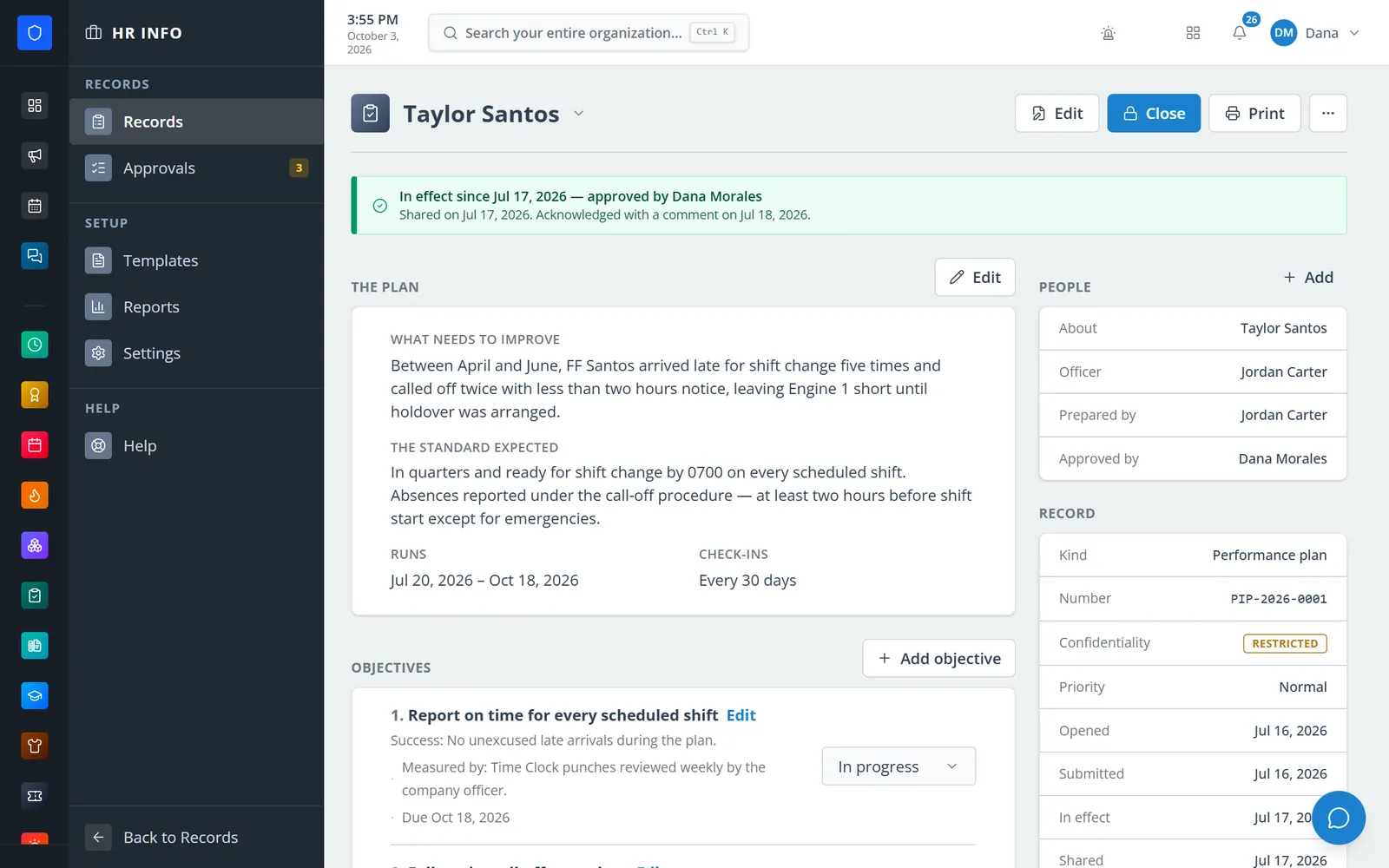
The concern, the expected standard, and how long the plan runs, with who prepared and approved it.
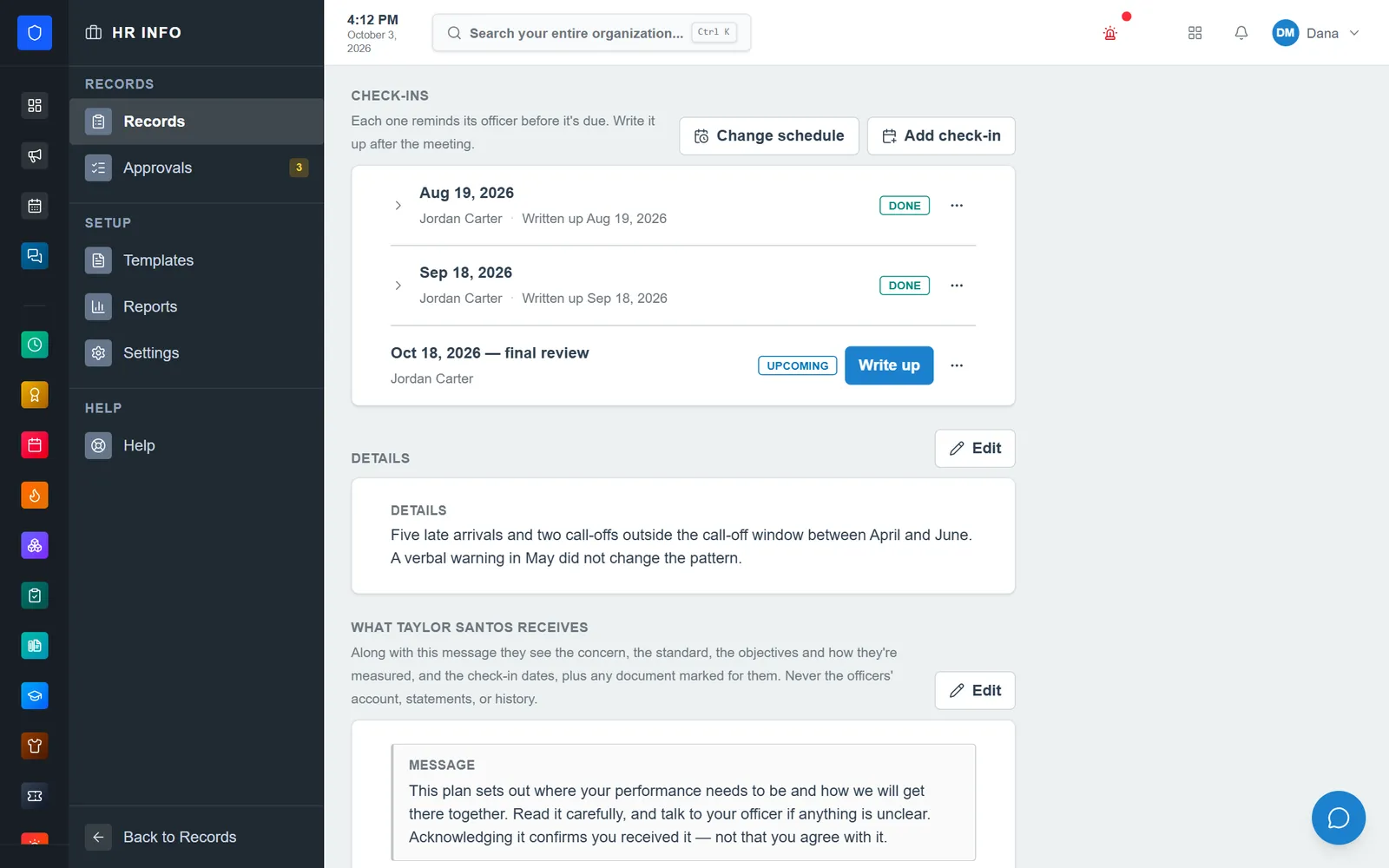
Scheduled check-ins are written up after each meeting, ending in the final review.
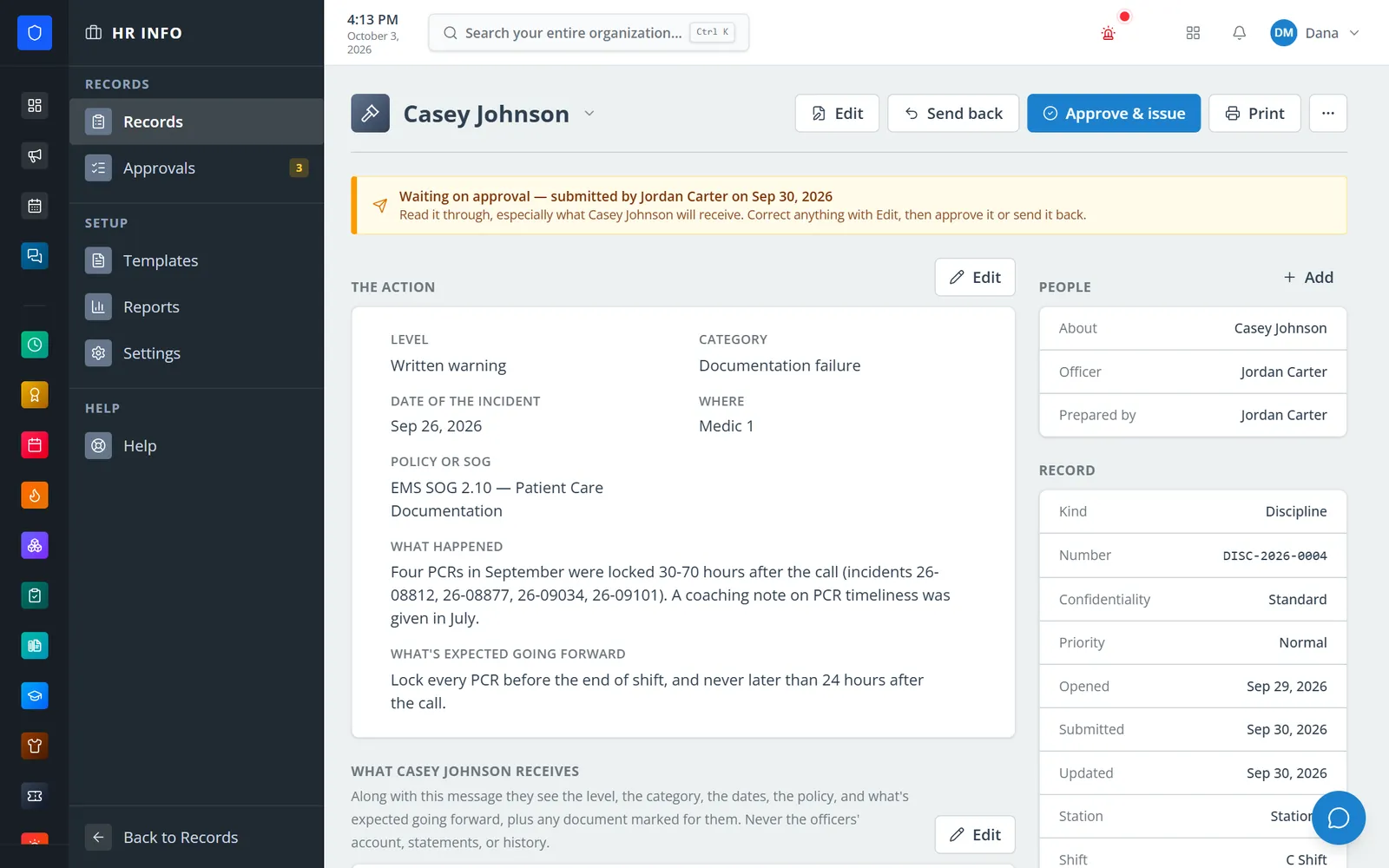
A written warning waits for review; the approver can correct it, approve and issue it, or send it back.
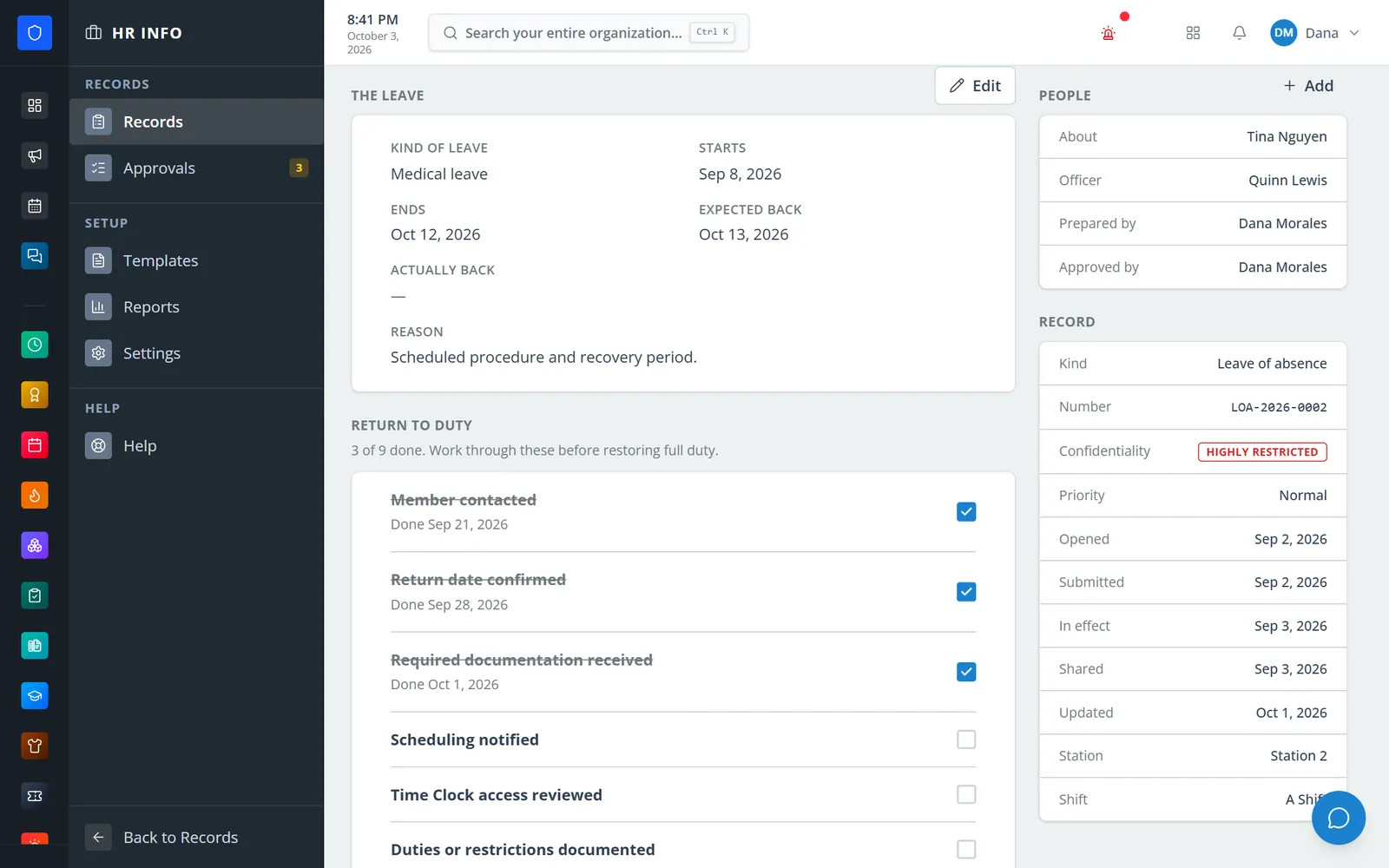
Leave dates, expected return, and a checklist to finish before restoring full duty.
Members read the record on their phone and confirm they received it, with an optional comment.
Pick the record type and a template, then write the message the member will read.
The approver reviews what the member receives, corrects it, approves and issues it, or sends it back.
The record is shared with the member, who acknowledges receipt from any device.
Write up check-ins or work the return-to-duty checklist, then close with an outcome.
Concern, expected standard, objectives with progress, and check-ins on a schedule ending in a final review.
Verbal, written, and final warnings, suspension, and termination, with incident date, location, and policy reference.
Leave types, dates, expected and actual return, and a nine-item return-to-duty checklist.
Issued directly without approval, and escalated into a linked plan or discipline draft when needed.
Standard, restricted, and highly restricted records, plus separate access to medical and leave documents.
Statements are append-only — amending keeps the original. Documents can be marked visible to the member.
Templates for every record type, built-in plan templates, and department-editable levels, categories, and leave types.
Counts by kind and outcome with CSV and PDF export; print the full record or a member copy with signature lines.
Members keep one secure sign-in and one set of role permissions across every module you turn on.
No. Nobody sees records about themselves on the officer side — not even a super admin. Members read their own shared records under My HR Records.
No. Acknowledging confirms receipt only, and the member can add a comment that stays on the record.
The message written for them and the record’s key facts — a plan’s objectives and check-in dates, or a warning’s level, policy, and expectations — plus any document marked for them. Never statements, officer notes, or history.
No. Sharing is off by default for terminations, because they are usually delivered in person. They can be shared later.
Tell us how you handle this work today. We’ll walk you through it in the full Station Clipboard portal.
Need something we don’t have yet? We build custom modules.