Every new member gets a different process
Turn your onboarding standard into a repeatable program.
Versioned onboarding programs with stages, dependencies, approvals, gear, certifications, and issued accounts, tracked from assignment to completion.
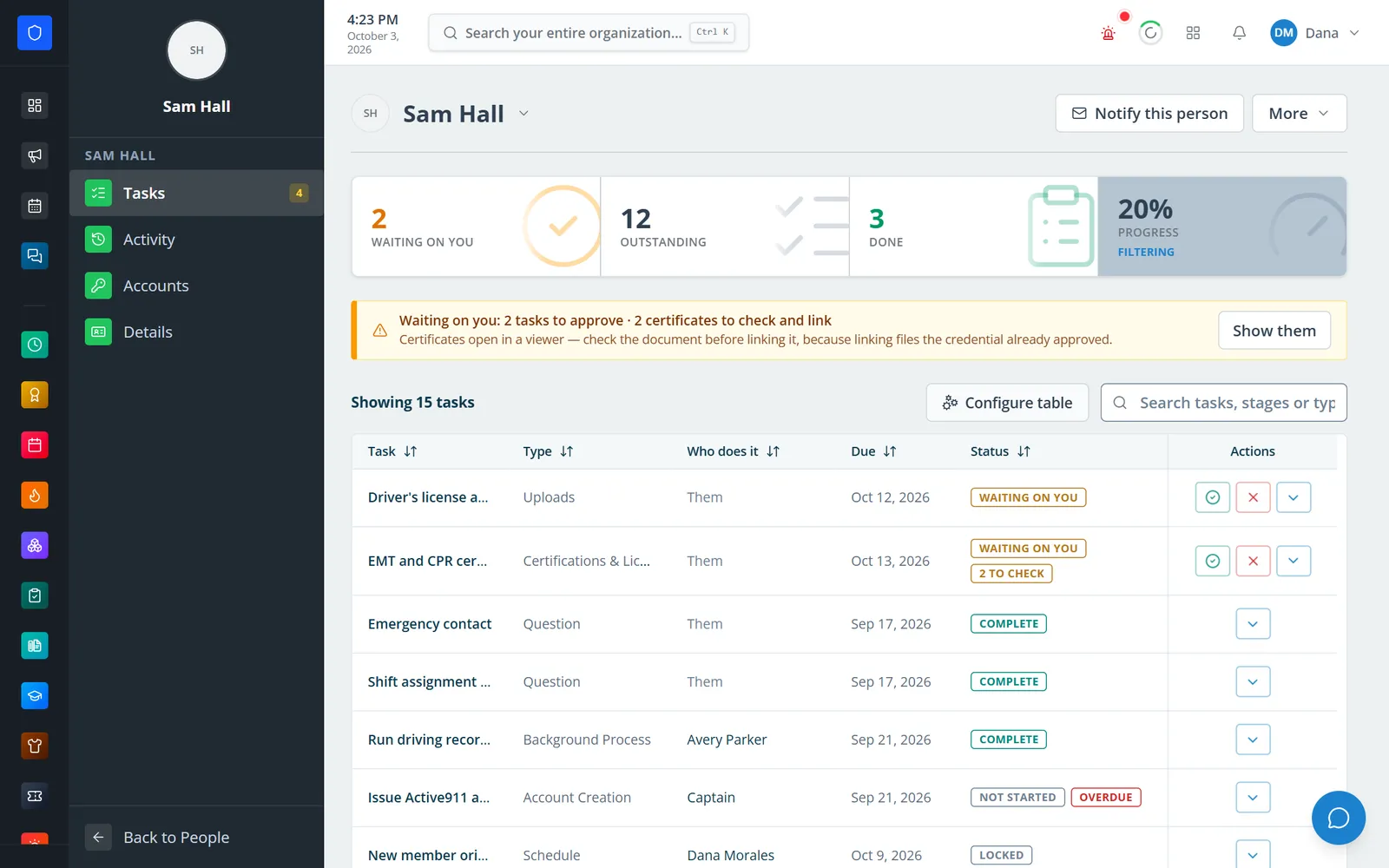
Build an onboarding program once, with stages that run in order or in parallel and steps for staff or the new person. Assign it to a member, everyone in a role, an approved applicant, or just an email address. Then see what is waiting on whom, approve submitted work, and keep issued logins in an encrypted, audited vault.
Turn your onboarding standard into a repeatable program.
Dependencies and ordered stages keep later steps locked until earlier ones are done.
Officers approve or send back submitted work, with the reason saved.
Issued logins are stored encrypted, and every password read-back is logged.
Real screens from Station Clipboard, shown with a sample department.
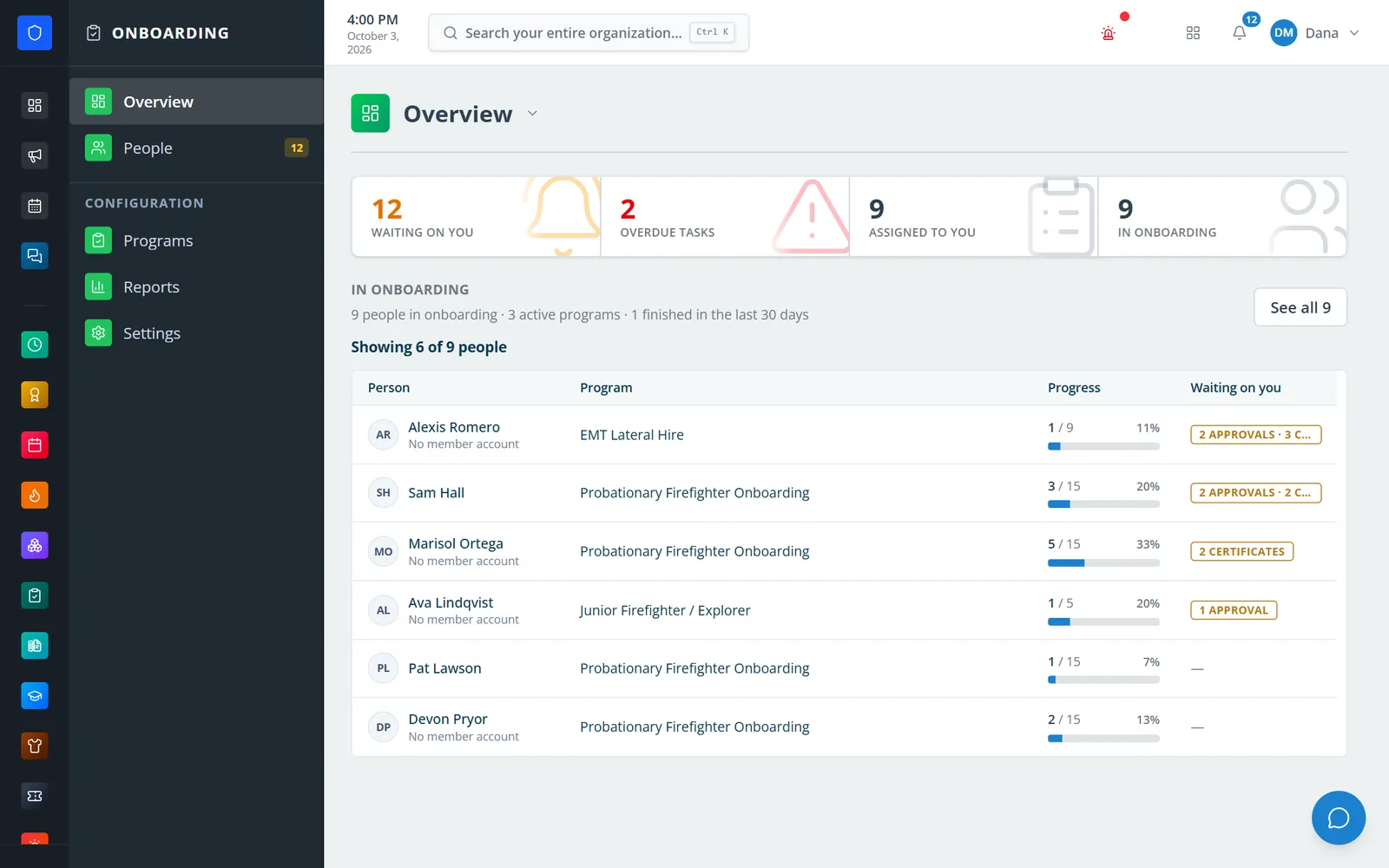
See who is in onboarding, how far along they are, and what needs your attention.
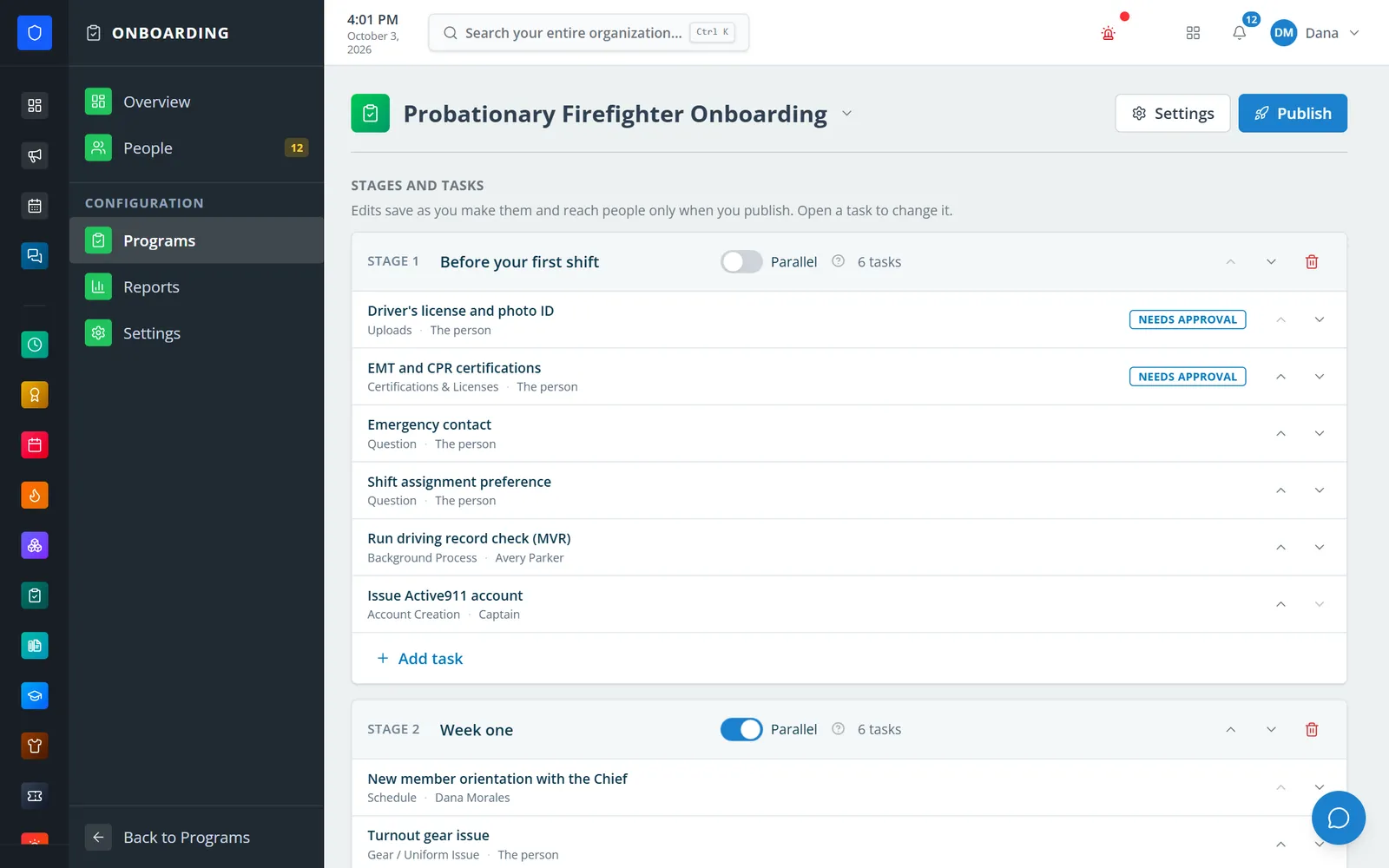
Build stages and steps once, then publish a version for everyone who follows.
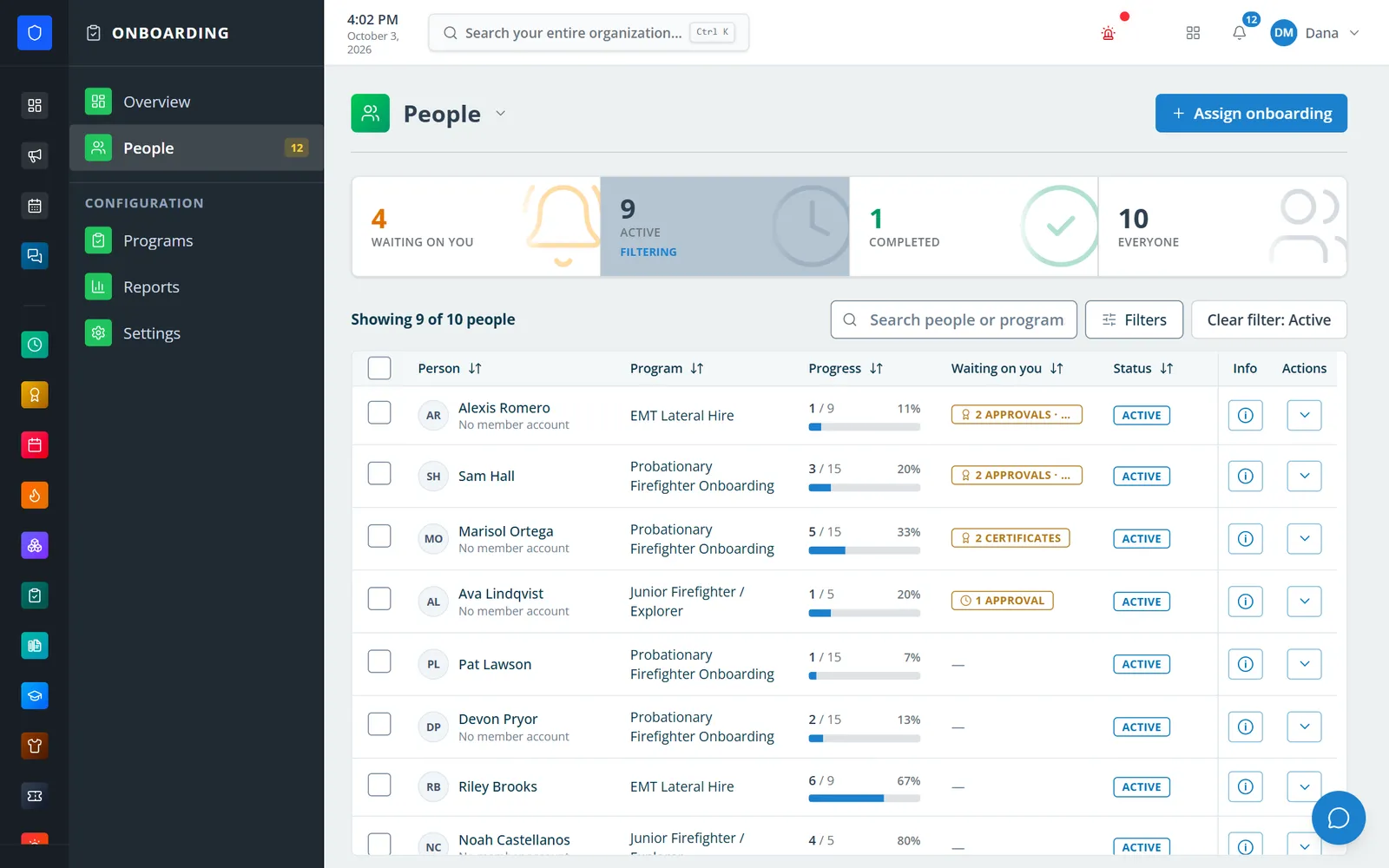
Every assignment across all programs, with progress and what is waiting on you.
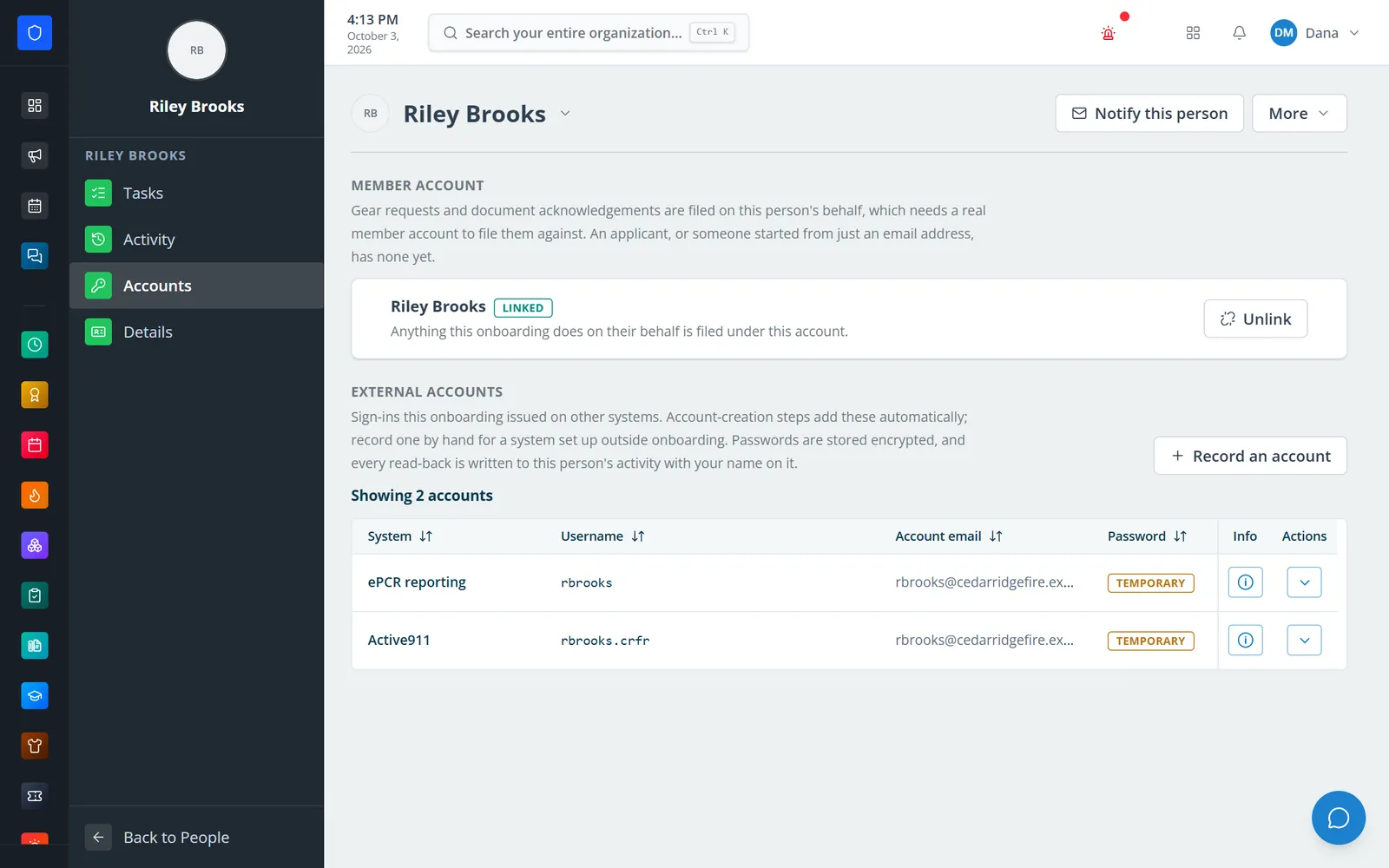
Logins created during onboarding are kept encrypted on the person’s file.
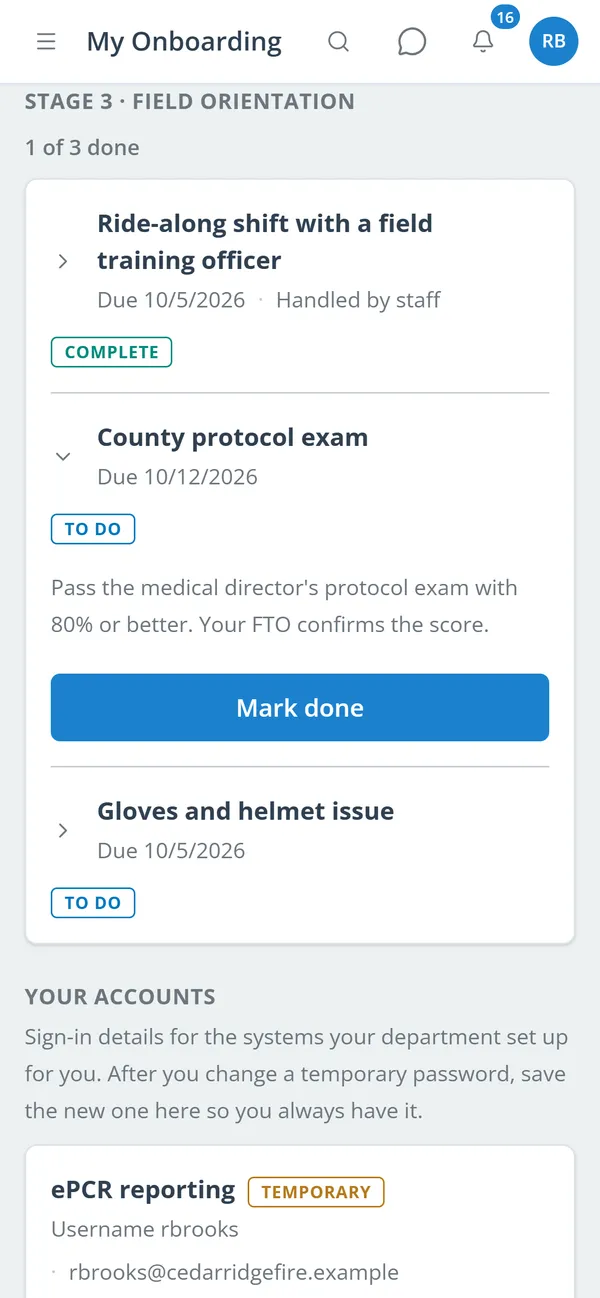
New members work through their own steps and see the logins issued to them.
Set up stages, steps, owners, due dates, dependencies, and approvals.
Preview who is affected, then choose whether people already onboarding move to the new version.
Assign one person, a whole role, an approved applicant, or an email address.
Approve submissions, link certificates, chase overdue steps, and watch each person’s activity.
Stages run in order or in parallel. Each step has an owner, a due date, and optional approval.
A publish preview shows who is affected. People already onboarding move to the new version only if you choose.
Uploads, questions, certifications, checklist steps, account creation, background steps, scheduled meetings, profile fields, gear issue, and policy acknowledgements.
New people enter each card with its dates. Officers check the document, then link it onto the member’s certification record.
Approvals, certificates to check, and overdue steps are flagged on the overview and on each person’s file.
New members pick their gear sizes, which can file Quartermaster requests. They can also read and acknowledge Resources documents.
Logins issued during onboarding are stored encrypted. Every read-back is logged, and members can save their changed password or print a password sheet.
Orientations and fit tests send calendar invites and reminders, and show up in personal calendar feeds.
Members keep one secure sign-in and one set of role permissions across every module you turn on.
No. Onboarding can be assigned to existing members, to everyone holding a role, or to a new hire by email address, as well as to approved applicants.
A new hire assigned by email gets an onboarding code and works through their steps in the applicant portal. Link a member account later, and any held gear requests and records are filed then.
Publishing creates a new version. You see a preview of who is affected, and people already onboarding move to it only if you choose.
Yes, for steps that are not documents. It is recorded as done on their behalf. Uploads and certificates must come from the person themself.
Tell us how you handle this work today. We’ll walk you through it in the full Station Clipboard portal.
Need something we don’t have yet? We build custom modules.