Scattered availability
Stop collecting dates from paper forms, messages, and disconnected spreadsheets.
Collect availability, protect every certification requirement, fill open shifts, and keep your team informed from one scheduling workflow built for Fire & EMS.
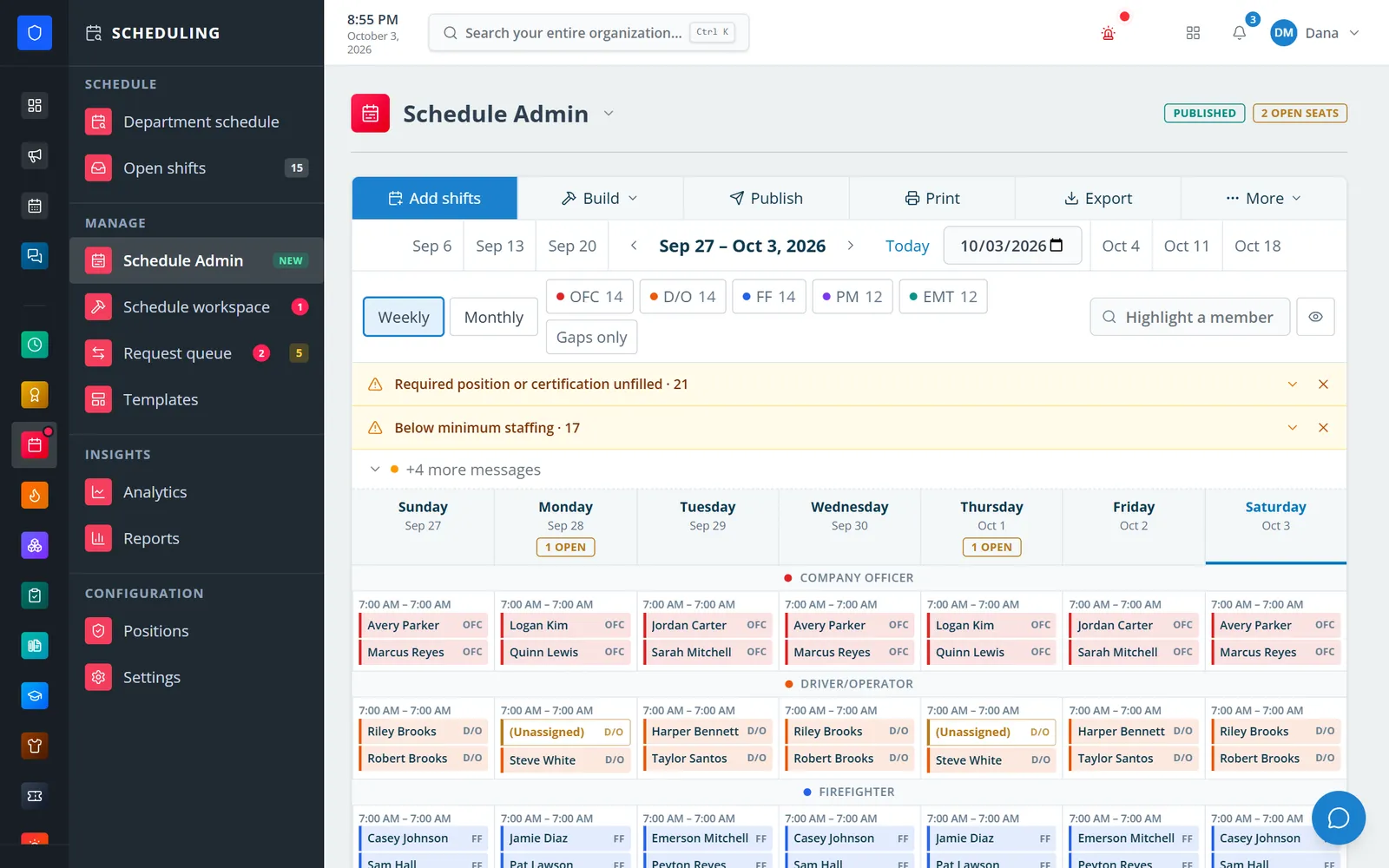
When availability lives in texts, trades happen in side conversations, and certification checks depend on memory, a simple schedule becomes hours of administrative work. Station Clipboard brings the whole process together.
Stop collecting dates from paper forms, messages, and disconnected spreadsheets.
See open positions clearly before the schedule reaches your members.
Keep role and certification requirements inside the scheduling decision.
Give shift changes a visible path from request to approval and coverage.
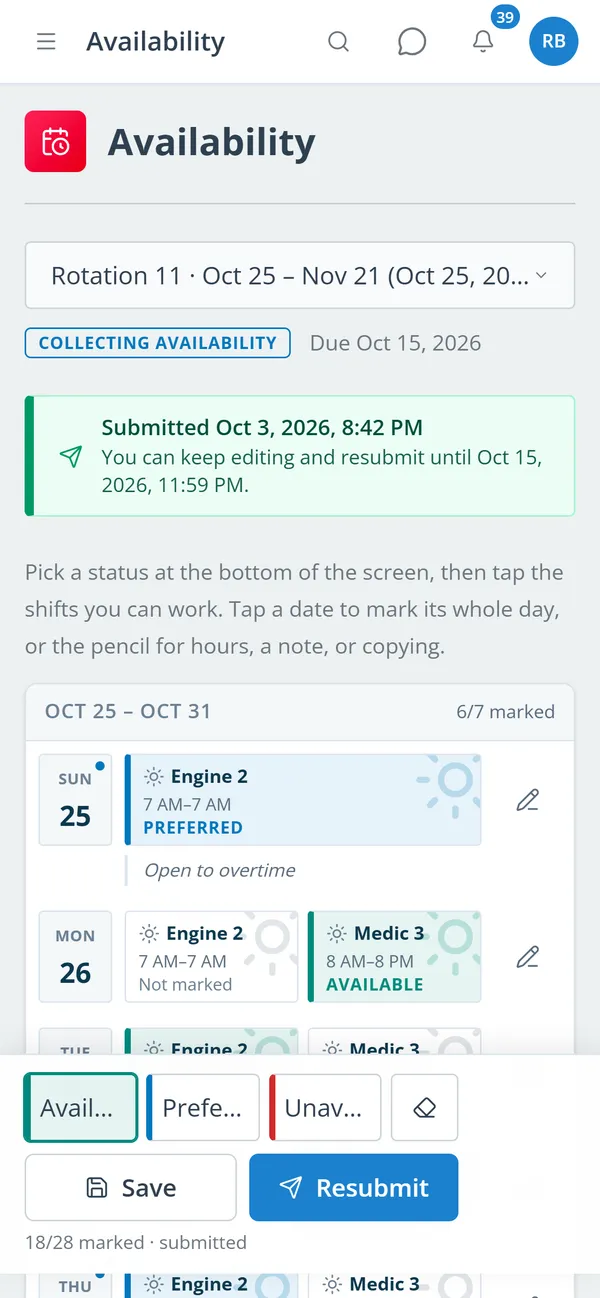
Open an availability window for the next schedule period and let every member submit from their own device. Administrators get one organized view instead of a trail of messages.
Define the roles and certifications each shift needs. When it is time to assign a member, eligibility is part of the workflow—not a separate roster someone has to remember to check.
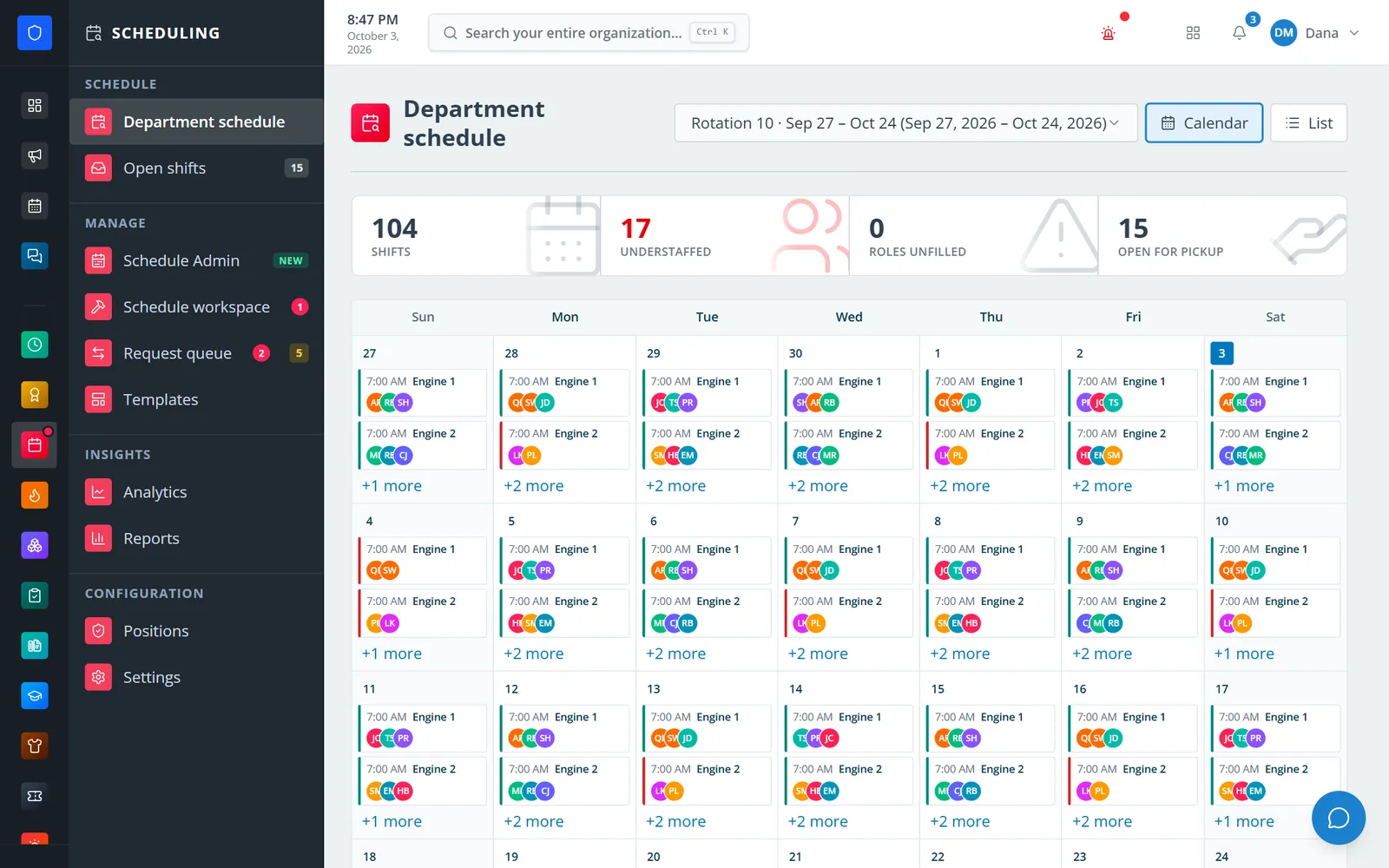
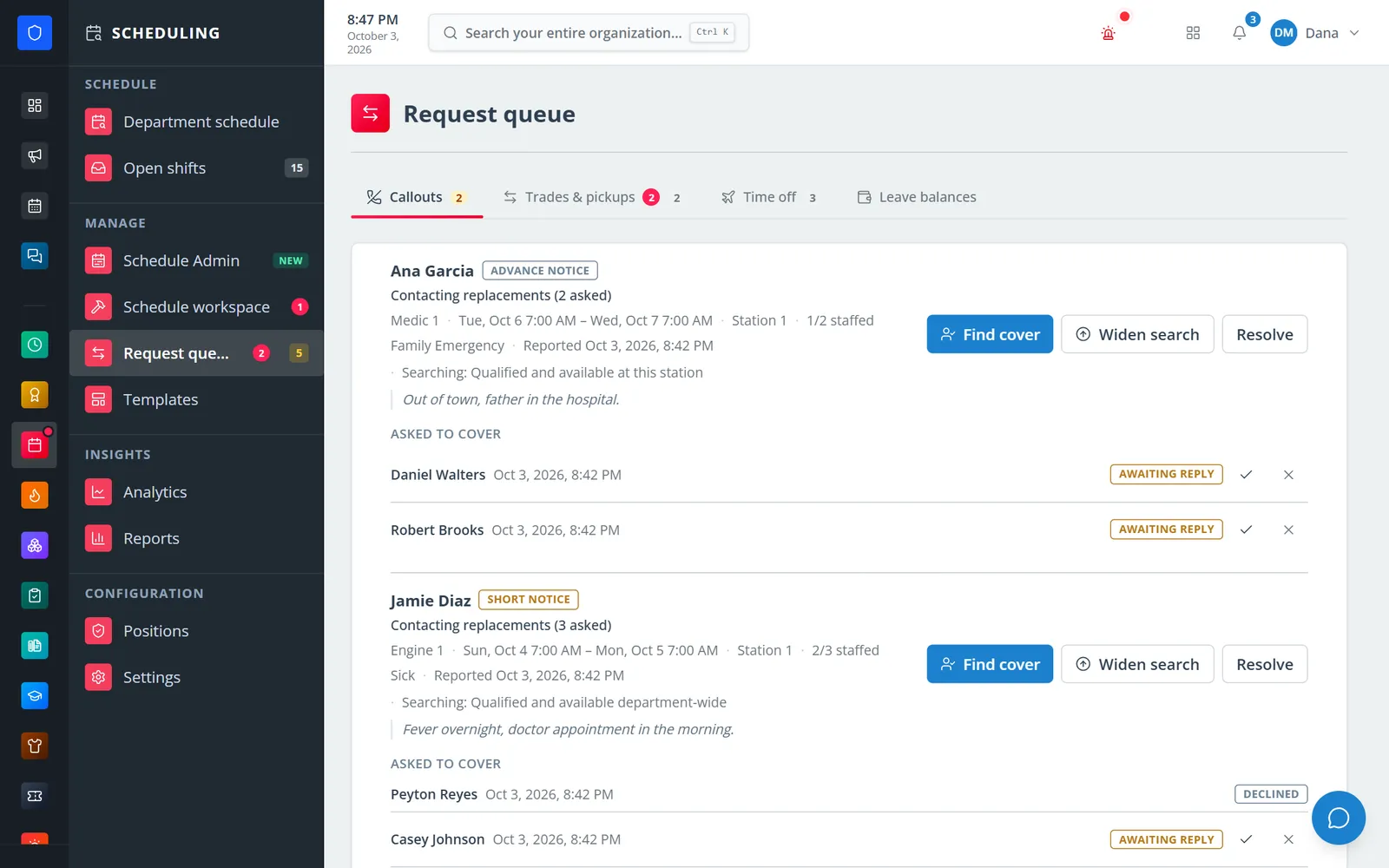
Members can start a trade or respond to an open shift in one shared workflow. Managers keep the level of approval they want, while qualification rules continue to protect coverage.
Members can check their schedule, submit availability, and act on shift changes from a phone, tablet, or desktop. A published update reaches the same shared schedule—without another screenshot in the group chat.
See It in Action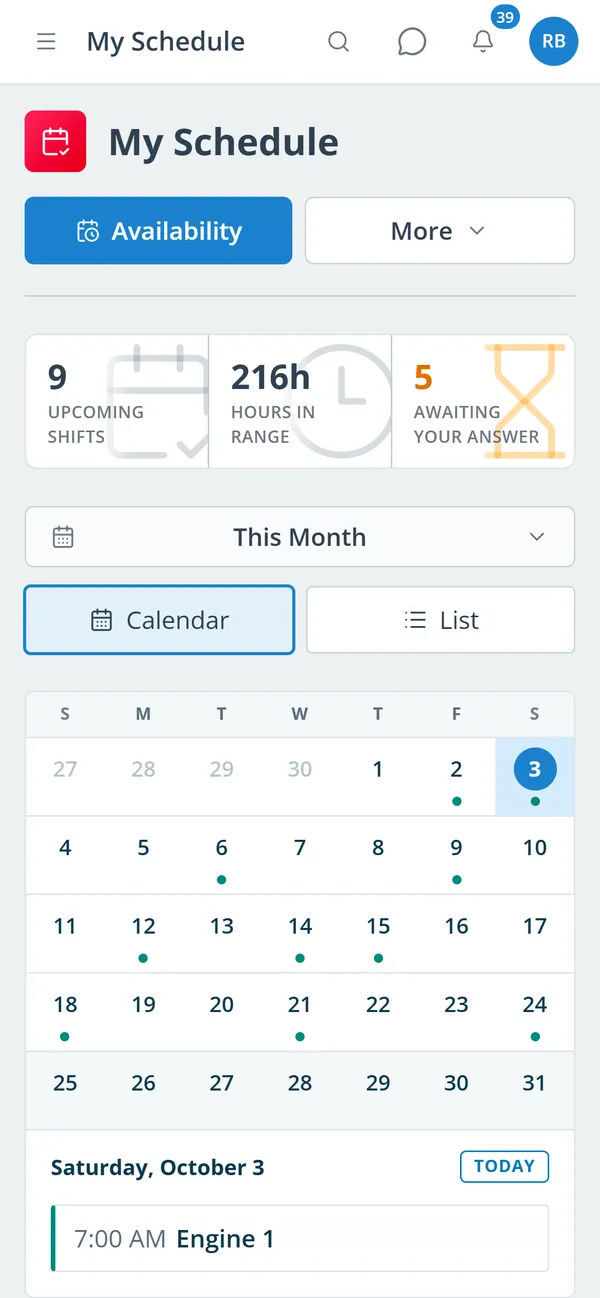
Members submit availability for a defined scheduling period.
Fill roles manually or use intelligent tools to find eligible best fits.
Share one dependable schedule and manage changes in the same place.
Tell us how scheduling works today. We’ll show you how Station Clipboard can simplify the next schedule period for your team.
Start the Conversation