Spreadsheets nobody can find
Shared, searchable workspaces with column filters, groups, retirement, and full history.
Custom equipment workspaces with 19 field types, barcode scanning, expiration reminders, recurring maintenance, and full record history.
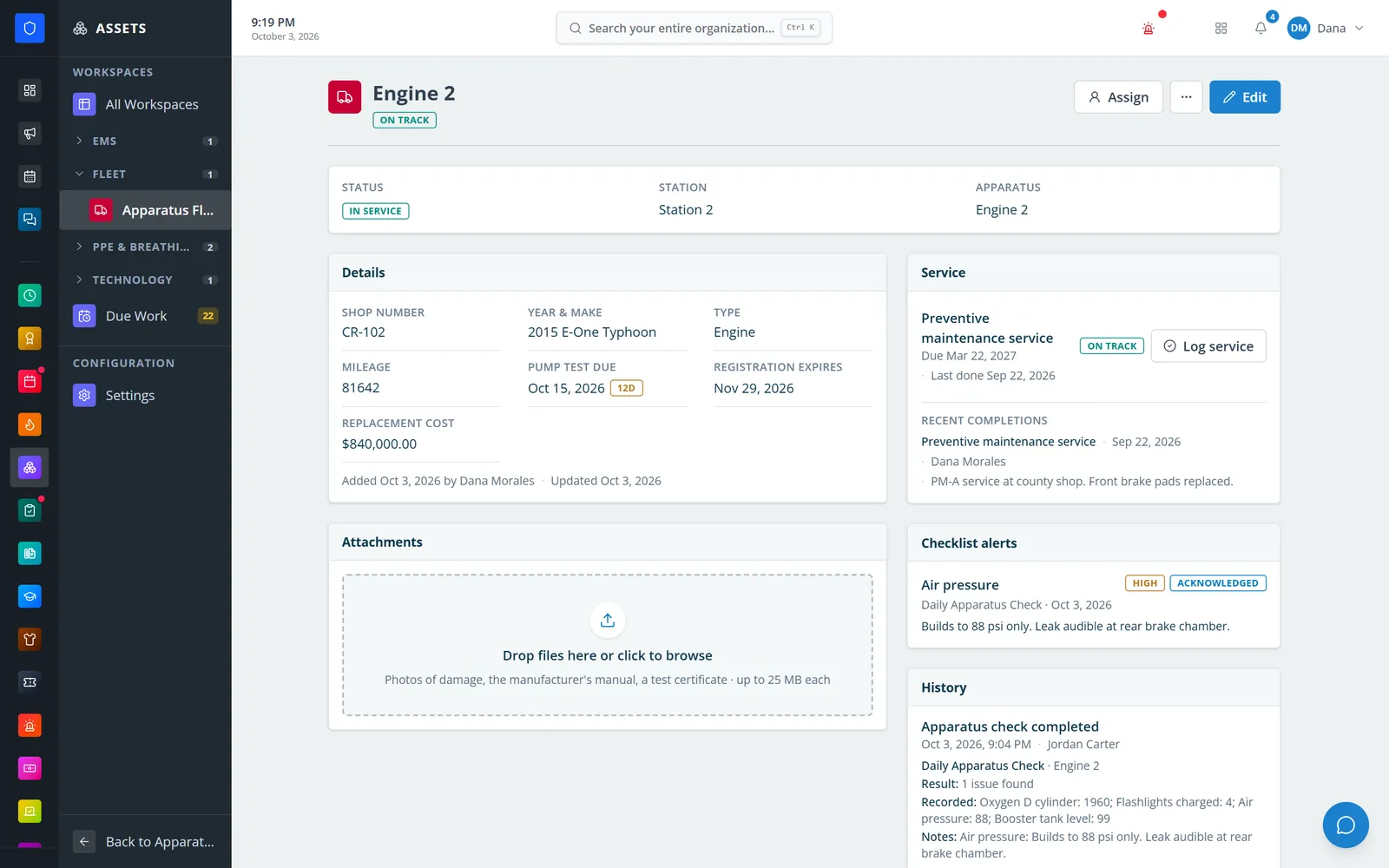
Build the equipment registers your department actually uses — apparatus, SCBA, medical inventory, turnout gear, radios — from templates or scratch with 19 field types, and group them in the sidebar. Find records with a phone camera or USB scanner, get reminders before items expire, schedule recurring maintenance, and keep files, service, checklist alerts, and history on every record.
Shared, searchable workspaces with column filters, groups, retirement, and full history.
Expiration fields send reminders at the thresholds you choose.
Maintenance tasks calculate the next due date for every record, and can apply only to records that match a field value.
Scan a barcode to jump straight to the record, from any workspace.
Real screens from Station Clipboard, shown with a sample department.
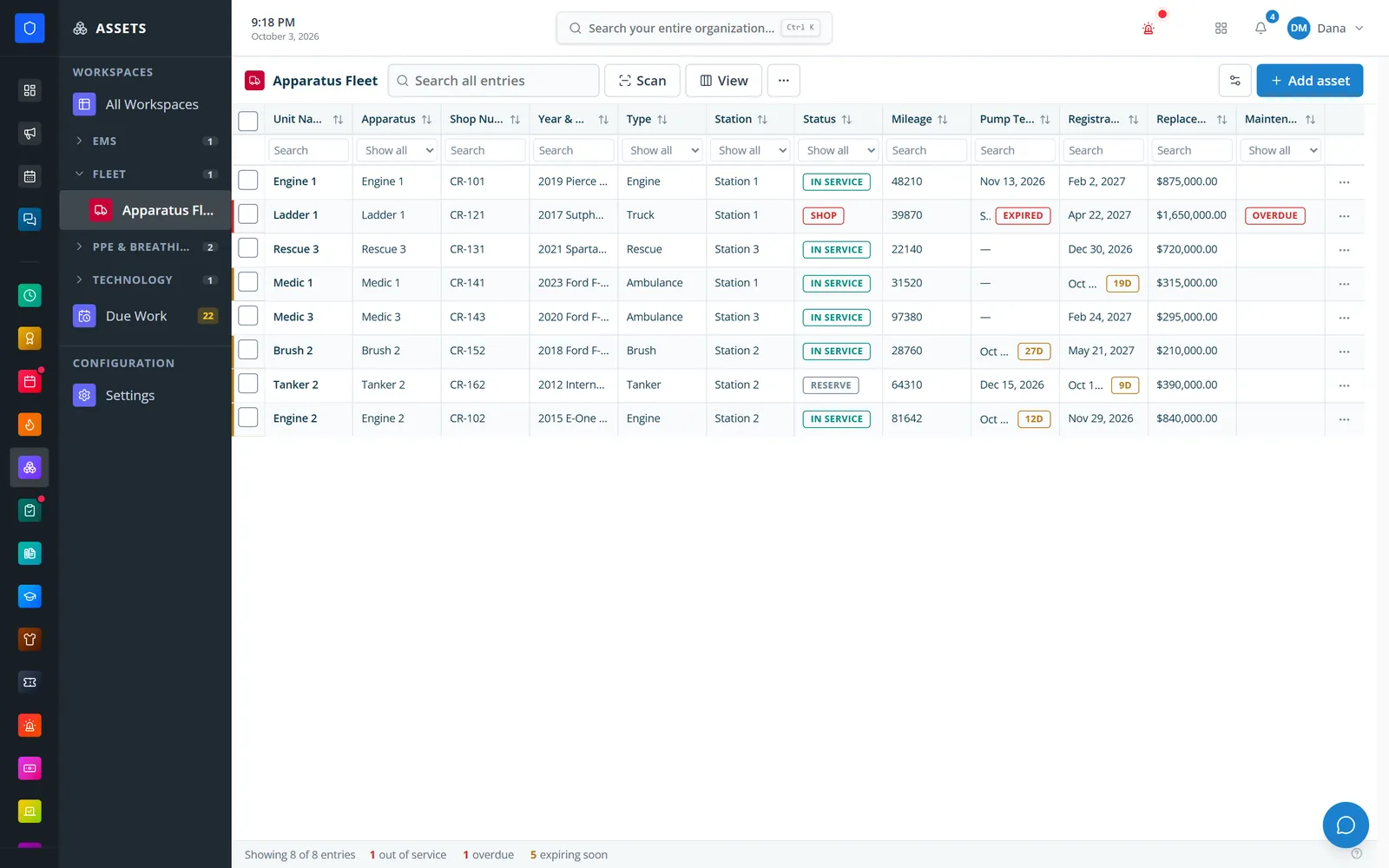
Units with station, status, mileage, expiration dates, and maintenance status.
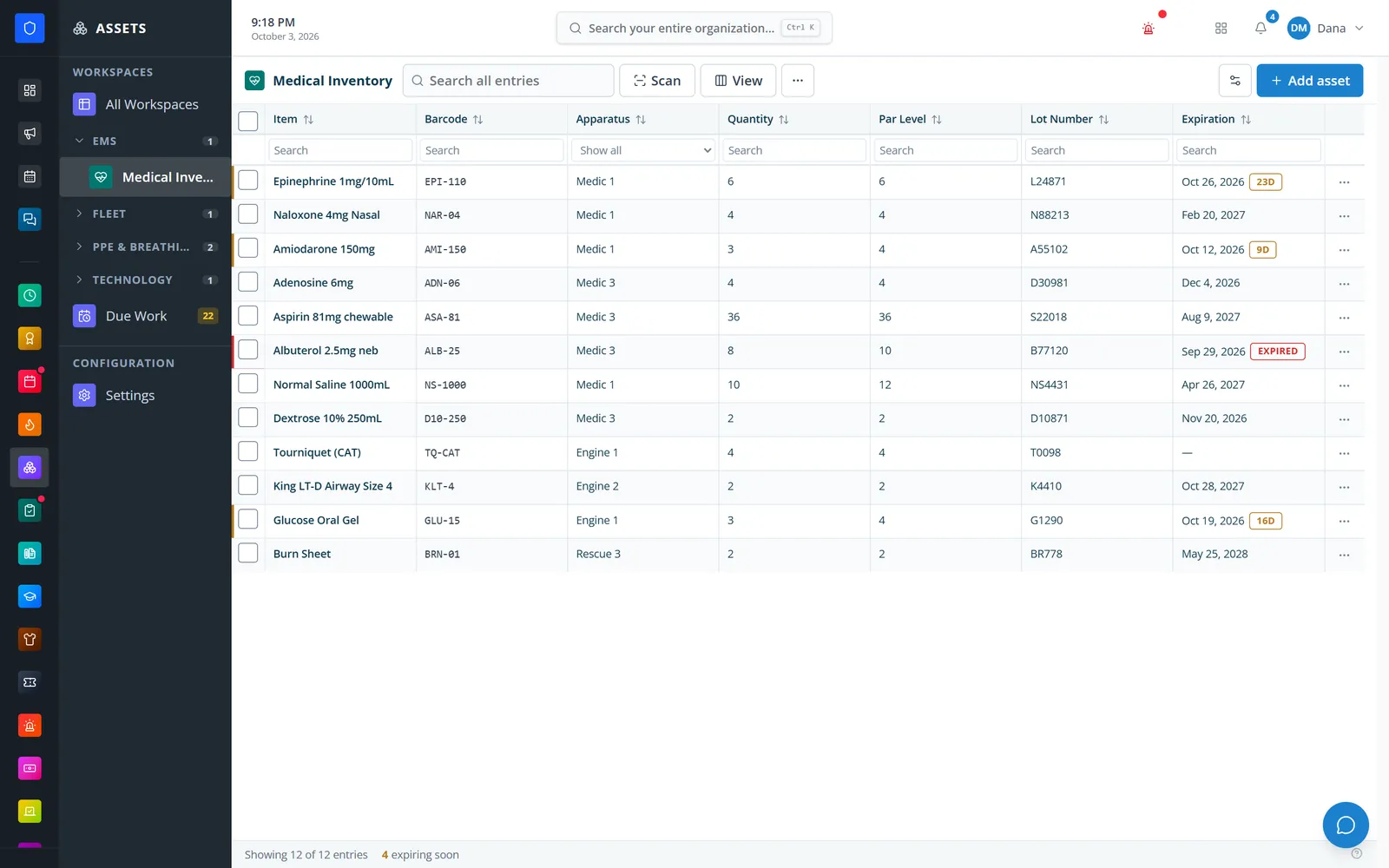
Drugs and supplies by unit with barcode, lot number, par level, and expiration.
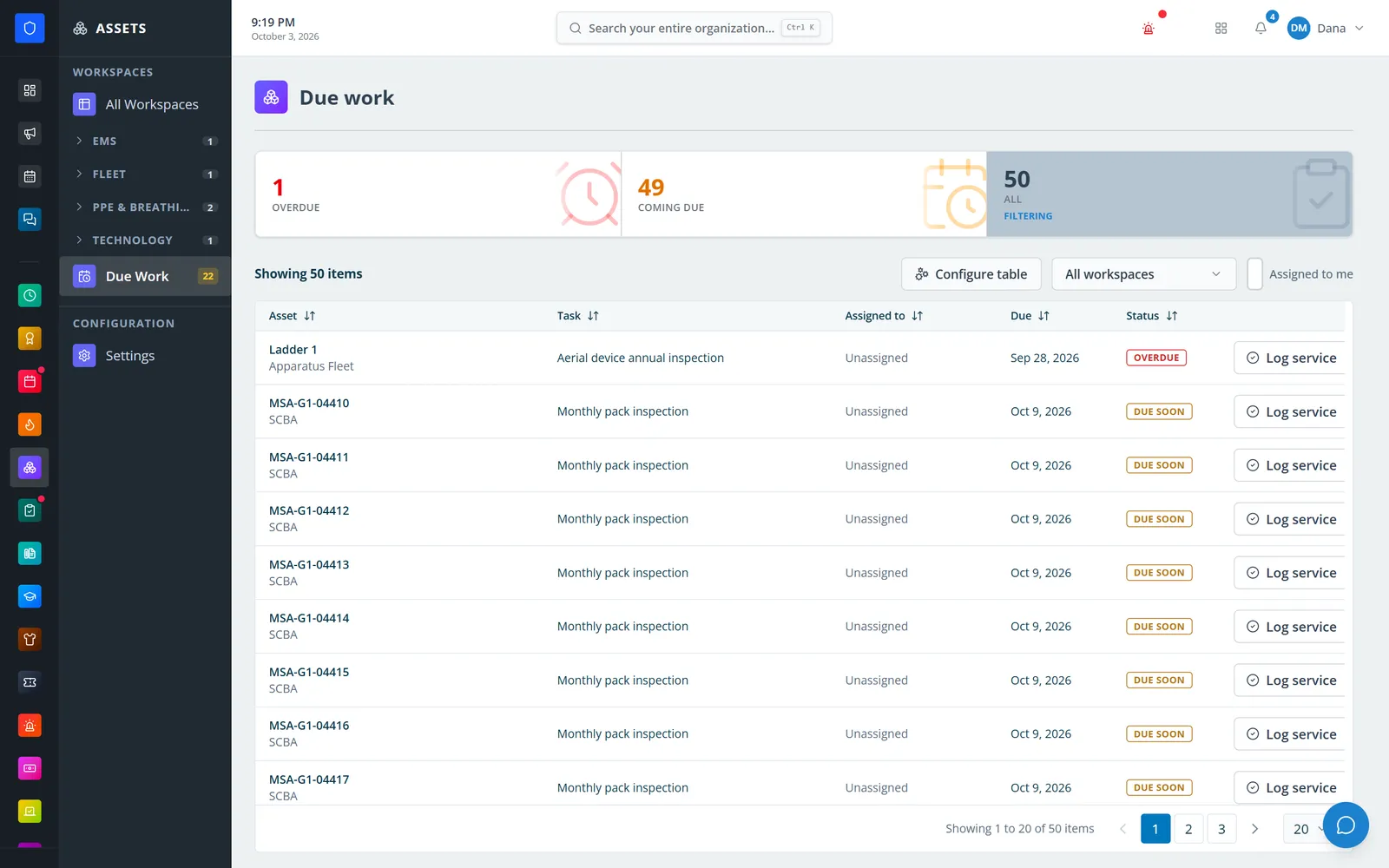
Overdue and coming-due maintenance across every workspace, with Log service on each line.
Scan an asset, see what needs service, and open any workspace.
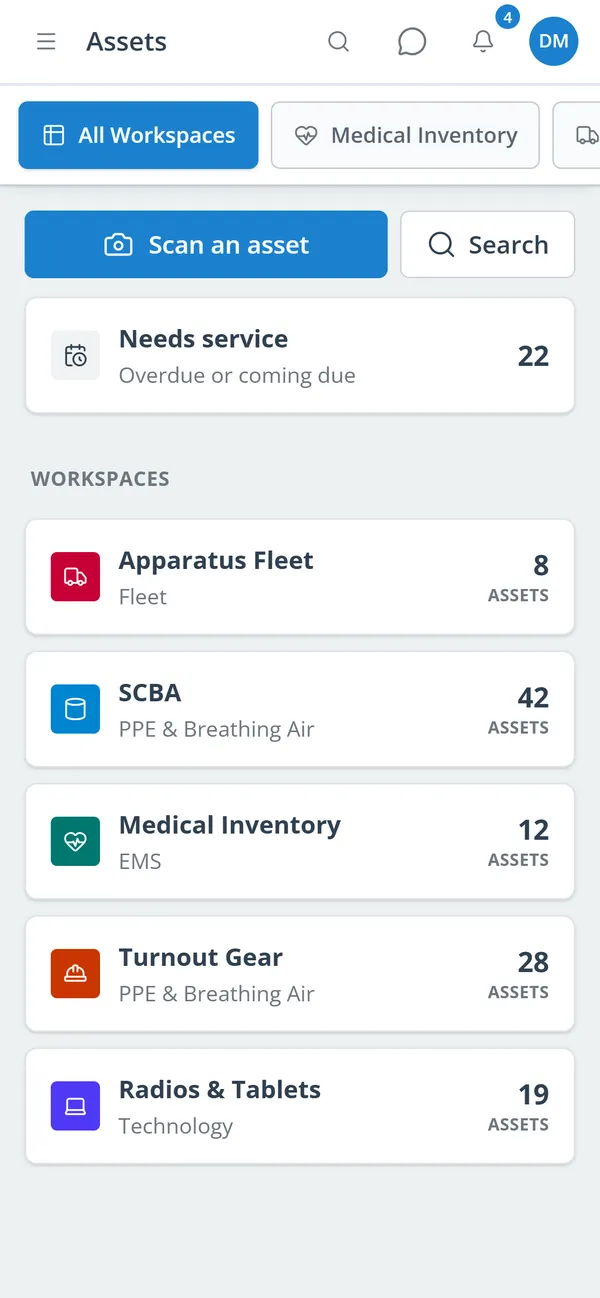
Apparatus Fleet, Apparatus Equipment, SCBA, Medical Inventory, Turnout Gear & PPE, Equipment, Technology, or custom.
Add records one at a time, in bulk, or from a CSV import you review first.
Add expiration thresholds and recurring maintenance tasks.
Log service and review each record’s files, history, and alerts.
Separate registers with their own fields, icon, color, and sidebar group.
Including expiration, barcode, currency, personnel, station, and apparatus fields, with roles like status and assigned member.
Full-screen phone scanner with torch and typed fallback, plus USB keyboard-wedge scanners.
Role and member notifications with priority, email, and custom messages.
Every N days, weeks, or months, with backdated completions, notes, and per-value conditions.
Everything overdue or coming due across workspaces, with Log service on each line.
Details, attachments, assignment, service, checklist alerts, and field-level history.
Scan an asset, see what needs service, and open any record from a phone.
Members keep one secure sign-in and one set of role permissions across every module you turn on.
Asset inventory now lives in custom workspaces. Station and apparatus fields use your department’s Definitions lists.
Yes. Checks can target workspace records, write results into their history, and mark units out of service.
Yes. Import a CSV, review the rows before they are saved, and export any workspace to CSV later.
Tell us how you handle this work today. We’ll walk you through it in the full Station Clipboard portal.
Need something we don’t have yet? We build custom modules.