Point tracking in spreadsheets
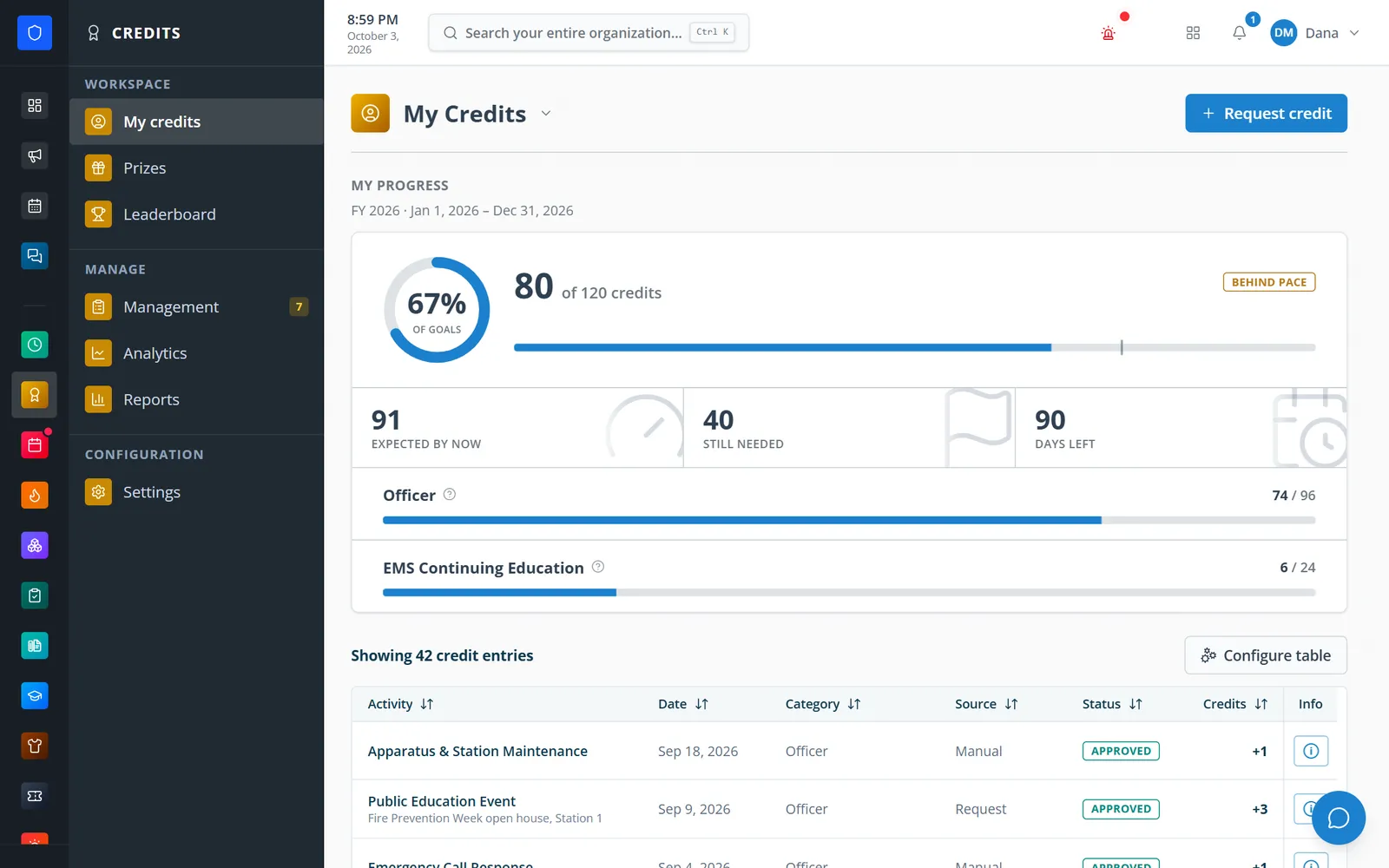
Every credit is an entry with a status, source, and snapshot of its activity.
Activities, stacked goals, periods, requests, a leaderboard, a prize catalog, and automatic credit from Time Clock shifts.
Define the activities that earn credit, the member categories that set goals, and the periods those goals reset on. Members see their pace against each goal, request credit, climb the leaderboard, and redeem prizes, while officers approve requests from one queue, award or void entries, and let Time Clock rules award shift credit automatically.
Every credit is an entry with a status, source, and snapshot of its activity.
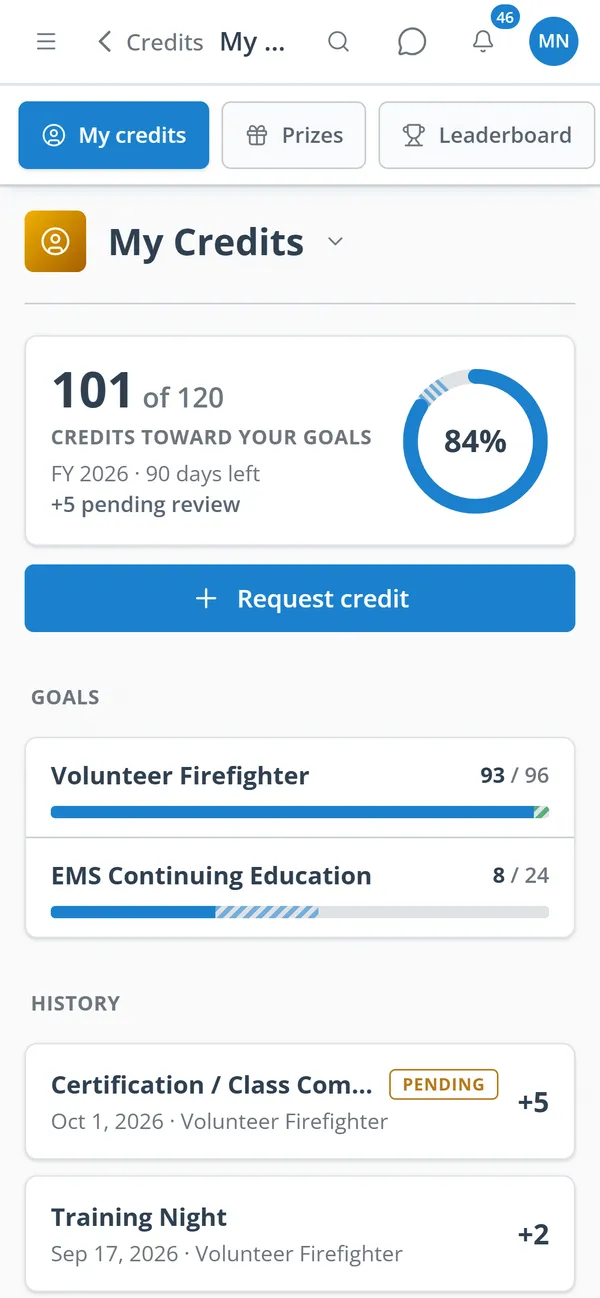
Members see each goal, how far along they are, what they should have by now, and the days left.
Time Clock rules award credit per shift, per hour, or per interval.
A leaderboard and prize catalog make participation visible and rewarding.
Real screens from Station Clipboard, shown with a sample department.
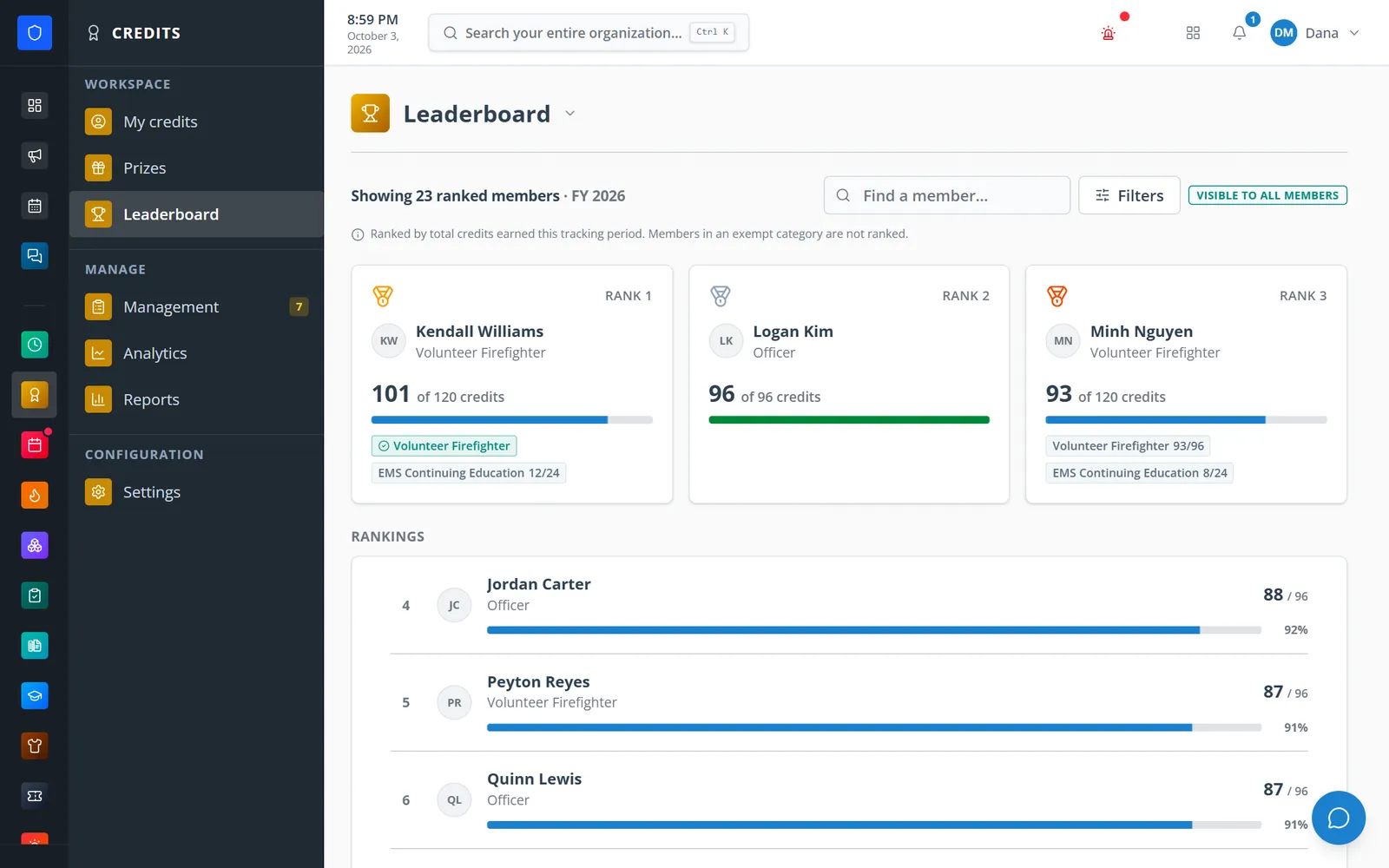
The year’s top earners and full rankings, with each member’s goals alongside.
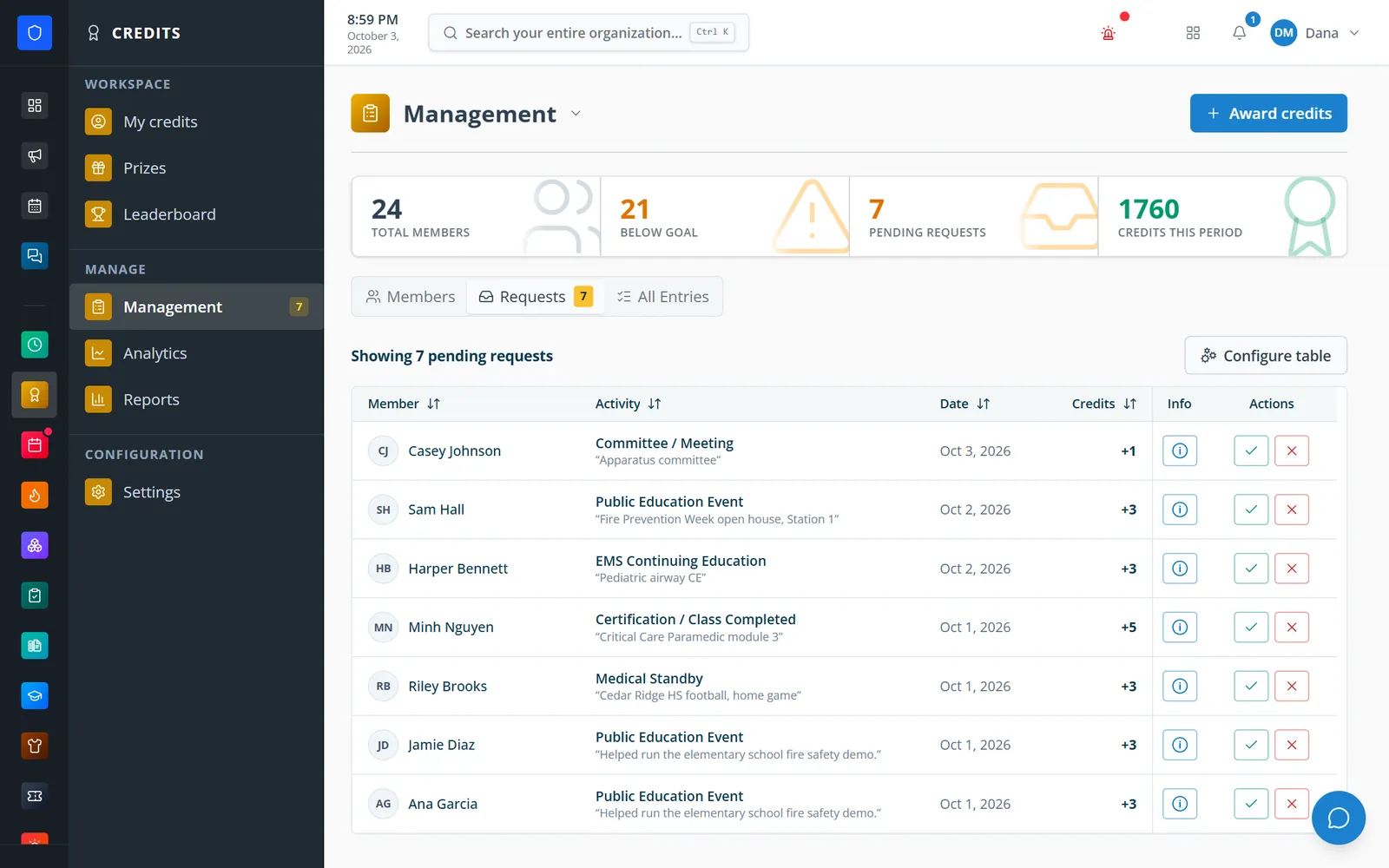
Pending requests with the member’s note, approved or denied in one click.
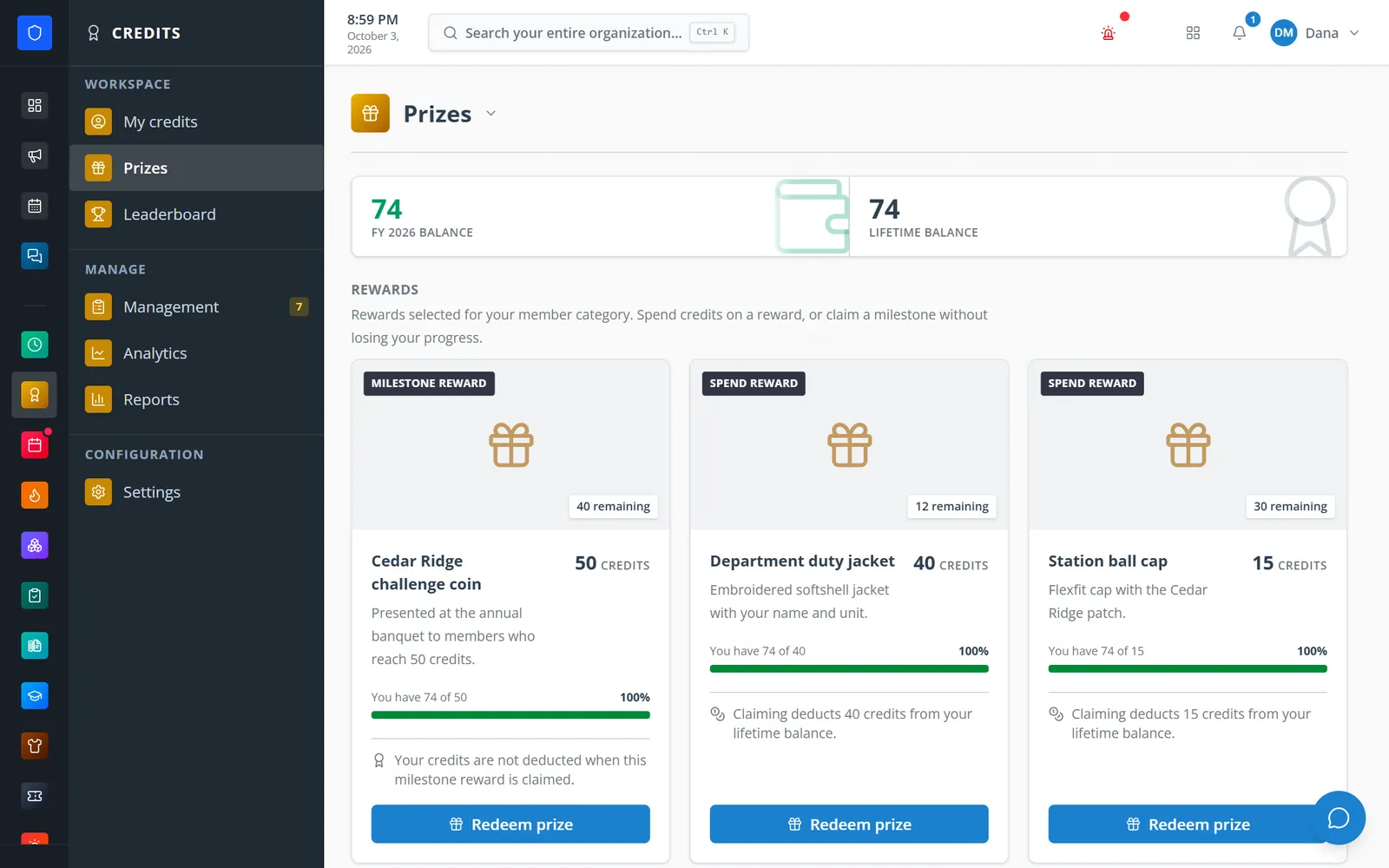
Spend or milestone rewards with stock left and how close you are.
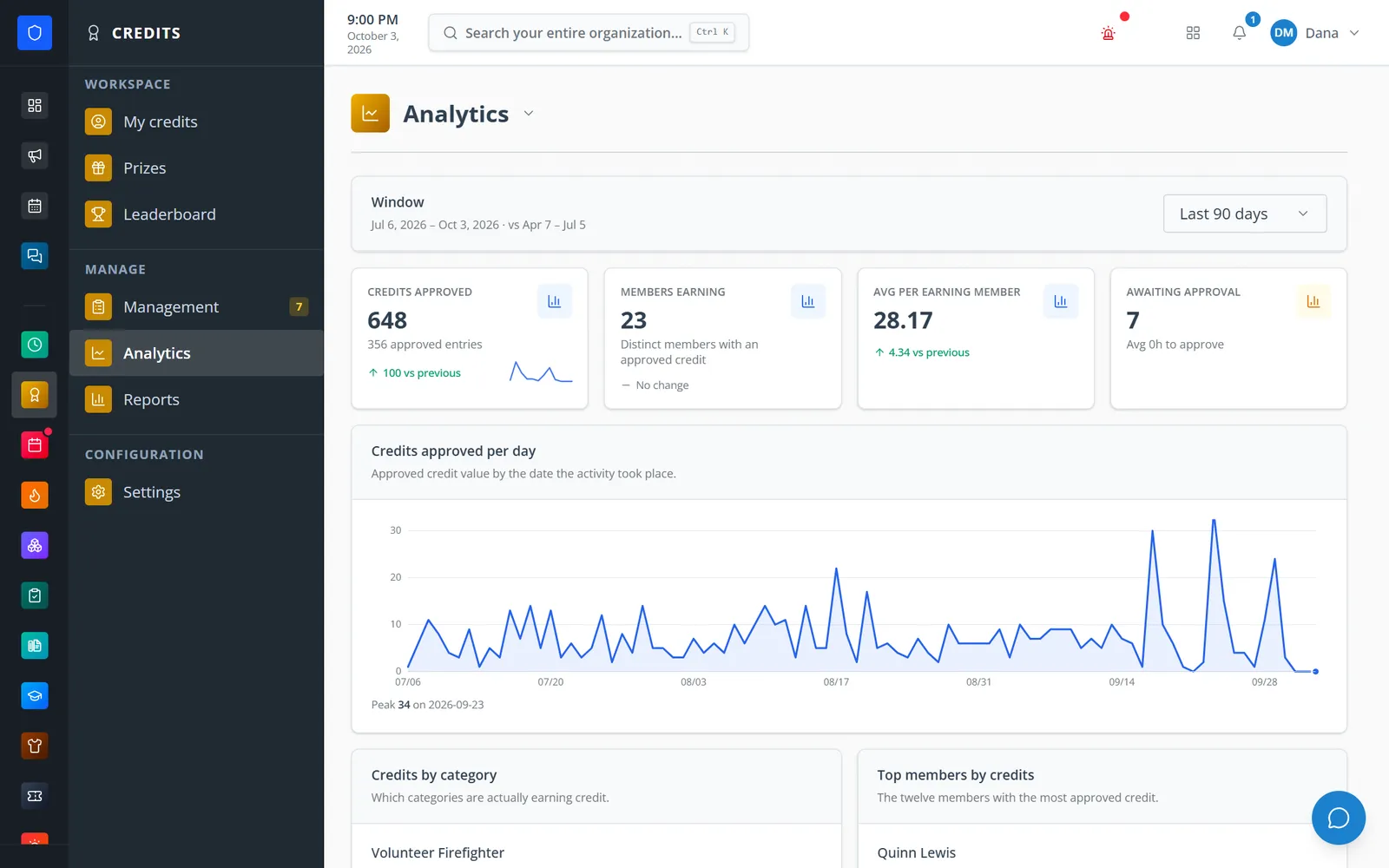
Credits approved per day, members earning, and requests waiting on approval.
Members check their goals and request credit from anywhere.
Set activity types, categories with goals, and the period cadence.
Credit comes from member requests, officer awards, or Time Clock rules.
Officers approve or deny requests from one queue, with notes when your policy requires them.
Leaderboard, prize redemptions, analytics, and PDF/CSV reports.
Default values, hour limits, required notes or approval, and custom request fields.
Each member can carry several goals — for example an overall goal and an EMS continuing-education goal.
Expected-by-now, still-needed, and days-left figures, with a behind-pace badge.
Filter by category, role, station, job, and hours, with caps and duplicate prevention.
Approve or deny with a tick or a cross; void entries one at a time or in bulk.
Top-three cards and full rankings; hide exempt members, include pending credit, or limit it to admins.
Spend or milestone rewards with stock and per-member limits and a fulfillment queue.
Credits approved per day, members earning, time to approve, and PDF/CSV reports.
Members keep one secure sign-in and one set of role permissions across every module you turn on.
Yes — from completed Time Clock shifts. Other automatic awards can be built with Workflows.
Yes. Assign several categories and each goal shows its own progress bar.
No. The prize catalog is optional and off until you turn it on.
Tell us how you handle this work today. We’ll walk you through it in the full Station Clipboard portal.
Need something we don’t have yet? We build custom modules.