The fiscal year isn’t January
Every year uses your own start date and your own year label.
Your budget as an editable sheet: any fiscal year, your own GL codes, spending pace against the calendar, prior-year comparison, and exports.
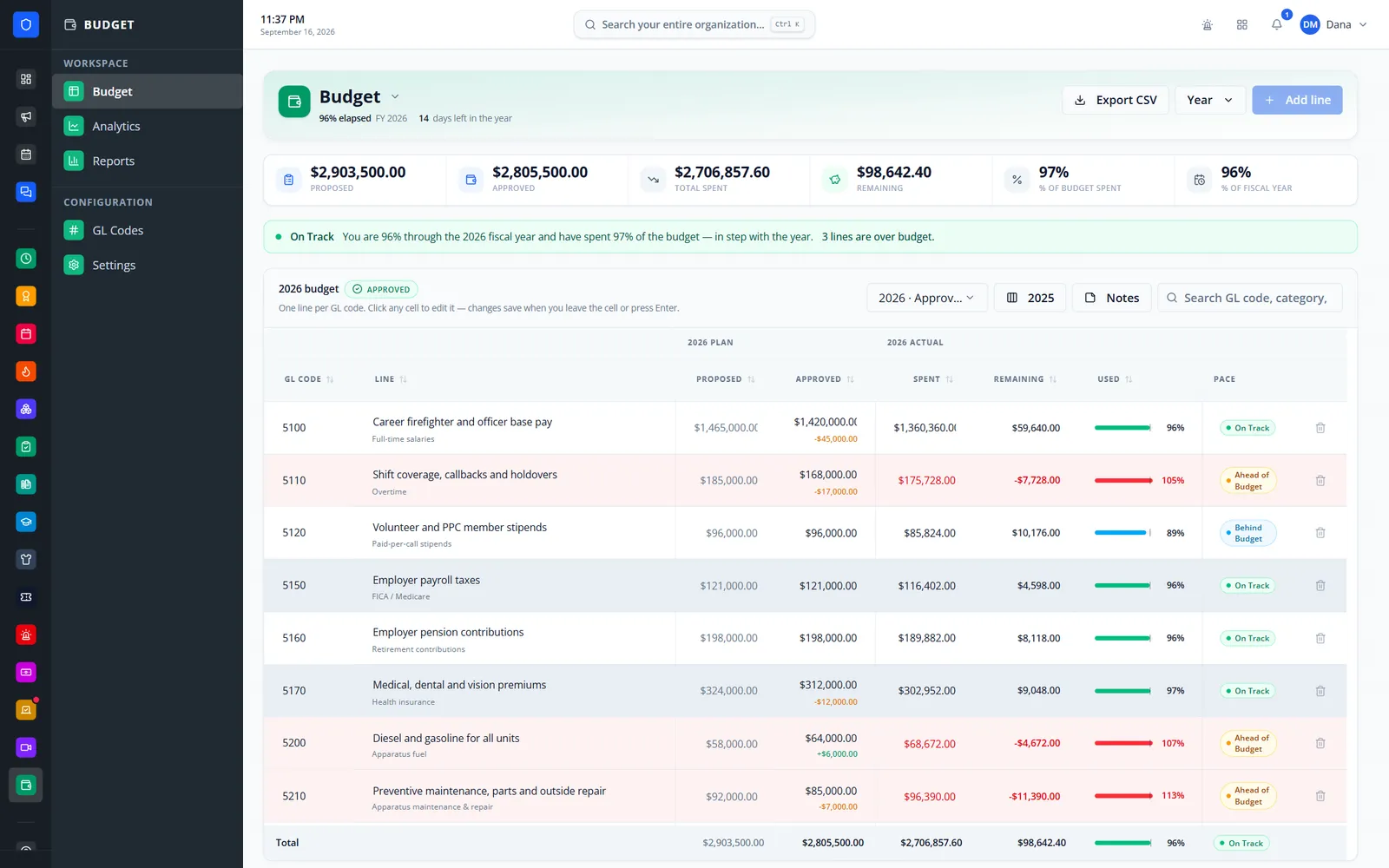
Your department budget as a spreadsheet, not an accounting package. Set the fiscal year your municipality actually uses, build your own GL codes, and type figures straight into the sheet — which shows what you asked for, what was approved, what you’ve spent, what is left, how far through the year you are, and which lines are spending ahead of the calendar.
Every year uses your own start date and your own year label.
Each line is labeled Ahead, On Track, or Behind against the percent of the year gone, within a tolerance you set.
Start a new year by copying GL codes forward and seeding proposed amounts.
Proposed and approved amounts sit side by side with the difference shown.
Real screens from Station Clipboard, shown with a sample department.
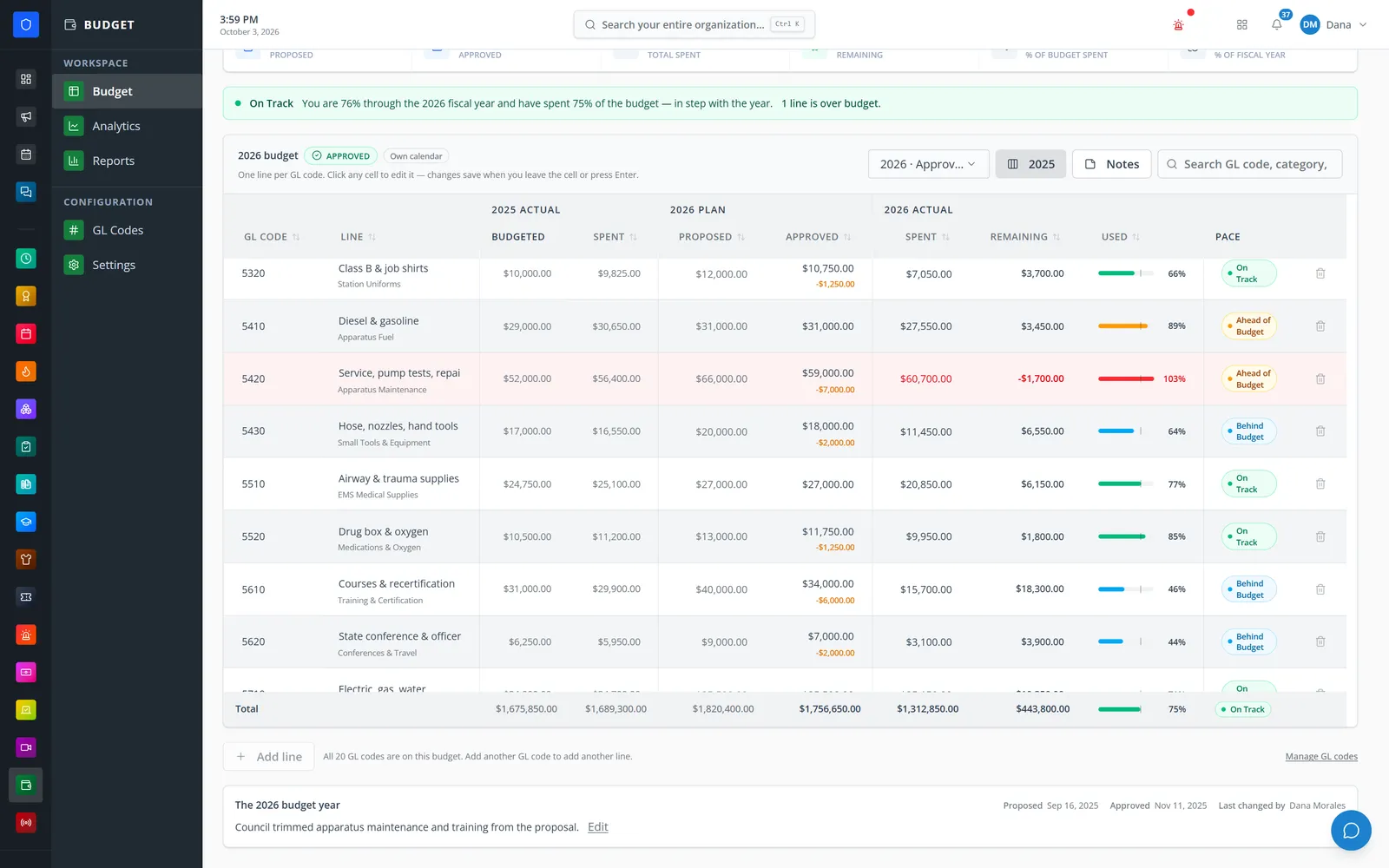
Turn on last year’s budgeted and spent columns while you track this year.
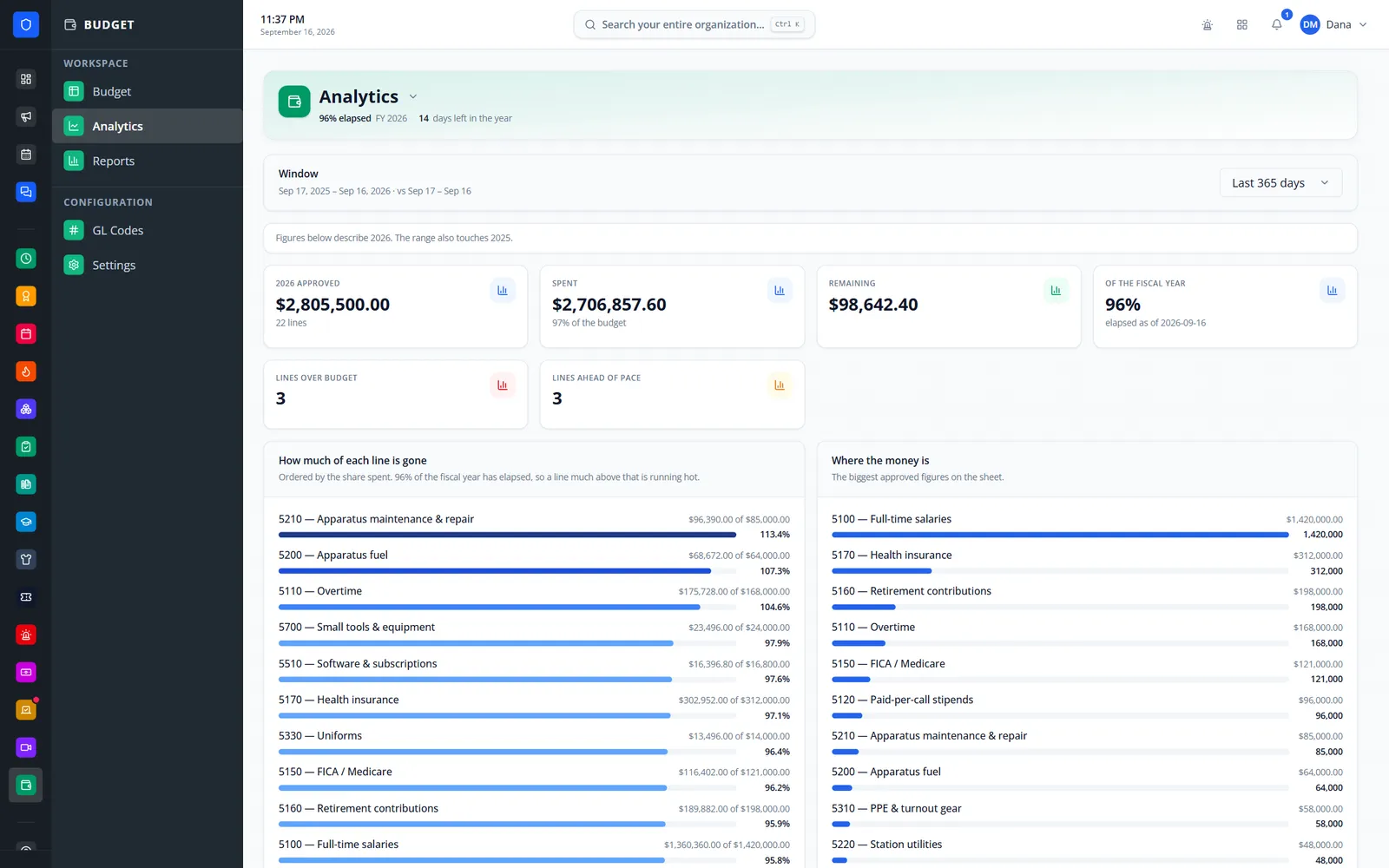
How much of each line is gone, ordered by share spent, and the biggest approved figures.
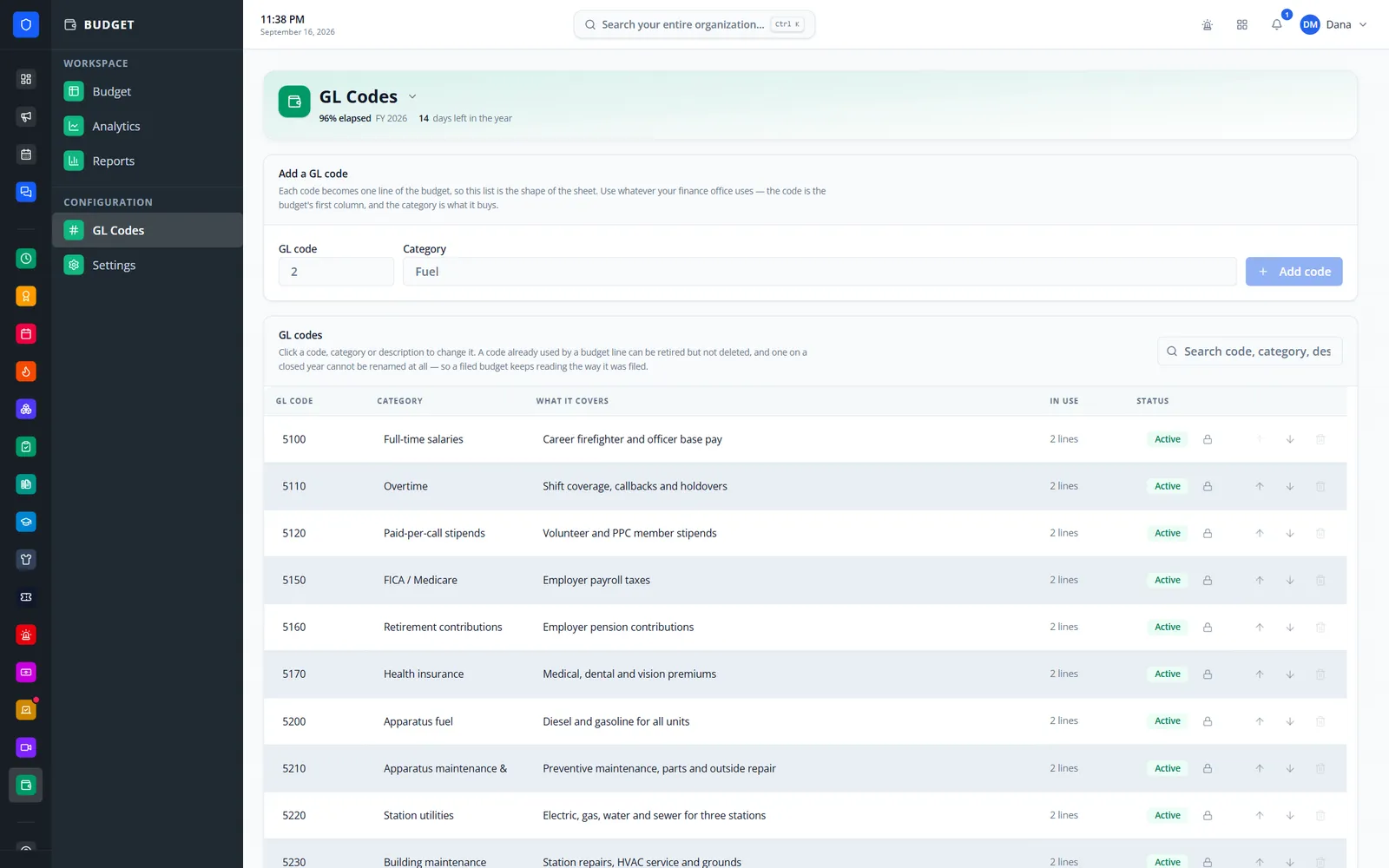
Codes, categories, what each covers, and how many budget lines use them.
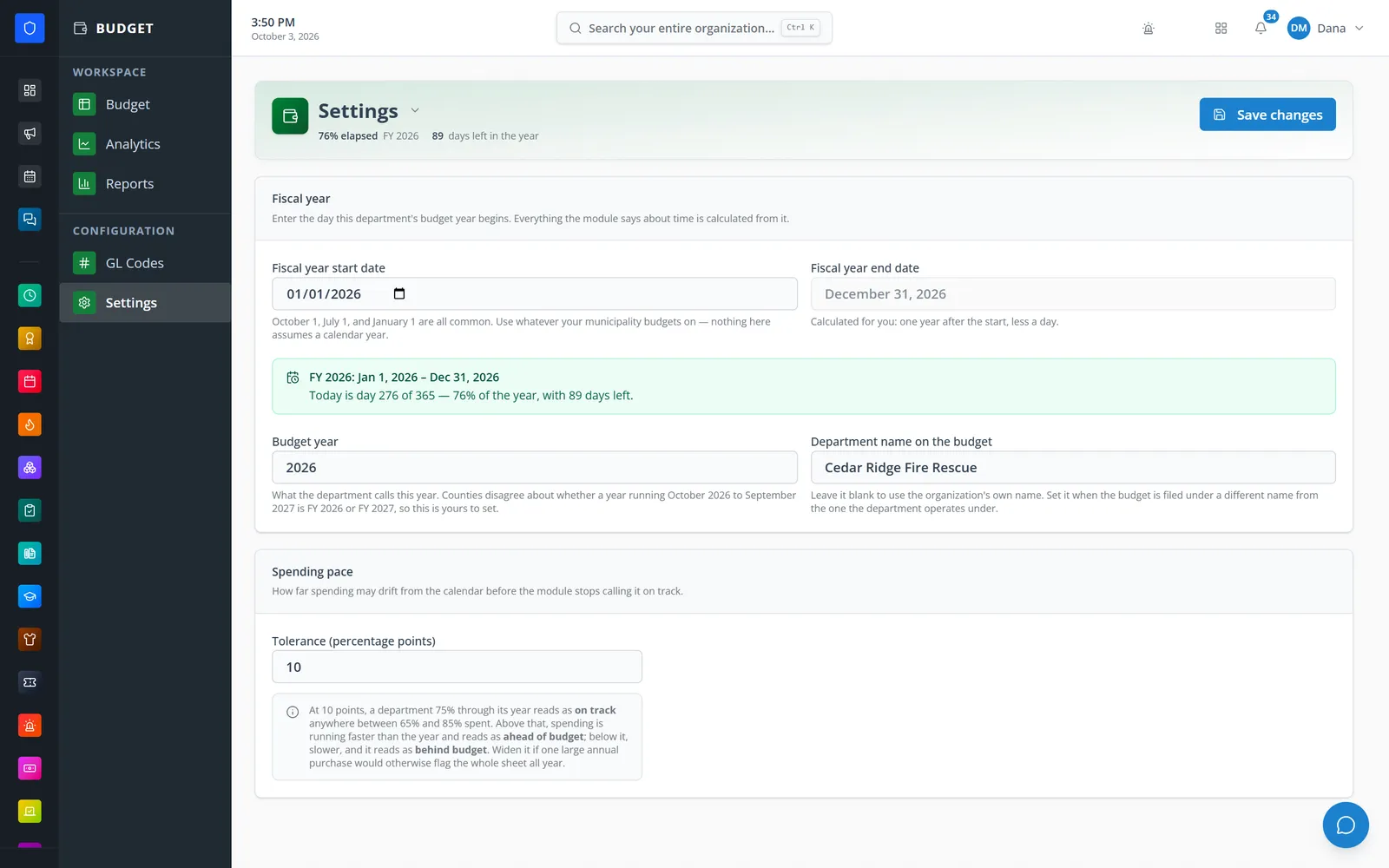
Set the start date and year label; the module works out the end, the day of the year, and pace tolerance.
Enter your fiscal-year start date, year label, and pace tolerance.
Each code is one line of the budget.
Type proposed, approved, and spent amounts directly into the sheet.
Watch pace, compare with last year, export, and close the year to lock it.
Saves as you go, accepts “$1,205”, and updates totals immediately.
On track, ahead, behind, and over-budget flags with a year-progress notch.
Show last year’s budgeted and spent columns alongside this year.
Draft, proposed, approved, and closed, with a note on each year — closing locks the sheet.
Copy codes into a new year and seed amounts from last year.
Codes in use are retired rather than deleted, and codes on a closed year keep their names.
Approved, spent, remaining, lines over budget or ahead of pace, and where the money is.
Saved reports with CSV and PDF exports, plus an activity log of every figure changed.
Members keep one secure sign-in and one set of role permissions across every module you turn on.
No. Spending is a number your team enters — Budget is a planning and tracking sheet, not accounting software.
Yes. Set any start date. The module works out the end date, the day of the year, and how much time is left.
Yes. Turn on the prior-year columns to see last year’s budgeted and spent amounts beside each line.
Tell us how you handle this work today. We’ll walk you through it in the full Station Clipboard portal.
Need something we don’t have yet? We build custom modules.