Attendance lives on paper
Take the roster in the portal, mark who attended, and award hours and CE in one step.
Training events, rosters, hours and CE, self-logged drills, certificates, requirements by role, a readiness matrix, analytics, and audit-ready exports.
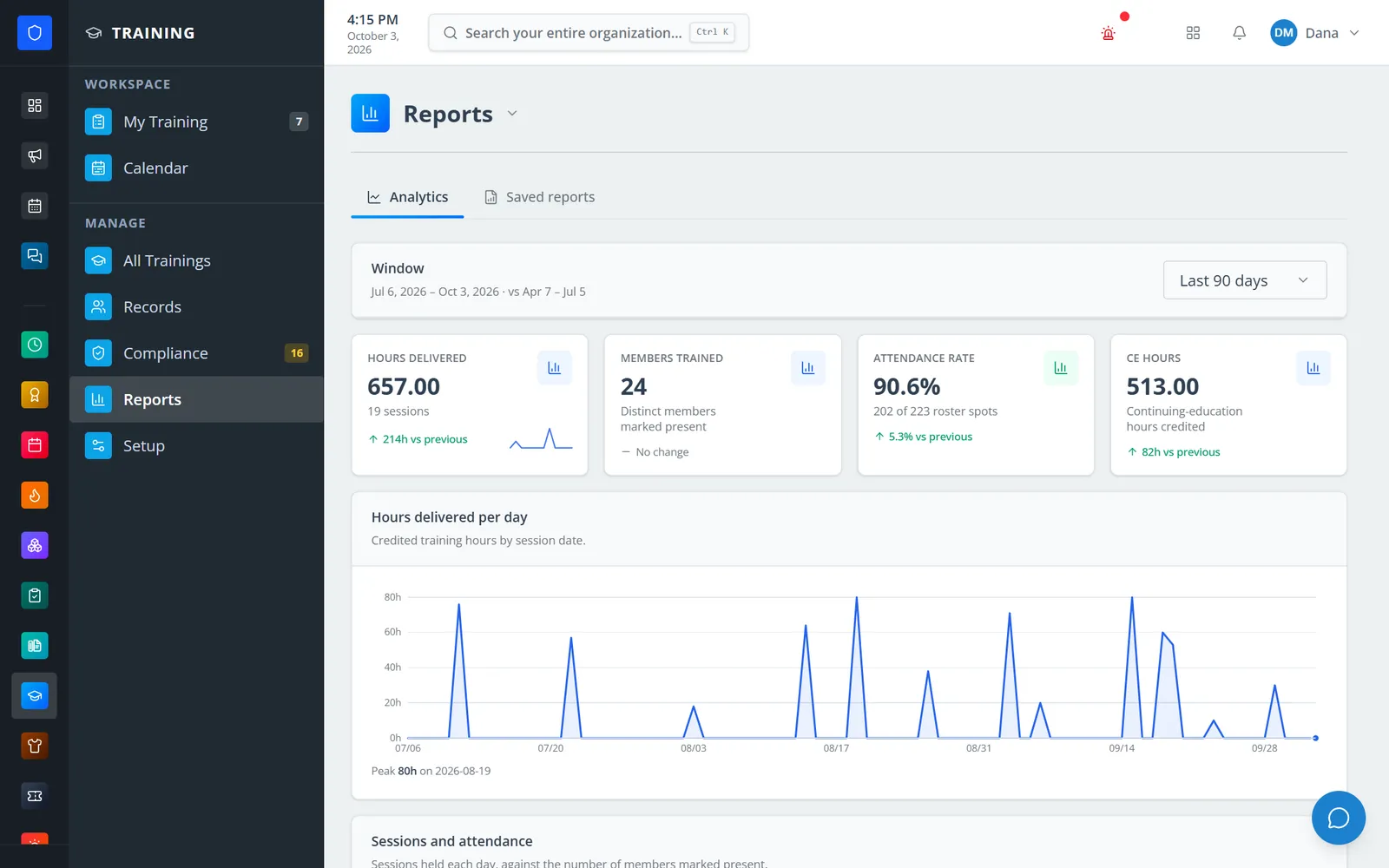
Schedule a session for the roles that need it, take the roster, and close it out so hours and CE are credited on the spot. Requirements set by role or certification feed one readiness table that shows who is compliant and who is short, members log their own shift drills and outside classes for an officer to approve, and every record exports to PDF or CSV.
Take the roster in the portal, mark who attended, and award hours and CE in one step.
Members log a drill or an outside class from their phone, crew included, and an officer approves it from a queue.
A readiness table shows each member against each requirement, and what is still short before the cycle closes.
Export individual records and department reports for audits, grants, and ISO reviews.
Real screens from Station Clipboard, shown with a sample department.
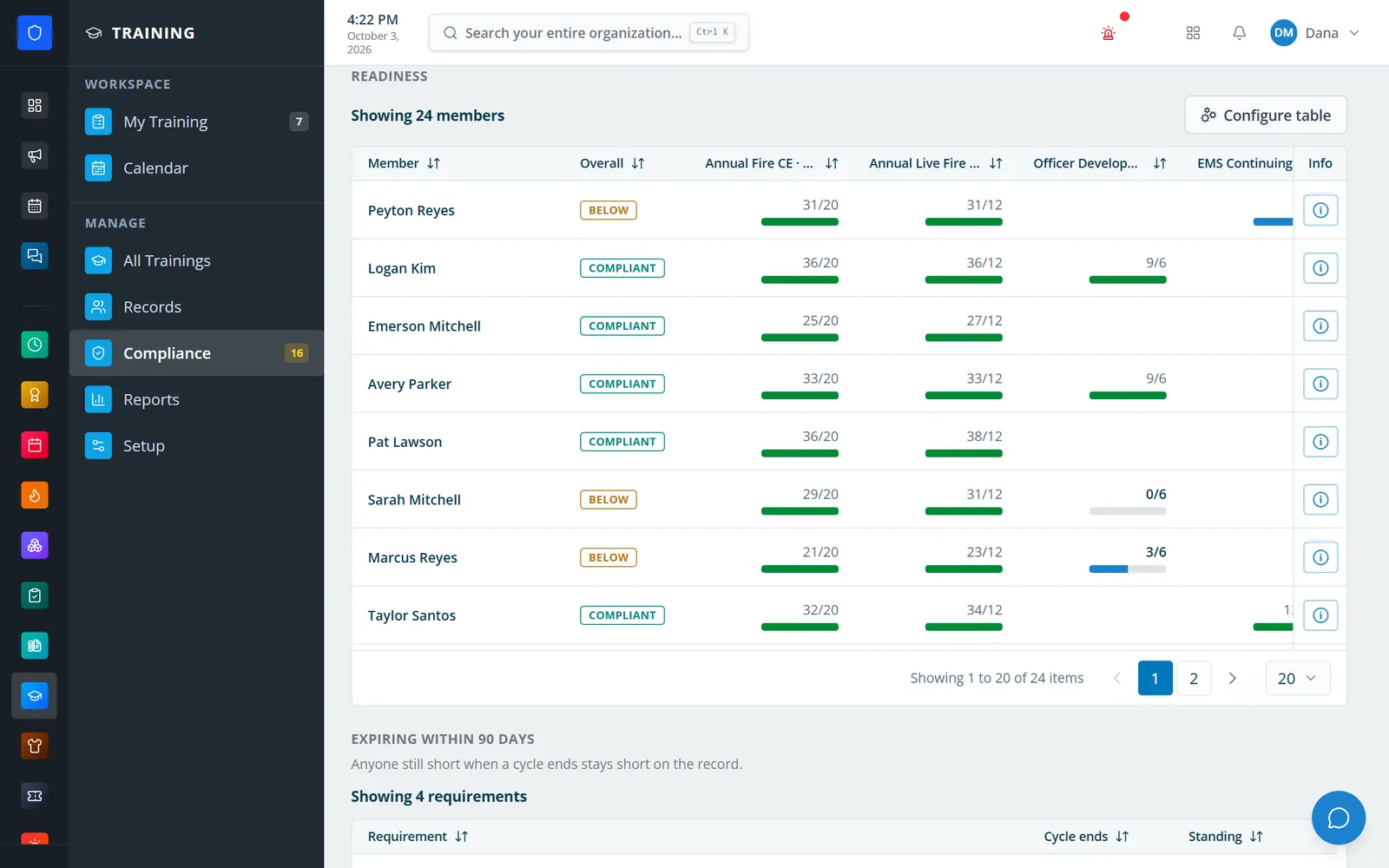
Every member against every requirement, with hours toward each target.
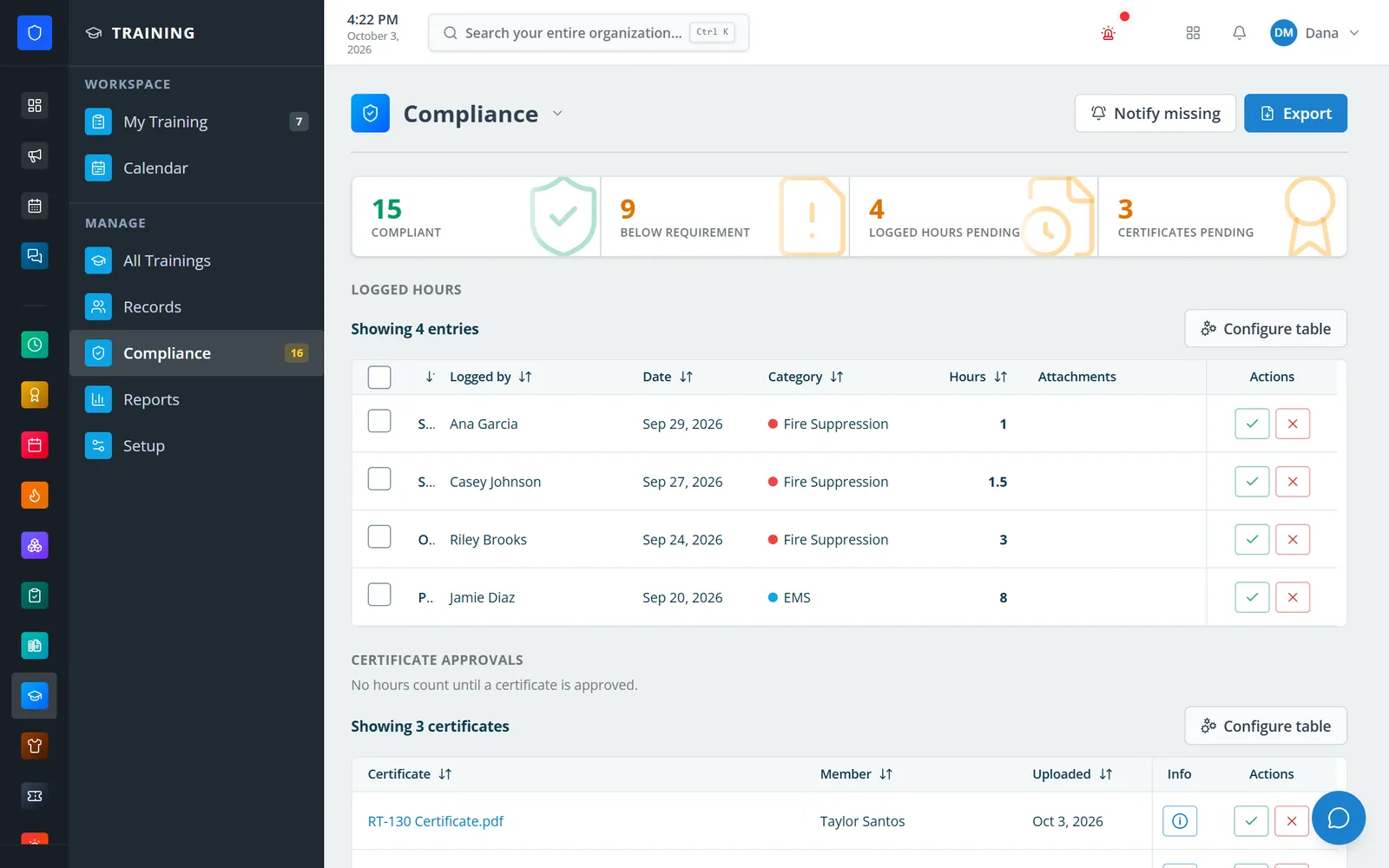
Self-logged hours and certificate uploads waiting on an officer.
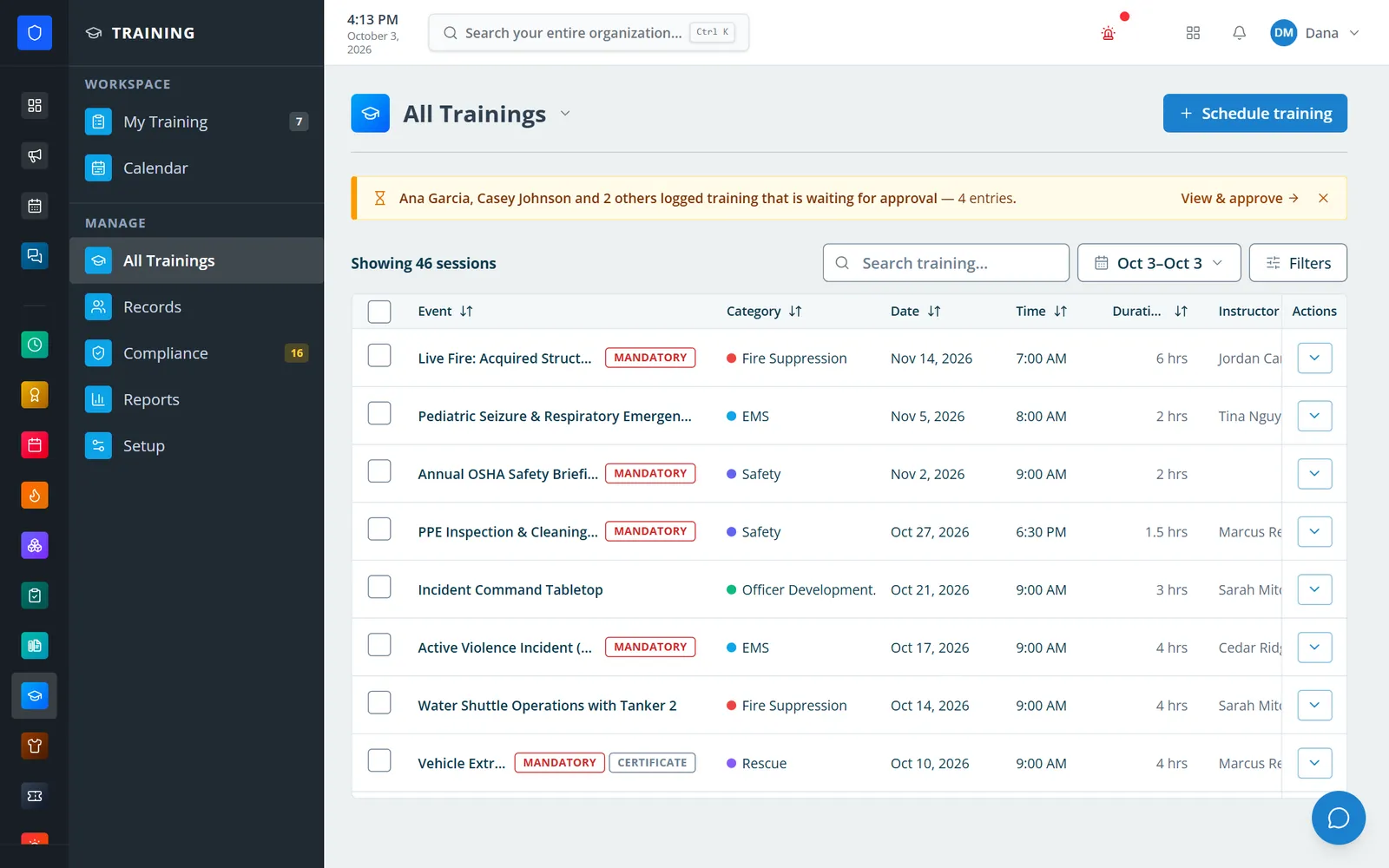
Every session with category, date, instructor, and flags.
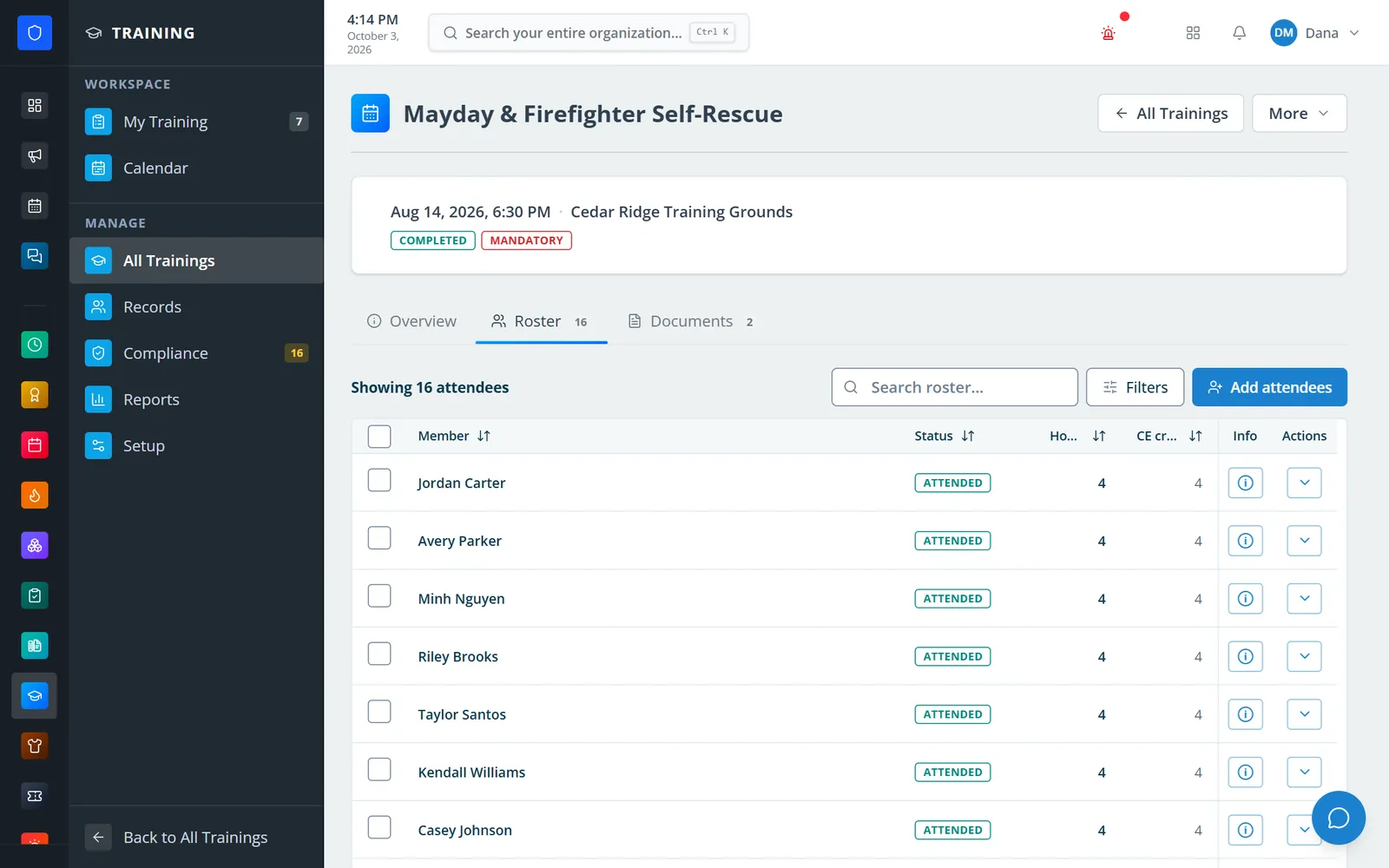
Attendance, hours, and CE credit for a completed mandatory session.
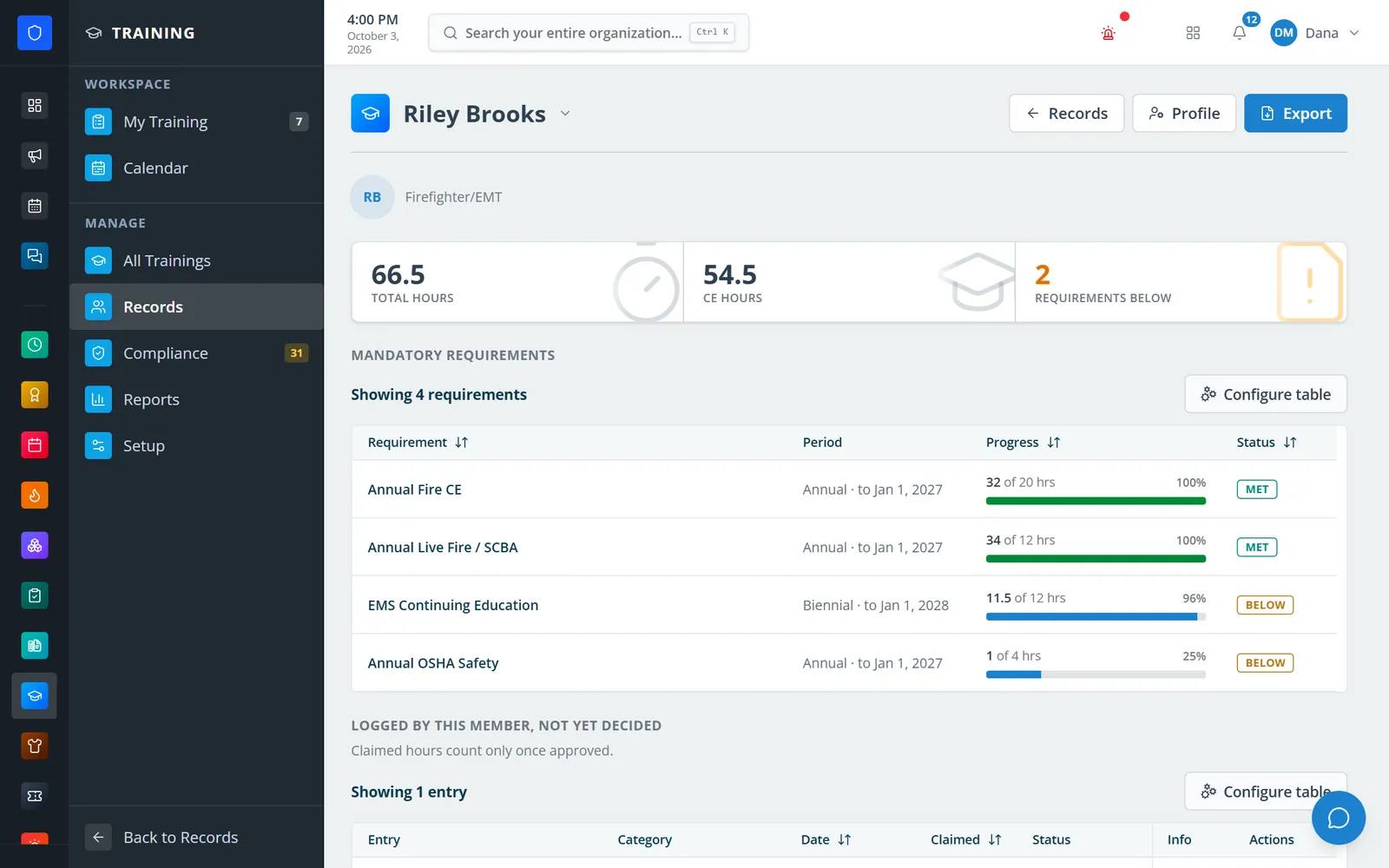
One member’s hours, CE, and standing on each requirement.
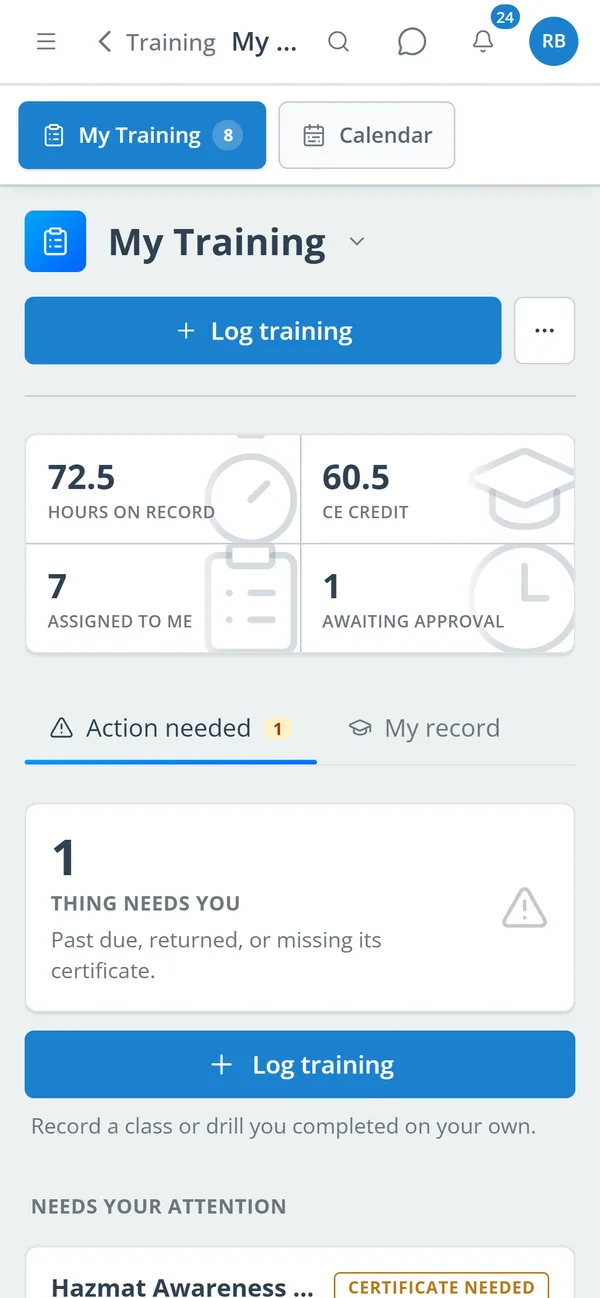
A member’s hours, CE, assignments, and what needs them.
Create the session with category, CE type, instructor, location, and the roles it is for.
Take the roster, mark attendance, and complete the event to award hours and CE.
Attach sign-in sheets and lesson plans, and approve certificates and self-logged hours.
Watch readiness by requirement, notify members who are short, and export the record.
Drafts, publishing to target roles, mandatory and certificate-required flags, outside instructors, and a training calendar.
Bulk attendance, outside attendees, excused and absent marks, and hours and CE awarded on completion.
Members log a drill or outside class, even for their crew, within your limits on hours and backdating; officers approve or return it in bulk.
Member uploads with an approval queue, and hours from a certification can count toward the total.
Hour targets over annual, biennial, rolling, or one-time periods, by category or CE type, for chosen roles or certifications.
Every member against every requirement, an expiring-soon list, and a one-click notice to everyone who is short.
Hours delivered, members trained, attendance rate, and CE hours over any window, plus saved reports.
Individual training records and department reports as PDF or CSV, with your logo and footer.
Members keep one secure sign-in and one set of role permissions across every module you turn on.
Yes, when your department turns it on. A member logs the drill, can add the crew who were there, and it waits for an officer to approve before the hours count.
Each requirement sets hours for a period, by category or CE type, for chosen roles or certifications. The readiness table compares every member against every requirement that applies to them.
An officer can send a notice to every member below a requirement in one click. It does not send reminders on a schedule by itself.
No. Training records what happened at a drill or class. Video courses and tests that members take in the portal are the Courses module.
Tell us how you handle this work today. We’ll walk you through it in the full Station Clipboard portal.
Need something we don’t have yet? We build custom modules.