Applications arrive everywhere
One public hub per pipeline, with every submission in one searchable list.
Formerly Applications Flow
Public Application Hubs, reviewer votes, panel interviews with scorecards, references, Smart Scan review assistance, applicant email, and conversion to personnel.
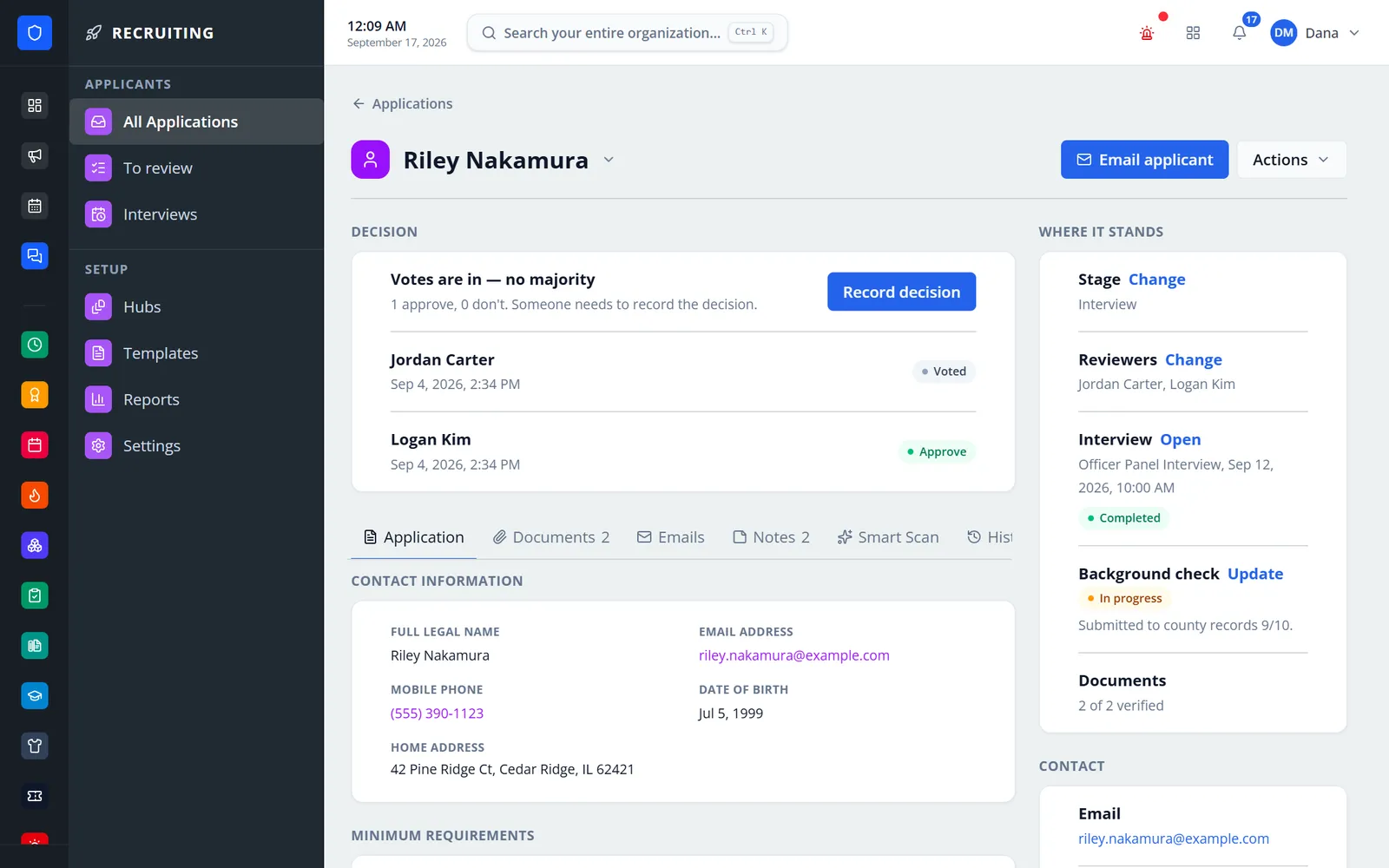
Publish a branded Application Hub for each pipeline, then work every applicant from one record: reviewer votes, documents, a panel interview with weighted scorecards, the background check, notes, and the decision. Applicants apply from any phone without an account and check their status in an email-code applicant portal. Approved candidates become personnel and start onboarding.
One public hub per pipeline, with every submission in one searchable list.
Votes, scorecards, documents, notes, emails, and stage history stay on the record.
An email-code applicant portal shows status, requests, and interview booking.
Convert an approved applicant into personnel and start onboarding.
Real screens from Station Clipboard, shown with a sample department.
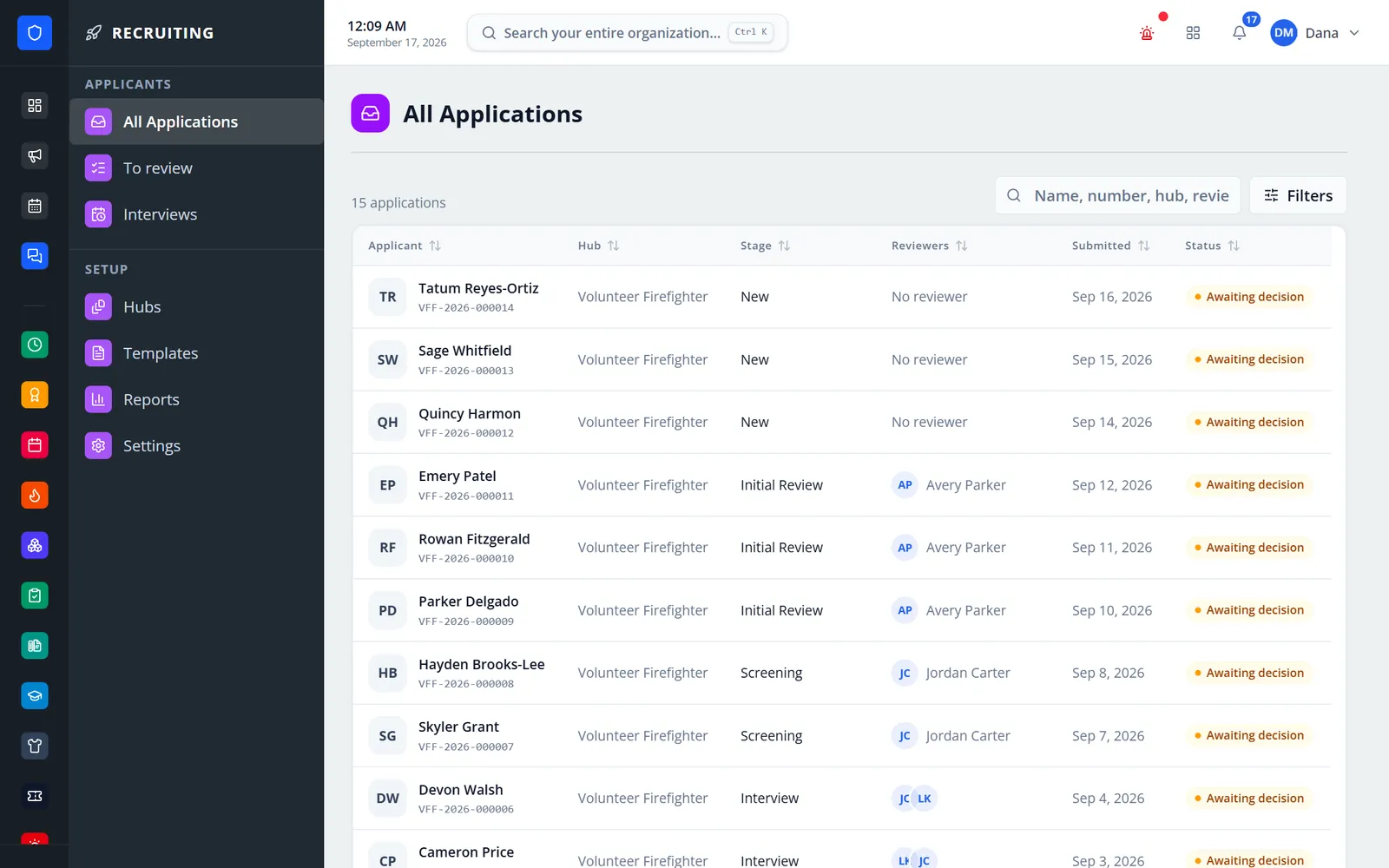
Every hub’s applicants with stage, reviewers, and submitted date.
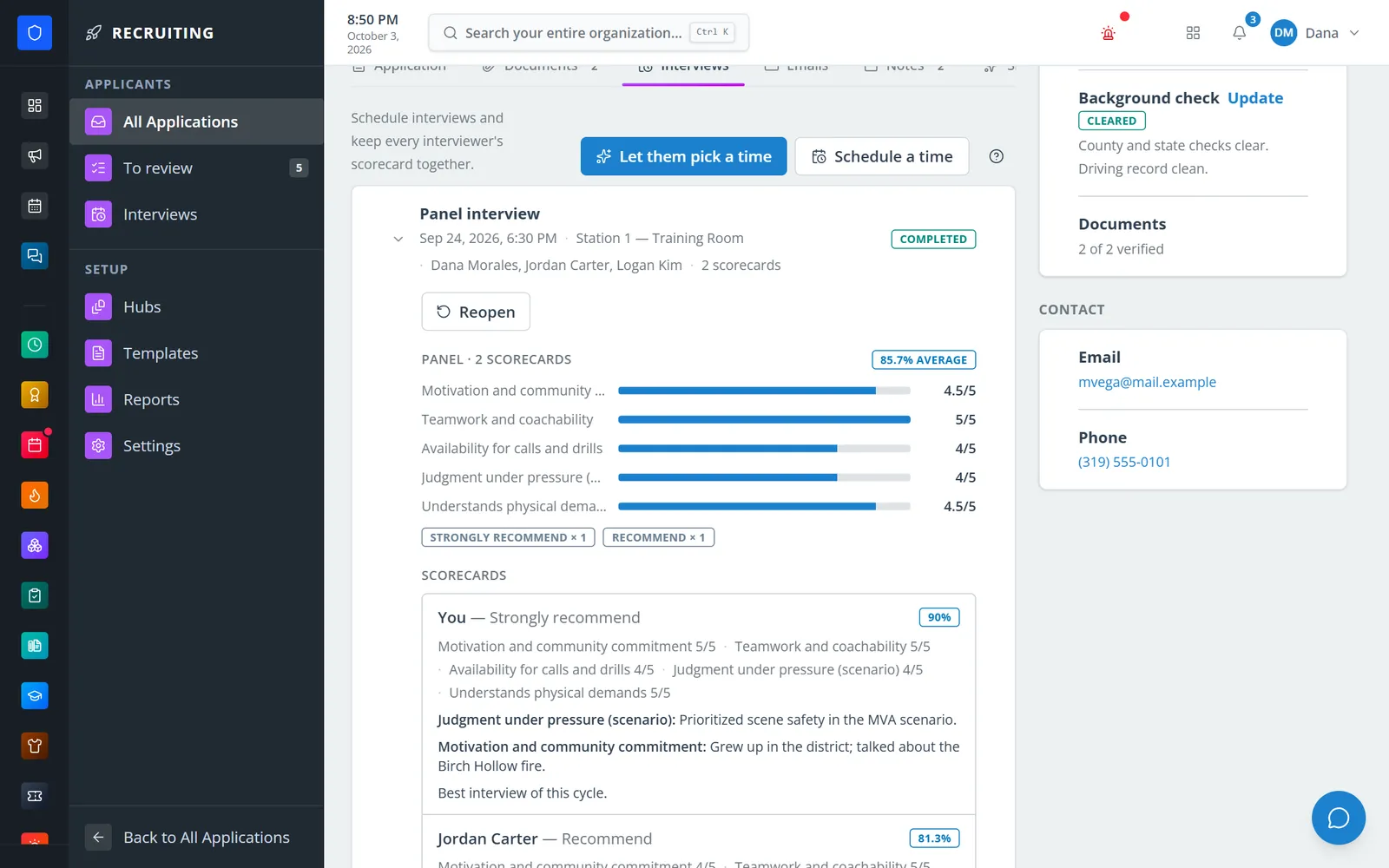
Weighted criteria averaged across the interview panel, with each interviewer’s comments.
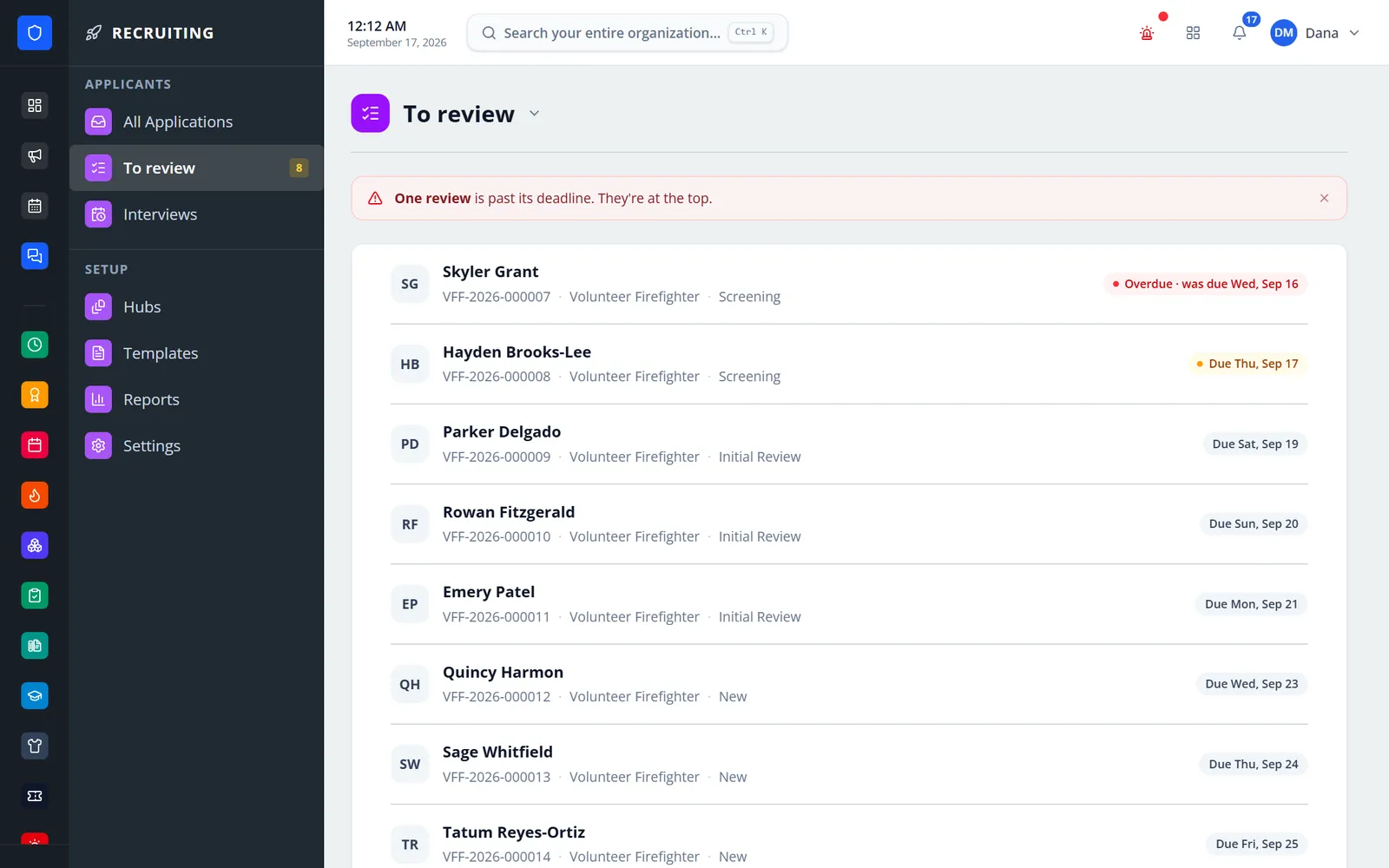
A reviewer’s assigned applications with due dates.
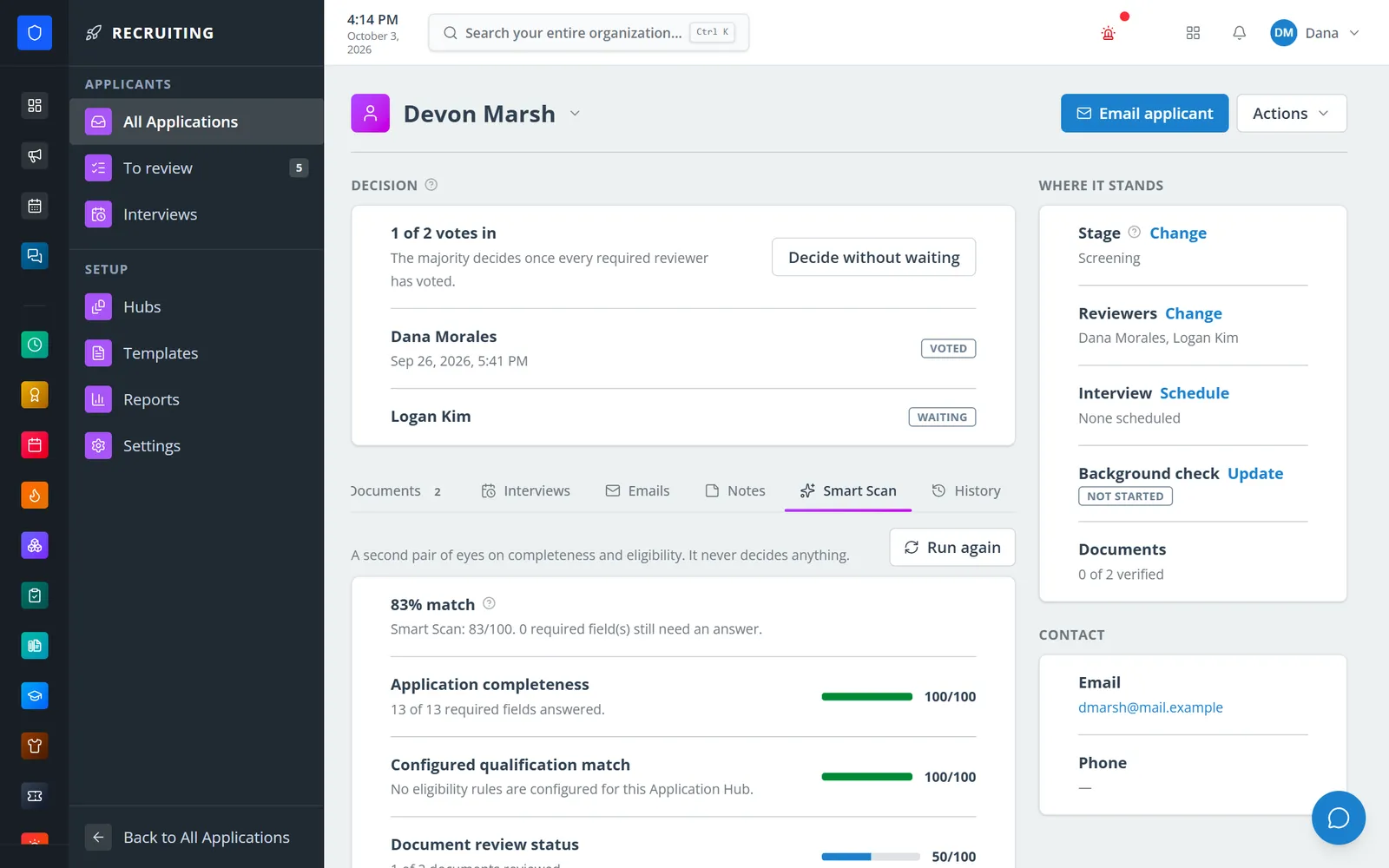
Completeness, configured rules, and document review — advisory only.
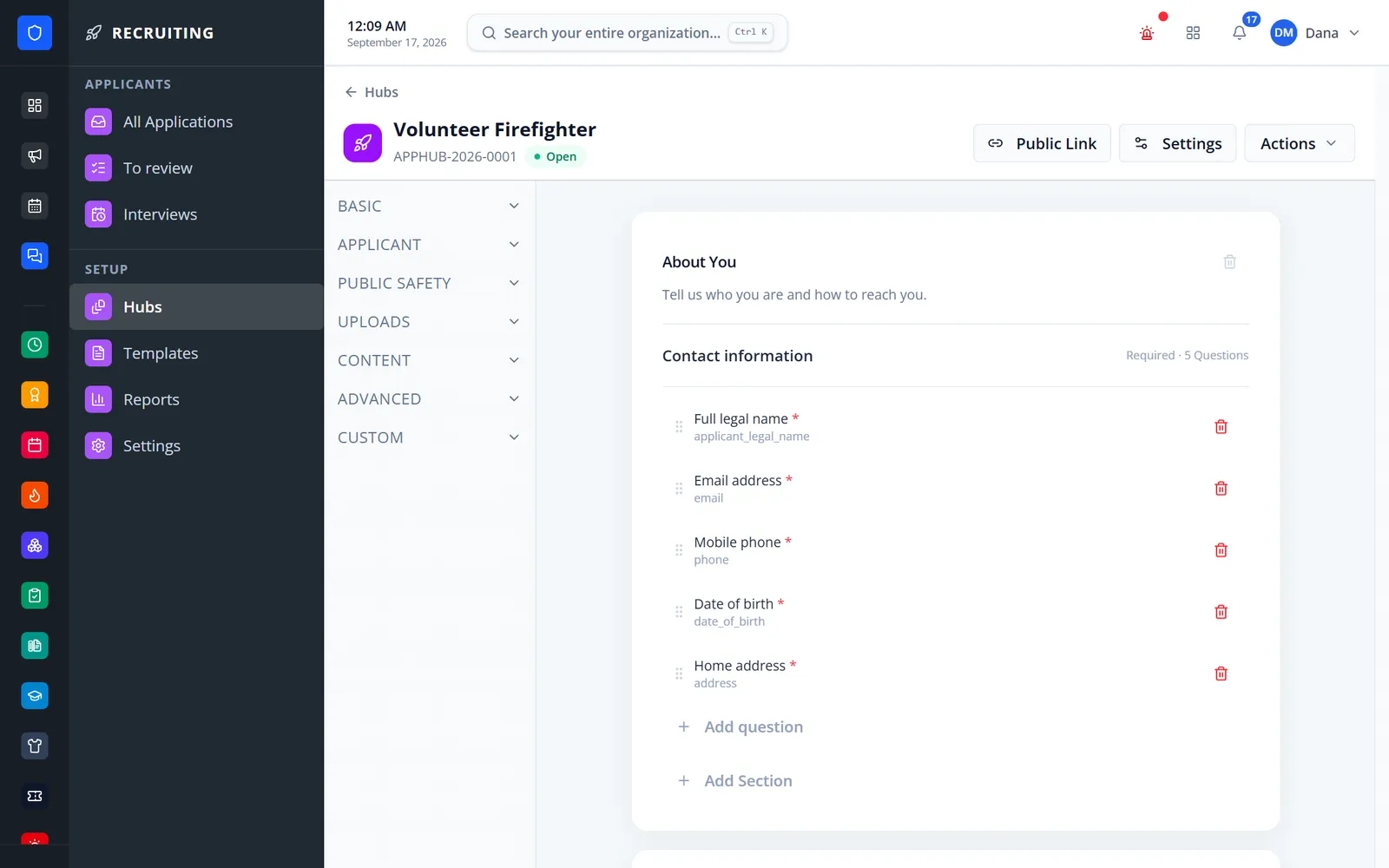
Fire and EMS field types grouped in a palette, with required questions marked.
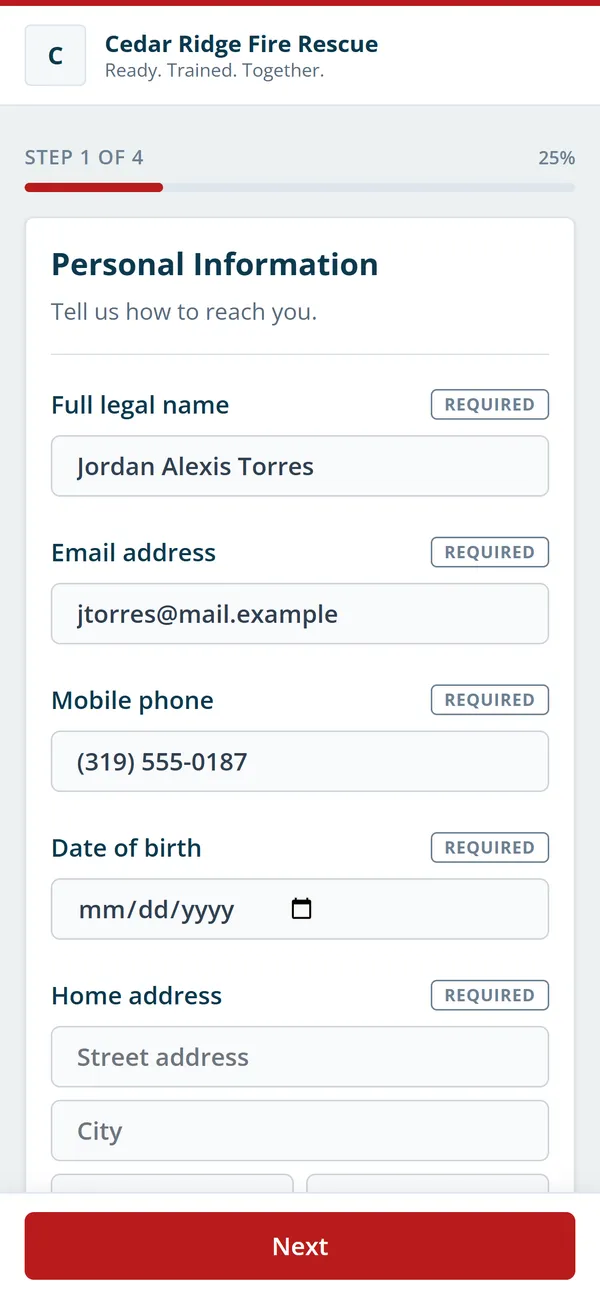
A branded, multi-step application with no account needed.
Pages, sections, fields, stages, branding, dates, reviewer access, and automations.
Applicants apply from any device, save and resume, and upload documents.
Assign reviewers with deadlines, collect votes, and run panel interviews.
Approve, conditionally approve, waitlist, or deny — then hand the person to Core and Onboarding.
About 40 field types, including fire, EMS, and driver certifications, references, uploads, and a typed-name signature.
Filters, tags, stages, reviewers, and counts for what is awaiting a decision or overdue.
Assignments with deadlines, a To review queue, review forms, and a majority that decides once every vote is in.
Panels, weighted scorecards, availability applicants book themselves, no-show tracking, and automatic reminders.
Reference questionnaires, document verification, and single-use replacement links.
Rules-based — not AI — completeness and document checks that raise flags and never decide.
13 template types with variables and attachments, a delivery log, and hub automations that tag, assign, move, or email.
Create the account, assign role, station, and supervisor, and start an onboarding program.
Members keep one secure sign-in and one set of role permissions across every module you turn on.
Yes. Applications Flow is now called Recruiting.
No. Applicants use the public form and an email-code applicant portal.
No. It checks completeness, documents, and the rules you configure, and raises flags for a person to review. Decisions are always made by reviewers or an officer.
Assigned reviewers vote. When every required vote is in and a majority agrees, the application is decided; otherwise an authorized officer records the decision.
Tell us how you handle this work today. We’ll walk you through it in the full Station Clipboard portal.
Need something we don’t have yet? We build custom modules.