Videos played on mute in another tab
The server credits only time it can account for, and playback can pause when the tab loses focus.
Your department’s own video courses, readings, and tests, taken in the portal, with a player that will not credit a skip.
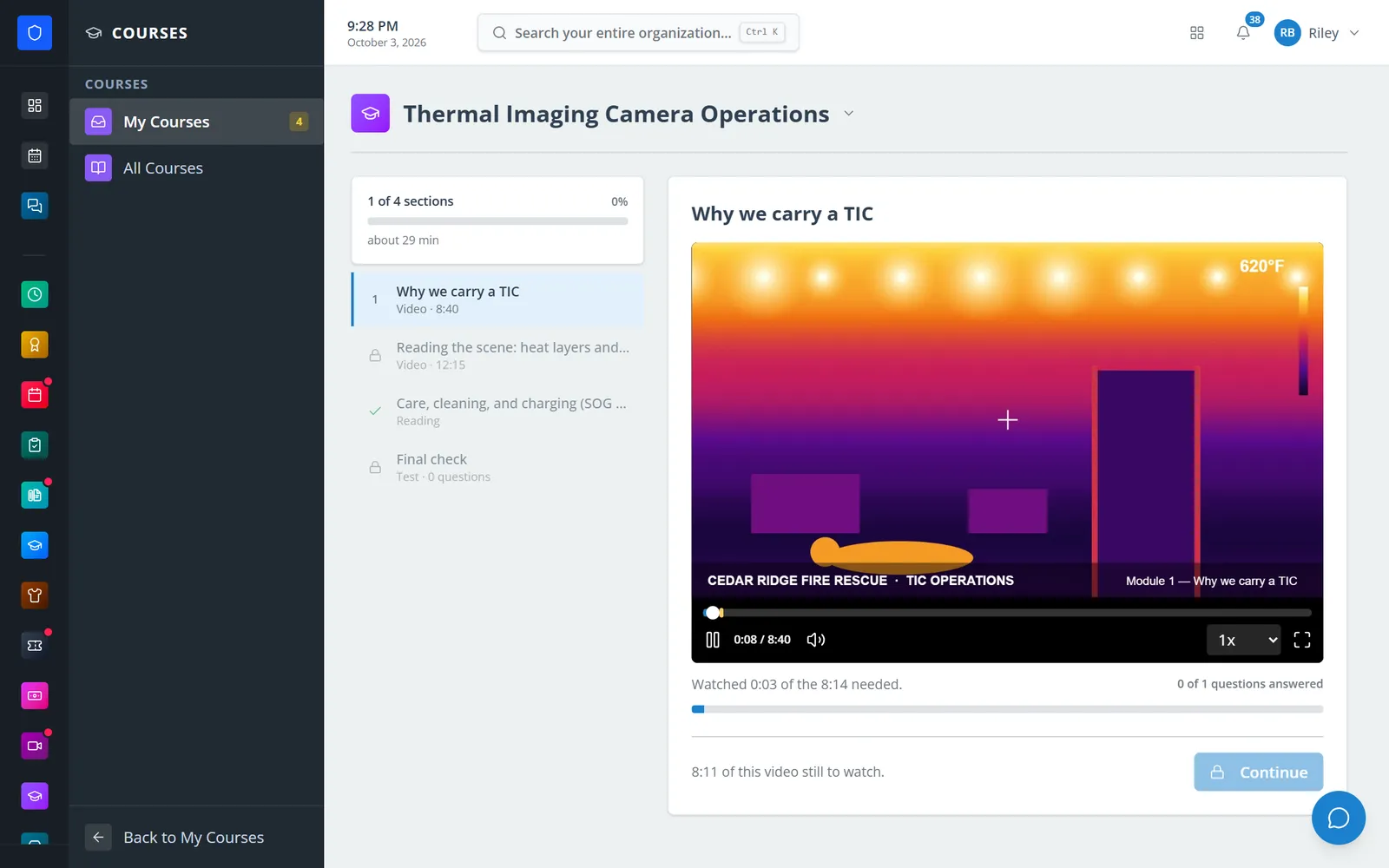
Build a course from videos, readings, files, and tests, assign it to roles, and members take it in the portal on a desktop or a phone. The player keeps its own count of what was actually watched and refuses to credit a jump, questions pinned to a moment in the video stop it until they are answered, and officers see who finished, who is behind, what they scored, and every skip the player refused.
The server credits only time it can account for, and playback can pause when the tab loses focus.
A drag to the end is refused and recorded. The member finishes with nothing.
Progress, scores, and due dates for every member, with overdue counts on every course.
Courses follow the role, so whoever holds it next month is enrolled without anybody remembering.
Real screens from Station Clipboard, shown with a sample department.
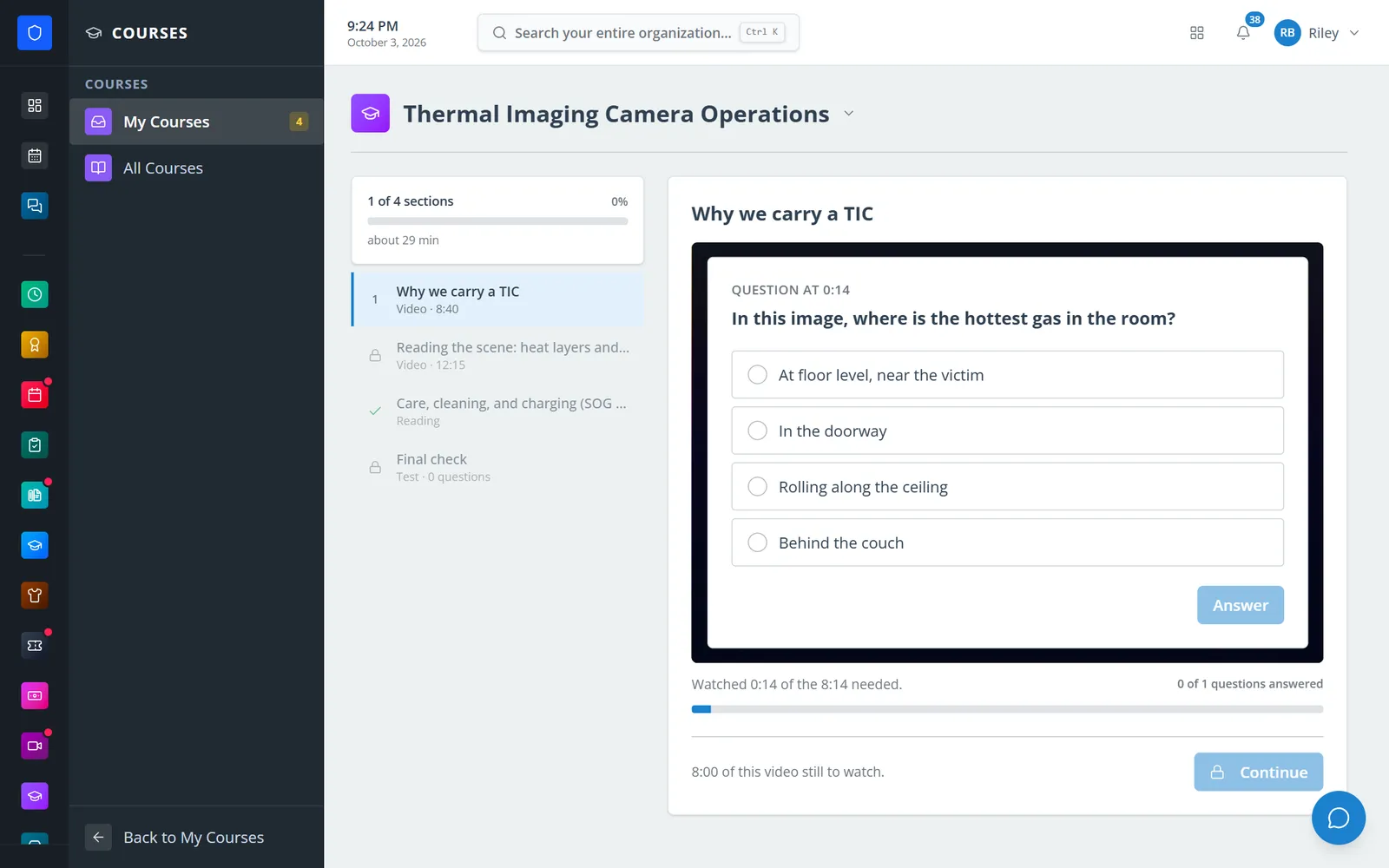
Playback stops at 0:14 until the member answers.
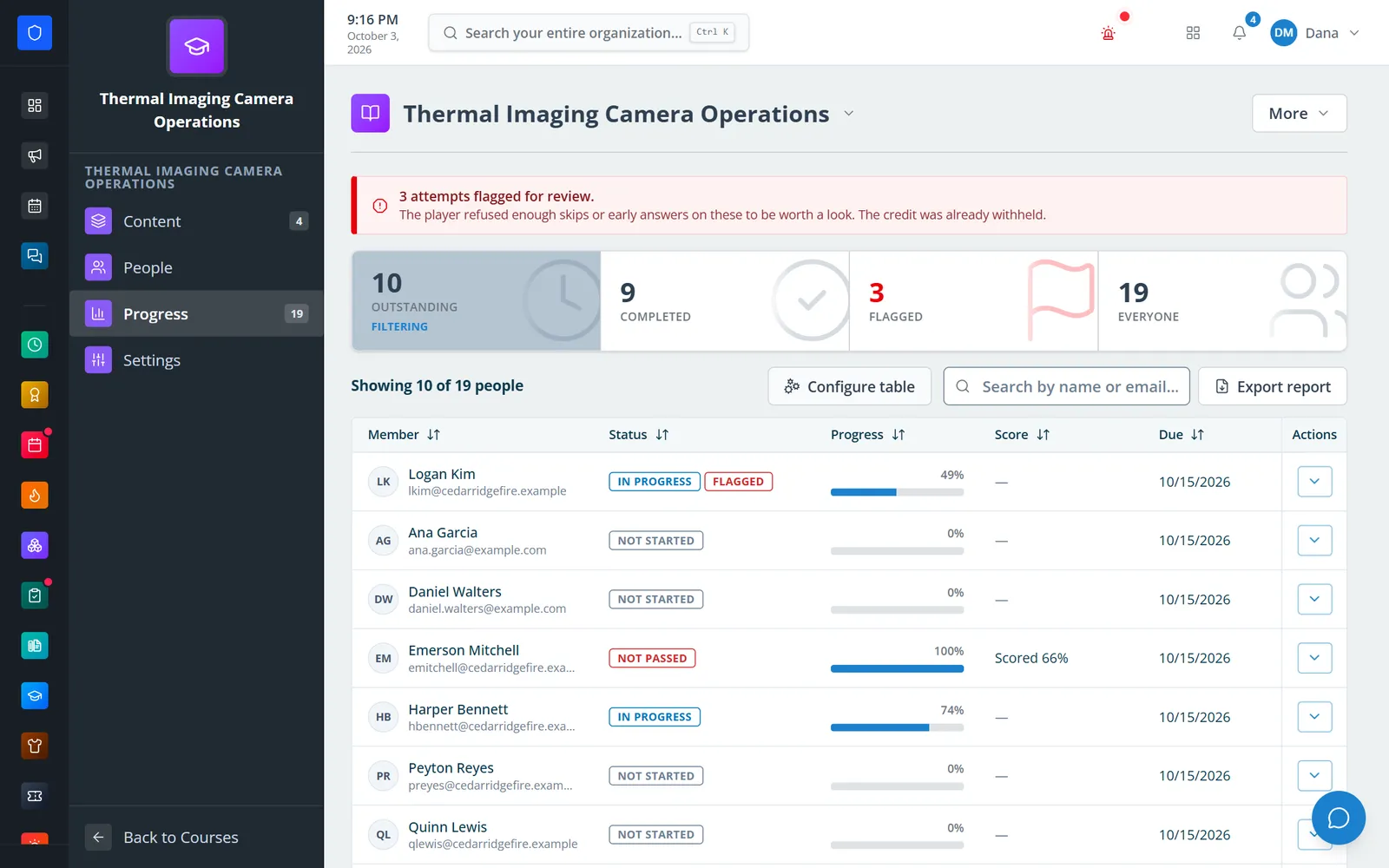
Who has finished, who is behind, and which attempts were flagged.
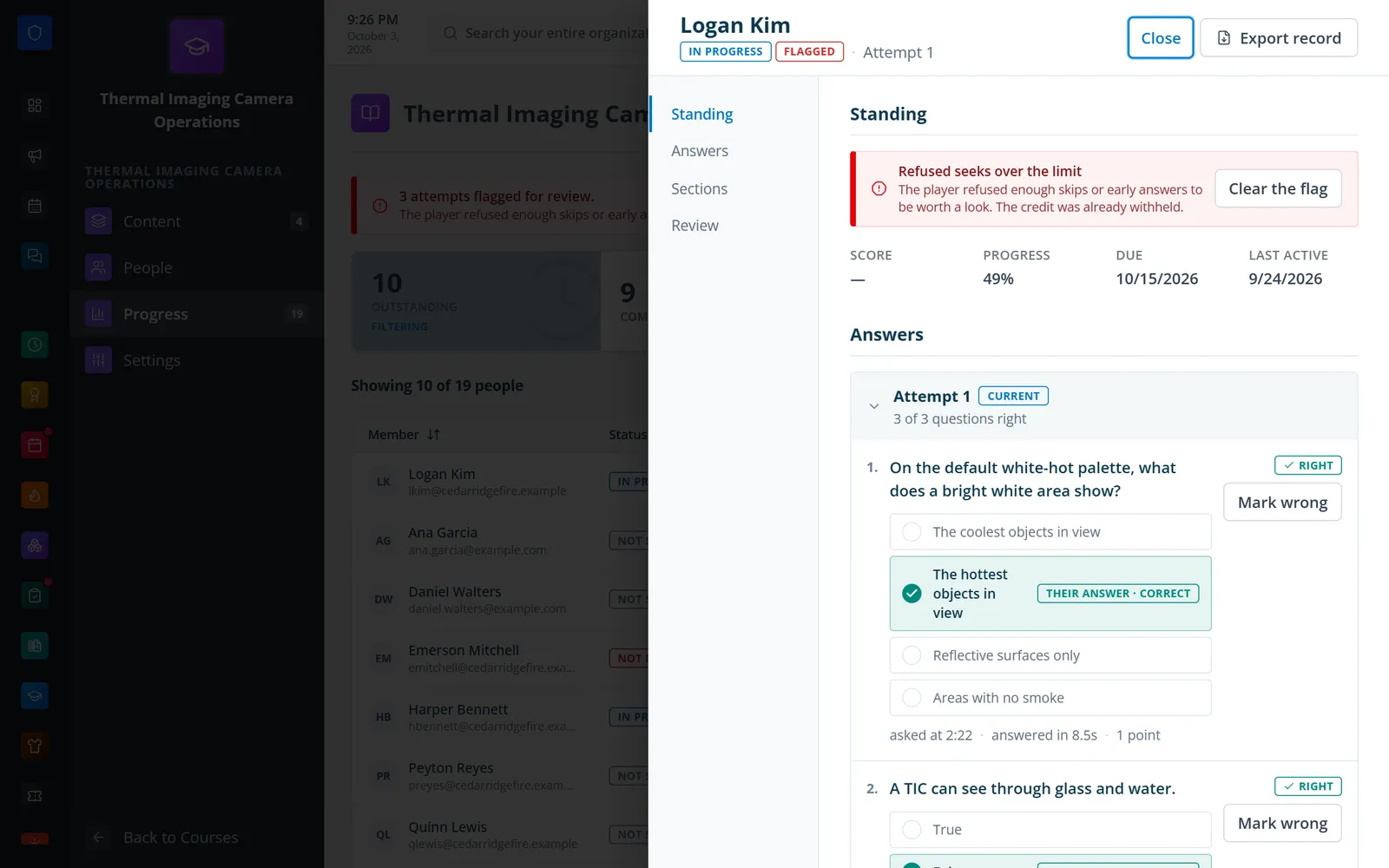
One member’s standing, answers, and the flag the player raised.
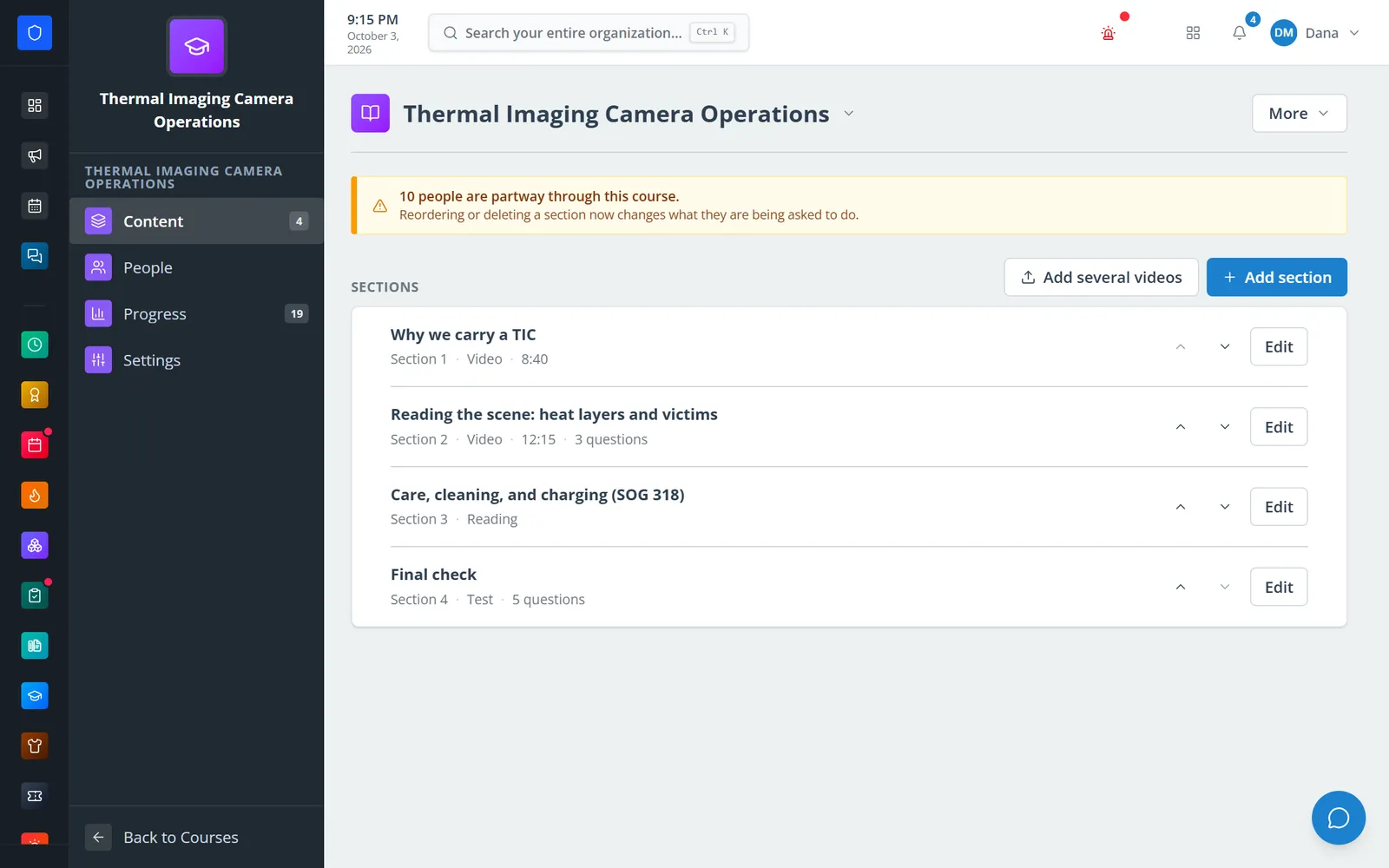
Videos, a reading, and a test in order, with question counts.
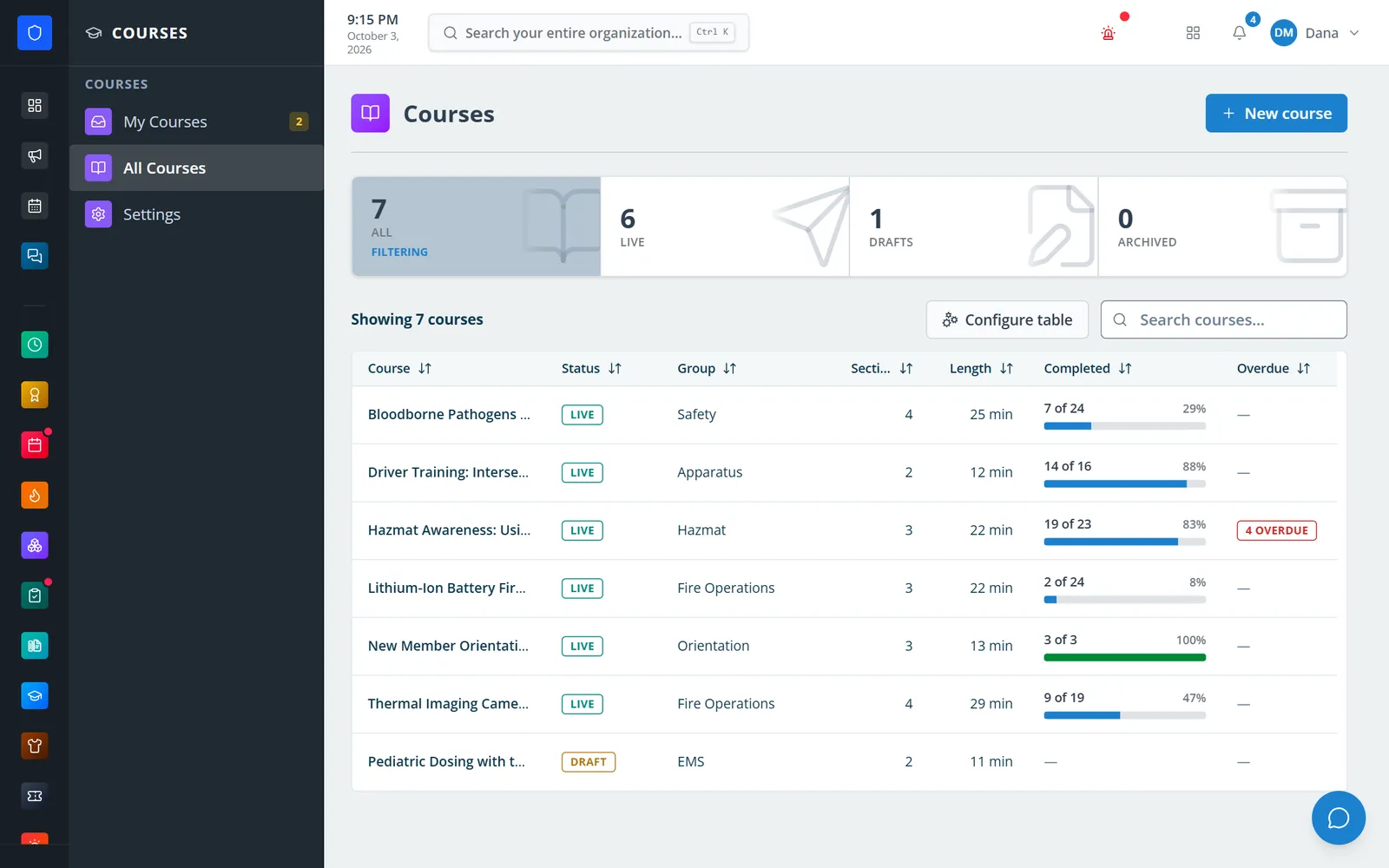
Every course with its status, length, completion, and overdue count.
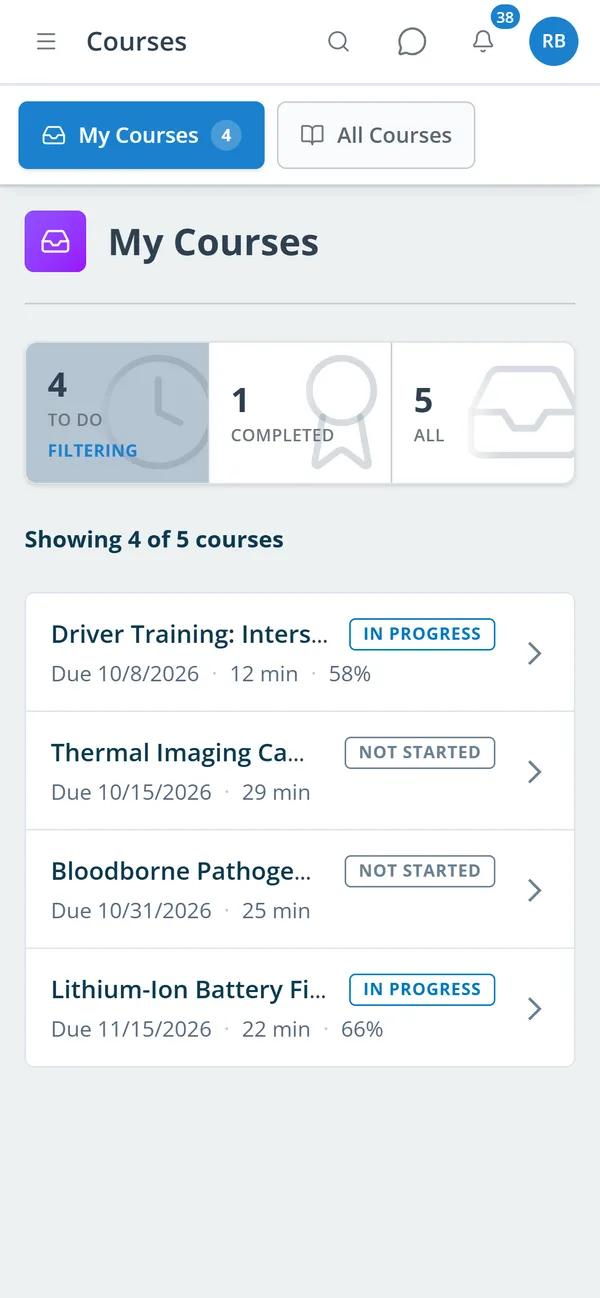
A member’s assigned courses with due dates and progress.
Add sections — a video, a reading, a file to open, or a test — and pin questions to moments in a video.
Choose the roles or named members it is for and set a due date, then publish.
Members watch, answer, and pass the test in order, on desktop or phone.
See progress and scores, look at flagged attempts, override a mark, and export the record.
Uploads with no size limit, converted for playback, with a required share of each video to be watched.
The server keeps the watch count; refused seeks, background tabs, and second players are recorded.
Multiple choice, multi-select, true/false, short answer, and acknowledgements pinned to a timestamp; a wrong answer can rewind.
Text and document sections with a minimum time, and scored tests with a pass mark and attempt limits.
Courses go to roles or named people with due dates; new role holders are enrolled on the next hourly sweep.
Members are reminded before a course is due and again when it is overdue.
Attempts with too many refused seeks are flagged; officers can clear the flag, reset an attempt, or mark the outcome by hand.
Export who completed what as a spreadsheet or a PDF report, including one member’s full answer record.
Members keep one secure sign-in and one set of role permissions across every module you turn on.
They can drag the bar, but the player will not credit it. The server only counts time it can account for, records the refused seek, and the section stays incomplete.
Courses assigned to that role enroll them automatically within the hour, with the course’s due date.
Yes. An officer can mark a member passed or not passed by hand, with the score from the mark sheet if there was one.
No. Training records what happened at a drill or class. Courses is the material members take in the portal. They are separate modules.
Tell us how you handle this work today. We’ll walk you through it in the full Station Clipboard portal.
Need something we don’t have yet? We build custom modules.