Facebook decides who sees your burn ban
Alerts go straight to the inboxes and phones of residents who asked for them.
Your department’s own resident notification service: a public signup page, topics and areas, email, text, and browser alerts, approvals, and delivery analytics.
Residents sign up from a page you link, embed, or print as a QR code. They choose the topics they care about — burn bans, road closures, department news — the parts of town they live in, and email, text, or browser notifications for each topic. Officers write an alert once, and it goes to the public feed and to subscribers at a severity that decides how loud it is.
Alerts go straight to the inboxes and phones of residents who asked for them.
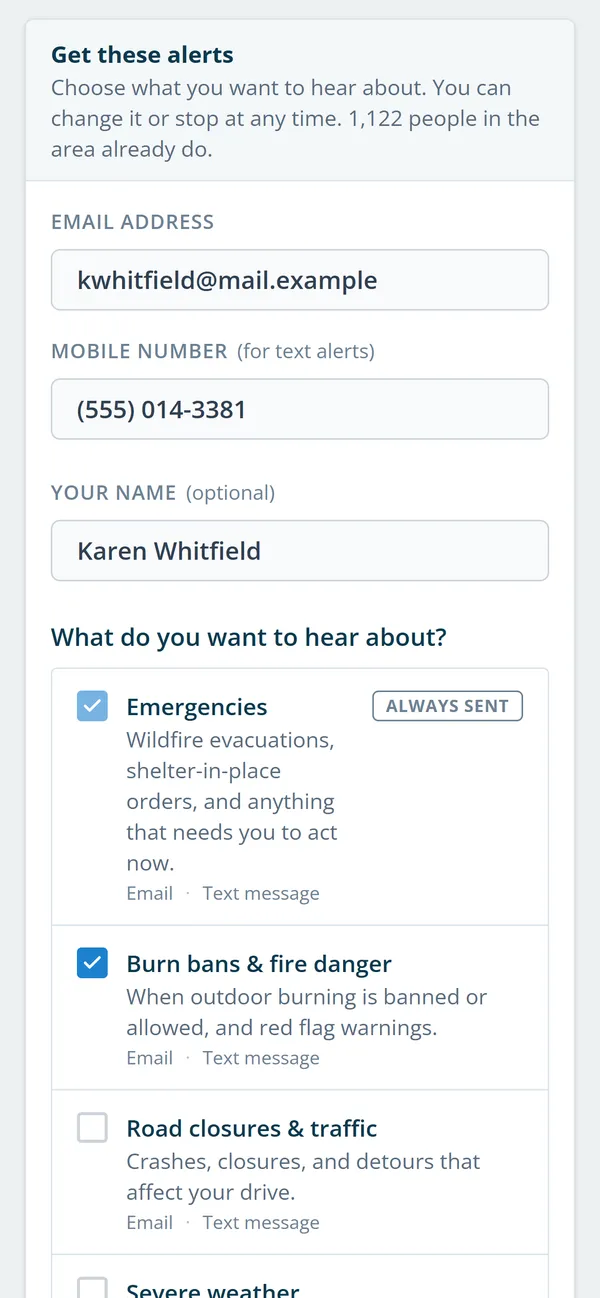
Residents choose topics, areas, and the channel for each topic.
News waits out quiet hours. Only emergency severity overrides them.
Each signup code counts scans and signups, so you can compare the engine decal with the fair booth.
Real screens from Station Clipboard, shown with a sample department.
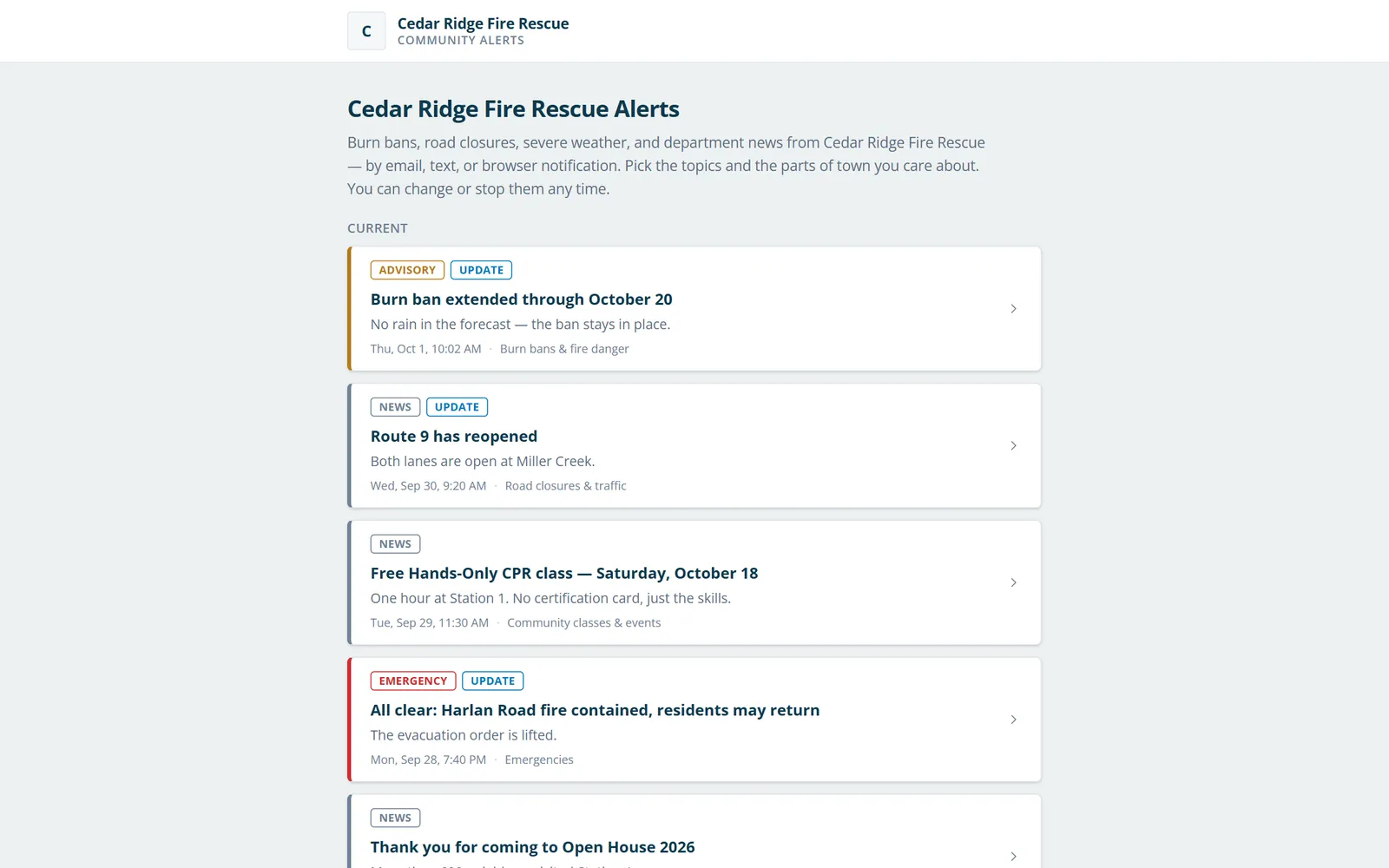
Current alerts with severity and update tags, readable by anyone.
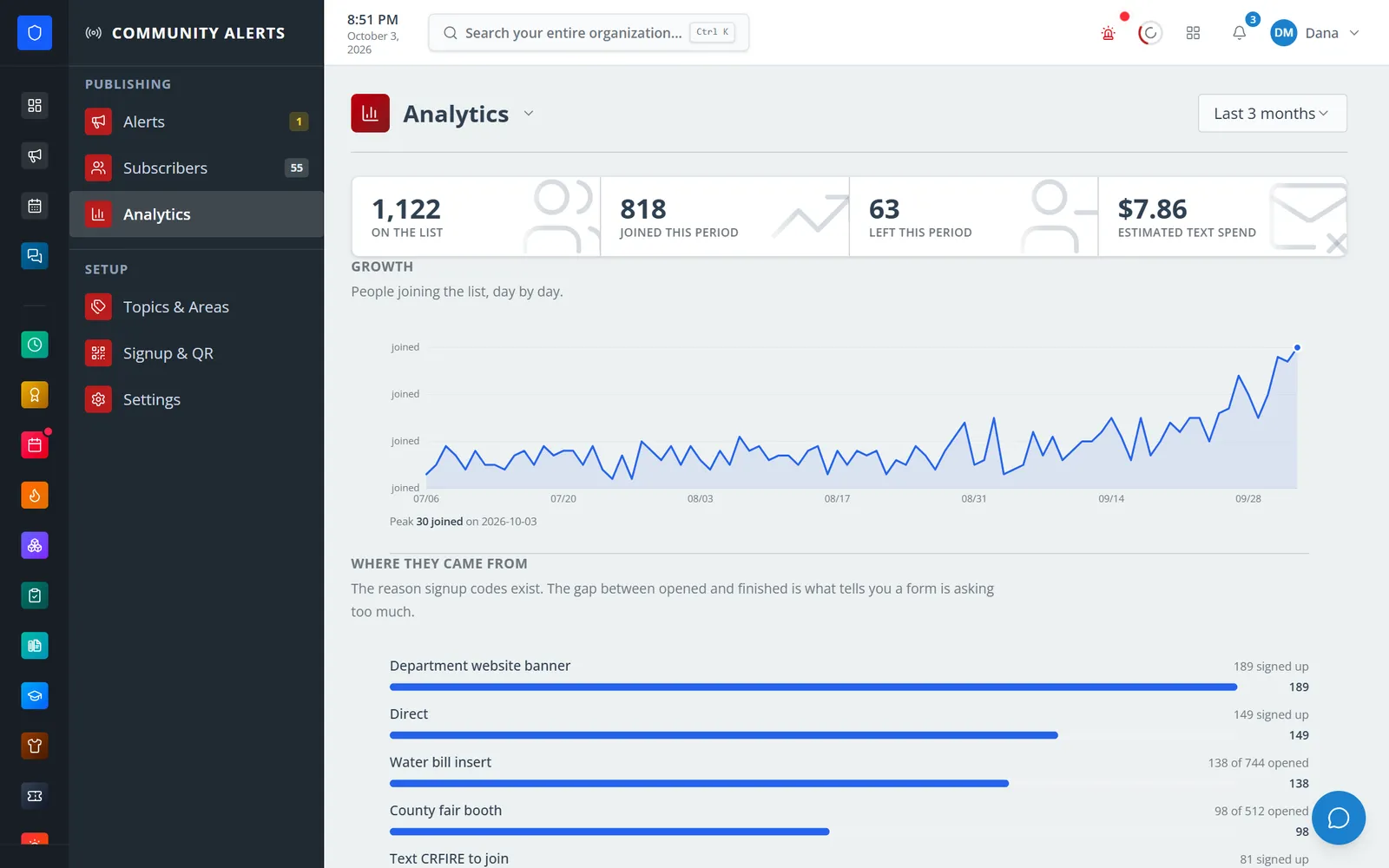
Who joined, who left, estimated text spend, and where signups came from.
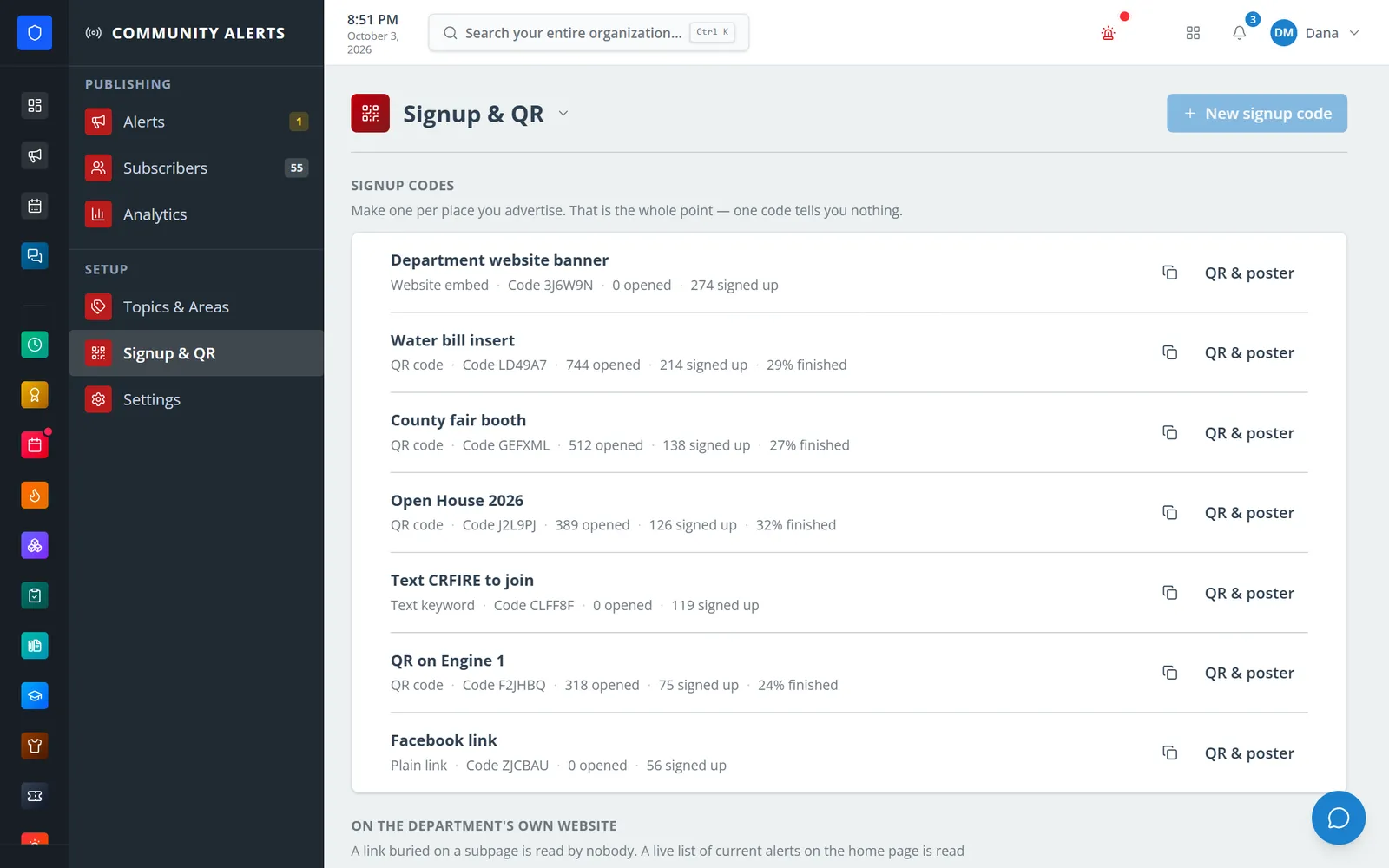
QR codes, a website embed, and a text keyword, each with its own count.
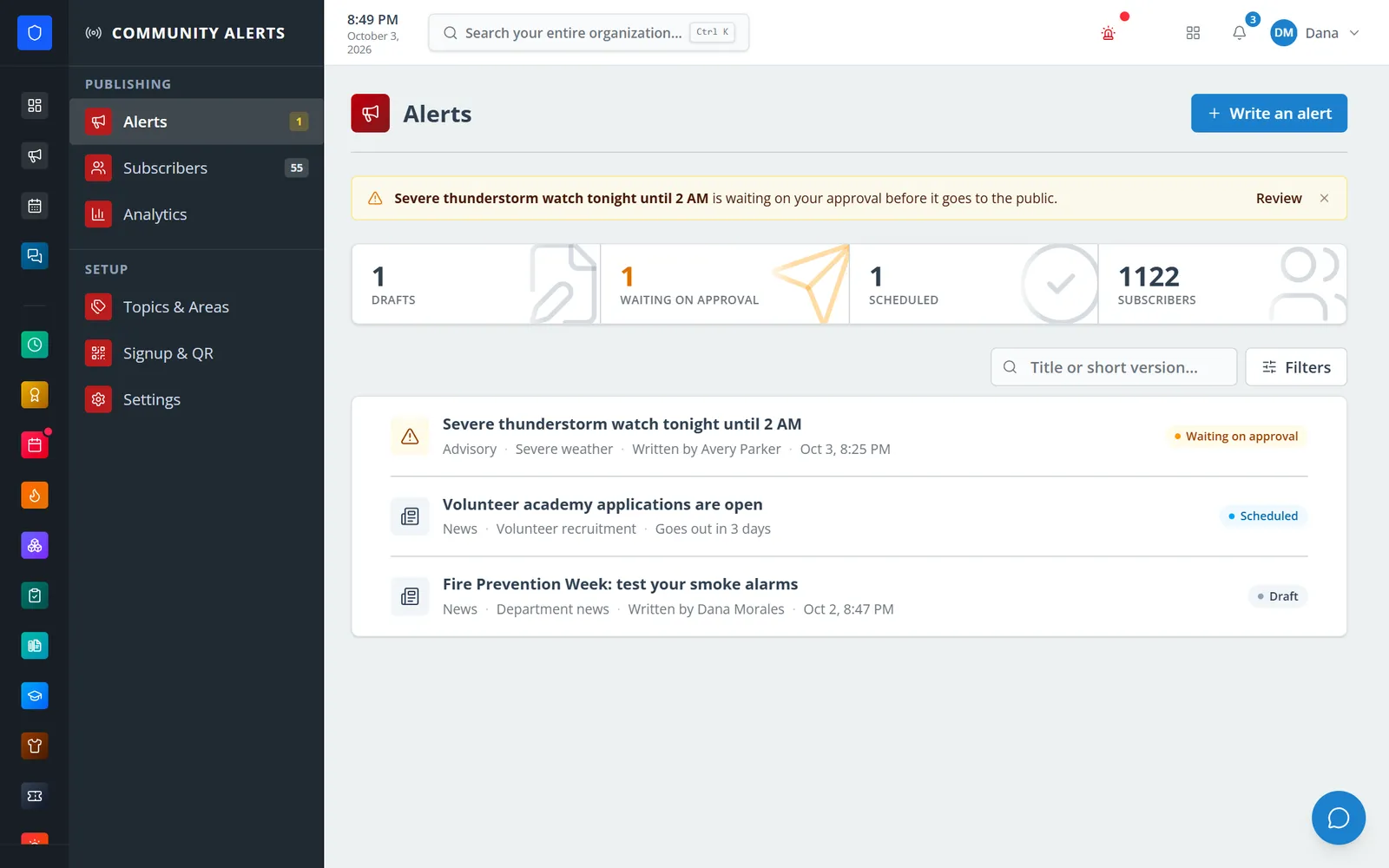
An advisory waiting on approval, a scheduled post, and a draft.
Residents choose topics and how they want to hear about each one.
Create topics, areas by ZIP code, signup codes, and the public page.
Draft an alert, pick topic, severity, areas, and channels, and send yourself a test.
Severities you choose need a second person to approve. Send now or schedule it.
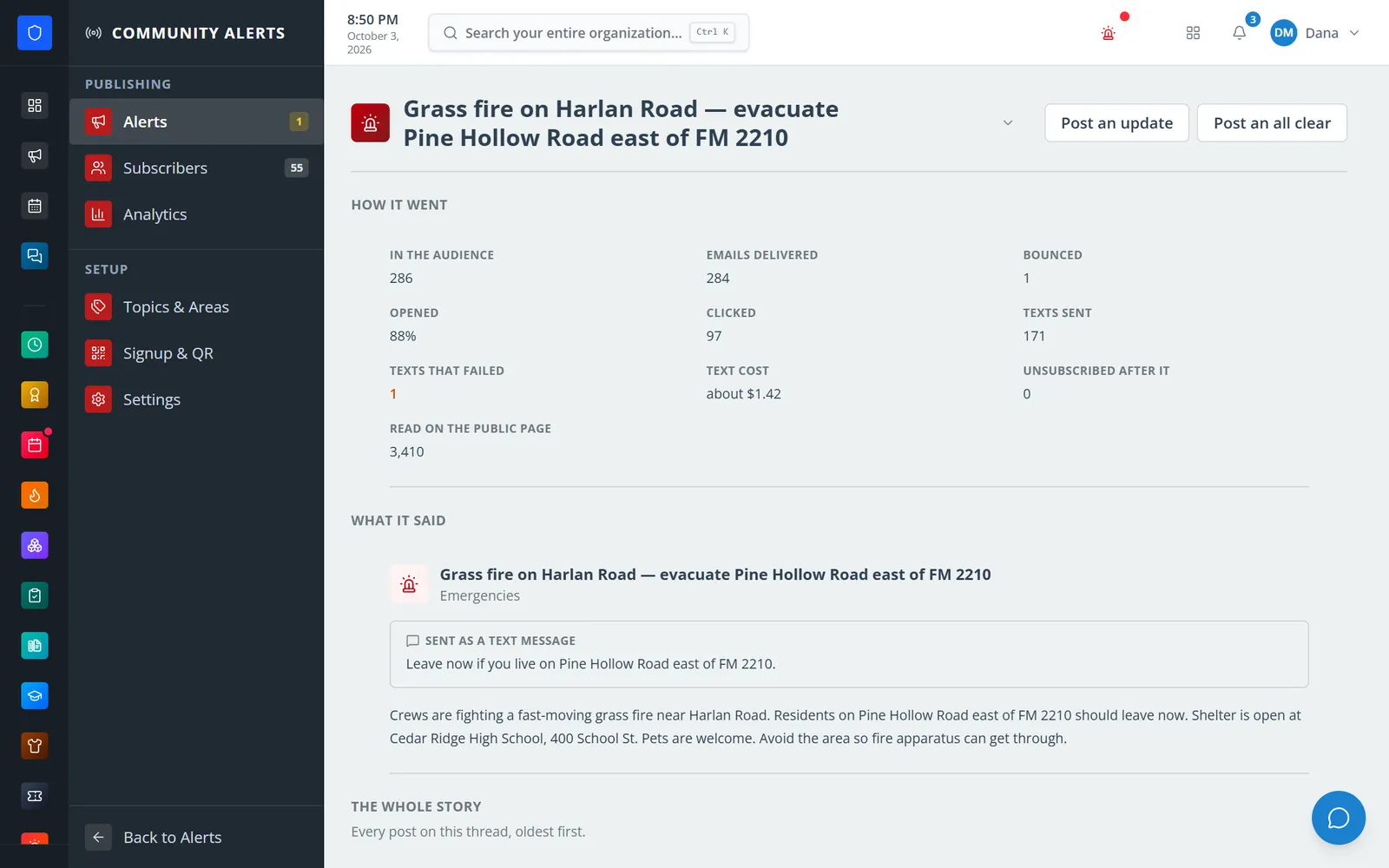
Post updates or an all-clear on the same thread, and read how the send went.
Current alerts and a signup form on a page you can link or embed, plus RSS and JSON feeds.
Email, text message through your Twilio account, and browser notifications.
Residents pick topics and ZIP-code areas. Mark emergency topics as always sent.
Emergency, advisory, or news, with quiet hours that only emergencies override.
Choose which severities need approval. Nobody can approve their own alert.
Updates and all-clears attach to the original alert, and alerts can expire on their own.
QR codes, links, website embeds, and a text keyword, each counting scans and signups.
Double opt-in, a consent record per subscriber, a do-not-contact list, and sending caps.
Members keep one secure sign-in and one set of role permissions across every module you turn on.
No. Residents subscribe on the public page with an email address, a mobile number, or both, and manage their own preferences from a link.
Text messages go through your department’s Twilio account. Each send shows how many texts went out and an estimated cost, and you can set a monthly text cap.
Yes. You can import a subscriber list after confirming those people agreed to receive alerts.
No. A sent alert is never edited. Post an update or an all-clear on the same thread instead.
Tell us how you handle this work today. We’ll walk you through it in the full Station Clipboard portal.
Need something we don’t have yet? We build custom modules.