When Everything Is Important, Where Are Members Supposed to Look?
How Fire and EMS departments can separate official communication from everyday conversation, reduce notification fatigue, and create one dependable source of truth.
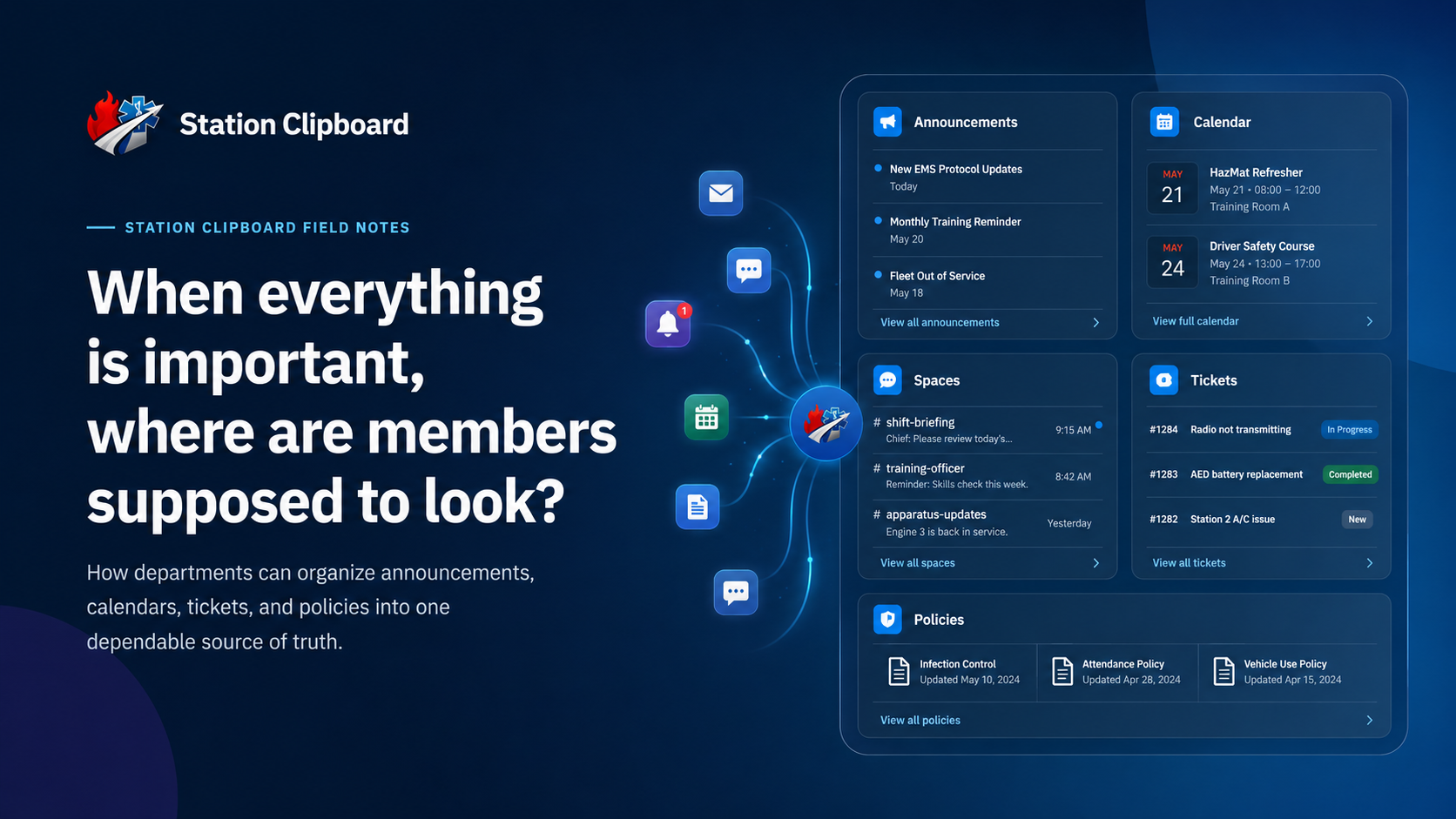
Fire and EMS departments rarely have a communication shortage.
Members receive text messages, emails, group-chat notifications, calendar invitations, policy documents, social media posts, verbal reminders, and announcements during training.
The problem is not that departments are failing to communicate.
The problem is that communication is happening everywhere at once.
A schedule change is posted in a group chat. A policy update is sent by email. A training reminder appears on social media. A broken piece of equipment is mentioned to an officer in passing. A member submits a request through text because they are not sure where else it belongs.
Eventually, people stop asking, “What do I need to know?”
They begin asking:
“Where was I supposed to find that?”
That question is usually a warning sign.
When members cannot identify where official information belongs, communication becomes dependent on memory, repetition, and chance.
Communication Problems Are Usually Structure Problems
When someone misses an announcement, the first reaction is often to blame the person who missed it.
“They should have checked the chat.”
“It was sent in an email.”
“We talked about it at training.”
“It was posted last week.”
Sometimes a member simply failed to pay attention. That happens in every organization.
But when several responsible members repeatedly miss important information, the department may not have an attention problem. It may have a structure problem.
Consider a typical department communication environment:
- One group chat for the entire department
- Another chat for officers
- Separate chats for individual shifts or stations
- Department email
- Personal text messages
- A shared calendar
- Social media pages
- Printed notices at the station
- Documents saved in folders or cloud drives
- Verbal announcements during meetings and training
Every one of those tools may serve a purpose.
The problem begins when they all become interchangeable.
When any platform might contain official information, members have to monitor all of them. That is not an organized communication system. It is a scavenger hunt.
A dependable system does not require members to remember every message. It gives them one reliable place to find the information again.
Sending More Messages Does Not Always Create More Clarity
Departments often respond to missed information by sending additional reminders.
An announcement is published in the portal.
Then it is copied into a group chat.
Then it is emailed.
Then someone shares a screenshot.
Then an officer repeats it during training.
This may feel thorough, but it can create a different problem: members no longer know which version is official.
One message may contain an outdated time. Another may be missing an attachment. A third may include instructions that were added later. Members begin comparing screenshots and asking each other which message is correct.
Repeating the same information across several systems can also train members to ignore the original source.
Why check the department portal if someone will eventually copy everything into the group chat?
Why read the complete announcement if the important parts will be repeated at the station?
Why update the calendar if members have learned to rely on text reminders instead?
More communication does not always create more clarity. Sometimes, it only creates more places for information to become inconsistent.
The goal should not be to send every message through every available channel.
The goal should be to give each type of information a clear home.
Official Communication and Casual Conversation Are Different
Group chats are useful.
They allow members to ask quick questions, coordinate meals, share photos, recognize one another, and have conversations that help build department culture.
They are fast, familiar, and informal.
Those strengths are also why group chats are often poor places to store official information.
An important message can disappear beneath shift swaps, photos, reactions, side conversations, and unrelated questions within a few hours.
Official communication should not depend on whether someone:
- Had notifications turned on
- Was added to the correct group
- Checked their phone at the right time
- Scrolled far enough through the conversation
- Remembered which chat contained the message
- Received the information secondhand
- Saved a screenshot before the message was buried
Departments should clearly define the difference between official communication and casual communication.
Official communication may include:
- Policy changes
- Required announcements
- Published schedules
- Training dates
- Operational notices
- Department deadlines
- Required acknowledgements
- Personnel instructions
- Application or onboarding updates
- Formal requests and reported issues
Casual communication may include:
- General conversation
- Shift meal planning
- Informal questions
- Photos from department activities
- Congratulations and recognition
- Noncritical reminders
- Social discussion
Both are valuable.
The problem begins when members must guess which one they are looking at.
A department can still use email, text messages, and group chats. Those tools simply need defined roles.
For example, a text message may alert a member that a critical announcement was published, but the full announcement should still live in the department’s official system.
The notification gets someone’s attention. The portal preserves the information.
Give Every Type of Information a Home
A dependable communication system does not require every message to be handled the same way.
It requires a predictable structure.
| Information type | Primary location | Examples |
|---|---|---|
| Official announcements | Announcements (core) | Deadlines, policy changes, operational notices |
| Department events | Calendar (core) | Training, meetings, public events, scheduled activities |
| Questions and discussion | Spaces | Team coordination, topic-based conversation, internal discussion |
| Problems and requests | Tickets (Spaces) | Equipment issues, access requests, technology problems |
| Policies and documents | Policies | Guidelines, manuals, forms, required documents |
| Personnel and organization data | Core | Members, roles, permissions, department settings |
The exact structure may vary by department.
What matters is that members know where to go before they need the information.
A member should not have to search five applications to determine when training begins.
An officer should not have to search old text messages to find out whether someone reported an equipment problem.
A chief should not have to wonder whether members received an important policy update.
When communication has a defined home, the department spends less time redistributing information and more time acting on it.
Announcements Should Be Easy to Find Again
A useful announcement is more than a notification.
It is a permanent record of what the department communicated.
An official announcement should clearly show:
- The announcement title
- The date it was published
- Who published it
- The complete message
- Relevant links or attachments
- Which members or roles it applies to
- Whether acknowledgement is required
This gives members a reliable place to return when they need to confirm a date, review instructions, or download an attachment.
Instead of asking, “Did anyone save that message?” they can return to the original announcement.
Instead of copying the same information into multiple chats, officers can direct members to one current source.
A notification tells someone that information exists. A portal gives that information somewhere permanent to live.
Announcements also help preserve organizational knowledge.
Officers change. Members come and go. Leadership responsibilities move from one person to another. When important communication exists only in personal emails or text-message threads, the department loses access to that history.
A central announcement record keeps department information attached to the organization instead of an individual person’s phone.
Not Every Announcement Requires an Acknowledgement
Required acknowledgements are useful, but they should be used carefully.
A policy update, safety notice, major procedural change, or mandatory instruction may reasonably require every affected member to confirm that it was received.
A reminder about a community event probably does not.
If every announcement requires acknowledgement, the action becomes routine. Members begin clicking the button simply to clear the notification.
The department receives a record, but not necessarily meaningful confirmation.
A better approach is to reserve required acknowledgements for communication where proof of receipt actually matters.
Good uses for required acknowledgement include:
- New or revised policies
- Safety-related instructions
- Changes to operational procedures
- Mandatory training requirements
- Major scheduling or staffing changes
- Notices with legal or compliance significance
Poor uses may include:
- Routine event reminders
- General recognition posts
- Noncritical updates
- Information that requires no action
- Repeated announcements covering the same subject
Acknowledgement should mean something.
It should tell leadership that a member had a reasonable opportunity to review important information—not simply that they clicked through another alert.
Calendars Should Answer More Than “What Day Is It?”
Events and announcements are related, but they are not the same.
An announcement explains something.
A calendar tells members when it happens.
Training, meetings, community events, application interviews, deadlines, and other scheduled activities should be placed on a shared department calendar.
A useful calendar entry should provide more than a title and date. It may also include:
- Start and end times
- Location
- Event category
- Description
- Required equipment
- Relevant attachments
- RSVP options
- Registration deadlines
- Continuing-education information
- Instructions for attendees
When event information is stored properly, members do not need to search old messages for the address, start time, or required equipment.
The calendar becomes the current source.
Announcements can still be used to introduce an important event or explain why it matters. The calendar should contain the details members need when it is time to attend.
Problems Should Become Trackable Requests
Some department issues are too important to leave in casual conversation.
Consider messages such as:
- “The printer is not working.”
- “My portal account will not let me clock in.”
- “The radio charger in the bay may be damaged.”
- “I still need access to the schedule.”
- “The air-conditioning unit in the bunk room is leaking.”
- “My certification is not showing correctly.”
These messages often begin in a text or group chat because that is the fastest way to tell someone.
But casual reporting creates several problems:
- The message may be buried before anyone handles it.
- Multiple people may assume someone else is working on it.
- The person responsible may need additional information.
- There may be no record of what was done.
- The person who reported it may never know whether it was resolved.
A ticket system turns a loose message into a trackable request.
A ticket can include:
- A category
- A description
- The person who submitted it
- Relevant photos or files
- The person assigned to it
- Status updates
- Internal notes
- A record of the final resolution
This does not mean every minor question needs a formal ticket.
A member asking where extra paper is stored probably does not need to open one.
But when an issue requires action, ownership, follow-up, or documentation, a ticket is usually more dependable than a text message.
A simple rule
Conversation is for discussing an issue. A ticket is for making sure the issue is handled.
That distinction prevents important requests from disappearing inside unrelated conversation.
Policies Need More Than a Shared Folder
Many departments store policies in a shared drive or a folder on a station computer.
That may work until someone needs to answer basic questions:
- Is this the current version?
- When was it updated?
- Who approved it?
- Which members are required to review it?
- Has everyone acknowledged the revision?
- Was the previous version replaced or simply renamed?
- Can members access it away from the station?
A policy system should do more than store a PDF.
It should help the department manage the policy as an active organizational document.
That may include:
- Version control
- Effective dates
- Policy categories
- Role-based access
- Required signatures or acknowledgements
- Historical copies
- Review records
- Notifications when a policy changes
A shared folder can tell you that a file exists.
A policy system can tell you whether the right people received and reviewed it.
That difference matters when a department needs to demonstrate consistency, accountability, or compliance.
Spaces Should Organize Conversation, Not Replace Everything Else
Structured communication does not mean eliminating conversation.
Members still need places to ask questions, coordinate work, and discuss department topics.
That is where organized spaces or channels can help.
Instead of placing every conversation into one department-wide chat, spaces can be created around specific functions, such as:
- Training
- Operations
- Equipment
- Volunteer lounge
- Officer communication
- Technology support
- Committees
- Special events
This reduces noise because members can join or follow the conversations relevant to them.
It also gives discussions enough context to remain useful.
A question about training records belongs in a training space. A conversation about an upcoming public event belongs with that event or committee. A technology issue that requires action can be converted into a ticket.
Spaces should connect people without becoming another location where official information disappears.
The department should still direct final announcements, events, policies, and requests into their proper systems.
Notification Fatigue Is a Design Problem
Members are often accused of ignoring notifications.
In reality, people become selective when nearly every notification is presented with the same urgency.
If a social message, policy change, event reminder, ticket update, schedule publication, and general announcement all produce identical alerts, members have no quick way to decide what deserves attention.
Eventually, they stop responding to all of them.
Notification fatigue is not solved by adding louder alerts. It is solved by sending fewer, more useful alerts.
Departments should consider:
- Which actions truly require an immediate notification
- Which updates can remain visible inside the portal
- Whether reminders should be automatic or manual
- Which roles need to receive each message
- Whether members can control noncritical notification preferences
- How often the same information is repeated
- Whether the notification clearly explains what action is required
A good notification should answer three questions:
- What happened?
- Does this apply to me?
- What do I need to do next?
If the member must open several apps or search through a conversation to answer those questions, the notification has not done its job.
One Source of Truth Does Not Mean One Tool for Everything
The phrase “one source of truth” can be misunderstood.
It does not mean every department function must be forced into one giant page.
It means each piece of official information has one authoritative location.
For example:
- The official event time lives on the calendar.
- The official policy lives in the policy library.
- The official announcement lives in announcements.
- The official request status lives in the ticket.
- The official personnel record lives in the member profile.
Other systems may link to that information or notify members that it changed.
They should not create competing versions of it.
This is the difference between integration and duplication.
Integration directs members back to the current record.
Duplication creates several records that may eventually disagree.
How Departments Can Clean Up Communication
Departments do not need to change every process at once.
A practical cleanup can begin with five steps.
1. List every communication method currently in use
Include formal and informal tools:
- Text messages
- Group chats
- Social media
- Calendars
- Shared drives
- Bulletin boards
- Printed notices
- Department portals
- Verbal announcements
Do not evaluate them yet. First, identify what members are actually using.
2. Identify what each method is currently used for
A single group chat may be handling announcements, shift coordination, equipment problems, social conversation, and officer instructions.
That is exactly the overlap the department needs to see.
3. Assign an official home to each type of information
Decide where the current version of an announcement, event, policy, request, or record will live.
Write the structure down so officers and members follow the same standard.
4. Stop creating competing copies
Other channels can notify members or link back to the official record.
Avoid manually rewriting the same information in multiple locations unless there is a clear operational reason.
5. Teach the system consistently
Members will not follow a structure that leadership ignores.
If an equipment issue is submitted in a group chat, an officer can respond:
“Please submit this through the equipment ticket category so it can be assigned and tracked.”
That response may feel repetitive at first, but it establishes the process.
Over time, members learn where information belongs because leadership consistently directs it there.
A Communication Standard Departments Can Actually Use
A simple internal standard could look like this:
Announcements are used for official department-wide or role-specific information.
Calendar events are used for anything occurring at a specific date and time.
Spaces are used for conversation and coordination.
Tickets are used for issues or requests that require action and follow-up.
Policies are used for controlled documents that members may need to review or acknowledge.
Text and email alerts are used to direct attention to information in the official system.
The standard does not need to be complicated.
It needs to be understood and followed.
The Real Goal Is Trust
Centralized communication is often discussed as a matter of convenience.
It is more important than that.
A dependable communication system creates trust.
Members trust that they know where to look.
Officers trust that important messages can be found again.
Leadership trusts that required information reached the appropriate people.
The organization retains a record that does not disappear when a phone is replaced, an officer leaves, or a group chat is deleted.
Most importantly, communication becomes less dependent on who happens to be working, who remembers the conversation, or who saw the message first.
A department should not need to send the same information five different ways just to feel confident that it was received.
It should have a system members understand and leadership uses consistently.
Because when everything is treated as important everywhere, members eventually stop knowing what matters anywhere.
Build One Dependable Place for Department Information
Station Clipboard brings announcements, calendars, spaces, tickets, policies, personnel information, and other department operations into one connected portal.
The goal is not to eliminate every text message, email, or conversation.
It is to give official department information a clear and dependable home.