Station Clipboard Is Now Available on the App Store
A dedicated mobile experience for the department work that cannot wait until someone is back at a desk.
Fire and EMS work rarely happens behind a desk.
Members check their schedules before leaving home. Volunteers review announcements between shifts. Officers respond to questions from the station, the apparatus bay, training, or wherever the day takes them.
The department portal may contain the right information, but access still matters.
Opening a browser, finding the correct page, signing in, and navigating through several screens can feel like a small inconvenience. Repeated throughout an entire department, those small inconveniences become missed updates, delayed responses, and members who decide they will “check it later.”
That is why we built a dedicated mobile experience.
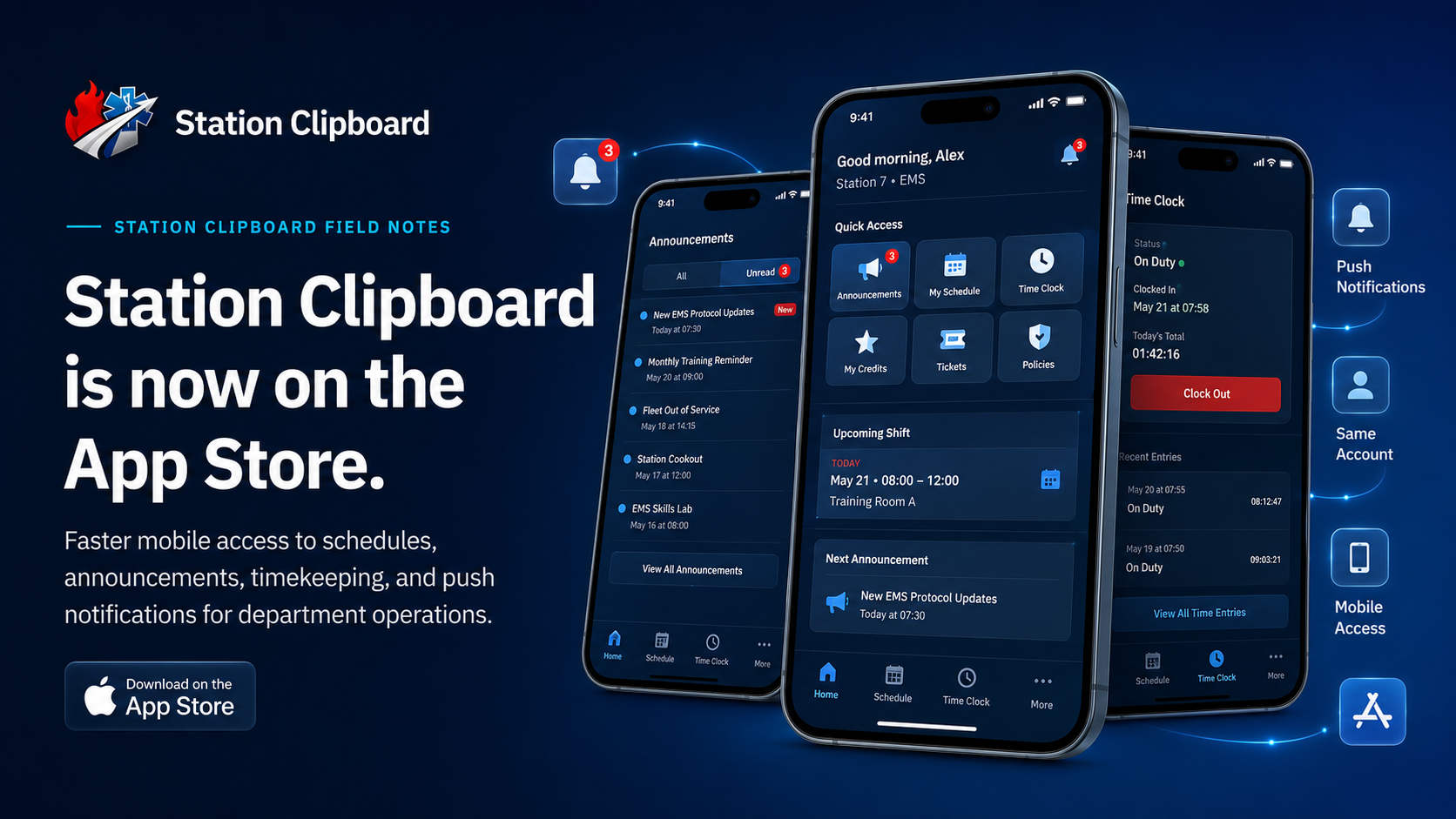
Station Clipboard is now available on the Apple App Store for iPhone and iPad.
The app gives members, volunteers, and officers a faster way to reach the same connected department workspace they already use—without creating another account, another profile, or another disconnected system.
Your department does not stop operating when someone steps away from a computer. Its software should not either.
This Is Not a Separate Version of Your Department
One of the biggest problems with introducing a mobile app is the possibility of creating another place that departments must maintain.
A web system contains one set of information. A mobile application contains another. Members update one but not the other. Officers are left trying to determine which record is current.
That is not how Station Clipboard works.
The mobile app connects members to the same department workspace they already use through the Station Clipboard web portal.
That means:
- Members use the same department account
- Roles and permissions continue to apply
- Department updates remain connected
- Information does not need to be entered twice
- Members do not need to maintain a separate mobile profile
The app is a new way to access Station Clipboard—not a second Station Clipboard system.
One account. One department workspace. Multiple ways to reach it.
Mobile Access Should Remove Steps
A browser can technically open a department portal from almost any modern phone.
But “technically accessible” and “easy to use throughout the day” are not always the same thing.
A dedicated app reduces the number of steps between a member and the information they need.
Instead of searching for a saved link or reopening a browser tab, members can tap the Station Clipboard icon directly from their home screen.
That difference may sound minor, but department software is used through repeated, ordinary moments:
- Checking the next scheduled shift
- Reviewing an announcement
- Opening the Time Clock
- Looking at current credit progress
- Confirming an upcoming training date
- Responding to a department notification
- Accessing a module while away from a desktop
Good mobile software does not need to make those moments dramatic.
It needs to make them easier.
The goal is not to put more technology between members and their work. The goal is to remove the unnecessary steps that were already there.
Built Around the Work Members Handle Every Day
The Station Clipboard app provides mobile access to the department tools members already rely on.
Depending on the modules enabled by the organization and the permissions assigned to the user, that may include:
- My Schedule for viewing upcoming assignments
- Time Clock for accessing department timekeeping tools
- Announcements for official department updates
- Credits for reviewing participation and progress
- Training for upcoming activities and department records
- Spaces for organized internal communication
- Policies for department documents and required information
- Other operational tools available to the member’s role
Not every person needs access to every module.
A volunteer may primarily need their schedule, credit progress, training information, and announcements. An officer may need additional tools for communication, oversight, and department administration.
Station Clipboard continues to use role-based access so the app can show people the tools they are authorized to use without exposing unrelated department functions.
Notifications That Lead Somewhere Useful
Push notifications are one of the most important reasons for offering a dedicated app.
They are also one of the easiest features to misuse.
A department does not improve communication by turning every minor update into an urgent alert. When everything produces a notification, members eventually stop treating any notification as important.
The value of a mobile notification is not simply that it appears on a phone.
The value is that it can bring the member directly to the information or action that needs attention.
A useful department notification may tell someone that:
- A new official announcement was published
- A schedule was released or changed
- An upcoming event requires attention
- A request or ticket received an update
- A department action is waiting for the member
- New information is available in a relevant module
The app gives those notifications a direct destination.
Instead of receiving a vague message and then searching several systems, members can open Station Clipboard and return to the connected department record.
A good notification should answer three questions: What changed, does it apply to me, and what should I do next?
Departments should still be intentional about what creates a notification. The app makes delivery more efficient, but good communication still depends on sending information to the right people at the right time.
A Better Fit for Field Operations
Department administration is often designed around a full-size computer, even though many of the people using the system are rarely sitting at one.
That creates a mismatch.
Firefighters, EMTs, volunteers, and officers move between stations, apparatus, training locations, public events, home, work, and school. They may have only a few minutes to check an update or complete an action.
Mobile access is especially valuable for tasks that are:
- Time-sensitive
- Frequently repeated
- Relevant while away from a desk
- Simple enough to complete quickly
- Connected to current department activity
The app allows those quick actions to happen on the device members already carry.
| Operational moment | Mobile access helps a member |
|---|---|
| Before leaving home | Confirm an upcoming shift or training event |
| Arriving at the station | Open the Time Clock where department procedures allow |
| Between calls or assignments | Review an official announcement |
| During the month | Check volunteer credit progress |
| After receiving an alert | Open the related department information |
| Away from a desktop | Stay connected to current department activity |
The benefit is not that every department process should be completed from a phone.
The benefit is that members no longer need to wait for a desktop to handle the work that makes sense on mobile.
The App Does Not Replace the Full Web Portal
A phone is excellent for quick access.
It is not always the right device for complex administrative work.
Building a complete schedule, reviewing a large report, configuring department settings, or managing a detailed workflow may still be more comfortable through the full Station Clipboard web portal.
The mobile app and web portal serve different operational moments.
The app is well suited for:
- Quick daily actions
- Viewing personal information
- Receiving notifications
- Checking schedules and events
- Reviewing announcements
- Accessing tools while in the field
The web portal remains useful for:
- Detailed administrative work
- Large reports and record review
- Complex configuration
- Schedule building
- Department-wide management
- Tasks that benefit from a larger screen
This is not a limitation unique to Station Clipboard. It is a practical design decision.
Trying to force every desktop workflow onto a small screen often produces a crowded app that is difficult to use. We would rather make common mobile actions efficient while keeping deeper administrative tools available through the full portal.
Members can begin on one device and continue on another because both experiences remain connected to the same department workspace.
Security and Permissions Still Matter on Mobile
Convenience should not require a department to weaken access controls.
The Station Clipboard app uses the member’s existing department identity. Role-based permissions continue to determine which tools and information the user can access.
Station Clipboard also supports two-factor authentication to help protect account sign-ins.
Departments do not need to create a separate set of mobile users or manually rebuild every permission for the app.
When a member’s role or access changes, the department can continue managing that access through the connected Station Clipboard platform.
This is especially important for organizations managing:
- Personnel information
- Department schedules
- Internal communication
- Training and certification records
- Policies
- Applications and onboarding
- Operational records
- Role-specific administrative tools
Mobile access should make department information easier to reach for authorized users—not easier to expose to everyone.
Introducing the App to Your Department
Making an app available does not automatically mean members will understand how the department expects them to use it.
A simple rollout can prevent confusion.
1. Announce the official release
Tell members where to download the app and confirm that it is the official Station Clipboard application.
Direct members to the department’s official download page rather than asking them to search through unrelated App Store results.
2. Explain that their existing account works
Members should understand that they do not need to register a new profile.
They can sign in using the same Station Clipboard department credentials they already use.
3. Explain what notifications will be used for
Departments should tell members which types of updates may produce push notifications and which information will remain available inside the portal without an alert.
This helps prevent notification fatigue from the beginning.
4. Identify the most useful mobile actions
Show members where they can find their schedule, announcements, Time Clock, credits, training information, and other frequently used tools.
Do not attempt to teach every module at once.
Start with the actions members perform most often.
5. Keep the web portal available
The mobile app should expand access, not force every workflow onto a phone.
Members and officers can continue using the full web portal whenever a larger screen is more practical.
This Is the Beginning of the Mobile Experience
Releasing the Station Clipboard app is an important step, but it is not the end of mobile development.
Real departments will use the app during real shifts, training nights, administrative work, and everyday operations. That use will help shape what comes next.
We will continue evaluating:
- Which mobile actions members use most often
- Where additional shortcuts would save time
- How notifications can remain useful and relevant
- Which workflows need a stronger mobile experience
- How departments move between mobile and desktop devices
- What members and officers need while away from the station
The best department software is not designed around a perfect demonstration.
It is designed around the ordinary moments that happen every day.
A member checks tomorrow’s schedule.
A volunteer confirms their credit progress.
An officer publishes an announcement.
Someone receives an update while away from a computer.
Those moments may be small individually, but together they determine whether department technology feels useful or frustrating.
Put Station Clipboard in Your Pocket
Station Clipboard was built to bring department operations into one connected place.
Now, that place is easier to carry.
The app gives Fire and EMS members faster access to schedules, timekeeping, announcements, credits, training, notifications, and the department tools available to their role.
It does not create another system for departments to maintain.
It brings the existing Station Clipboard workspace closer to the people using it.
Because department information should be available where the work happens—not only where a computer happens to be.
Download Station Clipboard
Station Clipboard is available now on the Apple App Store for iPhone and iPad.
Use your existing department account to sign in and access the tools assigned to your role.