
#Offer your shift to someone, or give it up
- In My shifts, tap the day, then the shift.
- Tap Actions, then Trade or give up (1). If your department allows only one of the two, it says Offer to someone or Give it up.
- Choose Offer it to someone (1) and pick the person (2). The list only shows people who hold a position the shift needs and aren’t on it already. Or choose Give it up to put it on the Shiftboard.
- Add a note and tap Offer it (3) or Give it up.
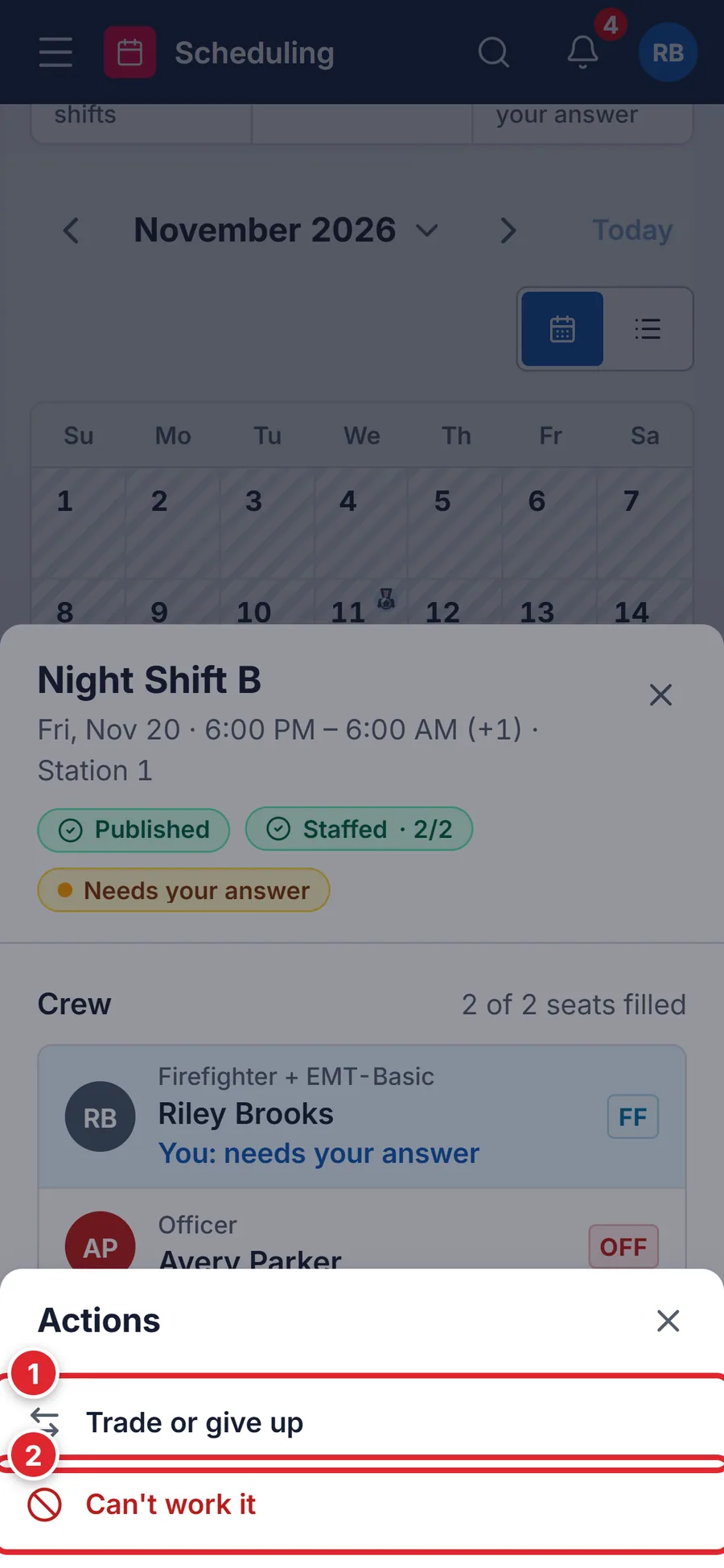
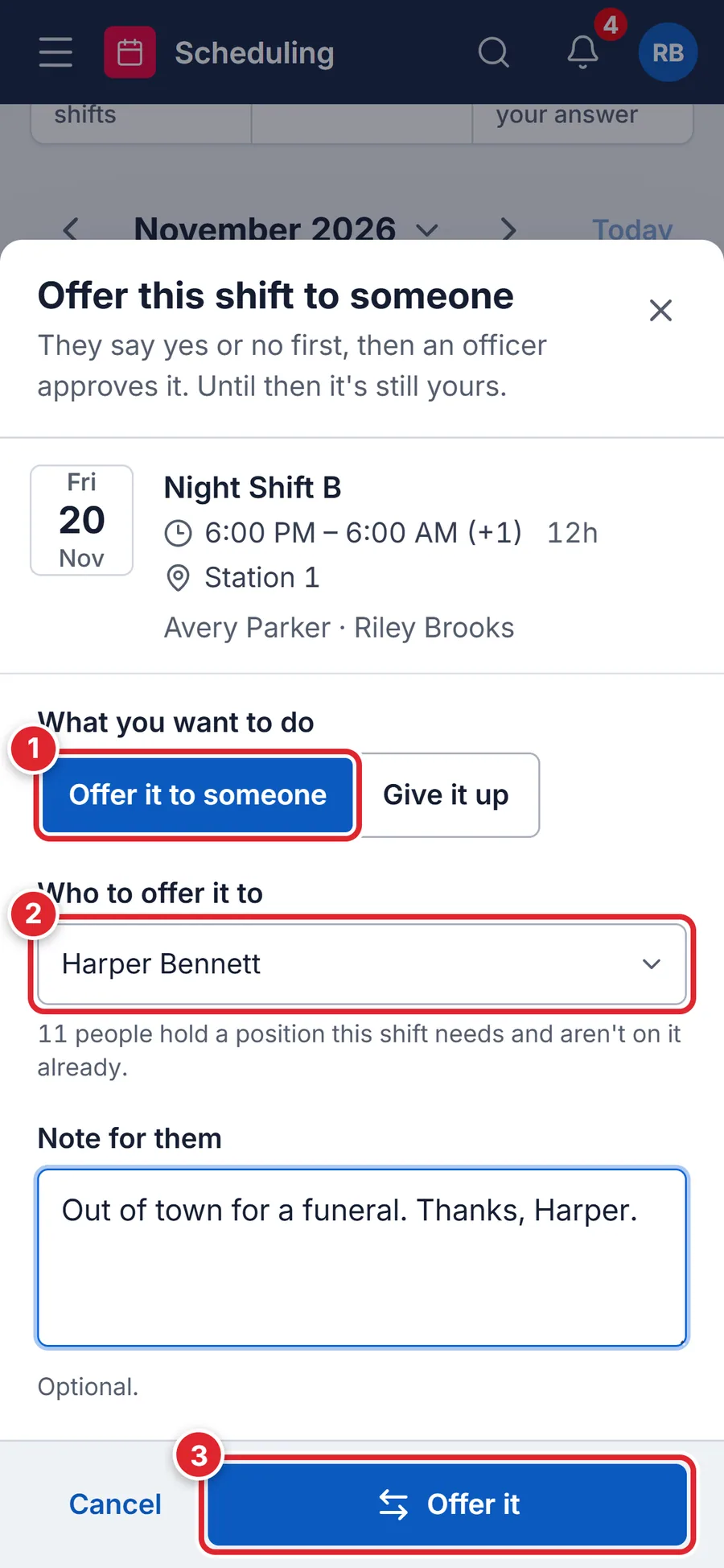
The shift stays yours until the trade is finished. A trade goes to your colleague first, then to an officer if your department needs approval. A give-up goes to an officer, then onto the Shiftboard. Follow both under My requests.
#When a trade is refused
The portal checks the person can legally take the seat before it sends the offer. If they can’t, a red message says why:
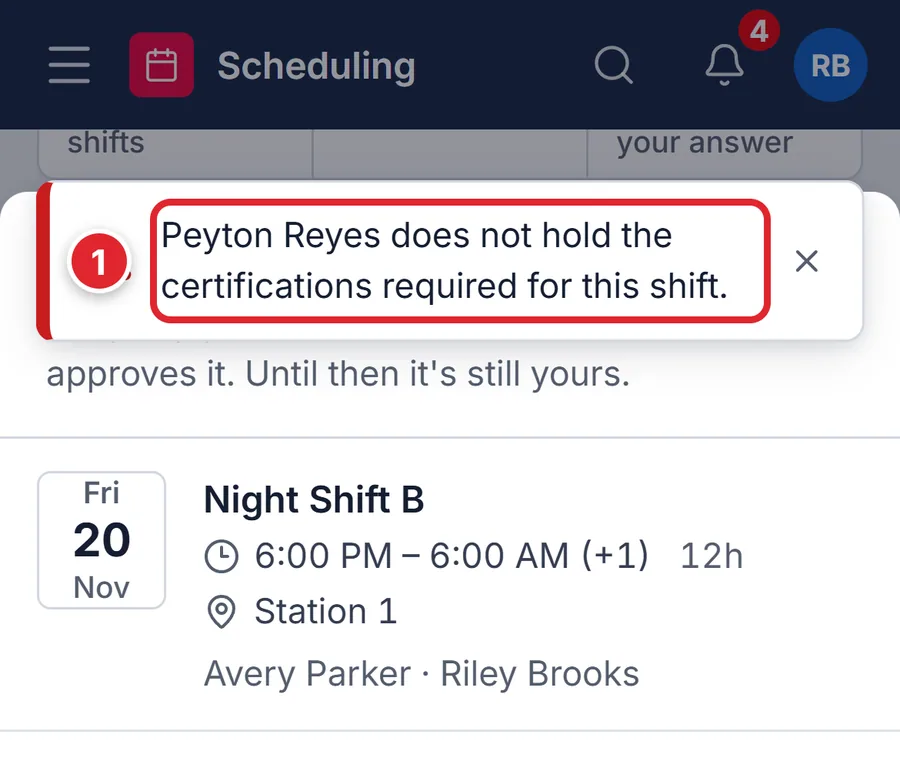
- Peyton Reyes does not hold the certifications required for this shift.
- The seat needs a certification that person doesn’t have on record. Offer it to someone who does.
- Peyton Reyes does not hold a required position for this shift.
- Pick someone who holds the position the seat asks for.
- Peyton Reyes is already assigned to an overlapping shift.
- They’re working at the same time. Pick someone else.
- Peyton Reyes has approved time off during this shift.
- They’re on leave then. Pick someone else.
- Peyton Reyes would exceed the weekly hour cap (60h).
- Your department stops assignments past its hour caps. Pick someone with hours to spare.
- You already have a pending request for this assignment.
- You already offered or gave up this shift. Cancel that one in My requests first.
- Shift trades are disabled.
- Your department turned trades off. Talk to your officer.
#Answer a trade someone offers you
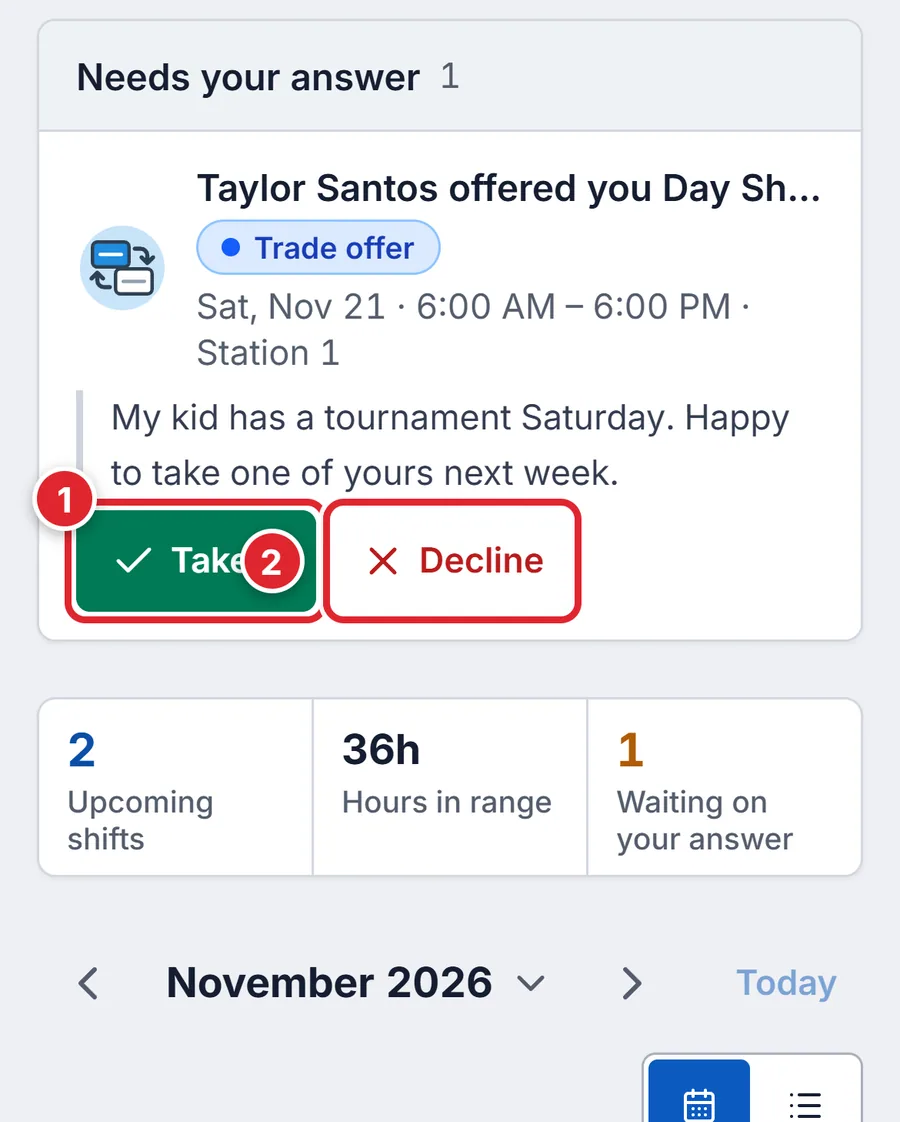
A trade offered to you appears under Needs your answer at the top of My shifts and My requests, with their note. Tap Take it (1) or Decline (2). If your department needs approval, an officer still has to approve it before the shift moves to you.
#You can’t work a shift (callout)
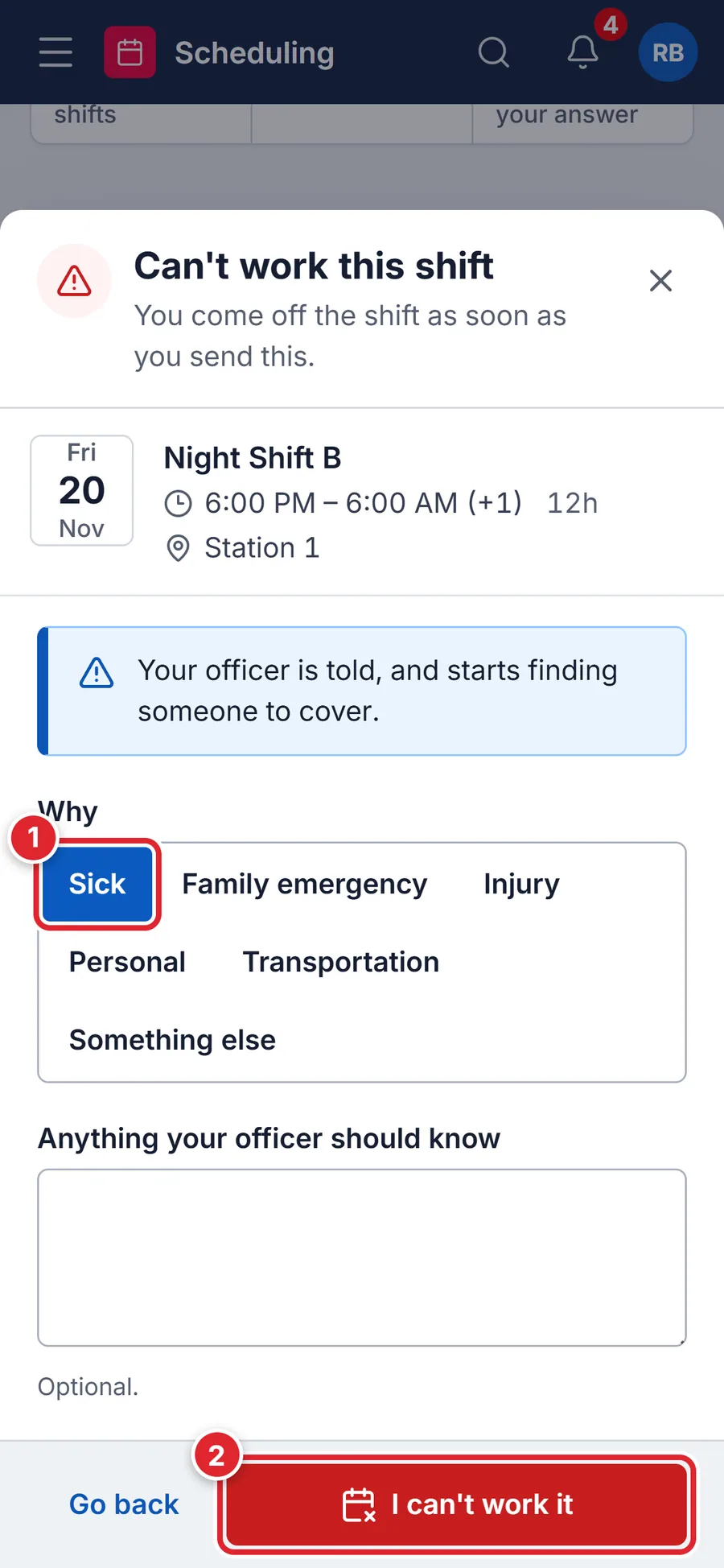
You come off the shift as soon as you send it. Your officer is told right away and starts finding cover.
- Open the shift, tap Actions, then Can't work it.
- Pick a reason (1): Sick, Family emergency, Injury, Personal, Transportation or Something else. Add a note if your officer should know more.
- Tap I can't work it (2).
- Your department doesn't take callouts here. Give the shift up instead, or tell your officer.
- Your department switched member callouts off. Use Give it up or call your officer.
- This shift is already over.
- You can’t call out of a shift that has ended.
#Who can do this
Trading and giving up need Trade or drop shifts. Calling out needs See own shifts. Your department also chooses whether trades, give-ups and callouts are on, and whether each needs an officer’s approval. Only your department’s administrators can change roles and permissions. Support can’t change them for you.