
#Send a request
- In Scheduling, open My shifts and tap Request time off.
- Pick the Kind of leave (1). Each one shows what you have left.
- Set Starts and Ends (2). Leave Hours this uses blank to use the whole span, or type fewer hours for part of a day.
- Add a Reason if you like (your officer sees it), then tap Send request (3).
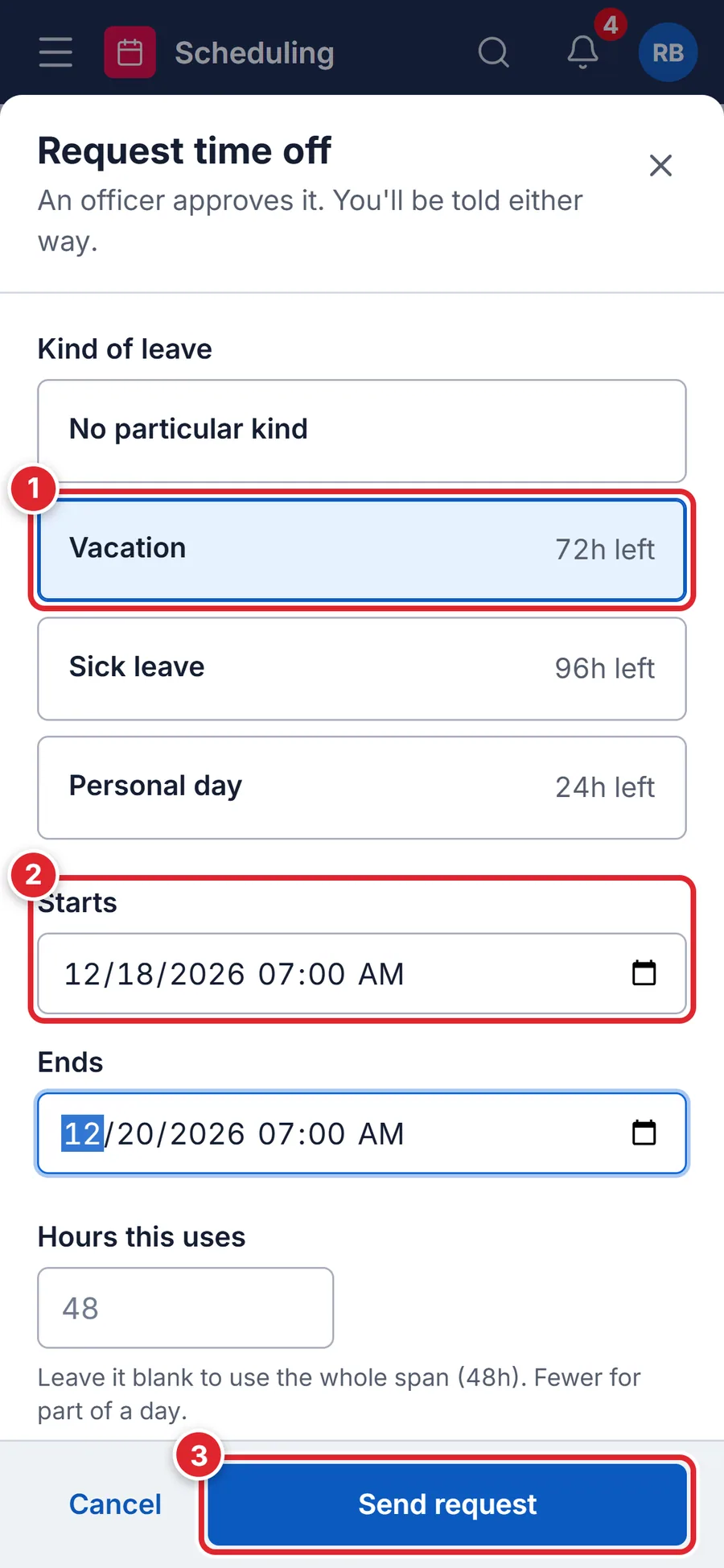
If your department approves time off, an officer decides and you get a notification. Otherwise it’s booked straight away.
#Check or cancel a request
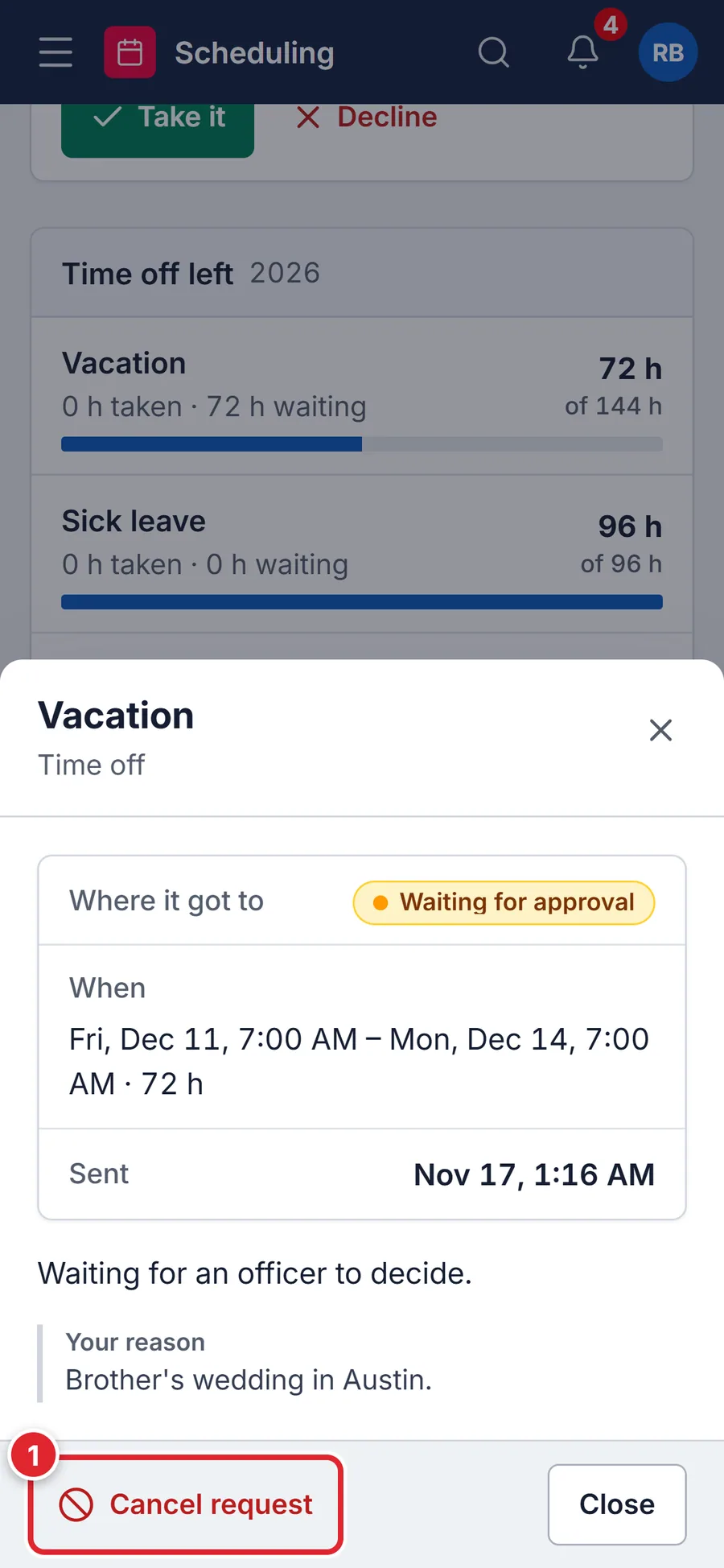
Tap More › My requests. Time off left shows each balance with what’s taken and what’s waiting. Tap a request to see where it got to, and Cancel request (1) to withdraw it.
#If something goes wrong
- It has to end after it starts.
- Check the Ends date and time.
- That's 24h more than your Vacation balance.
- You don’t have enough left of that kind of leave. Pick another kind, or ask your officer.
- You already have time off requested for part of this time.
- Change or cancel the earlier request in My requests first.
- Time off requests are disabled.
- Your department doesn’t take time off requests in the portal. Ask your officer how to book it.
- No Request time off button
- Your role needs Request time off. Only your department’s administrators can change roles and permissions. Support can’t change them for you.