
#Why it happens
Your department lets you clock in from the portal only while you are at one of its clock-in areas (a circle around each station). Your phone shares its location when you press Clock in. Clocking out works anywhere, and the station kiosk is not affected.
#You're too far away
The message names the nearest station and the distance, for example You're 2.4 mi from Station 1. Portal clock-in only works within 500 ft of it.
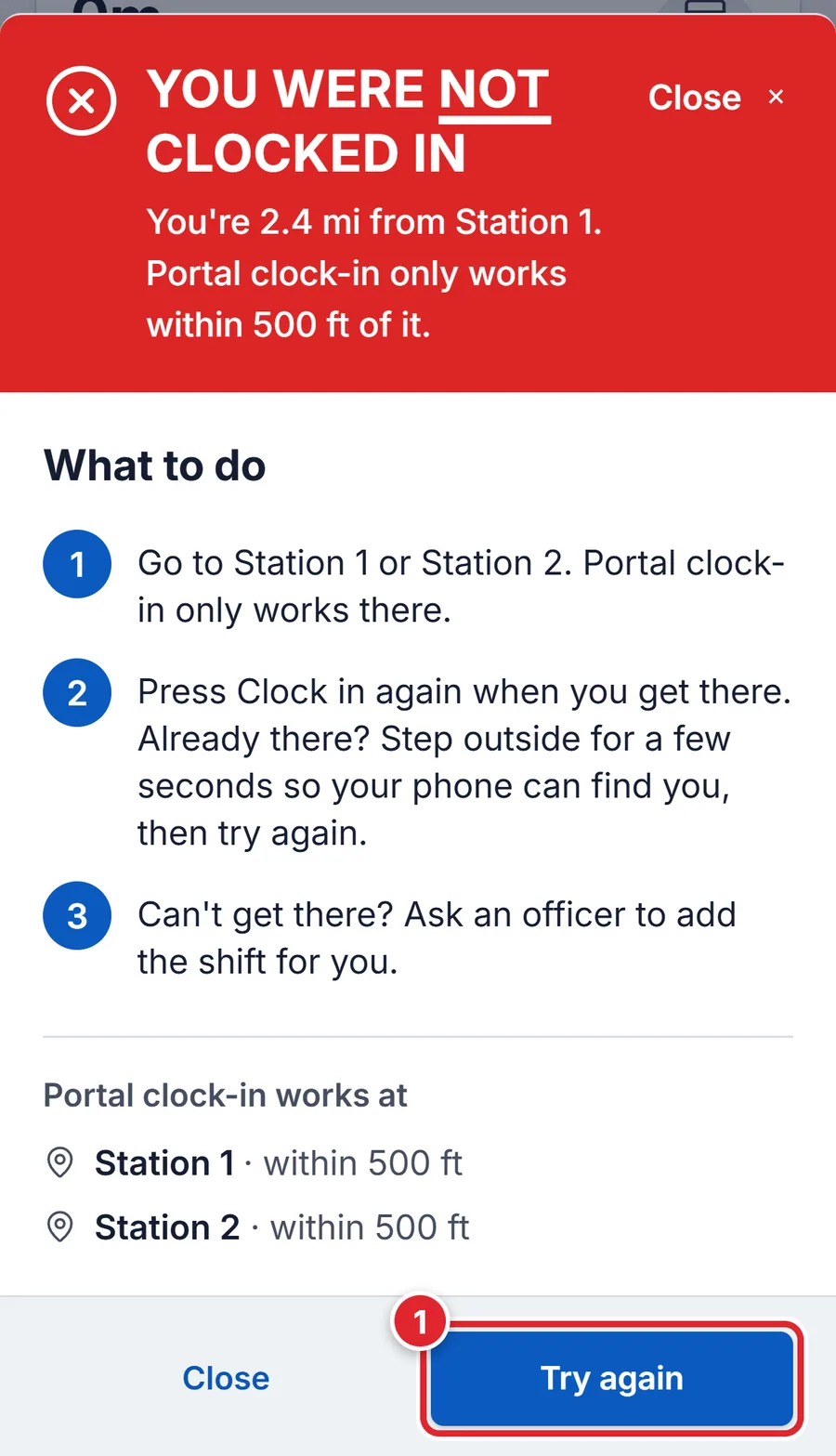
- Go to one of the listed stations.
- Press Try again. Already there? Step outside for a few seconds so the phone can find you, then try again.
- Can't get there? Ask an officer to add the shift for you.
#Location is off or blocked
If the portal can't read your location you see Location is turned off for this site, so it couldn't check that you're at the station. The sheet gives steps for your phone.
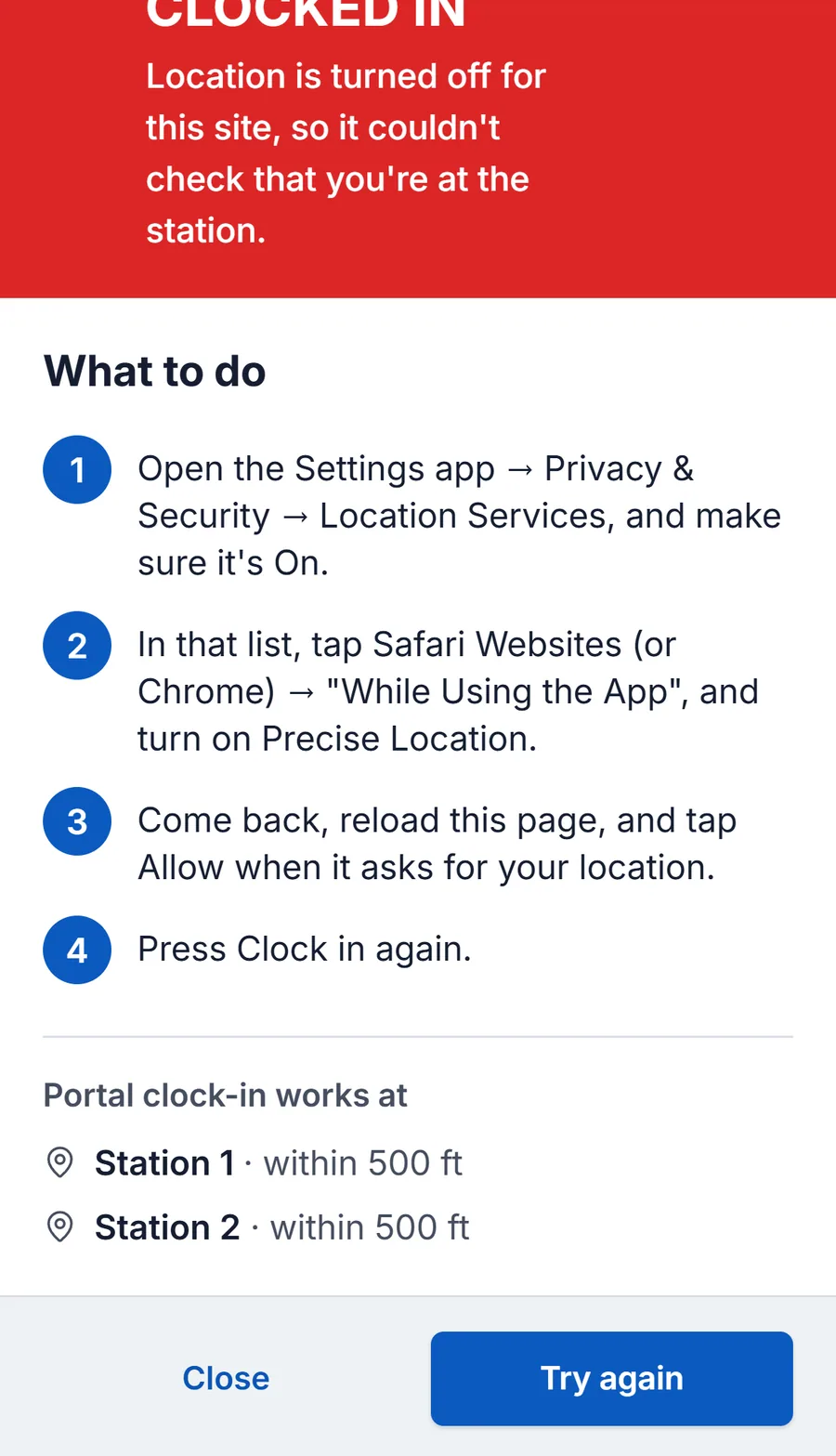
- Your phone could only tell where you are to within about …, so it can't confirm you're at Station 1. Turn on precise location and try again.
- Turn on Precise Location for your browser or the app, step near a window, and try again.
- Finding where you are took too long.
- Make sure Location is on, step outside or near a window, and press Clock in again.
- Your device couldn't find where you are.
- Same as above. A computer often cannot tell where it is: use your phone.
- This browser can't share where you are.
- Open the portal in Safari or Chrome on your phone.
#For administrators
Clock-in areas are set in Time Clock → Settings → Portal Settings. See Set up Time Clock rules.