
#Close voting and count
Counting and certifying need Count and certify results. Only your department’s administrators can grant it.
- Voting closes at the planned closing time, or press Close voting at the top of the election and confirm.
- Open the Count & certify tab and press Count the ballots. If the election was sealed, type the Tally passphrase first.
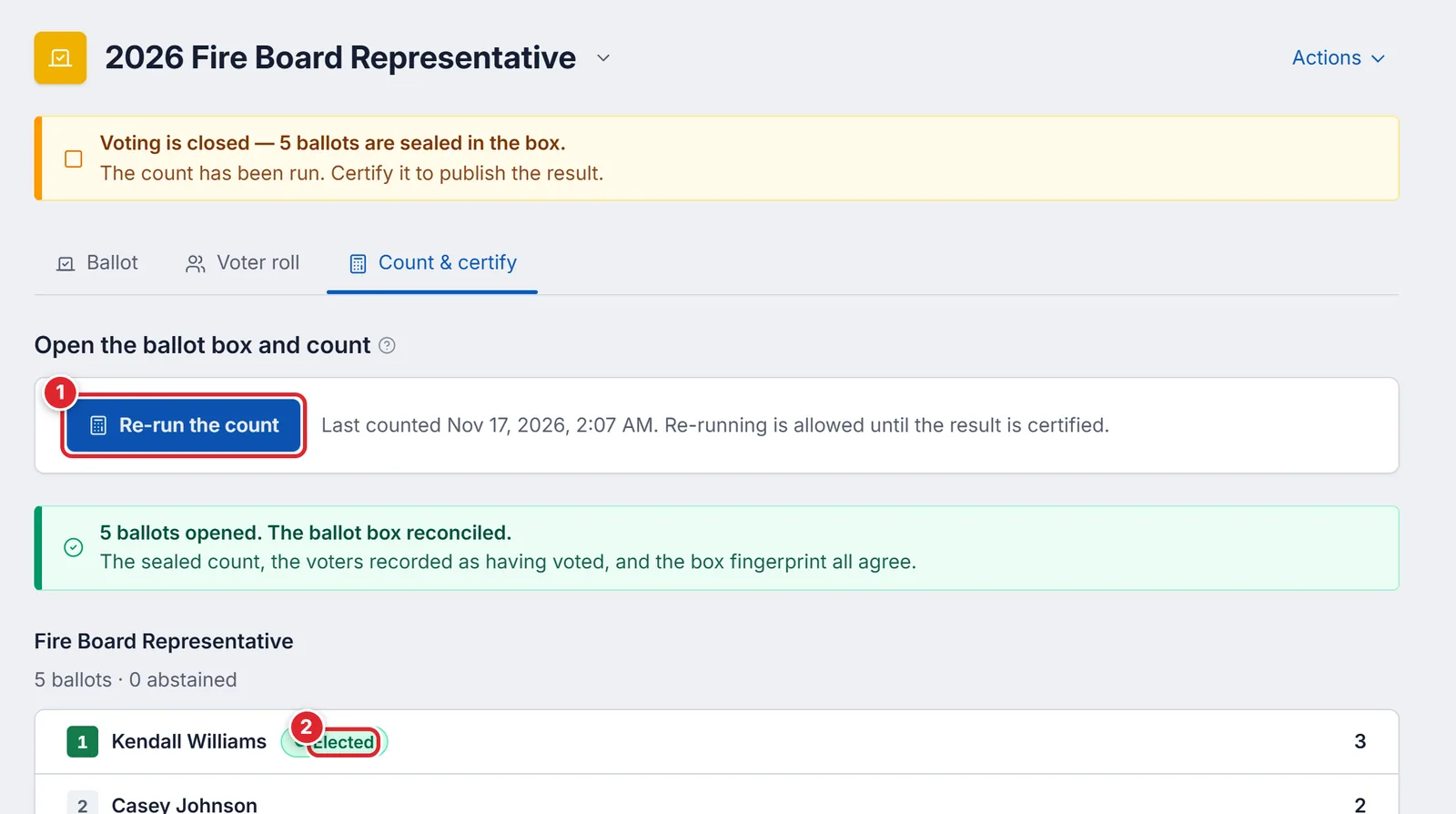
- Check the count: it says whether the ballot box reconciled, and marks the winners Elected (2). You can Re-run the count (1) until you certify.
#Certify
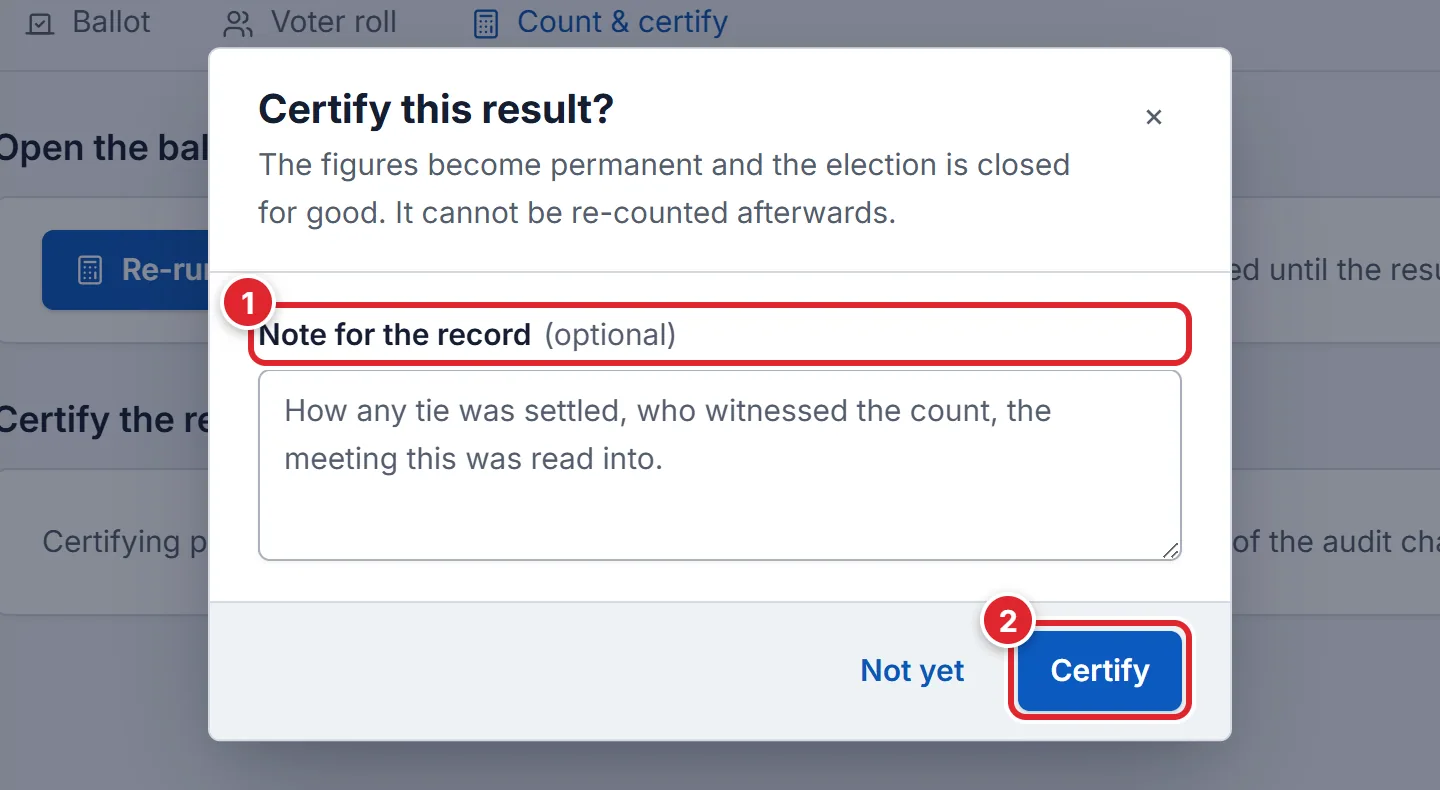
- Press Certify result.
- Add a Note for the record (1), for example where the count was read out or how a tie was settled. Press Certify (2).
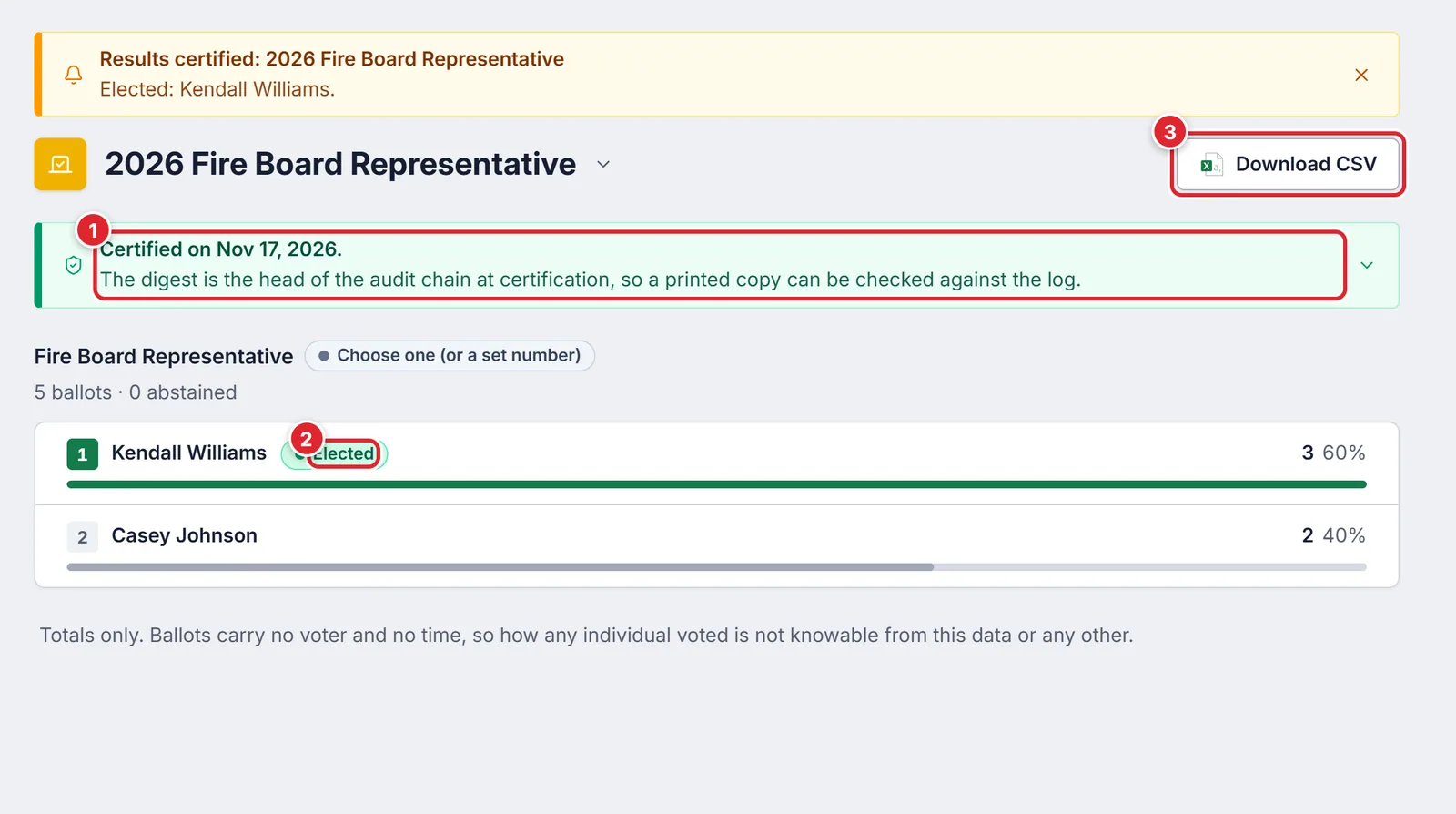
Members are notified and can see the result, unless the election was set to never show members the numbers. The result page has Download CSV (3).
#If something goes wrong
- Close the voting before counting the ballots.
- Close voting first.
- That tally passphrase is not correct…
- Type the passphrase exactly as set when voting opened. It can’t be recovered.
- Only … ballots were cast, and this organization does not publish a breakdown below …
- Too few ballots to publish figures (3 by default, set in Elections Settings).
- … and … are tied for the last available seat. Settle it under your bylaws, then certify with a note saying how.
- Ties are never broken automatically. Settle it under your bylaws and explain how in the note.
- Count the ballots before certifying the result.
- Run the count first.