
#Open the record
- In the side menu, under your personal items, open My HR Records. It only appears once a record has been shared with you. The HR records to acknowledge banner and your notification open it too.
- Under Needs your acknowledgment, tap the record.
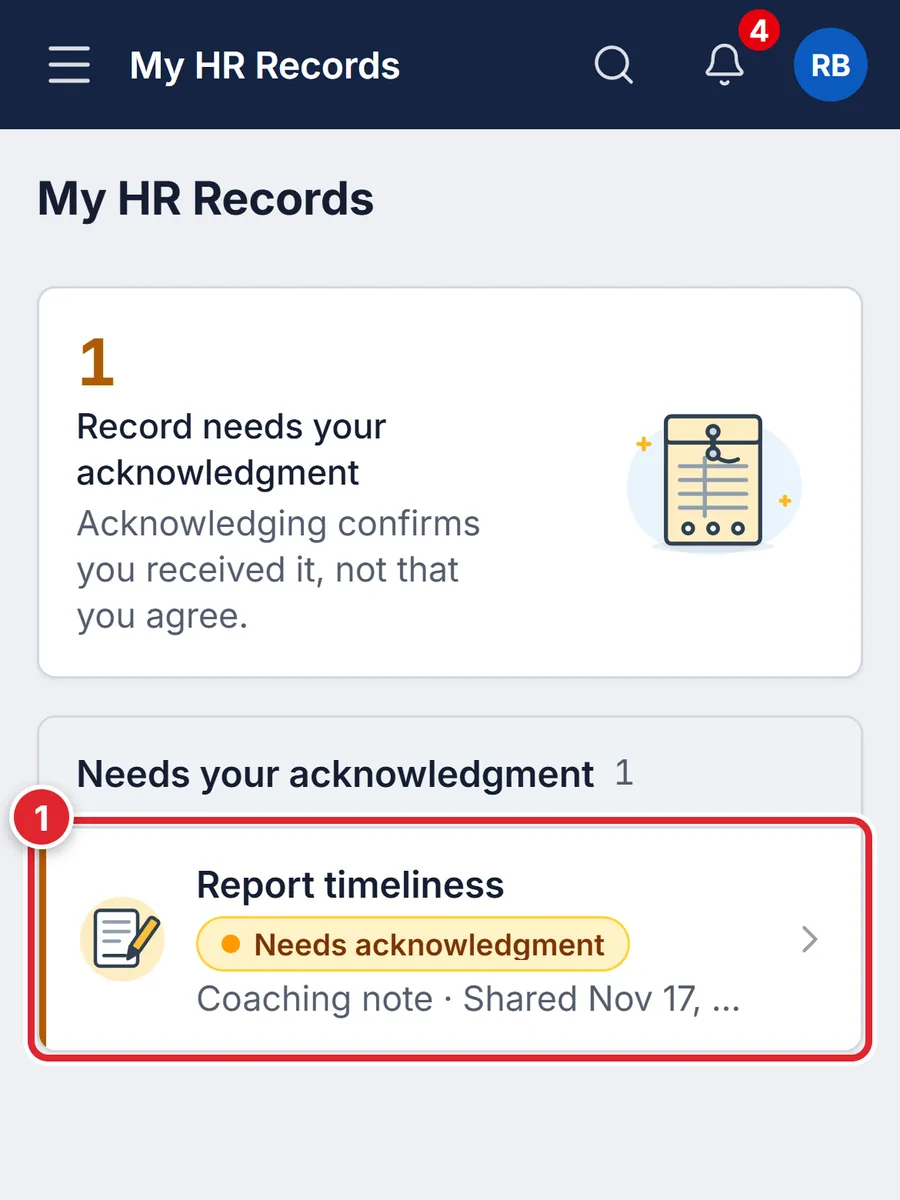
Acknowledging confirms you received it, not that you agree.
#Acknowledge it
- Read From your department and any documents shared with you.
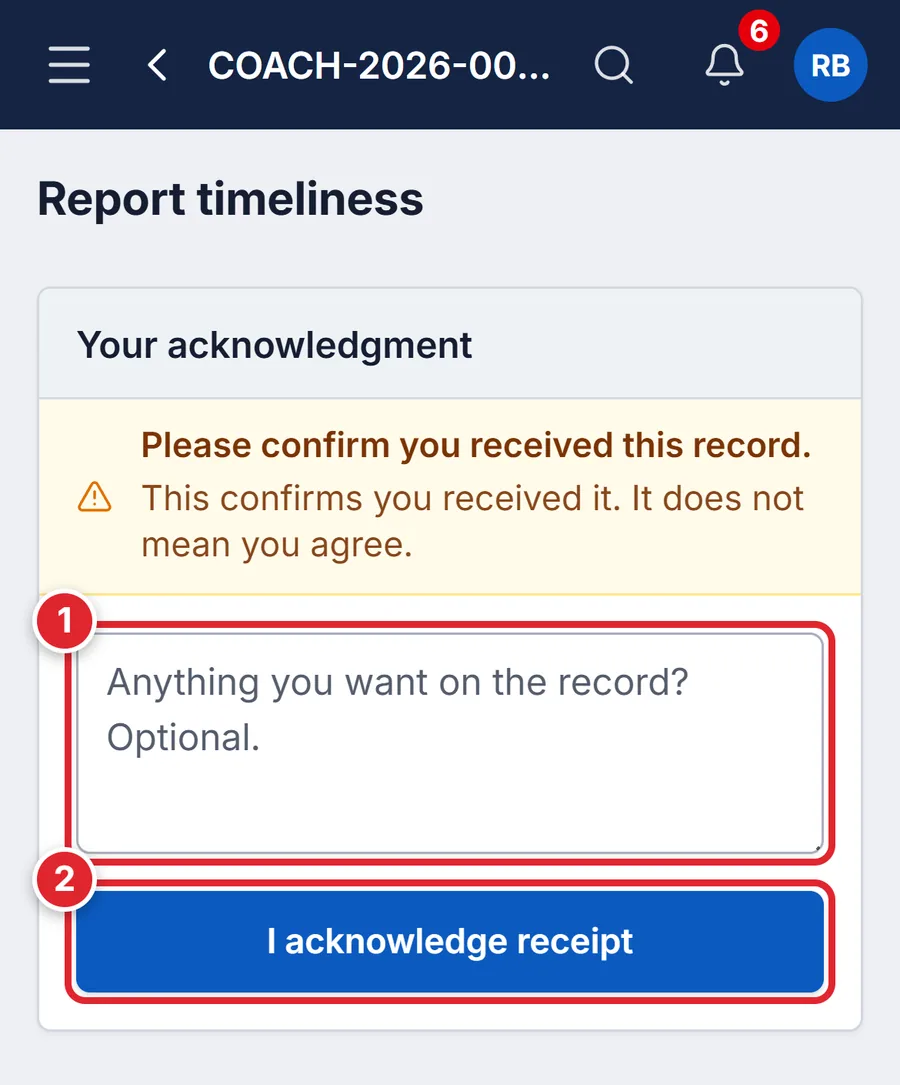
- If you want something on the record, type it in the comment box (1). It’s optional.
- Tap I acknowledge receipt (2).
You see the message, the record’s details, your rights notice and the documents marked for you. You never see officers’ notes, statements or history. To add a formal statement of your own, ask the officer named on the record.
#If something goes wrong
- There’s nothing waiting for your acknowledgment on this record.
- You already acknowledged it. It stays under Your records.
- I can’t find My HR Records
- Nothing has been shared with you yet. A record can be prepared and approved before it is shared.