#Start a direct message or a group
- In Chat, tap New message. Your private conversations are under DMs.
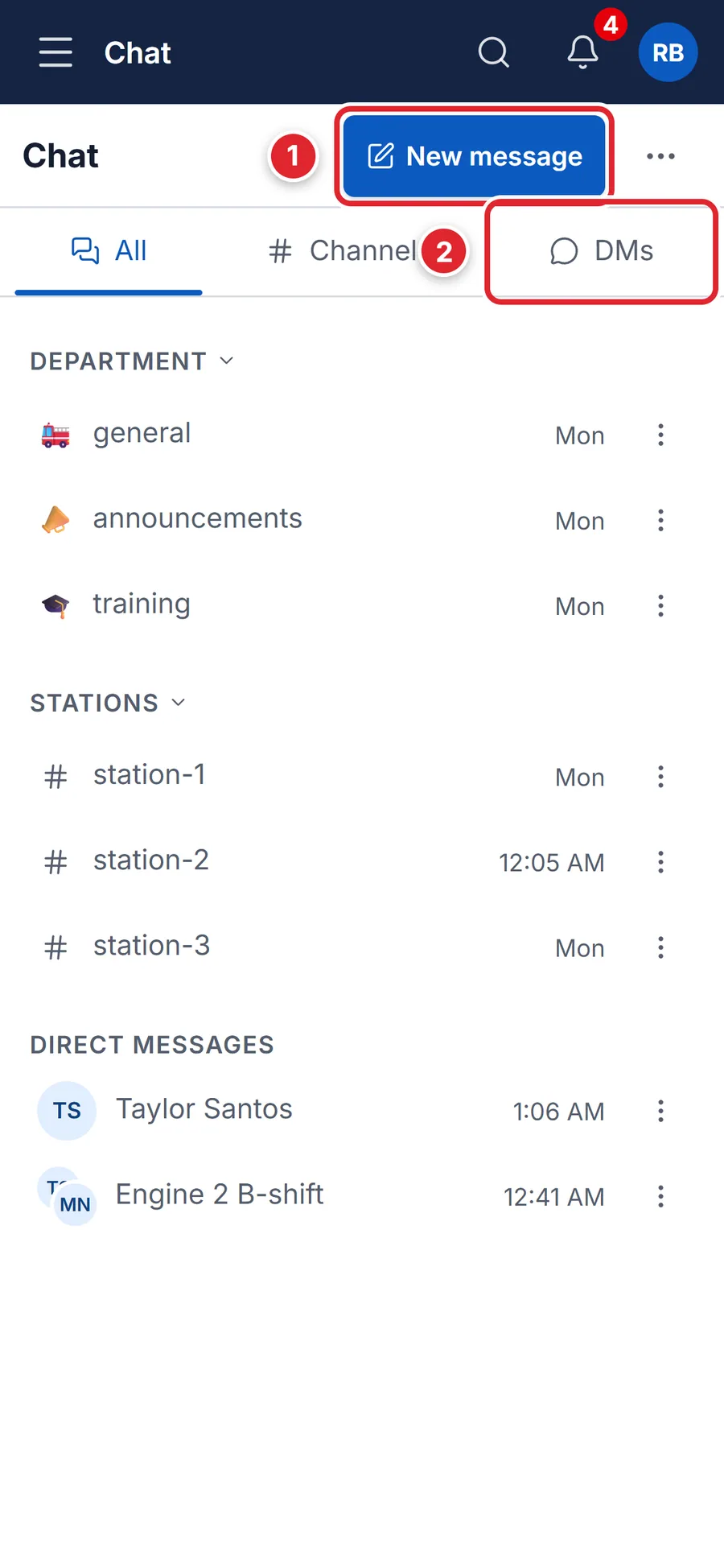
1 — New message. 2 — your private conversations. - Search for and tick one person to message them, or several to start a group. With two or more, you can type a Group name (optional).
- Tap Chat (one person) or Create group.
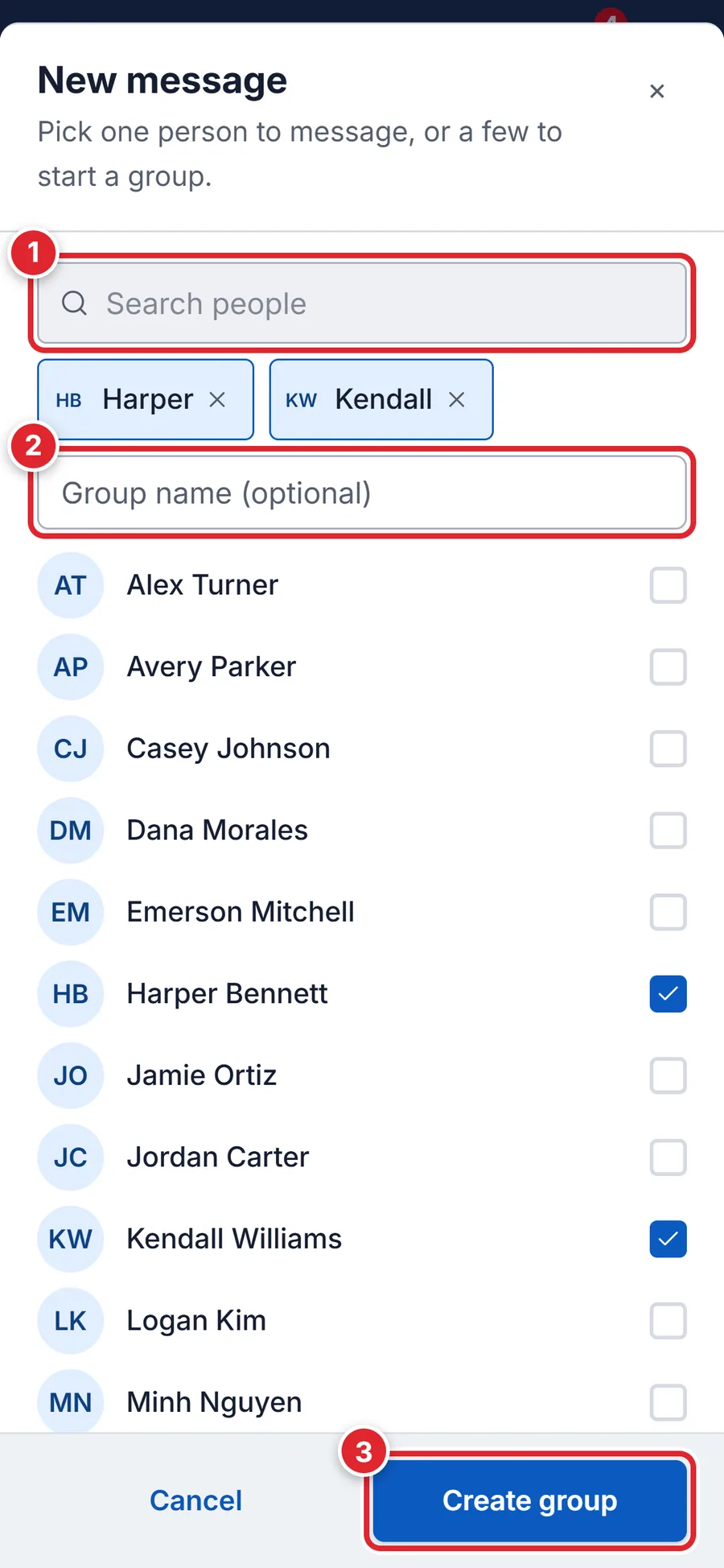
1 — search people. 2 — optional group name. 3 — Create group.
Only the people in a direct message or group can read it. Officers and administrators cannot open conversations they are not in. You can also tap Message on anyone's card in the members list.
#Call someone from a direct message
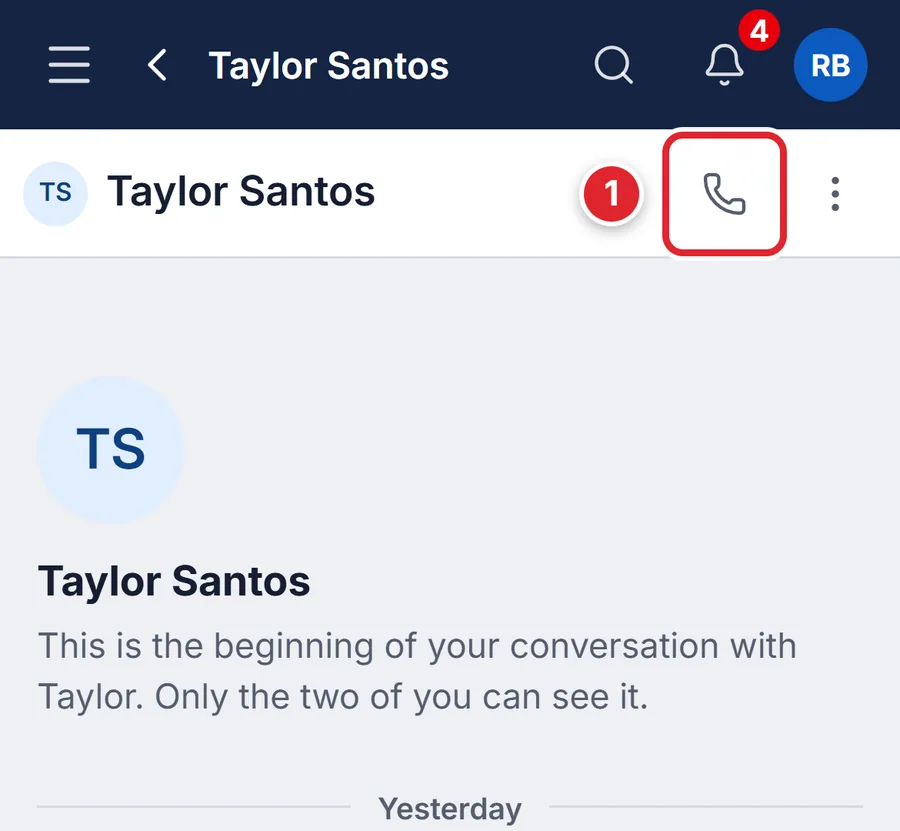
In a direct message, the phone button at the top calls the other person's mobile number. It only shows when your department has the call button turned on and that person has a mobile number on their member record.
Video calls are separate: people who can create meetings can type /meet in a conversation to start a Meet call.
#Add people, rename or leave a group
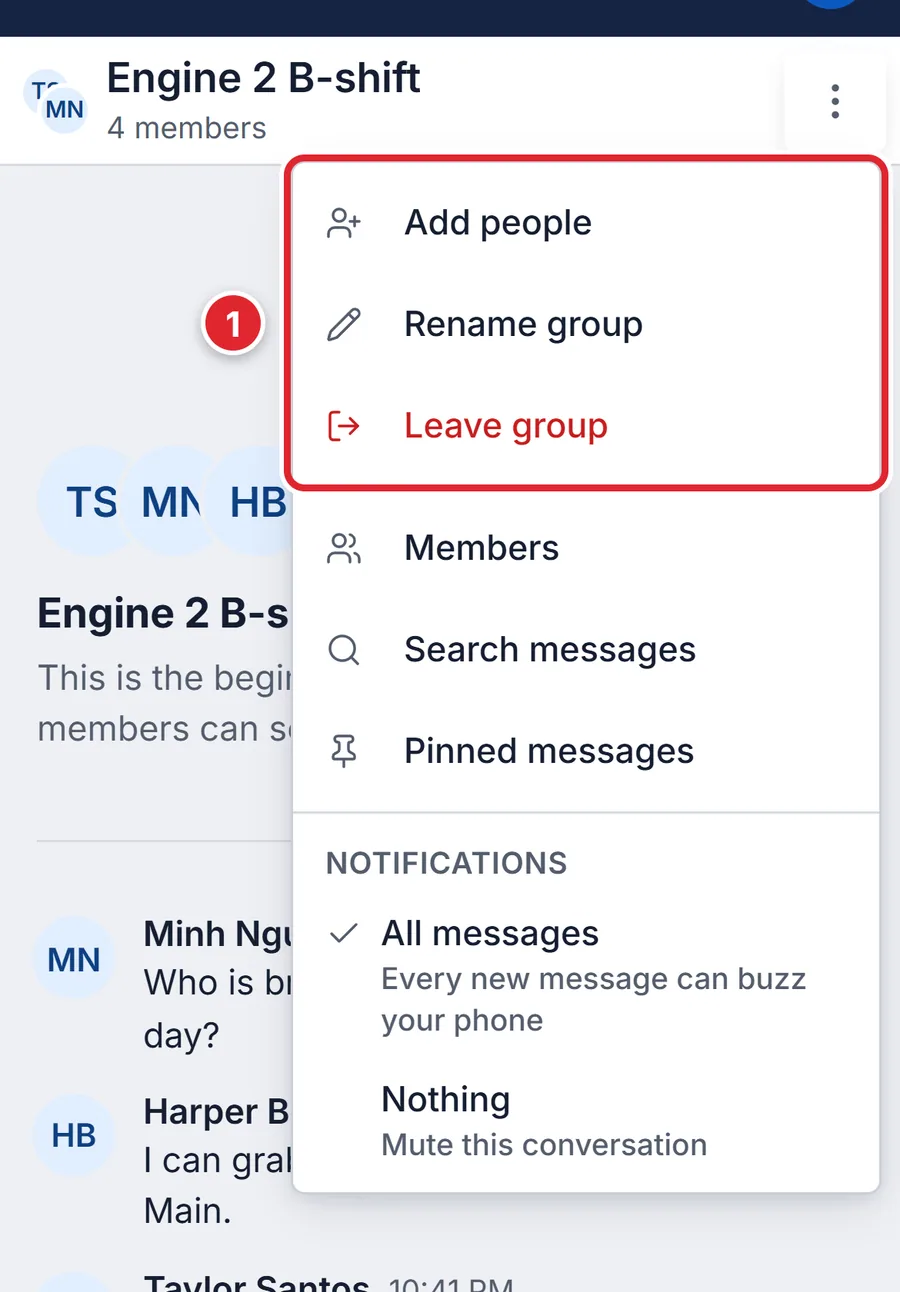
In the group, tap ⋮ at the top right. Anyone in the group can Add people, Rename group or Leave group. Someone in the group can add you back later. To tidy your list, Close DM hides a direct message until a new message arrives.
#If something goes wrong
- Direct messages are turned off for your department.
- Your department uses channels only. Existing conversations stay readable.
- A group holds at most 50 people.
- Make a smaller group, or ask for a channel instead.
- One of those people can't use Chat.
- That person's roles do not include Chat. Pick someone else, or ask an administrator.
- No New message button
- Direct messages are turned off for your department.
- No phone button in a direct message
- The call button is turned off, or the person has no mobile number on their record.